1. Ważne zabezpieczenia
Podczas korzystania z urządzeń elektrycznych należy zawsze przestrzegać podstawowych zasad bezpieczeństwa, w tym:
- Przed użyciem tostera należy przeczytać wszystkie instrukcje.
- Nie dotykaj gorących powierzchni. Używaj uchwytów lub gałek.
- Aby uniknąć porażenia prądem elektrycznym, nie zanurzaj przewodu, wtyczki ani tostera w wodzie lub innym płynie.
- Należy zachować ścisły nadzór, jeżeli z urządzenia korzystają dzieci lub w ich pobliżu.
- Odłącz od gniazdka, gdy nie jest używany i przed czyszczeniem. Pozostaw do ostygnięcia przed założeniem lub zdjęciem części.
- Nie używaj żadnego urządzenia, jeśli przewód lub wtyczka są uszkodzone, ani po awarii urządzenia lub po jego uszkodzeniu w jakikolwiek sposób.
- Nie pozwól, aby przewód zwisał z krawędzi stołu lub blatu i dotykał gorących powierzchni.
- Nie umieszczać na gorącym palniku gazowym lub elektrycznym ani w jego pobliżu, a także w nagrzanym piekarniku.
- Nie używaj tostera niezgodnie z przeznaczeniem.
- Do tostera nie należy wkładać żywności o dużych rozmiarach, opakowań foliowych ani naczyń, gdyż może to wiązać się z ryzykiem pożaru lub porażenia prądem.
- Może dojść do pożaru, jeśli toster jest przykryty lub dotyka łatwopalnego materiału, np. zasłon, firanek, ścian itp., podczas pracy.
- Nie próbuj wyjmować jedzenia z tostera, gdy jest on podłączony do gniazdka.
- To urządzenie jest przeznaczone wyłącznie do użytku domowego.
2. Koniec produktuview
The KEENSTAR ST-265TC is a modern 2-slice toaster featuring a touch screen interface for precise control over your toasting preferences. It includes wide slots to accommodate various bread types and a removable crumb tray for easy cleaning.
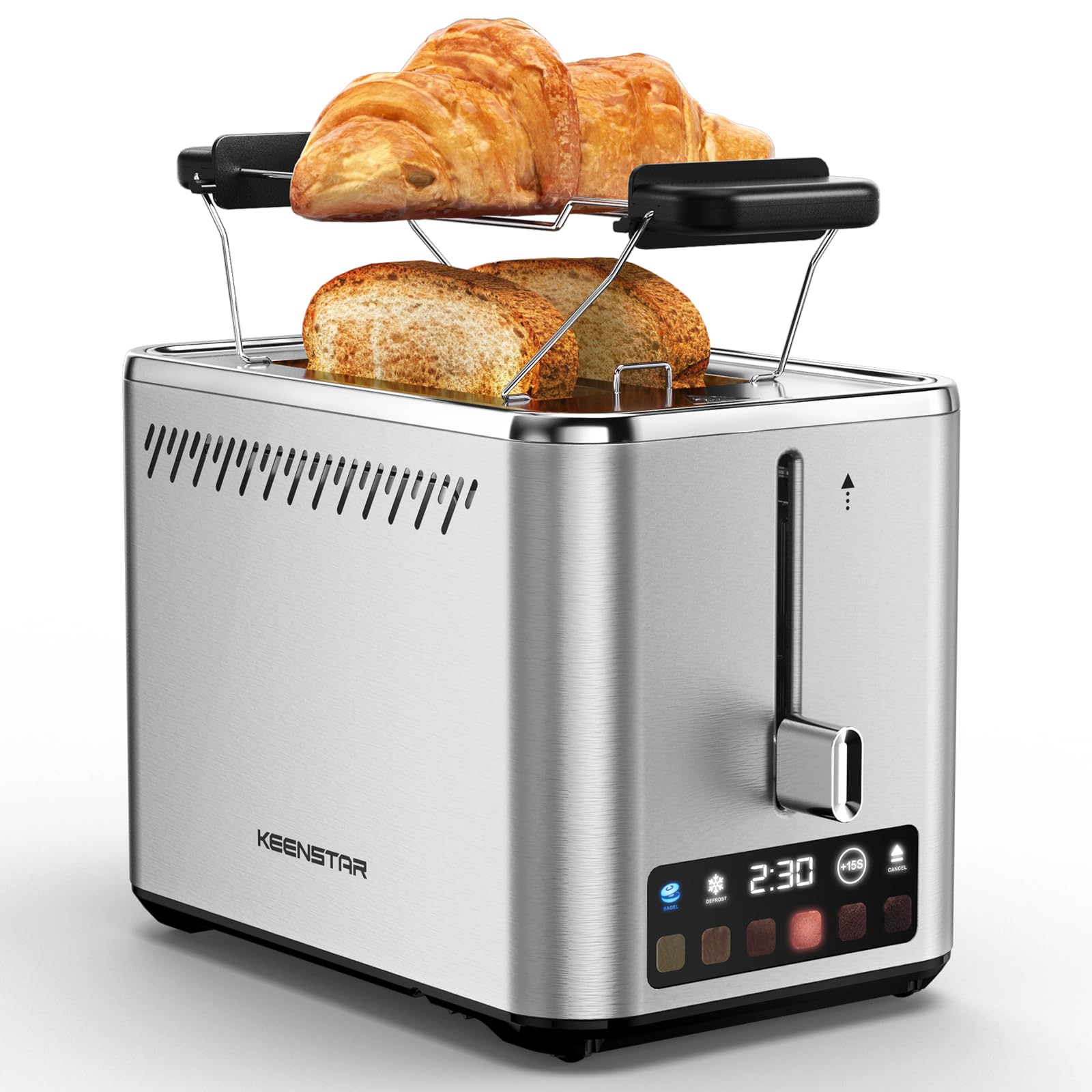
Image: KEENSTAR ST-265TC 2-Slice Toaster in silver stainless steel.
3. Konfiguracja
Rozpakowywanie
Carefully remove the toaster and all packaging materials from the box. Ensure all accessories, including the warming rack, are present.
Umieszczenie
Toster należy ustawić na stabilnej, płaskiej i odpornej na ciepło powierzchni, z dala od materiałów łatwopalnych, takich jak zasłony czy ściany. Zapewnić odpowiednią wentylację wokół urządzenia.
Pierwsze użycie
Before toasting food for the first time, operate the toaster without bread on the highest browning setting (level 6) to burn off any manufacturing residues. A slight odor or smoke may be present; this is normal and will dissipate.
4. Instrukcja obsługi
Panel sterowania nadview

Image: The toaster's smart touch control display showing 6 browning levels and extra functions like Bagel, Defrost, +15S, and Cancel.
Podstawowe opiekanie
- Insert up to two slices of bread into the wide 1.5-inch slots.
- Select your desired browning level (1-6) by touching the corresponding icon on the display. Level 1 is the lightest, and Level 6 is the darkest.
- Press the lever down until it locks into place. The digital display will show a countdown timer.
- The toast will automatically pop up when the cycle is complete.

Image: Visual guide showing the steps for easy toaster operation: 1. Put bread in slots, 2. Select browning level and function, 3. Press the lever down, 4. Enjoy delicious bread.
Funkcja bajgla
This function is designed to toast the cut side of bagels while gently warming the outer side.
- Insert bagel halves into the slots with the cut side facing outwards.
- Wybierz pożądany poziom zrumienienia.
- Dotknij BAJGIEL button on the display. It will illuminate.
- Press the lever down until it locks.

Image: The toaster's display showing the illuminated BAGEL mode. BAGEL mode toasts one side only; place the cut side facing outward.
Funkcja rozmrażania
Use this function to toast frozen bread without pre-thawing.
- Insert frozen bread into the slots.
- Wybierz pożądany poziom zrumienienia.
- Dotknij ROZMRAŻAĆ button on the display. It will illuminate.
- Press the lever down until it locks.

Image: The toaster's display showing the illuminated DEFROST mode. This mode allows you to cook frozen breads easily without guesswork.
+15S Function
If your toast is not quite browned enough after a cycle, you can add an additional 15 seconds of toasting time.
- After a toasting cycle, if more browning is desired, touch the +15 sekund przycisk.
- The toaster will initiate a 15-second toasting cycle.
Anuluj funkcję
To stop the toasting cycle at any time, simply touch the ANULOWAĆ button. The lever will automatically raise, and the heating elements will turn off.

Image: The toaster's display highlighting the +15S button to increase baking time by 15 seconds, and the Cancel button to stop heating.
Stojak na ocieplenie
The included warming rack can be used to warm pastries, croissants, or other items that cannot be placed directly into the toaster slots.
- Place the warming rack securely on top of the toaster, aligning it over the slots.
- Place the item to be warmed on the rack.
- Start a toasting cycle (without bread in the slots) to generate heat. The heat rising from the toaster will warm the item on the rack.
- Monitor the item closely to prevent over-warming or burning.

Image: The removable warming rack attached to the toaster, with a croissant placed on it for warming.
Filmy o produktach
Video: Demonstrates the touchscreen and warming tray features of the KEENSTAR toaster.
Wideo: Szczegółowy review of the KEENSTAR Smart 2-Slice Toaster, highlighting its touch screen and various functions.
Video: Explores the key features and functionalities of the KEENSTAR toaster.
5. Konserwacja i czyszczenie
Ogólne sprzątanie
Always unplug the toaster from the power outlet and allow it to cool completely before cleaning. Wipe the exterior with a soft, damp ściereczką. Nie używaj środków czyszczących o właściwościach ściernych ani metalowych gąbek, ponieważ mogą one zarysować powierzchnię ze stali nierdzewnej.
Tacka na okruchy
The removable crumb tray collects crumbs during toasting and should be emptied regularly to prevent fire hazards.
- Upewnij się, że toster jest odłączony od zasilania i całkowicie ostygł.
- Wysuń tackę na okruchy, która znajduje się z tyłu, na spodzie tostera.
- Wyrzuć okruszki i wytrzyj tackę do czysta.amp płótno.
- Wsuń tackę na okruchy z powrotem na miejsce, aż zatrzaśnie się pewnie.

Image: The toaster's convenient design showing the removable crumb tray being pulled out and the cord storage area on the bottom.
Przechowywanie przewodu
For neat storage, the power cord can be wrapped around the designated area on the underside of the toaster.
6. Rozwiązywanie Problemów
- Toster się nie włącza: Ensure the power cord is securely plugged into a working electrical outlet. Make sure the toast lever is fully pressed down.
- Nierównomierne opiekanie: Ensure bread slices are centered in the slots. Try adjusting the browning level. Different types of bread may require different settings.
- Bread stuck in slots: Unplug the toaster immediately and allow it to cool. Gently remove the bread using non-metallic tongs. Never use metal utensils.
- Dym wydobywający się z tostera: Unplug the toaster immediately. Remove any food particles or crumbs that may be lodged inside the slots or on the heating elements. Ensure the crumb tray is clean.
7. Specyfikacje
| Marka | KEENSTAR |
| Model | ST-265TC |
| Moc | 900 watów |
| Tomtage | 120 V (AC) |
| Liczba plasterków | 2 |
| Tworzywo | Stal nierdzewna |
| Wymiary produktu (Gł. x Szer. x Wys.) | 10.39" x 7.1" x 6.1" |
| Szerokość szczeliny | 1.5 cali |
| Cechy specjalne | Cancel Function, LED Indicator, Removable Crumb Tray, Touchscreen, Warming Rack |

Image: Diagram showing the dimensions of the KEENSTAR ST-265TC toaster: 9.4 inches (24cm) length, 6.1 inches (15.6cm) width, 7 inches (18cm) height, and 1.5 inch (3.8cm) wide slots.
8. Gwarancja i wsparcie
Gwarancja
This KEENSTAR toaster comes with a 2-year warranty. Please refer to the warranty card included in the product packaging for detailed terms and conditions.
Obsługa klienta
For any questions, technical assistance, or warranty claims, please contact KEENSTAR customer support. Contact information can typically be found on the warranty card or the official KEENSTAR webstrona.