Wstęp
Thank you for choosing the Generic Q8 Wireless Collar Microphone. This professional recording microphone is designed for mobile phone use, offering intelligent noise reduction and clear audio capture for various applications such as recording, interviews, and live streaming. Its plug-and-play functionality and portable design make it an ideal tool for content creators and professionals alike. This manual provides detailed instructions on how to set up, operate, and maintain your Q8 microphone system.
Co jest w pudełku
Sprawdź zawartość paczki, aby upewnić się, że znajdują się w niej wszystkie elementy:
- Q8 Wireless Transmitter (Collar Microphone)
- Q8 Wireless Receiver (Fruit Interface)
- Etui ładujące
- Kabel ładujący (USB-C)
- Instrukcja obsługi

Rysunek 1: The Q8 Wireless Collar Microphone system, showing the charging case with the receiver inserted, and the microphone transmitter.
Główne cechy
- Professional Wireless System: Real wireless, one-to-two microphone capability for versatile use.
- Inteligentna redukcja szumów: Features upgraded double noise reduction (low cut + ENC environmental noise reduction) to precisely reduce various frequencies of noise while preserving vocal clarity.
- Podłącz i graj: Simple setup with direct connection to mobile phones or computers, no external sound card required.
- Magnetic Absorption & Back Clip Design: Flexible installation with magnetic accessories and a convenient back clip for easy attachment to clothing.
- Wyraźne nagrywanie dźwięku: Captures pure, delicate, and realistic sound, including subtle environmental audio, for an immersive experience.
- Rozszerzona wytrzymałość: Receiver equipped with a direct charging interface, allowing simultaneous recording and phone charging to ensure continuous operation.
Organizować coś
1. Ładowanie początkowe
Before first use, ensure both the microphone transmitter and the charging case are fully charged. Connect the charging case to a power source using the provided USB-C cable. The digital display on the charging case will indicate the battery level. The microphone transmitter charges when placed inside the charging case.
2. Podłączenie odbiornika
The Q8 microphone system comes with a receiver designed for Fruit Interface devices. Simply plug the receiver directly into your mobile phone's charging/audio port. The receiver has a green indicator light that will illuminate when successfully connected and ready for use.
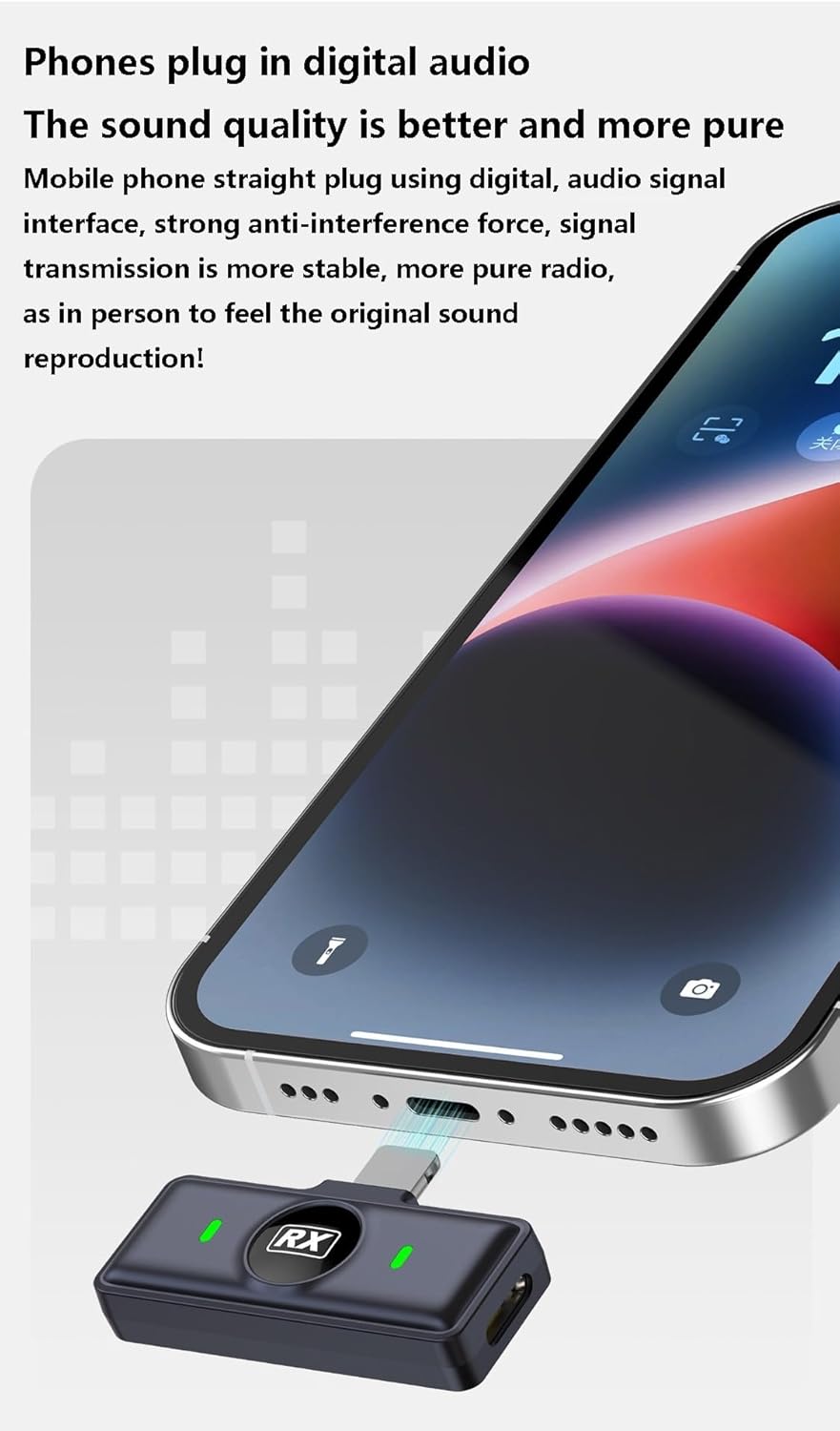
Rysunek 2: The Q8 receiver connected to a smartphone's charging port, indicating a direct digital audio connection.
For computer connection, the receiver can also be plugged directly into a compatible USB port. No additional drivers or sound cards are typically required for plug-and-play functionality.

Rysunek 3: The Q8 receiver connected to a laptop, demonstrating direct computer compatibility without an external sound card.
3. Pairing the Microphone
The microphone transmitter and receiver are pre-paired from the factory. Once the receiver is plugged into your device, simply take the microphone transmitter out of the charging case. It will automatically power on and connect to the receiver. A solid green light on the microphone indicates a successful connection.
Instrukcja obsługi
1. Noszenie mikrofonu
Attach the Q8 collar microphone to your clothing using the integrated back clip. For optimal sound quality, position the microphone approximately 6-8 inches (15-20 cm) from your mouth. The magnetic absorption feature allows for flexible and secure placement.
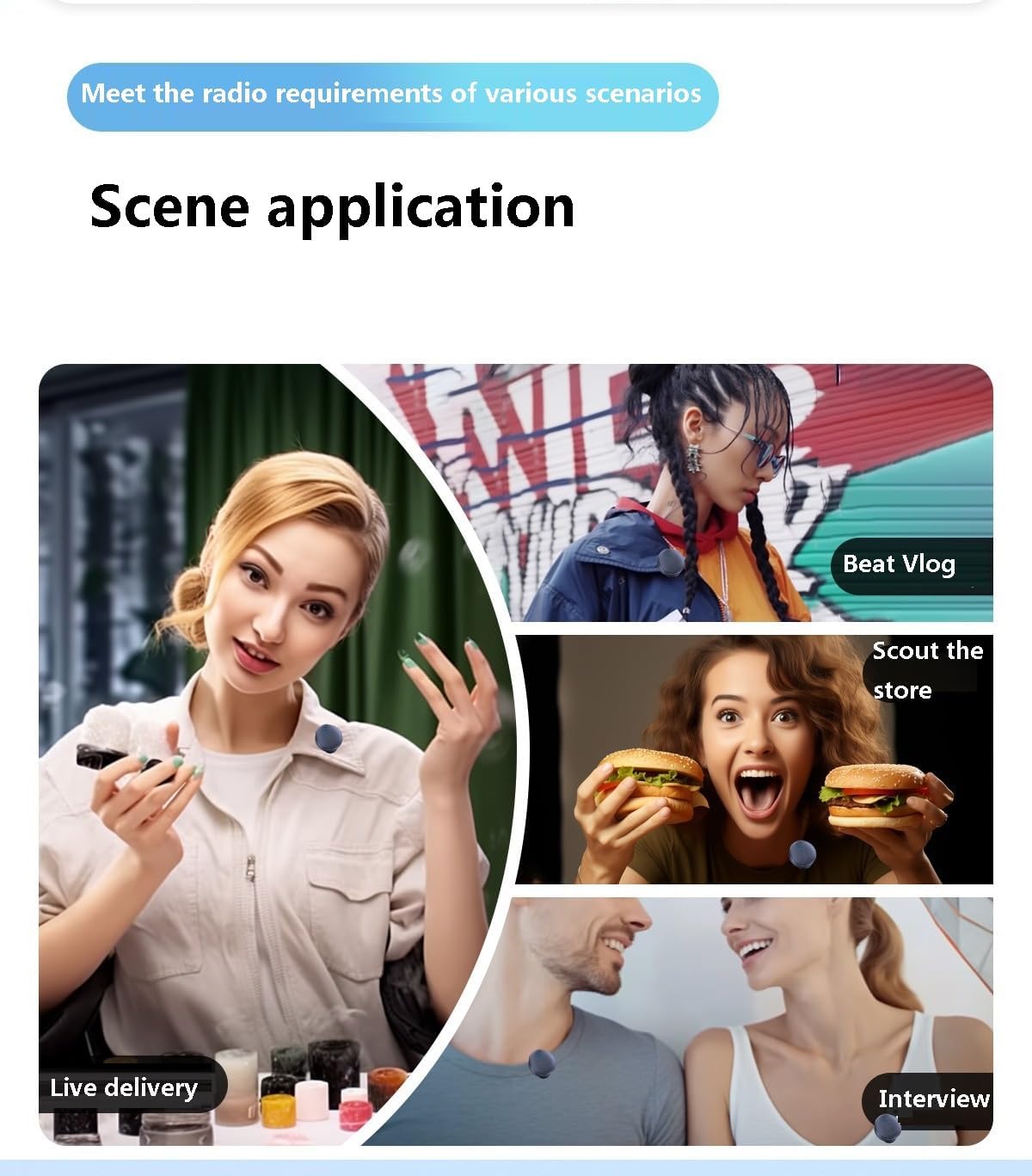
Rysunek 4: Examples of scene applications, showing the Q8 microphone being used for live delivery, vlogging, store scouting, and interviews.
2. Nagrywanie dźwięku
Once the microphone and receiver are connected, open your preferred audio or video recording application on your smartphone or computer. The Q8 microphone will be automatically recognized as the audio input device. Begin recording as usual. The microphone's advanced digital audio processing ensures clear and pure sound reproduction.

Rysunek 5: A musician using the Q8 microphone while playing a keyboard, highlighting the microphone's ability to capture original and pure sound.
3. Noise Reduction Function
The Q8 microphone features intelligent noise reduction. This function is typically active by default, utilizing both low-cut filtering and ENC (Environmental Noise Cancellation) to minimize background noise. This ensures your voice remains clear and prominent even in noisy environments.

Rysunek 6: A visual representation of the Q8 microphone's noise reduction capability, demonstrating how unwanted noise is minimized.
4. Simultaneous Charging and Recording
The receiver is designed with a pass-through charging port. This allows you to charge your mobile phone while simultaneously recording audio with the Q8 microphone, ensuring uninterrupted long recording sessions or live streams.

Rysunek 7: The Q8 system enabling continuous recording by allowing the phone to charge while the microphone is in use.
Konserwacja
- Czyszczenie: Use a soft, dry cloth to clean the microphone, receiver, and charging case. Avoid using liquid cleaners or abrasive materials.
- Składowanie: Przechowuj urządzenie w etui ładującym, gdy nie jest używane, aby chronić je przed kurzem i uszkodzeniami. Przechowuj je w chłodnym, suchym miejscu, z dala od bezpośredniego światła słonecznego i ekstremalnych temperatur.
- Pielęgnacja baterii: Aby przedłużyć żywotność baterii, unikaj częstego całkowitego rozładowywania urządzenia. Ładuj je regularnie, nawet jeśli nie jest używane regularnie.
Rozwiązywanie problemów
| Problem | Możliwa przyczyna | Rozwiązanie |
|---|---|---|
| Brak nagranego dźwięku / Nie wykryto mikrofonu |
|
|
| Poor audio quality / Excessive background noise |
|
|
| Mikrofon nie ładuje się |
|
|
Specyfikacje
| Model | Q8 Wireless Collar Microphone |
| Typ mikrofonu | Collar Microphone, Capacitor |
| Pointing Characteristics | All pointing/No pointing (Omnidirectional) |
| Technologia łączności | Bezprzewodowa (Bluetooth 5.0) |
| Typ złącza | Fruit Interface (Receiver) |
| Kompatybilne urządzenia | Smartphones (Fruit Interface), Computers |
| Wbudowana pojemność baterii | 800mAh-1000mAh (włącznie) |
| SNR (stosunek sygnału do szumu) | ≥70dB |
| Zakres odpowiedzi częstotliwościowej | 20Hz-20KHz |
| Moc znamionowa | 5W |
| Znamionowa objętośćtage | 3.7 V |
| Wytrzymałość | 3-6 hours (inclusive) |
| Dimensions (TX) | Approx. D30*12mm |
| Dimensions (RX) | Około. 40 * 16.5 * 9mm |
| Wymiary (etui ładujące) | Około. 75.8 * 49.8 * 35mm |
| Kolor | Czarny |
| Kraj pochodzenia | Chiny |
Gwarancja i wsparcie
For warranty information and technical support, please refer to the contact details provided by your retailer or visit the official Generic brand webZachowaj paragon jako dowód zakupu na wypadek ewentualnych roszczeń gwarancyjnych.