
SuperRC L500 Pro
Instrukcja obsługi drona SuperRC L500 Pro 4K GPS
Model: L500 Pro
1. Wprowadzenie
This manual provides essential instructions for the safe operation and maintenance of your SuperRC L500 Pro 4K GPS Drone. Please read this manual thoroughly before operating the drone to ensure proper usage and to prevent damage or injury. Keep this manual for future reference.
2. Wytyczne bezpieczeństwa
Operating a drone requires responsibility. Adhere to all local regulations and guidelines for drone usage. Failure to do so may result in legal penalties or property damage.
- Kontrola przed lotem: Always inspect the drone, remote controller, and batteries for any damage before each flight. Ensure propellers are securely attached.
- Środowisko lotu: Fly in open areas, away from people, animals, buildings, and power lines. Avoid flying in strong winds, rain, or fog. Maintain a clear line of sight with the drone.
- Bezpieczeństwo baterii: Use only approved batteries and chargers. Do not overcharge or puncture batteries. Discontinue use if batteries show signs of swelling or damage.
- Unikanie przeszkód: While the drone features 360° laser obstacle avoidance, it is not foolproof. Always exercise caution and maintain awareness of your surroundings.
- Zalecany wiek: Produkt przeznaczony jest dla osób dorosłych.
3. Zawartość opakowania
Sprawdź, czy w przesyłce znajdują się wszystkie elementy:
- SuperRC L500 Pro Drone
- Pilot zdalnego sterowania
- Etui transportowe
- Śmigła (w zestawie zapasowe)
- Śruby
- Śrubokręt
- Kabel USB typu C.
- Baterie litowo-jonowe (2 w zestawie)
- Instrukcja obsługi (ten dokument)

4. Komponenty drona
Familiarize yourself with the key parts of your SuperRC L500 Pro drone:
- Składane ramiona: Do kompaktowego przechowywania i transportu.
- Silniki bezszczotkowe: Provide stable and quiet flight.
- Śmigła: Generowanie siły nośnej dla lotu.
- 4K HD Dual Cameras: Front-facing and downward-facing cameras for aerial photography and video. Electrically adjustable shooting angles.
- 360° Laser Obstacle Avoidance Sensor: Detects obstacles in all directions.
- Moduł GPS: Enables precise outdoor positioning and intelligent flight modes.
- Czujnik przepływu optycznego: Provides stable hovering for indoor flight.
- Akumulator modułowy: Łatwy montaż i wymiana.


5. Pilot zdalnego sterowania
The remote controller allows you to operate the drone and access its features. It features a smartphone holder for live video feed and app control.
Refer to the included quick start guide for a detailed diagram of the remote controller buttons and their functions.

6. Montaż i ładowanie akumulatora
6.1 Bateria drona
- Insert the modular battery into the drone's battery compartment until it clicks into place.
- Aby wyjąć baterię, naciśnij przycisk zwalniający (jeśli jest obecny) i wysuń baterię.
- Charge the battery using the provided USB Type-C cable and a compatible USB power adapter (not included). The charging indicator will show the charging status.
6.2 Remote Controller Battery
The remote controller typically uses internal rechargeable batteries or standard AA batteries. Refer to the remote controller's specific instructions for battery type and charging/installation procedures.
7. Konfiguracja początkowa
- Ładowanie baterii: Ensure both drone and remote controller batteries are fully charged.
- Rozłóż drona: Ostrożnie rozłóż ramiona drona, aż zablokują się w odpowiedniej pozycji.
- Zainstaluj śmigła: If not pre-installed, attach propellers according to the markings (A/B) on the propellers and motor arms. Ensure they are secure.
- Włączanie: Place the drone on a flat, level surface. Power on the drone, then power on the remote controller.
- Łączenie w pary: The drone and remote controller should automatically pair. If not, follow the pairing instructions in the quick start guide.
- Połączenie aplikacji: Download the SuperRC drone app to your smartphone. Connect your phone to the drone's Wi-Fi network (usually named "SuperRC-XXXX"). Open the app to view the live feed and access advanced features.
- Kalibracja GPS: For outdoor flights, ensure the drone acquires sufficient GPS satellites before takeoff. Perform compass calibration as instructed by the app or quick start guide.
8. Instrukcja obsługi
8.1 Lot podstawowy
- Start/lądowanie jednym klawiszem: Naciśnij specjalny przycisk na pilocie lub w aplikacji, aby automatycznie uruchomić start i lądowanie.
- Sterowanie ręczne: Use the joysticks on the remote controller to control altitude, direction, and rotation.
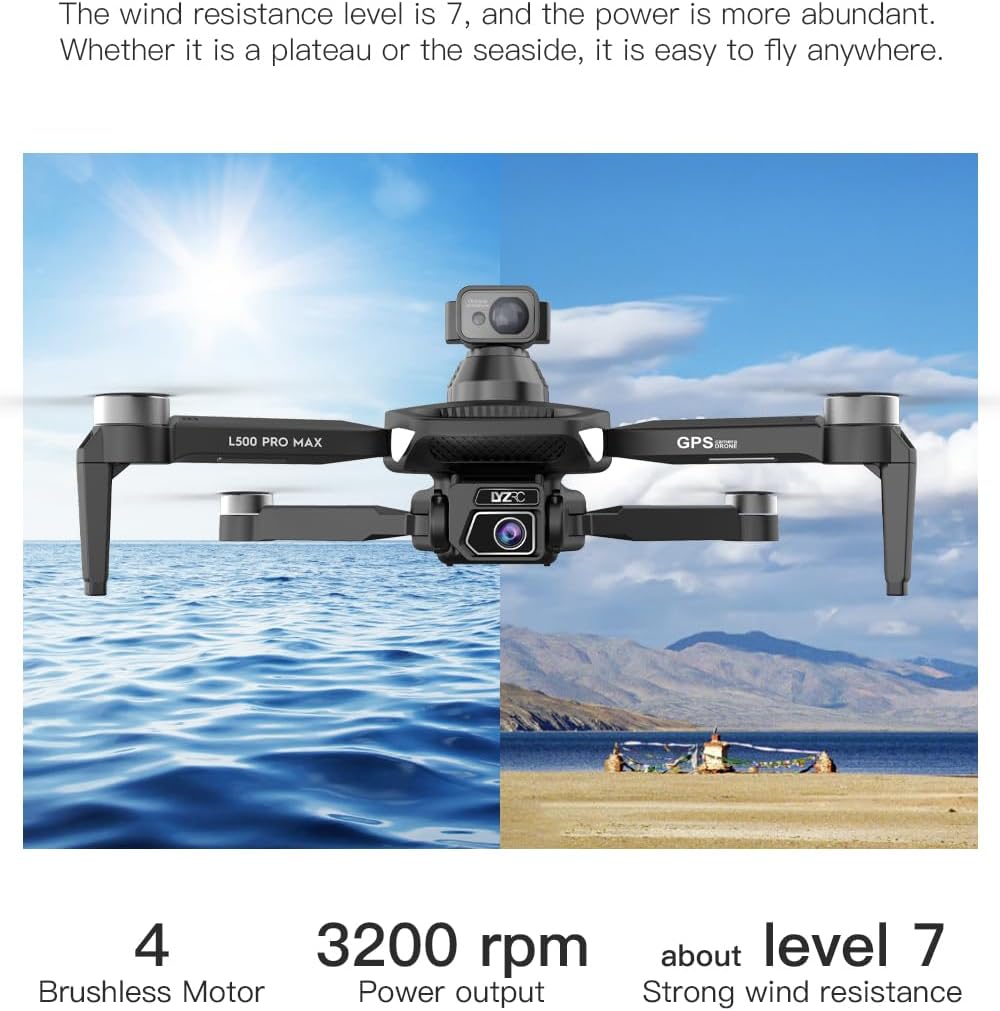
- GPS Mode (Outdoor): Provides stable flight and precise positioning, resisting wind.
- Optical Flow Mode (Indoor): Uses a downward-facing camera for stable hovering in environments without GPS signal.
8.2 Unikanie przeszkód
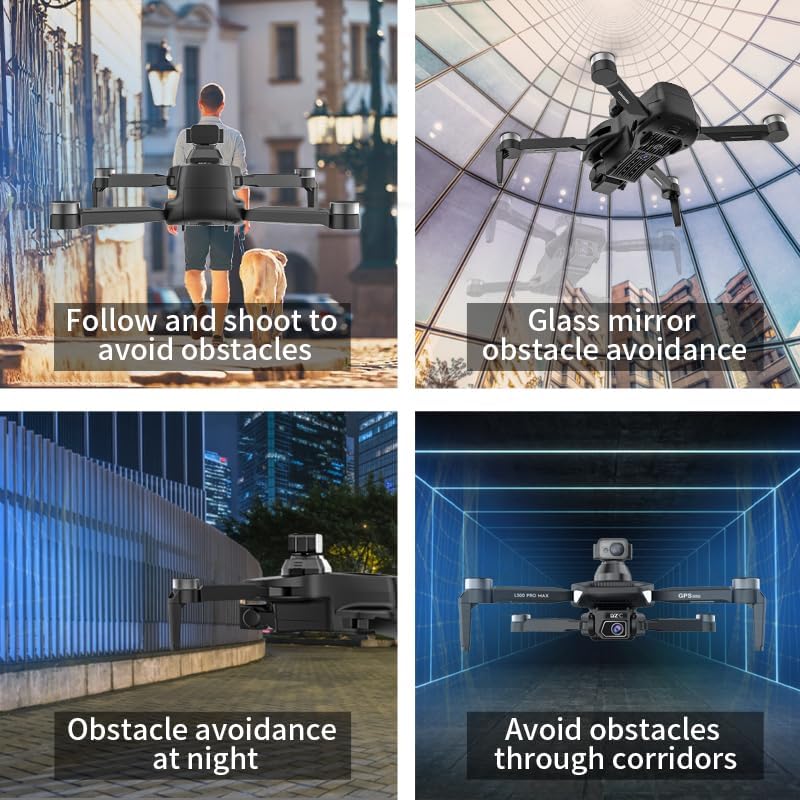
The 360° laser obstacle avoidance system helps prevent collisions by detecting objects in front, rear, left, and right directions. The drone will automatically adjust its flight path to avoid detected obstacles.
8.3 Obsługa kamery
- 4K HD Dual Cameras: Switch between the front and bottom cameras via the remote controller or app.
- Electrically Adjustable Angles: Adjust the camera's tilt angle remotely for optimal shots.
- Przechwytywanie zdjęć/wideo: Use the dedicated buttons on the remote or in the app to take photos or start/stop video recording.
8.4 Inteligentne tryby lotu
- Waypoint Navigation: Plan a custom flight path by tapping points on the map in the app. The drone will follow the designated route.
- GPS Follow/Smart Follow: The drone can automatically follow a moving subject (e.g., a person or vehicle) using GPS and visual tracking.
- Lot orbitalny: The drone will circle a designated point or subject, capturing 360° footage.
- Image Track: Similar to follow mode, but focuses on tracking a specific image or object.
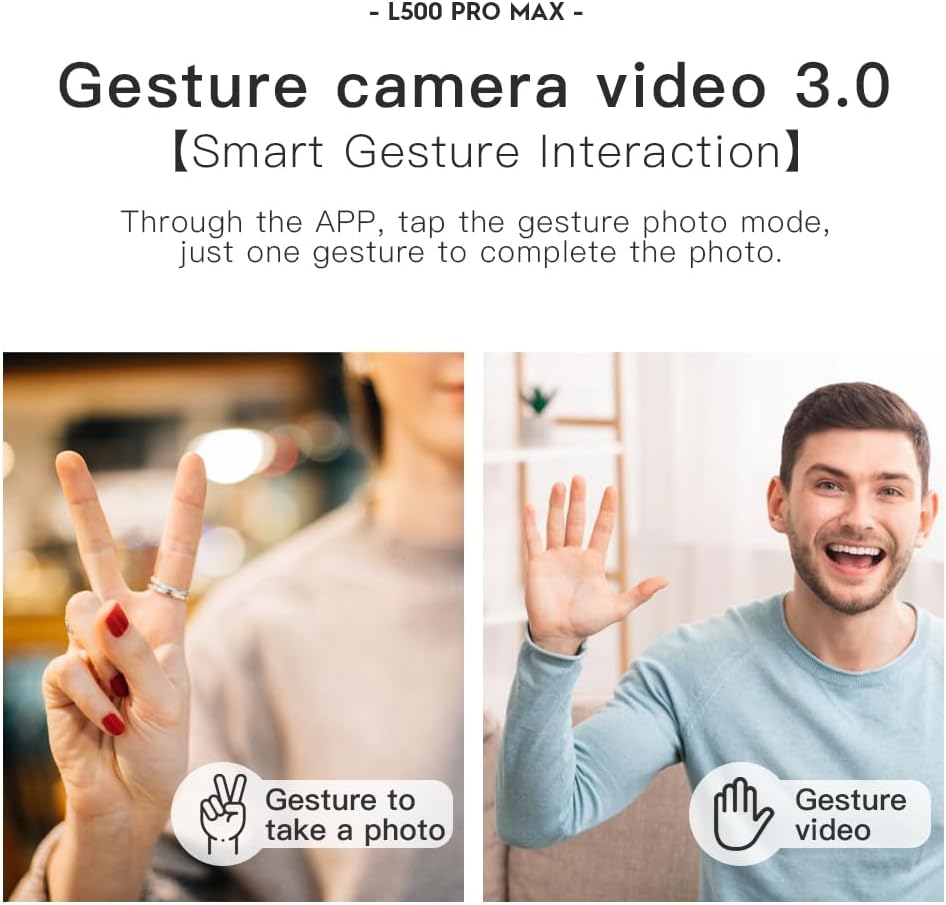
- Sterowanie gestami: Użyj określonych gestów dłoni, aby uruchomić nagrywanie zdjęć lub filmów.
- 4 Intelligent Return Modes:
- Powrót utraconego sygnału: Drone returns to takeoff point if signal is lost.
- Zwrot w przypadku niskiego poziomu baterii: Drone returns automatically when battery is low.
- Over-Distance Return: Drone returns if it flies beyond the set range.
- One-Tap Return: Manually initiate return to home with a single button press.
9. Konserwacja
- Czyszczenie: Use a soft, dry cloth to clean the drone and remote controller. Avoid water or harsh chemicals.
- Kontrola śmigła: Regularnie sprawdzaj śmigła pod kątem pęknięć, wygięć lub uszkodzeń. Uszkodzone śmigła należy natychmiast wymienić, używając dołączonego śrubokręta i części zamiennych.
- Składowanie: Store the drone and accessories in the carrying case in a cool, dry place, away from direct sunlight. Remove batteries if storing for extended periods.
- Pielęgnacja baterii: Do not store batteries fully charged or completely depleted. Charge them to about 50-60% for long-term storage.
10. Rozwiązywanie Problemów
| Problem | Możliwa przyczyna | Rozwiązanie |
|---|---|---|
| Dron się nie włącza. | Akumulator nie jest naładowany lub jest nieprawidłowo zainstalowany. | Sprawdź, czy akumulator jest całkowicie naładowany i prawidłowo włożony. |
| Dron nie reaguje na pilota. | Not paired, low remote battery, or interference. | Re-pair drone and remote. Charge remote battery. Move to an area with less interference. |
| Niestabilny lot/dryfowanie. | Improper calibration, strong wind, or damaged propellers. | Perform compass calibration. Fly in calm conditions. Check and replace damaged propellers. |
| Brak transmisji wideo na żywo. | Phone not connected to drone Wi-Fi, or app issue. | Connect phone to drone's Wi-Fi. Restart app and drone. |
| Unikanie przeszkód nie działa. | Sensor blocked or system malfunction. | Ensure sensors are clean and unobstructed. Contact support if issue persists. |
11. Specyfikacje
| Funkcja | Szczegół |
|---|---|
| Marka | SuperRC |
| Nazwa modelu | L500Pro |
| Rozdzielczość przechwytywania wideo | 1080p (Output), 4K HD (Camera) |
| Technologia łączności | Wi-Fi (5G Intelligent System) |
| Typ sterowania | Pilot zdalnego sterowania, kontrola aplikacji |
| Cechy specjalne | 360° Laser Obstacle Avoidance, Dual Camera, Brushless Motor, GPS Auto Return, Optical Flow Positioning |
| Waga przedmiotu | 211.6 gramów (7.5 uncji) |
| Pojemność baterii | 2200 mlnamp Godziny (litowo-jonowe) |
| Czas lotu | Do 25 minut (w przybliżeniu). |
| Wymiary produktu | 12.5" dł. x 11.4" szer. x 3.9" wys. |
| Tworzywo | Plastikowy |
12. Gwarancja i wsparcie
For warranty information, technical support, or service inquiries, please refer to the contact information provided with your purchase or visit the official SuperRC webZachowaj dowód zakupu na wypadek roszczeń gwarancyjnych.
Możesz również odwiedzić SuperRC Store on Amazon Aby uzyskać dodatkowe informacje o produkcie i zasoby pomocy technicznej.