
Wstęp
This manual provides comprehensive instructions for the Generic FV-Q301 Mechanical Gaming Keyboard. It covers essential information regarding setup, operation, maintenance, troubleshooting, and detailed product specifications. Please read this manual carefully to ensure proper use and longevity of your keyboard.
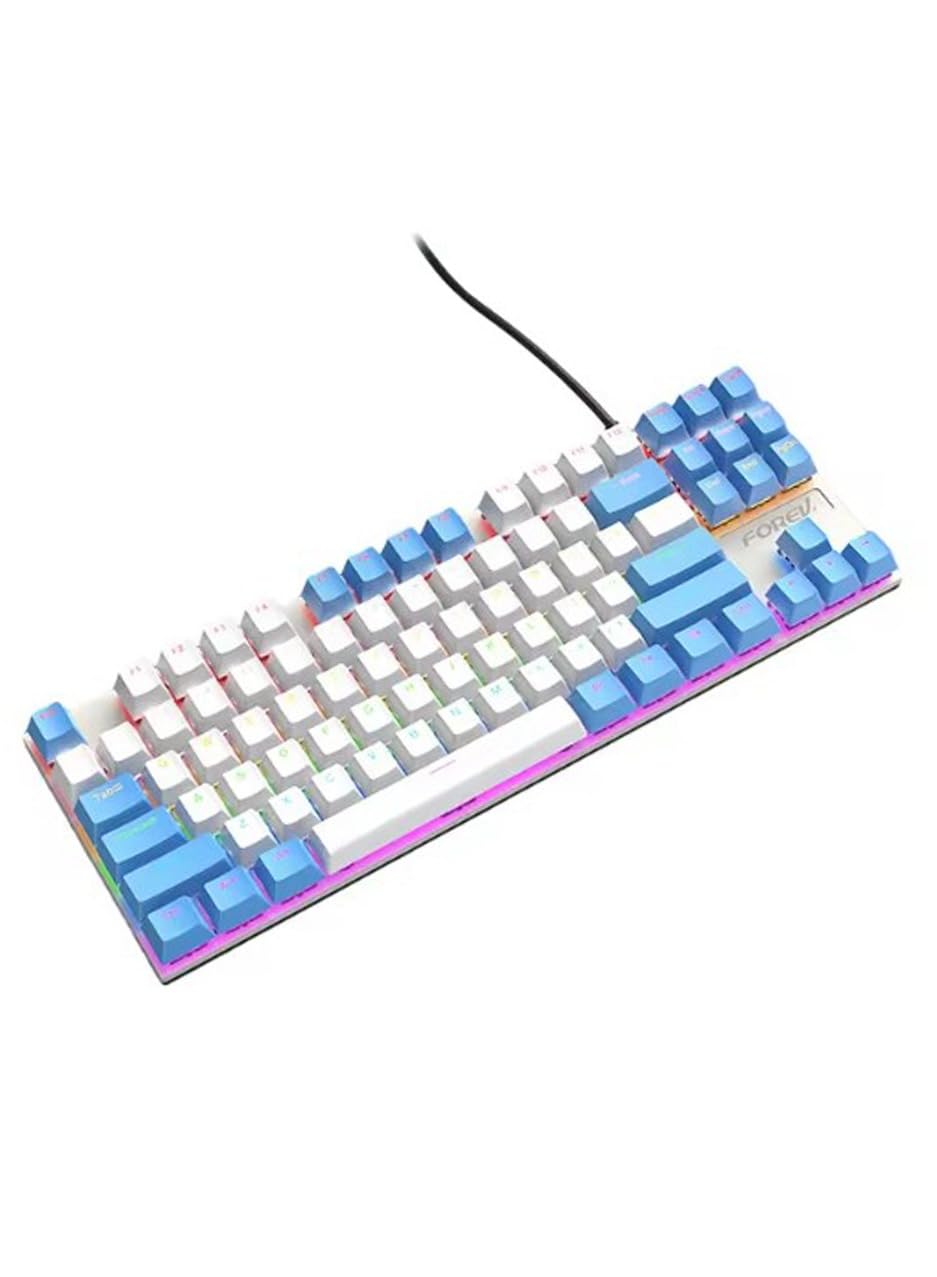
Image: The Generic FV-Q301 Mechanical Gaming Keyboard, featuring its compact TKL design and blue/white color scheme.
Organizować coś
Zawartość opakowania
- Generic FV-Q301 Mechanical Gaming Keyboard
- USB Cable (attached or separate, depending on model variant)
- Instrukcja obsługi (ten dokument)
Podłączanie klawiatury
- Znajdź dostępny port USB w komputerze lub laptopie.
- Podłącz wtyczkę USB klawiatury do portu USB.
- System operacyjny automatycznie wykryje i zainstaluje niezbędne sterowniki. Ten proces może potrwać chwilę.
- Po zakończeniu instalacji klawiatura jest gotowa do użycia.
The keyboard is designed for plug-and-play functionality, requiring no additional software installation for basic operation.
Instrukcja obsługi
Podstawowe funkcje
The FV-Q301 is a standard 87-key QWERTY mechanical keyboard. All keys function as labeled for typing and general computer input.
Cechy specjalne
- Ergonomiczna konstrukcja: The keyboard features an ergonomic design with a comfortable typing angle, intended to reduce wrist strain during extended use.
- Regulowane nóżki z możliwością pochylenia: Utilize the height-adjustable tilt legs located on the underside of the keyboard to customize your typing angle for optimal comfort.
- Blue Switches: Equipped with clicky blue mechanical switches, providing tactile feedback and an audible click for a distinct typing experience.
Zgodność
This mechanical keyboard offers wide compatibility with various operating systems, including Windows 10, Windows 8, Windows 7, Windows XP, and Windows Vista. Please note that full functionality may not be guaranteed for Mac OS and Chrome OS systems.
Konserwacja
Czyszczenie
- Przed czyszczeniem odłącz klawiaturę od komputera.
- Do czyszczenia powierzchni klawiatury należy używać miękkiej, suchej ściereczki.
- W przypadku uporczywych zabrudzeń, należy użyć lekkiego detergentu.amp Można użyć ściereczki zwilżonej łagodnym środkiem czyszczącym, uważając, aby żaden płyn nie dostał się do klawiatury.
- Usuń kurz i zanieczyszczenia spomiędzy klawiszy za pomocą sprężonego powietrza.
Składowanie
Store the keyboard in a clean, dry environment away from extreme temperatures and direct sunlight. Avoid placing heavy objects on the keyboard to prevent damage.
Rozwiązywanie problemów
Klawiatura nie odpowiada
- Sprawdź, czy kabel USB jest prawidłowo podłączony do klawiatury i komputera.
- Spróbuj podłączyć klawiaturę do innego portu USB w komputerze.
- Uruchom ponownie komputer.
- Przetestuj klawiaturę na innym komputerze, aby ustalić, czy problem dotyczy klawiatury czy oryginalnego komputera.
Niektóre klawisze nie działają
- Ensure no debris is lodged under the keycap. Gently remove the keycap (if designed to be removable) and clean the switch area.
- Jeśli problem będzie się powtarzał, skontaktuj się z obsługą klienta.
Specyfikacje
| Nazwa marki | Ogólny |
| Model | FV-Q301 |
| Kompatybilne urządzenia | Computer, Laptop |
| Technologia łączności | USB |
| Opis klawiatury | Mechaniczny |
| Zalecane zastosowania | Hazard |
| Cechy specjalne | Wygodna konstrukcja |
| Kolor | Biały i niebieski |
| Przybory | Metal |
| Źródło zasilania | Zasilanie USB |
| Typ przełącznika | Blue Switch (Clicky) |
| Układ klawiatury | Klawiatura QWERTY |
| Orientacja dłoni | Oburęczny |
| Wymagany minimalny system operacyjny | Windows 10 |
| Zgodna rodzina systemów operacyjnych | Okna |
| Liczba kluczy | 87 |
| Liczba jednostek | 1 Liczba |
| Producent | Ogólny |
| Kraj pochodzenia | Chiny |
| Waga przedmiotu | 30 gramów |
Gwarancja i wsparcie
Informacje o gwarancji
This product is provided without an explicit warranty. Please refer to your retailer's return policy for any issues upon purchase.
Obsługa klienta
For further assistance or inquiries not covered in this manual, please contact your point of purchase or the manufacturer's customer service channels.