
eSynic Optical to RCA Converter-K
eSynic Pro Optical to RCA Adapter User Manual
Model: Optical to RCA Converter-K
1. Koniec produktuview
The eSynic Pro Optical to RCA Adapter is a Digital to Analog Audio Converter (DAC) designed to seamlessly connect modern optical audio output devices to traditional RCA-compatible audio systems. This device supports a 192kHz/24bit Hi-Res audio signal, ensuring crystal clear sound transmission. It is ideal for bridging the gap between new televisions, gaming consoles, or Blu-ray players and older stereo receivers or home theater systems that only accept RCA analog input.
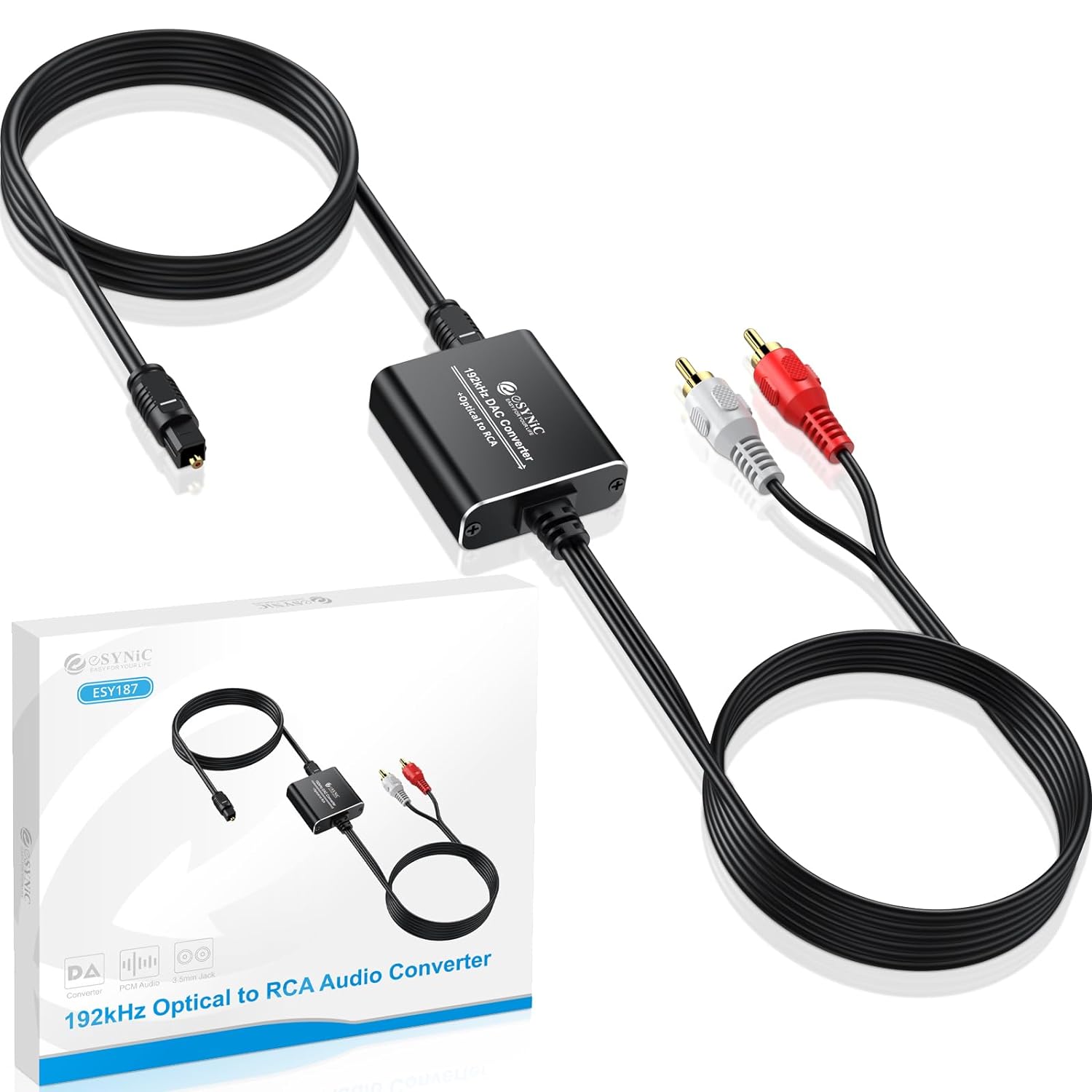
This image displays the eSynic Pro Optical to RCA Adapter, showcasing its compact design, the integrated optical cable, and the RCA output cables. The product packaging is also visible, highlighting the model name and key features.
2. Zawartość opakowania
Sprawdź, czy w przesyłce znajdują się wszystkie elementy:
- 1 x eSynic Professional Optical to RCA Converter
- 1 x Instrukcja obsługi
- Kabel zasilający 1 x USB
- 1 x Optical Cable (integrated with converter)
- 1 x RCA Audio Cable (integrated with converter)

This image illustrates the complete contents of the product package, including the converter unit, the user manual, and the necessary connecting cables (optical and USB power cable).
3. Główne cechy
- High-Resolution Audio Conversion: Supports up to 192kHz/24bit sampstawka ling zapewniająca nieskazitelną jakość dźwięku.
- Bezproblemowa kompatybilność: Converts optical digital audio signals to analog RCA, enabling connection between modern devices (TVs, game consoles, Blu-ray players) and older audio systems.
- Krystalicznie czysty dźwięk: Advanced audio chipset ensures excellent noise reduction and lossless signal transmission, providing exceptional clarity.
- Projekt typu Plug & Play: Simple and hassle-free setup with no complex configurations required.
- Trwała konstrukcja: Features an aluminum shell for enhanced durability, corrosion resistance, and efficient heat dissipation compared to plastic alternatives.
- Kompaktowy i przenośny: Integrated cables and small form factor make it easy to install and transport.

This diagram highlights the internal professional audio amplifier chip, emphasizing its 192KHz 24Bit sampling rate, lossless transmission, noise reduction capabilities, and ability to avoid external interference, all contributing to pure and clear sound.
4. Instrukcje konfiguracji
Follow these steps to connect your eSynic Pro Optical to RCA Adapter:
- Connect Optical Cable: Plug the optical (Toslink) cable from your source device (e.g., TV, PS4, Blu-ray player) into the optical input port on the eSynic converter. Ensure the protective caps are removed from the optical cable ends before insertion.
- Podłącz kable RCA: Connect the red and white RCA plugs from the eSynic converter to the corresponding red (right audio) and white (left audio) RCA input ports on your audio receiver, amplifier, czyli system stereo.
- Podłączenie zasilania: Connect the USB power cable to the converter's DC 5V input port. Plug the other end of the USB cable into a USB power source (e.g., a TV's USB port, a USB wall adapter, or a game console's USB port). The converter will power on automatically.
- Configure Audio Output (Important): Access your source device's audio settings (e.g., TV, game console). Set the digital audio output format to PCM (modulacja impulsowo-kodowa). This converter does not support Dolby Digital, DTS, or other 5.1 channel signals. Failure to set the output to PCM will result in no sound.

This diagram visually guides the user through the connection process, showing the optical input from devices like HDTVs, TV boxes, Blu-ray DVDs, and game consoles, leading to the converter, and then the RCA output connecting to a stereo audio system. It also reiterates the crucial note about PCM audio format support.

This image clarifies the intended use of the converter, showing that it supports digital audio output from devices like TVs, DVD/Blu-ray players, set-top boxes, HDTVs, and game consoles to analog audio systems. It explicitly states that it only supports Optical to RCA conversion and not the reverse.
5. Instrukcja obsługi
Once connected and powered, the eSynic Pro Optical to RCA Adapter operates automatically. It converts the digital optical audio signal from your source device into an analog RCA signal, which can then be played through your connected audio system.
- Ensure your source device's audio output is set to PCM. Refer to your device's user manual for specific instructions on changing audio output formats.
- Adjust the volume directly on your connected audio receiver or speakers. The converter provides a constant audio output level, and volume control is managed by the receiving analog audio system.
- The converter is designed for audio signal conversion only. It does not support video signals.

This image visually reinforces the critical requirement for the audio output format to be set to PCM. It shows a typical setup where a TV's optical output is connected to the converter, which then feeds into a stereo speaker system. A clear note warns about incompatibility with 5.1 channel signals like Dolby AC3.
Video 1: This video provides a visual demonstration of the eSynic Professional Optical to RCA Converter, showcasing its features and how it functions in a typical audio setup. It highlights the ease of connection and the quality of audio conversion.
6. Konserwacja
To ensure the longevity and optimal performance of your eSynic Pro Optical to RCA Adapter, please follow these maintenance guidelines:
- Czyszczenie: Use a soft, dry cloth to clean the surface of the converter. Do not use liquid cleaners or aerosol sprays, as they may damage the device.
- Składowanie: Przechowuj konwerter w chłodnym, suchym miejscu, z dala od bezpośredniego światła słonecznego i ekstremalnych temperatur.
- Obsługiwanie: Avoid dropping or subjecting the converter to strong impacts. Do not attempt to disassemble the unit, as this will void the warranty.
- Pielęgnacja kabli: Do not bend or crimp the optical or RCA cables excessively, as this can damage the internal wiring and affect signal transmission.
7. Rozwiązywanie Problemów
If you encounter issues with your eSynic Pro Optical to RCA Adapter, please refer to the following common problems and solutions:
| Problem | Możliwa przyczyna / rozwiązanie |
|---|---|
| Brak wyjścia dźwięku |
|
| Niski poziom dźwięku |
|
| Noise or Static Sound |
|
| Does Not Support 3.5mm Output |
|
| Incompatible with Streaming Apps (Dolby/DTS) |
|

This image provides a quick reference for common troubleshooting scenarios, including issues like noise, no sound, low sound, and compatibility with 3.5mm output or Dolby/DTS formats. It also includes a visual example of a TV's audio settings menu for changing the output format to PCM.
8. Specyfikacje
| Funkcja | Szczegół |
|---|---|
| Model produktu | Optical to RCA Converter-K |
| Wejście | Optyczny (Toslink) |
| Wyjście | RCA L/R Audio |
| SampWsparcie szybkości | 32, 44.1, 48, 96, 192 kHz |
| Bit Stream Support | 24-bitowy przychodzący strumień bitów SPDIF na lewym i prawym kanale |
| Obsługa formatu audio | PCM (Pulse Code Modulation) only. Does NOT support Dolby Digital, DTS, or other 5.1 channel signals. |
| Zasilacz | DC 5V (przez kabel USB) |
| Wymiary produktu | Approx. 7.48 x 6.69 x 0.04 inches (Converter unit is approx. 4.2cm / 1.65in long) |
| Waga przedmiotu | 5.61 uncji |
| Materiał skorupy | Aluminium |
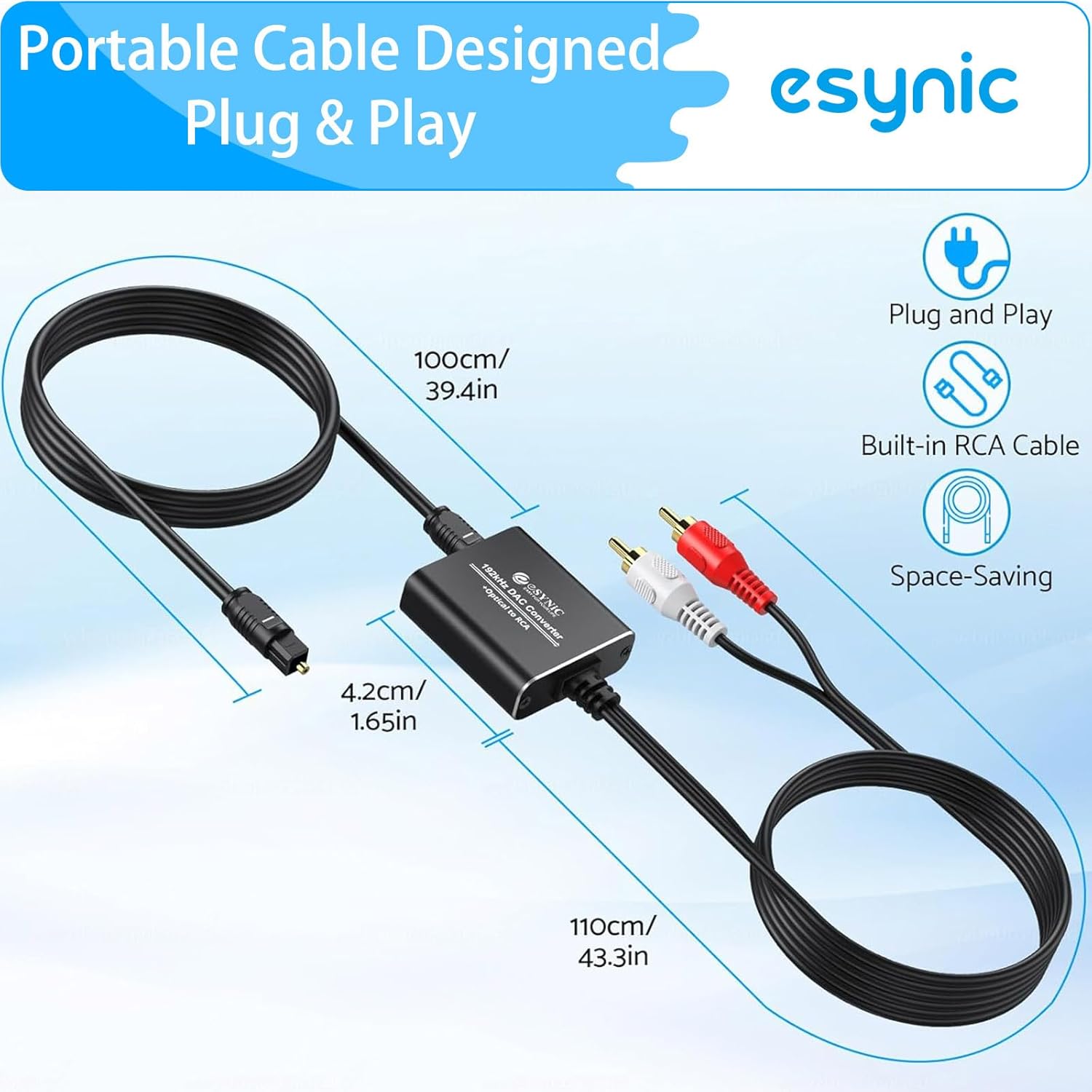
This image provides a visual representation of the converter's compact size and the length of its integrated cables, highlighting its portability and space-saving design. Dimensions for the optical cable (100cm/39.4in), RCA cables (110cm/43.3in), and the converter unit (4.2cm/1.65in) are shown.

This image illustrates the advanced 192KHz audio chipset within the converter, demonstrating its effectiveness in noise reduction. It shows a "Before Noise Reduction" waveform with more peaks and a "After Noise Reduction" waveform that is smoother, indicating clearer audio output.
9. Informacje o gwarancji
eSynic products are designed and manufactured to the highest quality standards. This product comes with a limited warranty against defects in materials and workmanship. For specific warranty terms and conditions, please refer to the warranty card included in your package or contact eSynic customer support.
10. Obsługa klienta
For technical assistance, troubleshooting, or any inquiries regarding your eSynic Pro Optical to RCA Adapter, please contact eSynic customer support through the following channels:
- Wsparcie online: Visit the official eSynic webwitryna z odpowiedziami na często zadawane pytania, artykułami pomocy i formularzami kontaktowymi.
- Wsparcie e-mailowe: Refer to the user manual or product packaging for the dedicated support email address.
- Sklep Amazon: Możesz również odwiedzić eSynic Store on Amazon aby uzyskać informacje o produkcie i możliwości kontaktu ze sprzedawcą.
Please have your product model number (Optical to RCA Converter-K) and purchase details ready when contacting support.
Ask a question about this manual
Ask about setup, troubleshooting, compatibility, parts, safety, or missing instructions. Manuals+ will review the question and use this page’s manual context to help answer it.