
1. Wprowadzenie
Welcome to the user manual for your new SVITOO P10 Android 16 Tablet. This guide provides detailed instructions on how to set up, operate, and maintain your device, ensuring you get the most out of its advanced features. Please read this manual carefully before using your tablet.
2. Koniec produktuview
The SVITOO P10 is a high-performance Android 16 tablet designed for both entertainment and productivity. It features a vibrant 10.1-inch IPS display, a powerful 8-core processor, and extensive storage options.
Główne cechy:
- System operacyjny: Latest Android 16 with enhanced customization, privacy protection, and user assistance.
- Edytor: UNISOC T615 8-core CPU (1.8GHz) for fast and smooth multitasking.
- Pamięć i przechowywanie: Up to 20GB RAM (4GB + 16GB expansion) and 128GB internal storage, expandable up to 1TB via microSD card.
- Wyświetlacz: 10.1-inch IPS in-cell display with 1280x800 resolution, 6mm narrow bezels, and a 16:10 aspect ratio for vivid visuals and wide viewkąty.
- Transmisja strumieniowa: Widevine L1 support for 1080P HD streaming on platforms like YouTube, Netflix, Amazon Prime Video, Disney+, and Hulu.
- Nawigacja: Built-in GPS positioning system, ideal for maps and in-car navigation.
- Kamery: 8MP main camera with autofocus and AI sub-camera, 2MP front camera for video calls and online classes.
- Łączność: 2.4G/5G Wi-Fi (IEEE 802.11b/g/n/ac) and Bluetooth 5.0 for stable and high-speed connections.
- Bateria: Large-capacity 6600mAh battery for extended usage.
- Dodatkowe funkcje: Multi-screen connection, split-screen, floating window, wireless projection, face recognition unlock, and parental control functions.
Zdjęcia produktu:
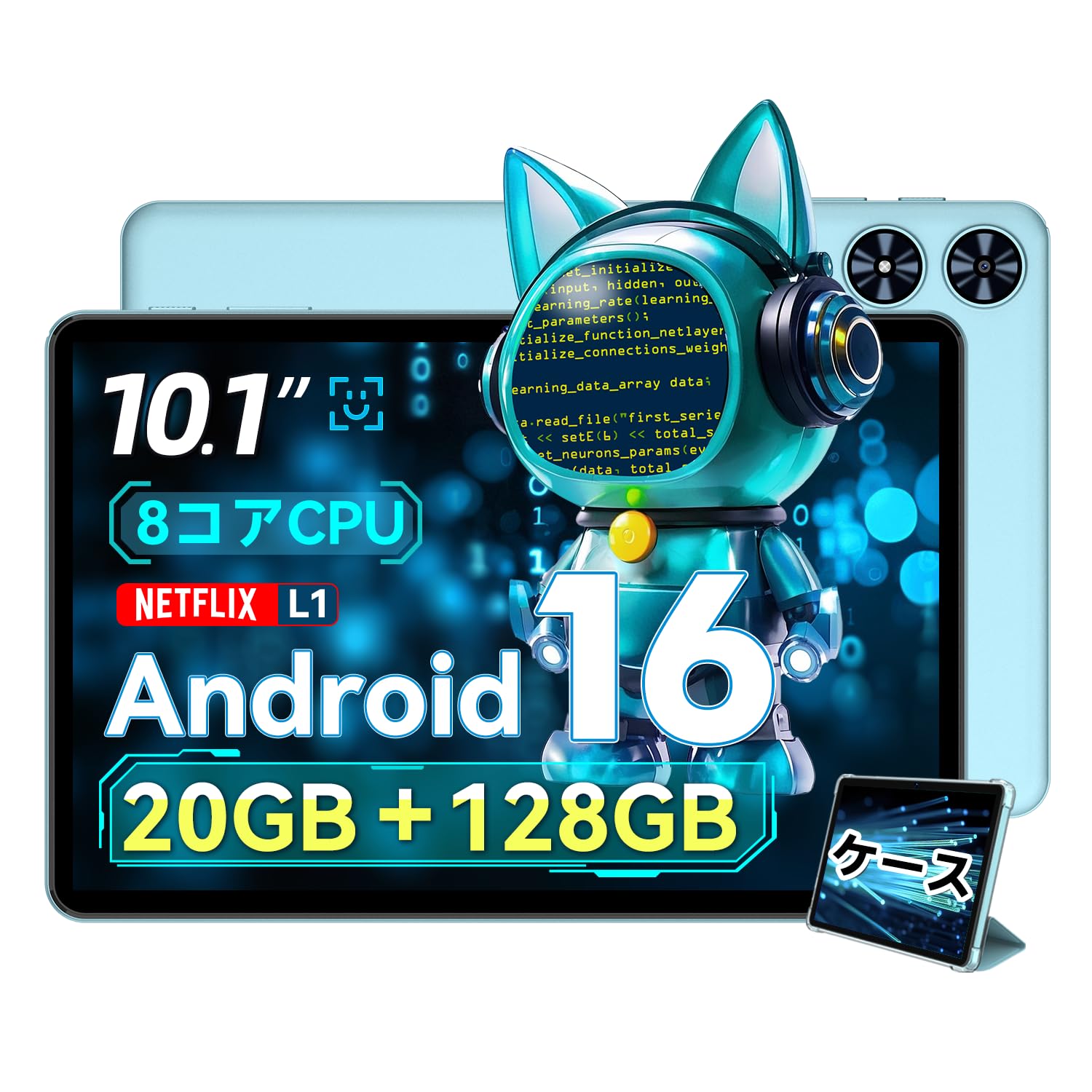
Rycina 2.1: Przód view of the SVITOO P10 tablet, showcasinz 10.1-calowym wyświetlaczem.

Figure 2.2: The SVITOO P10 tablet with on-screen graphics highlighting its 10.1-inch display, Android 16 OS, Bluetooth 5.0, 128GB storage, 20GB RAM expansion, 2.4G/5G Wi-Fi, 6600mAh battery, and Widevine L1 support.
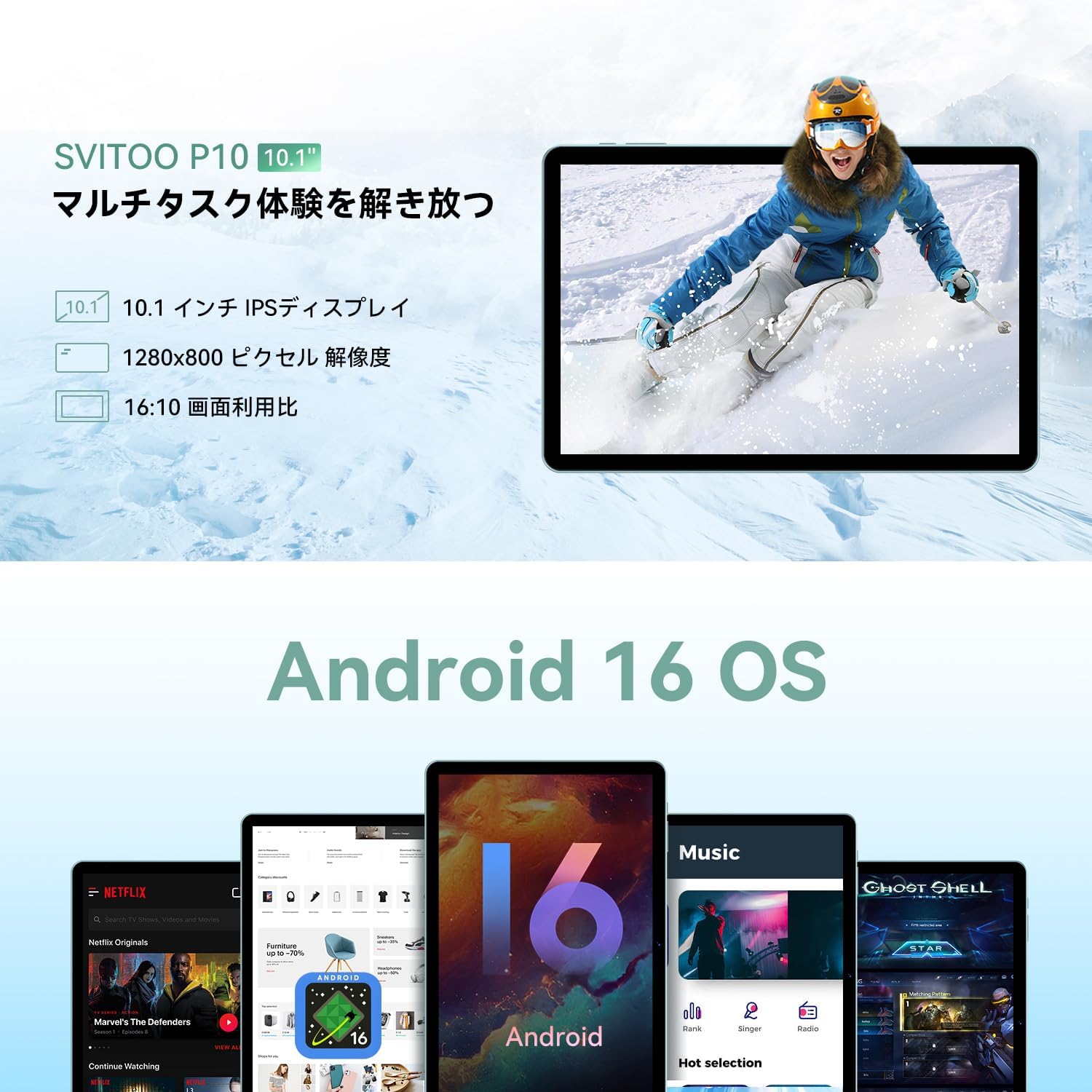
Figure 2.3: The SVITOO P10 tablet displaying a vibrant image, emphasizing its 10.1-inch IPS display, 1280x800 pixel resolution, and 16:10 aspect ratio.

Figure 2.4: Internal components of the SVITOO P10, illustrating the 20GB RAM (4GB + 16GB expandable), 128GB ROM, 1TB microSD card support, and the efficient 8-core CPU (UNISOC T7250 shown in diagram, actual is T615).
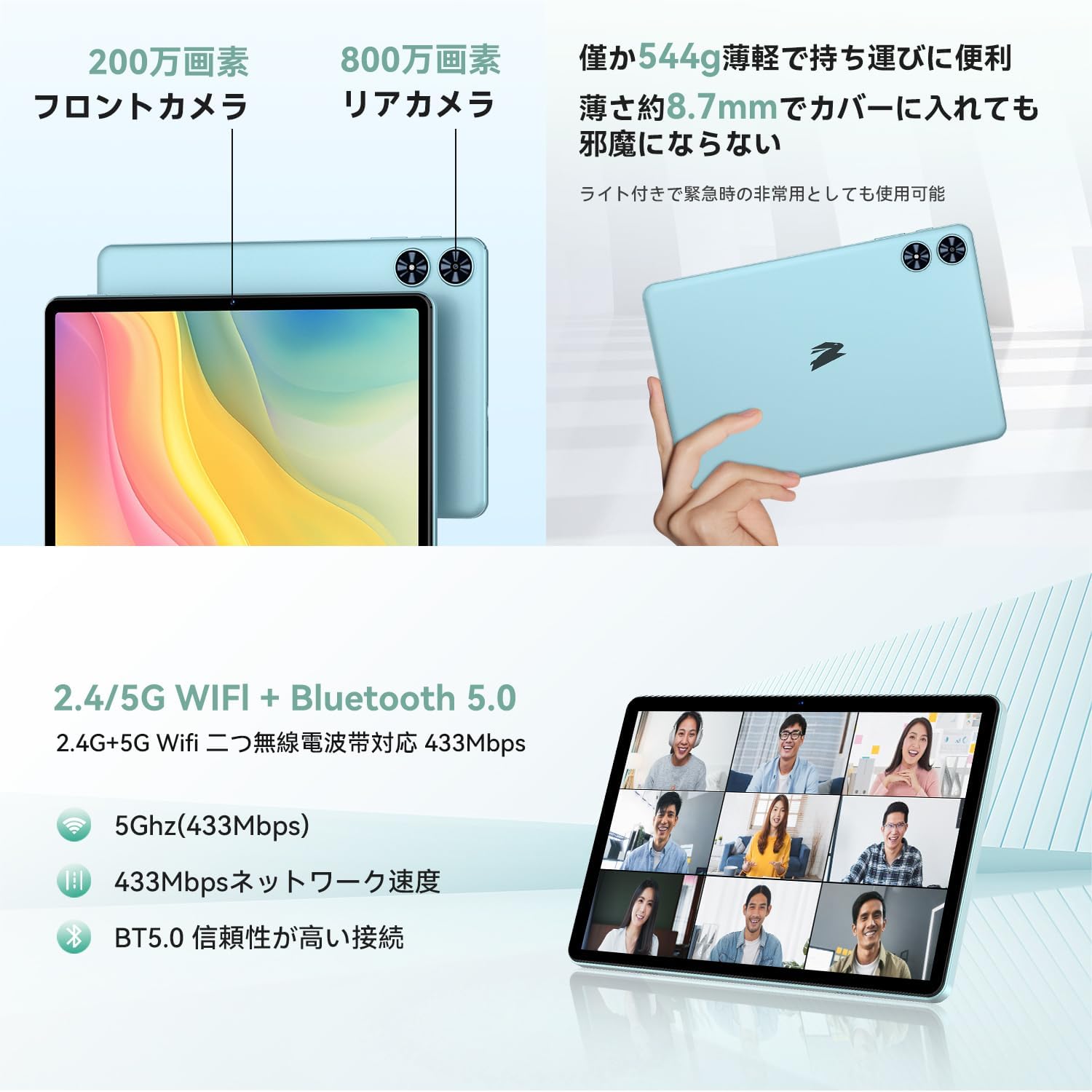
Rysunek 2.5: Tył i przód views of the SVITOO P10 tablet, highlighting the 2MP front camera, 8MP rear camera, 2.4G/5G WiFi, and Bluetooth 5.0. An example of a video conference is shown on the screen.

Figure 2.6: Demonstrates the SVITOO P10's software capabilities, including convenient multi-window, wireless projection, face recognition unlock, and eye protection screen modes (reading mode, blue light reduction).
Filmy o produktach:
Video 2.1: This video demonstrates how the Android 16 OS on the SVITOO P10 tablet enhances both entertainment and work tasks, showcasing its smooth performance and user-friendly interface.
3. Konfiguracja
3.1. Rozpakowanie i wstępna inspekcja
Upon receiving your SVITOO P10 tablet, carefully open the package and ensure all components are present:
- SVITOO P10 Tablet
- Kabel ładujący USB-C
- Zasilacz
- Przejściówka audio z USB-C na 3.5 mm
- Instrukcja obsługi
- SIM Ejector Pin (for microSD card slot)
Inspect the tablet for any physical damage. The screen comes with a pre-applied protective film.
3.2. Włączanie/wyłączanie zasilania
- Włączanie: Press and hold the Power button (located on the side) until the SVITOO logo appears on the screen.
- Aby wyłączyć: Naciśnij i przytrzymaj przycisk zasilania, a następnie z wyświetlonych opcji wybierz opcję „Wyłącz”.
- Zrestartować: Naciśnij i przytrzymaj przycisk zasilania, a następnie wybierz z opcji opcję „Uruchom ponownie”.
3.3. Kreator konfiguracji początkowej
Po pierwszym uruchomieniu tabletu zostaniesz poprowadzony przez proces początkowej konfiguracji:
- Wybierz preferowany język.
- Połącz się z siecią Wi-Fi.
- Zaloguj się za pomocą konta Google lub utwórz nowe.
- Postępuj zgodnie z instrukcjami wyświetlanymi na ekranie, aby zakończyć konfigurację.
3.4. Wkładanie karty MicroSD
Aby rozszerzyć pamięć tabletu:
- Znajdź tackę na kartę SIM/microSD z boku tabletu.
- Włóż dołączony bolec wyjmowania karty SIM do małego otworu obok tacki, aby ją otworzyć.
- Place your microSD card (up to 1TB, sold separately) into the designated slot on the tray.
- Delikatnie wsuń tackę z powrotem do tabletu, aż zatrzaśnie się na swoim miejscu.
4. Instrukcja obsługi
4.1. Podstawowa nawigacja
The SVITOO P10 uses standard Android touch gestures:
- Uzyskiwać: Wybierz element lub otwórz aplikację.
- Trzepnąć: Przewijaj ekrany lub listy.
- Szczypta: Powiększaj lub pomniejszaj zdjęcia i web stron.
- Długie naciśnięcie: Uzyskaj dostęp do menu kontekstowych i przenieś ikony.
4.2. Ustawienia wyświetlania
Dostosuj swoje viewdoświadczenie:
- Jasność: Swipe down from the top of the screen to access Quick Settings, then adjust the brightness slider.
- Tryb ciemny: Idź do Settings > Display > Dark theme to enable or disable dark mode for a more comfortable viewing experience in low light.
- Tryb czytania: Activate reading mode (often found in Quick Settings or Display settings) to reduce eye strain during prolonged reading.
4.3. Łączność
- Wi-Fi: Idź do Ustawienia > Sieć i internet > Wi-Fi to connect to available networks. The tablet supports 2.4G and 5G bands.
- Bluetooth: Idź do Ustawienia > Podłączone urządzenia > Bluetooth to pair with Bluetooth 5.0 devices like headphones, speakers, or keyboards.
- GPS: The built-in GPS allows for accurate location tracking and navigation using map applications.
4.4.Multimedia
- Obraz na żywo: With Widevine L1 support, enjoy high-definition content from popular streaming services.
- Audio: The tablet features quad speakers for immersive sound. A 3.5mm headphone jack is also available via the included adapter.
4.5. Korzystanie z aparatu
The SVITOO P10 is equipped with an 8MP rear camera and a 2MP front camera.
- Otwórz Kamera aplikację z ekranu głównego lub szuflady aplikacji.
- Przełączaj się między przednim i tylnym aparatem za pomocą ikony aparatu.
- Naciśnij przycisk migawki, aby zrobić zdjęcie lub nagrać film.
4.6. Funkcje zwiększające produktywność
- Podzielony ekran: Use the split-screen function to run two apps side-by-side for enhanced multitasking.
- Projekcja bezprzewodowa: Easily connect your tablet to a larger TV or display wirelessly for a broader visual experience.
4.7. Security and Parental Controls
- Rozpoznawanie twarzy: Skonfiguruj rozpoznawanie twarzy w Ustawienia > Bezpieczeństwo i prywatność > Odblokowanie twarzą to quickly and conveniently unlock your device.
- Kontrola rodzicielska: Utilize the parental control features to manage screen time, app access, and prevent unauthorized purchases when children use the tablet.
5. Konserwacja
5.1. Ładowanie baterii
Charge your SVITOO P10 tablet using the provided USB-C cable and power adapter. The durable Type-C port ensures reliable charging. Avoid using damaged cables or chargers.
5.2. Zarządzanie magazynem
Regularnie zarządzaj pamięcią tabletu, aby utrzymać jego optymalną wydajność. Usuń niepotrzebne pliki. files and apps, or offload large media files to your microSD card (up to 1TB) or cloud storage.
5.3. Czyszczenie urządzenia
Use a soft, lint-free cloth to clean the screen and body of your tablet. Avoid using harsh chemicals or abrasive materials that could damage the device.
6. Rozwiązywanie Problemów
If you encounter issues with your SVITOO P10 tablet, refer to the following common solutions:
6.1. Urządzenie się nie włącza
- Upewnij się, że bateria jest naładowana. Podłącz tablet do ładowarki na co najmniej 30 minut.
- Naciśnij i przytrzymaj przycisk zasilania przez 10–15 sekund, aby wymusić ponowne uruchomienie.
6.2. Problemy z połączeniem Wi-Fi
- Sprawdź, czy Wi-Fi jest włączone w Ustawienia > Sieć i internet > Wi-Fi.
- Uruchom ponownie router Wi-Fi.
- Zapomnij o sieci i połącz się ponownie, wpisując jeszcze raz hasło.
6.3. Apps Crashing or Slow Performance
- Zamknij aplikacje działające w tle.
- Clear the cache of problematic apps (Ustawienia > Aplikacje > [Nazwa aplikacji] > Pamięć i pamięć podręczna > Wyczyść pamięć podręczną).
- Ensure your tablet's software is up to date (Ustawienia > System > Aktualizacja systemu).
- Jeśli problem nadal występuje, rozważ przywrócenie ustawień fabrycznych (Ustawienia > System > Opcje resetowania > Usuń wszystkie dane (reset fabryczny)). Warning: This will delete all data on your tablet. Back up important information first.
7. Specyfikacje
| Funkcja | Specyfikacja |
|---|---|
| Marka | SVITO |
| Nazwa modelu | P10 |
| System operacyjny | Android 16 (certyfikowany przez GMS) |
| Marka procesora | Unisoc |
| Prędkość procesora | 1.8 GHz |
| Akcelerator grafiki | Mali-G57 |
| Rozmiar wyświetlacza | 10.1 cali |
| Rozdzielczość wyświetlacza | 1280x800 pikseli |
| Pojemność pamięci masowej | 128 GB |
| Możliwość rozbudowy pamięci masowej | Do 1TB za pomocą karty microSD |
| Przednia kamera | 2MP |
| Kamera tylna | 8MP |
| Typ bezprzewodowy | 802.11a/g/n/ac (2.4G/5G Wi-Fi) |
| Typ łączności | Bluetooth 5.0, GPS |
| Pojemność baterii | 6600mAh |
| Port ładowania | USB-C |
| Port audio | 3.5mm Headphone Jack (via adapter) |
| Waga przedmiotu | 1.05 kilograma |
| Wymiary opakowania | Wymiary 32.4 x 20.3 x 2.9 cm |
8. Gwarancja i wsparcie
8.1. Gwarancja producenta
The SVITOO P10 tablet comes with a 1-letnia gwarancja producentaNiniejsza gwarancja obejmuje wady materiałowe i wykonawcze powstałe w wyniku normalnego użytkowania.
Returns or exchanges are accepted for defects found before use (after unboxing) or for initial defects discovered after use.
8.2. Obsługa klienta
For any inquiries, technical support, or warranty claims, please contact SVITOO customer service through your Amazon account:
- Zaloguj się na swoje konto Amazon.
- Go to 'Order History'.
- Locate your SVITOO P10 tablet order.
- Click 'Contact Seller' to reach our support team.