
WOOPKER AK3116
WOOPKER AK3116 Stereo AmpInstrukcja obsługi lifier
Model: AK3116
Produkt ponadview
The WOOPKER AK3116 is a compact yet powerful stereo amplifier designed for home audio systems. It features dual TPA3116 amplifier chips, delivering 100W + 100W of power. With multiple input options including Bluetooth 5.3, USB, AUX, RCA, and Optical, it offers versatile connectivity for various audio sources. The amplifier also includes bass and treble controls for sound customization and comes with a remote control for convenient operation.

Obraz: Przód view of the AK3116 amplifier z pilotem, pokażasing its compact design and various indicators.
Informacje dotyczące bezpieczeństwa
Please read and understand all safety instructions before operating this device. Failure to do so may result in injury or damage to the unit.
- Ten amplifier does not come with an internal battery. It requires an external DC 24V 5A power adapter (included) for operation.
- Zapewnij odpowiednią wentylację wokół ampZabezpiecz przed przegrzaniem. Nie blokuj otworów wentylacyjnych.
- Nie wystawiaj urządzenia na działanie wody, wilgoci ani nadmiernej wilgotności powietrza.
- Należy unikać umieszczania urządzenia w pobliżu źródeł ciepła, takich jak grzejniki, kratki wentylacyjne, piece i inne urządzenia wytwarzające ciepło.
- Używaj wyłącznie dodatków/akcesoriów wskazanych przez producenta.
- Odłączaj urządzenie od zasilania podczas burzy z piorunami lub jeśli nie używasz go przez dłuższy czas.
Zawartość opakowania
Sprawdź, czy w opakowaniu znajdują się wszystkie elementy:
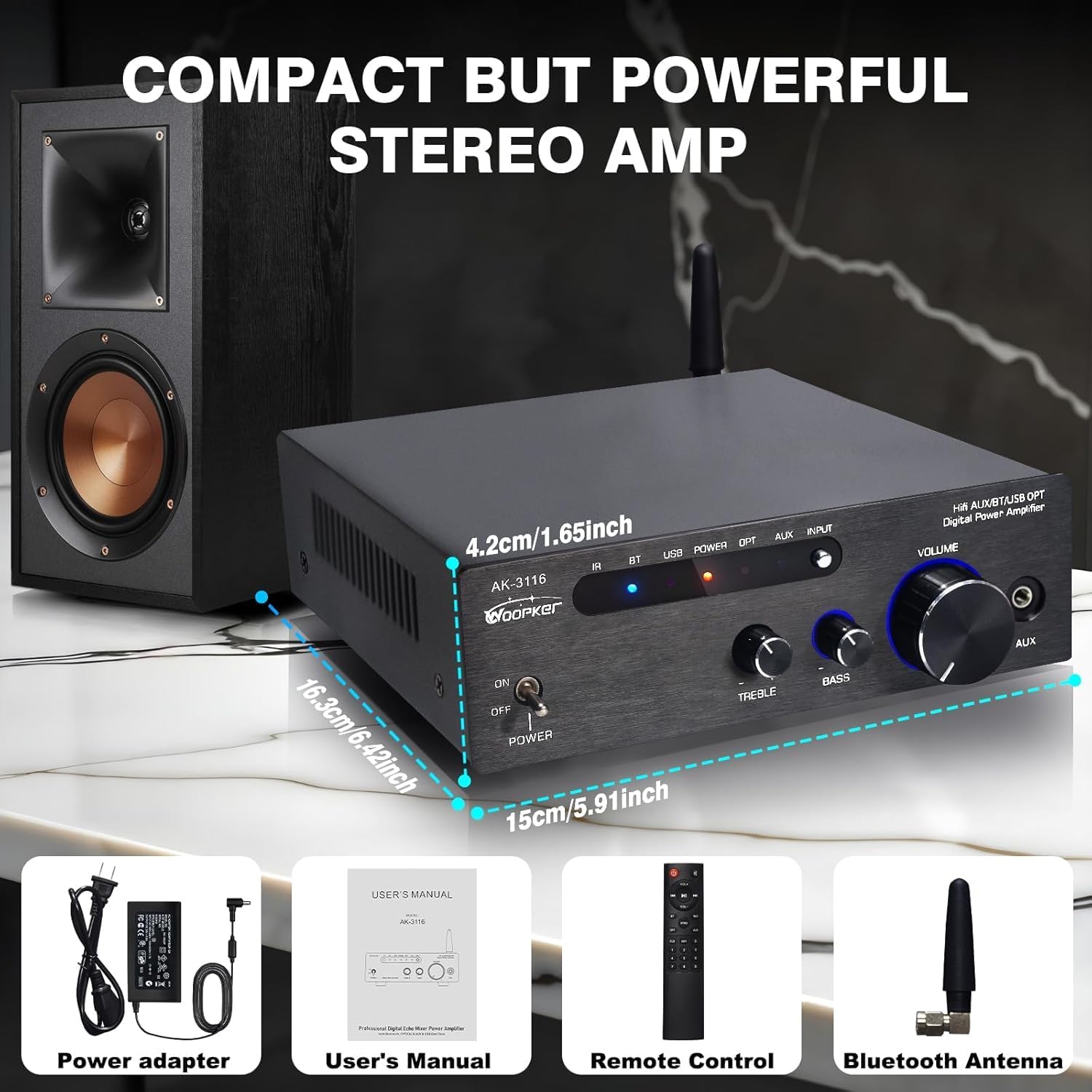
- AK3116 Power Ampżywsze
- Zasilacz prądu stałego 24 V 5 A
- Remote Control (Note: Batteries for the remote control are not included and must be purchased separately.)
- Antena Bluetooth
- Instrukcja obsługi (ten dokument)
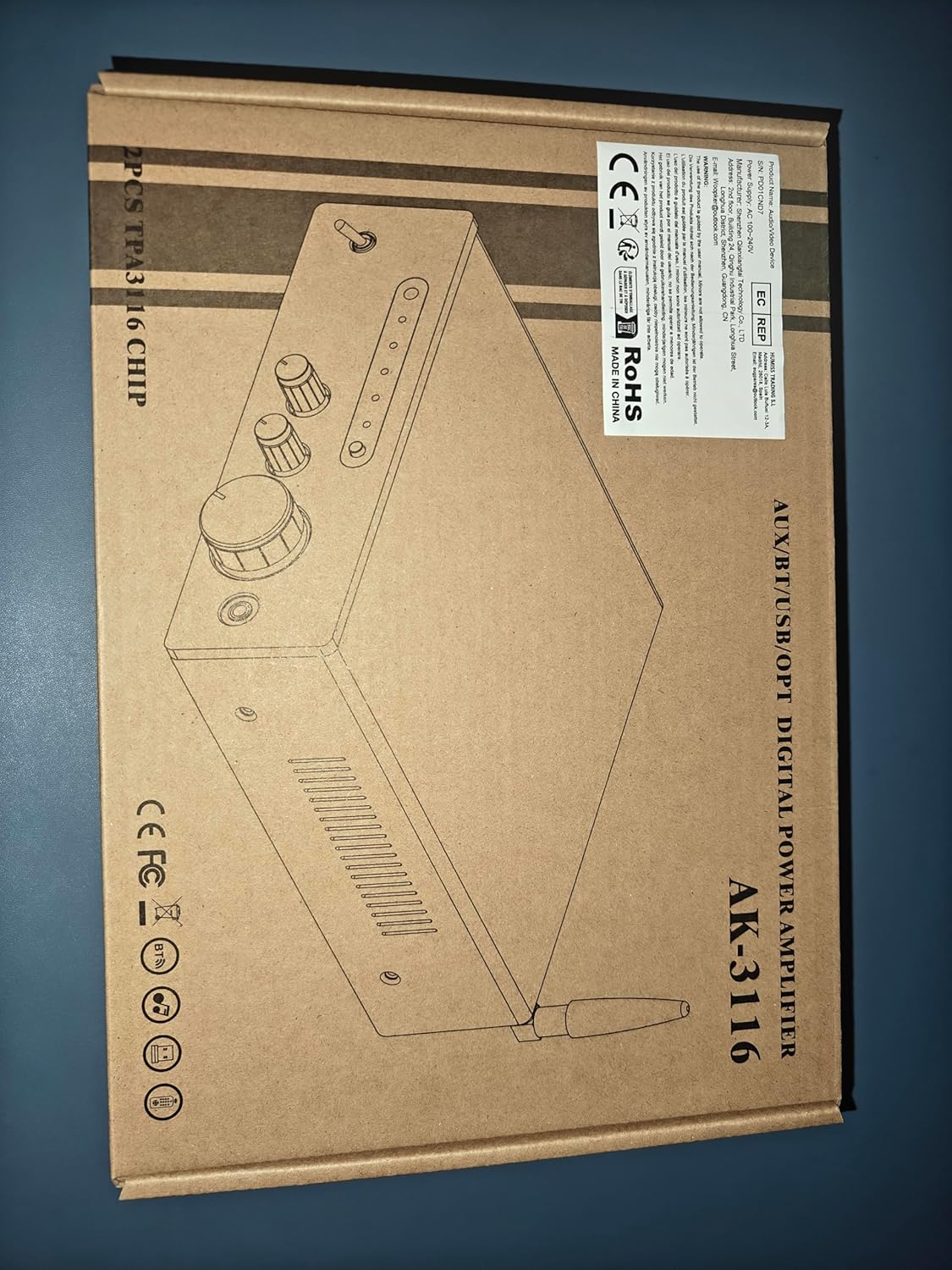
Image: Visual representation of the AK3116 amplifier and its included accessories: power adapter, user manual, remote control, and Bluetooth antenna.
Cechy produktu
- Potężny dźwięk: Delivers 100W + 100W rated power with dual Texas Instruments TPA3116 amplifier ICs for high-quality audio, low distortion, and efficiency.
- Wiele wejść: Supports AUX, RCA, Bluetooth, USB flash drive, and Optical inputs for connection to various devices like CD/DVD players, TVs, PCs, tablets, and smartphones.
- Bluetooth 5.3: Features the latest Bluetooth 5.3 for stable, high-quality wireless audio streaming with a robust connection range of up to 60 feet (18 meters).
- Bass & Treble Control: Independent knobs for bass and treble adjustment, along with a master volume control, allow for fine-tuning of sound effects.
- Kompaktowa konstrukcja: Small footprint suitable for various environments including home TV audio, computer audio systems, car audio, bedrooms, and small offices.
- Zdalne sterowanie: Included remote for convenient adjustment of audio settings from a distance.
- Cyfrowy wyświetlacz LED: Bright display shows current settings and input status.
Sterowanie i połączenia
Panel przedni

Image: Detailed diagram of the AK3116 amplifier's front panel, labeling each control and indicator.
- Infrared Signal Receiving Head: Do sygnałów zdalnego sterowania.
- Bluetooth Signal / USB Reading Indicator: Lights up to indicate active Bluetooth or USB input.
- Wskaźnik włączenia: Shows when the unit is powered on.
- Fiber Signal / AUX Signal Input Indicator: Lights up to indicate active Optical or AUX input.
- Input Function Selection Button: Press to cycle through available audio inputs (Bluetooth, USB, Optical, AUX).
- Przycisk zasilania: Przełącza amplifier włączony lub wyłączony.
- Treble Adjustment Knob: Reguluje wyjście wysokiej częstotliwości.
- Pokrętło regulacji basu: Reguluje wyjście niskiej częstotliwości.
- Pokrętło regulacji głośności: Steruje ogólną głośnością wyjścia audio.
- 3.5mm Stereo Headphone Jack (AUX Input): Connect headphones or a 3.5mm audio source.
Panel tylny

Image: Detailed diagram of the AK3116 amplifier's rear panel, labeling each port and connection point.
- USB Flash Drive Jack: Do odtwarzania dźwięku filebezpośrednio z dysku USB.
- Optical Fiber Signal Input Jack (OPT): Connect devices with optical audio output (e.g., TVs, game consoles).
- AUX Audio Input Jack (RCA L/R): Connect devices with RCA audio output (e.g., CD/DVD players).
- LINE Audio Signal Output Jack (RCA L/R): Do połączenia z innym amplifier lub aktywny subwoofer.
- Left Channel Speaker Output (FL): Łączy się z lewym pasywnym głośnikiem.
- Right Channel Speaker Output (FR): Łączy się z prawym pasywnym głośnikiem.
- 24V/5A DC Power Input: Tutaj podłącz dołączony zasilacz.
- Bluetooth Signal Receiving Antenna: Screw in the provided Bluetooth antenna for optimal wireless reception.
Instrukcje konfiguracji
1. Connect Speakers
The AK3116 uses standard binding posts for speaker connections. Ensure your speakers are passive and compatible with the ampmoc wyjściowa lifiera.

Image: Step-by-step guide on how to connect speaker wires to the amplifier's binding posts.
- Prepare Speaker Wires: Zdejmij około 1.2 cm (1,2 cala) izolacji z końcówek przewodów głośnikowych. Mocno skręć odsłonięte pasma.
- Połącz się z AmpLiyfikator:
- Rotate and loosen the speaker knob on the amptylny panel liifiera.
- Insert the bare wire into the exposed hole.
- Tighten the knob to secure the wire firmly.
- Zwróć uwagę na biegunowość: Podłącz zacisk dodatni (+) ampprzewód zasilający do dodatniego (+) zacisku głośnika i ujemnego (-) zacisku głośnika amplifier to the negative (-) terminal of the speaker. Mismatched polarity can result in poor sound quality.
- Repeat for both left (FL) and right (FR) channels.
2. Connect Audio Sources
- Wejście optyczne: Connect an optical cable from your TV, game console, or other digital audio source to the "OPT" input on the rear panel.
- Wejście AUX (RCA): Connect RCA cables from your CD player, DVD player, or other analog audio source to the "AUX" input (L/R) on the rear panel.
- Wejście USB: Włóż dysk flash USB zawierający dźwięk files into the "USB" port on the rear panel.
- 3.5mm AUX Input (Front Panel): For quick connection of portable devices like smartphones or MP3 players, use a 3.5mm audio cable to the front panel "AUX" jack.
- Bluetooth: Ensure the Bluetooth antenna is securely screwed into the "BT ANT" port on the rear panel.
3. Podłącz zasilanie
- Connect the included DC 24V 5A power adapter to the "DC INPUT 24V/5A" port on the rear panel.
- Podłącz zasilacz do odpowiedniego gniazdka ściennego.
Instrukcja obsługi
Włączanie/wyłączanie zasilania
Aby włączyć urządzenie, naciśnij przycisk „POWER” na panelu przednim. amplifier on or off. The "Power On Indicator" will illuminate when the unit is on.
Wybór wejścia
Press the "INPUT" button on the front panel or the remote control to cycle through the available audio inputs: Bluetooth (BT), USB, Optical (OPT), and AUX (RCA/3.5mm). The corresponding indicator light on the front panel will show the active input.
Parowanie Bluetooth
- Sprawdź, czy antena Bluetooth jest podłączona.
- Select "BT" input using the "INPUT" button. The Bluetooth indicator will flash, indicating it's in pairing mode.
- Na swoim urządzeniu mobilnym (smartfonie, tablecie itp.) włącz Bluetooth i wyszukaj dostępne urządzenia.
- Select "AK3116" from the list of devices. Once paired, the Bluetooth indicator on the ampKontrolka przestanie migać i będzie świecić światłem ciągłym.
- Teraz możesz odtwarzać dźwięk ze swojego urządzenia przez ampliyfikator.

Image: A person using a smartphone to connect to the AK3116 amplifier via Bluetooth 5.3, demonstrating wireless music streaming.
Kontrola głośności
Rotate the large "VOLUME" knob on the front panel clockwise to increase volume and counter-clockwise to decrease it. You can also adjust the volume using the remote control.
Regulacja tonów niskich i wysokich
Use the "BASS" and "TREBLE" knobs on the front panel to fine-tune the low and high frequencies of your audio. Rotate clockwise to increase and counter-clockwise to decrease. These controls allow you to customize the sound to your preference.
Obraz: Zbliżenie view of the bass and treble adjustment knobs on the front panel of the AK3116 amplifier, highlighting their function.
Korzystanie z pilota zdalnego sterowania
The included remote control provides convenient access to various functions from a distance. Ensure batteries are inserted correctly (not included). Point the remote towards the infrared signal receiving head on the ampprzedni panel lifiera.
- Przycisk zasilania: Obraca amplifier wł./wył.
- Przyciski wyboru wejścia: Dedicated buttons for BT, USB, OPT, AUX inputs.
- Zwiększanie/zmniejszanie głośności: Reguluje główną głośność.
- Niemy: Wycisza lub wyłącza wyciszenie wyjścia audio.
- EQ Presets (if available): Some remotes may offer preset equalization modes.
- Playback Controls (for USB): Odtwórz/Pauza, Następny/Poprzedni utwór.
Konserwacja
- Czyszczenie: Do czyszczenia zewnętrznej części urządzenia używaj miękkiej, suchej szmatki ampNie należy używać płynnych środków czyszczących ani aerozoli.
- Wentylacja: Upewnij się, że otwory wentylacyjne są czyste, bez kurzu i zanieczyszczeń, aby zapewnić właściwy przepływ powietrza i zapobiec przegrzaniu.
- Składowanie: Jeśli przechowujesz ampJeśli nie używasz urządzenia przez dłuższy czas, odłącz je od gniazdka elektrycznego i przechowuj w chłodnym, suchym miejscu.
Rozwiązywanie problemów
| Problem | Możliwa przyczyna | Rozwiązanie |
|---|---|---|
| Brak zasilania | Power adapter not connected; Power outlet not working; Power switch off. | Ensure power adapter is securely connected and plugged into a live outlet. Turn the power switch to ON. |
| Brak dźwięku | Incorrect input selected; Volume too low; Speakers not connected properly; Audio source issue. | Select the correct input. Increase volume. Check speaker wire connections and polarity. Verify audio source is playing and its volume is up. |
| Bluetooth nie łączy się | Amplifier not in pairing mode; Device too far; Interference; Device already paired to another unit. | Zapewnić amplifier is on BT input and indicator is flashing. Move device closer. Turn off other Bluetooth devices. Disconnect from other devices and try pairing again. |
| Pilot nie działa | No batteries or low batteries; Obstruction between remote and amplifier; Remote not pointed correctly. | Insert fresh batteries (AAA, not included). Remove any obstructions. Point remote directly at the IR sensor on the front panel. |
| Zniekształcony dźwięk | Volume too high; Input signal too strong; Speaker impedance mismatch. | Zmniejszyć amplifier volume. Reduce volume from the audio source. Ensure speakers are compatible with the ampzakres impedancji wzmacniacza. |
Specyfikacje
| Funkcja | Szczegół |
|---|---|
| Numer modelu | AK3116 |
| Marka | WOOPKER |
| Moc wyjściowa | 100W + 100W (Rated) |
| Ampukład scalony luparki | Dual TPA3116 Chips |
| Wersja Bluetooth | 5.3 |
| Zasięg Bluetooth | Do 60 stóp (18 metrów) |
| Interfejsy wejściowe | AUX (RCA), Optical, USB, Bluetooth, 3.5mm AUX (front) |
| Interfejs wyjściowy | Speaker Binding Posts (L/R), RCA Line Out (L/R) |
| Zasilacz | DC 24V 5A (Adapter included) |
| Kolor | Czarny |
| Waga przedmiotu | 3.3 funta (1.5 kilograma) |
| Wymiary (dł. x szer. x wys.) | Około. 5.91 x 6.42 x 1.65 cali (15 x 16.3 x 4.2 cm) |
Gwarancja i wsparcie
WOOPKER is committed to providing high-quality products and customer satisfaction. For any inquiries or support needs, please refer to the following:
- Szybka odpowiedź: Expect a response to your queries within 24 hours.
- 30-dniowa polityka zwrotów: You may return the product within 30 days for an exchange or refund.
- Lifetime Technical Customer Support: WOOPKER provides lifetime technical assistance for this product.

Image: Icons representing 24-hour quick response, 30-day return policy, and lifetime technical customer support.
Ask a question about this manual
Ask about setup, troubleshooting, compatibility, parts, safety, or missing instructions. Manuals+ will review the question and use this page’s manual context to help answer it.