
1. Wprowadzenie
This manual provides detailed instructions for the installation, operation, and maintenance of the Elitech Cold Storage Temperature Controller series. These controllers are designed for precise temperature management in various cold storage applications, ensuring optimal conditions for stored goods. Please read this manual thoroughly before installation and operation to ensure safe and efficient use.
2. Środki ostrożności
- Ensure all wiring is performed by a qualified electrician in accordance with local electrical codes.
- Przed przystąpieniem do prac instalacyjnych, okablowania lub konserwacji należy odłączyć zasilanie.
- Nie należy używać kontrolera w środowiskach o dużej wilgotności, zapyleniu lub obecności gazów żrących.
- Sprawdź wolumen zasilaniatage jest zgodne ze specyfikacją kontrolera.
- Trzymaj urządzenie z dala od silnych zakłóceń elektromagnetycznych.
3. Koniec produktuview
The Elitech temperature controller features a clear digital display, intuitive buttons for parameter setting, and robust construction for reliable performance in demanding environments. It typically includes inputs for temperature sensors and outputs for controlling refrigeration, defrost, and fan operations.
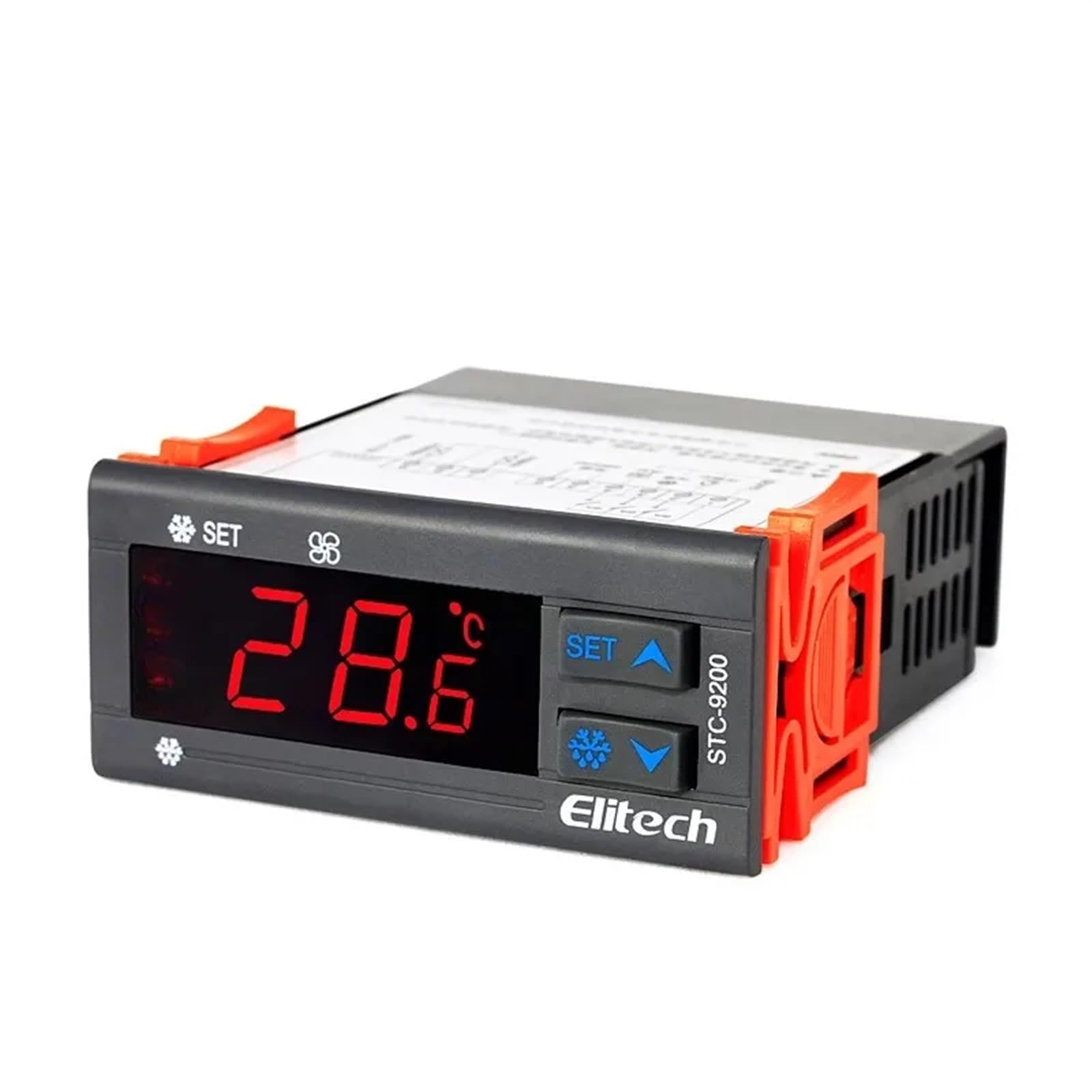
Rysunek 1: Przód view of an Elitech temperature controller (model EK-3010 shown). This image displays the digital display, control buttons (Up, OK/Set, Down), and indicators for various functions like refrigeration, defrost, and fan operation. The display shows a temperature reading of -44.5.
4. Specyfikacje
| Funkcja | Opis |
|---|---|
| Zasilacz | AC 220V ±10%, 50/60Hz (Typical, may vary by model) |
| Zakres pomiaru temperatury | -50°C do 99°C (-58°F do 210°F) (typowo) |
| Zakres sterowania | -40°C do 70°C (-40°F do 158°F) (typowo) |
| Rezolucja | 0.1°C / 1°F |
| Typ czujnika | NTC sensor (Typical) |
| Pojemność wyjściowa przekaźnika | Compressor: 10A/250VAC; Defrost: 10A/250VAC; Fan: 10A/250VAC (Typical) |
| Temperatura pracy | 0°C do 60°C (32°F do 140°F) |
| Temperatura przechowywania | -30°C do 75°C (-22°F do 167°F) |
| Wilgotność względna | 20% do 85% (bez kondensacji) |
Note: Specifications may vary slightly between different models (STC-9200, STC-8080A, STC-200, STC-9100, STC-1000X, EK-3020). Refer to the specific model's packaging or label for precise details.
5. Konfiguracja i instalacja
5.1 Montaż
- Choose a suitable location for mounting the controller, away from direct heat sources, moisture, and vibrations.
- Należy zapewnić odpowiednią wentylację wokół urządzenia.
- Cut a rectangular opening in the panel according to the controller's dimensions (refer to the product diagram for exact measurements).
- Insert the controller into the opening and secure it using the provided mounting clips.
5.2 Okablowanie
OSTRZEŻENIE: Przed podłączeniem upewnij się, że zasilanie jest odłączone.
- Zasilanie: Connect the main power supply (L and N) to the designated terminals on the controller.
- Czujnik temperatury: Connect the NTC temperature sensor to the sensor input terminals. Ensure correct polarity if applicable. The sensor should be placed in the area where temperature needs to be monitored and controlled.
- Wyjście kompresora: Connect the compressor's power line to the compressor relay output terminals.
- Defrost Heater Output: Connect the defrost heater's power line to the defrost relay output terminals.
- Moc wentylatora: Connect the evaporator fan's power line to the fan relay output terminals.
Refer to the wiring diagram printed on the side of the controller or in the specific model's manual for precise terminal connections.
6. Instrukcja obsługi
6.1 Włączanie/wyłączanie zasilania
- To power on, connect the main power supply. The display will show the current temperature.
- To power off, disconnect the main power supply.
6.2 ViewTemperatura wrzenia
The current measured temperature is continuously displayed on the front panel.
6.3 Ustawianie parametrów
The controller allows adjustment of various parameters such as setpoint temperature, differential, defrost cycle, and fan operation. The exact procedure may vary slightly by model, but generally follows these steps:
- Naciśnij i przytrzymaj USTAW/OK button for 3-5 seconds to enter parameter setting mode.
- Użyj UP I W DÓŁ buttons to navigate through the parameter codes (e.g., F1, F2, P1, P2).
- Naciskać USTAW/OK Do view wartość wybranego parametru.
- Użyj UP I W DÓŁ przyciski, aby dostosować wartość.
- Naciskać USTAW/OK again to confirm the new value and move to the next parameter, or press and hold USTAW/OK to save all changes and exit the setting mode.
Common parameters include:
- Set Point (SP): Pożądana temperatura.
- Differential (Hy): The temperature difference between the set point and the turn-on/off temperature.
- Defrost Cycle (Id): Interval between defrost cycles.
- Defrost Duration (Ed): Length of the defrost cycle.
- Fan Control (Fc): Settings for fan operation during refrigeration and defrost.
7. Konserwacja
7.1 Czyszczenie
- Regularly clean the front panel with a soft, damp ściereczka. Nie należy używać środków czyszczących o właściwościach ściernych ani rozpuszczalników.
- Ensure the ventilation openings are free from dust and debris to prevent overheating.
7.2 Kontrola czujnika
- Periodically inspect the temperature sensor and its wiring for any damage or corrosion.
- Ensure the sensor is securely placed and making proper contact.
8. Rozwiązywanie Problemów
| Problem | Możliwa przyczyna | Rozwiązanie |
|---|---|---|
| Display shows "EE" or "HH" | Sensor error or temperature out of range. | Check sensor connection and wiring. Replace sensor if damaged. Ensure temperature is within operating range. |
| Kontroler nie włącza się | Brak zasilania lub nieprawidłowe okablowanie. | Sprawdź podłączenie zasilania i głośnośćtage. Check wiring according to diagram. |
| Sprężarka nie działa | Temperature not reaching set point, compressor delay, or wiring issue. | Check set point and differential. Wait for compressor delay. Verify compressor wiring. |
| Niedokładny odczyt temperatury | Sensor placement, sensor damage, or calibration needed. | Relocate sensor to a representative area. Check sensor for damage. Refer to manual for calibration procedure if available. |
9. Gwarancja i wsparcie
Elitech products are typically covered by a limited warranty against defects in materials and workmanship. The warranty period and terms may vary by region and specific product model. Please retain your purchase receipt as proof of purchase.
For technical support, warranty claims, or service inquiries, please contact your authorized Elitech distributor or visit the official Elitech website for contact information. When contacting support, please have your product model number and purchase date available.