
DOOGEE BLADEGTULTRA
Instrukcja obsługi wytrzymałego smartfona DOOGEE Blade GT Ultra 5G
Model: BLADEGTULTRA | Brand: DOOGEE
Wstęp
The DOOGEE Blade GT Ultra 5G Rugged Smartphone is engineered for users who demand both robust durability and cutting-edge performance. This device combines a powerful MediaTek Dimensity 7300 processor with a large 36GB RAM and 512GB ROM, ensuring seamless operation for all your tasks. Its unique dynamic LED light effects provide smart notifications and a personalized aesthetic. Built to withstand challenging environments, the Blade GT Ultra is waterproof, dustproof, and drop-proof, making it an ideal companion for outdoor adventures and demanding work conditions. This manual provides comprehensive instructions to help you get the most out of your new smartphone.

Przewodnik po konfiguracji
Zawartość opakowania
Przed rozpoczęciem upewnij się, że w przesyłce znajdują się wszystkie elementy:
- 1 x DOOGEE Blade GT Ultra Rugged Smartphone
- 1 x kabel USB typu C i ładowarka 33 W
- 1 x Instrukcja obsługi i karta gwarancyjna
- 1 x Pudełko do pakowania

Pierwsze włączenie i ładowanie
Your DOOGEE Blade GT Ultra comes with a powerful 5500mAh battery. For optimal performance, it is recommended to fully charge the device before first use. Use the provided 33W fast charger and Type-C USB cable.
- Connect the Type-C USB cable to the charging port at the bottom of the smartphone.
- Connect the other end of the cable to the 33W charger.
- Podłącz ładowarkę do gniazdka elektrycznego. Na ekranie pojawi się wskaźnik ładowania.
- Press and hold the Power button on the side of the device until the DOOGEE logo appears to power on.

Instalacja karty SIM i karty TF
The device supports a Nano SIM + TF card in a 2-in-1 setup.
- Znajdź tackę na kartę SIM znajdującą się z boku telefonu.
- Włóż narzędzie do wyjmowania karty SIM do małego otworu obok tacki i delikatnie naciskaj, aż tacka wyskoczy.
- Umieść kartę(y) Nano SIM i/lub kartę TF w przeznaczonych do tego gniazdach na tacce, zwracając uwagę na prawidłową orientację.
- Ostrożnie wsuń tackę z powrotem do telefonu, aż będzie przylegać do obudowy urządzenia.
Instrukcja obsługi
Wyświetlacz i nawigacja
The DOOGEE Blade GT Ultra features a 6.72-inch FHD+ IPS display with a 120Hz refresh rate, providing a smooth and immersive visual experience.

Smart Dynamic LED Notifications
The smartphone features dynamic LED lights that sync with music and notifications, offering a high-tech and customizable experience. You can set different light effects for calls, messages, and various applications.


Wydajność i oprogramowanie
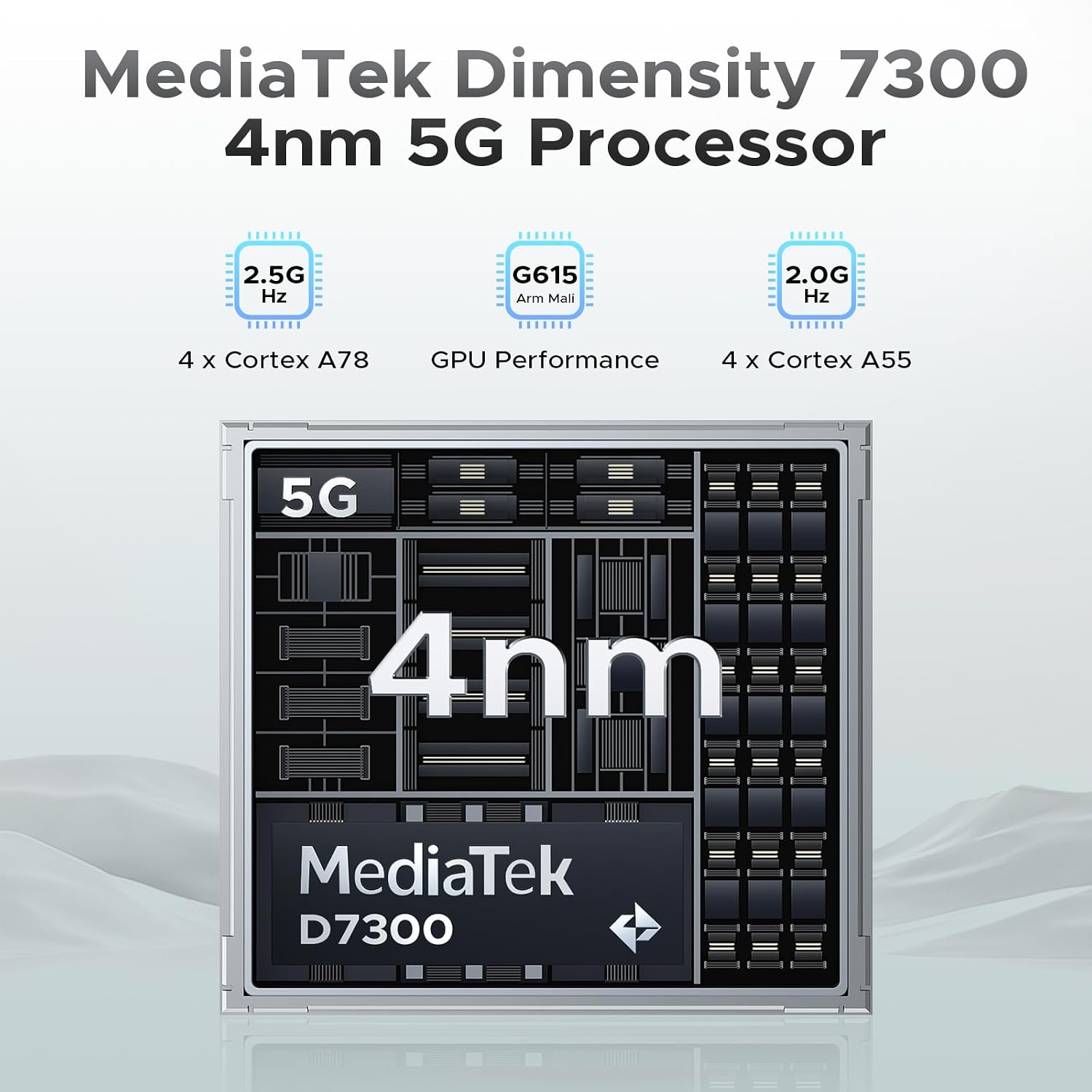
Powered by the MediaTek Dimensity 7300 octa-core processor and running Android 14, the Blade GT Ultra offers robust performance and a smooth user experience. With 36GB of RAM (16GB physical + 20GB virtual) and 512GB of ROM, expandable up to 2TB, you have ample space and speed for all your applications and data.

Funkcje aparatu
Capture stunning photos and videos with the 100MP AI main camera, 5MP wide-angle lens, and 32MP front camera. Advanced AI features like AI Erase and AI Background Replacement enhance your photography experience.


Funkcje bezpieczeństwa
The Blade GT Ultra offers fast and secure access with both side fingerprint ID and face unlock.
Łączność
Stay connected with WiFi 6 for stable, high-speed internet, NFC for Google Pay and mobile identification, and reliable navigation with GPS, Glonass, Galileo, and Beidou.

Konserwacja i pielęgnacja
Trwałość i ochrona
The DOOGEE Blade GT Ultra is built to last, with IP68, IP69K, and MIL-STD-810H certifications, making it waterproof, dustproof, and drop-proof. While designed for rugged use, proper care will extend its lifespan.

Zarządzanie baterią
To maximize battery life, avoid extreme temperatures, and use the provided charger. The phone provides precise battery reminders to help you manage power efficiently.

Czyszczenie
Use a soft, lint-free cloth to clean the screen and body of the phone. Avoid using harsh chemicals or abrasive materials that could damage the device.
Rozwiązywanie typowych problemów
Ogólne rozwiązywanie problemów
- Urządzenie nie włącza się: Upewnij się, że bateria jest naładowana. Podłącz ładowarkę i odczekaj kilka minut przed próbą włączenia.
- Ekran nie reaguje: Spróbuj ponownie uruchomić urządzenie, przytrzymując przycisk zasilania przez około 10–15 sekund.
- Problemy z siecią: Check your SIM card installation. Ensure mobile data is enabled in settings. If issues persist, contact your carrier.
Problemy z oprogramowaniem
The Android 14 operating system includes features to help manage software performance and privacy.

Dane techniczne
| Funkcja | Specyfikacja |
|---|---|
| Marka | DOOGEE |
| Nazwa modelu | BLADEGTULTRA-01 |
| System operacyjny | Android 14 |
| Model procesora | MediaTek Dimensity 7300 Octa-Core |
| Rozmiar zainstalowanej pamięci RAM | 36 GB (16GB + 20GB expansion) |
| Pojemność pamięci masowej | 512 GB (możliwość rozszerzenia do 2 TB) |
| Rozmiar ekranu | 6.72 cala FHD+ IPS |
| Częstotliwość odświeżania | 120 Hz |
| Główna kamera | 100-megapikselowy aparat główny AI |
| Przednia kamera | 32MP |
| Moc znamionowa akumulatora | 5500 mAh |
| Ładowanie | Szybkie ładowanie 33 W |
| Technologie łączności | 5G, WIFI6, NFC, Bluetooth BT5.2 |
| Nawigacja | GPS, Glonass, Galileo, Beidou |
| Trwałość | IP68/IP69K/MIL-STD-810H (Waterproof, Dustproof, Drop-proof) |
| Wymiary | 7.03 x 3.29 x 0.41 cala |
| Waga przedmiotu | 8.5 uncji (242 grama) |
Gwarancja i wsparcie
Informacje o gwarancji
Your DOOGEE Blade GT Ultra 5G Rugged Smartphone comes with a 2-Year Limited Warranty. Please refer to the included Warranty Card for detailed terms and conditions.
Obsługa klienta
For any inquiries or technical assistance, DOOGEE offers 24/7 One-on-One Online Support. You can find contact information on the official DOOGEE website or through the support details provided in your package.

Ask a question about this manual
Ask about setup, troubleshooting, compatibility, parts, safety, or missing instructions. Manuals+ will review the question and use this page’s manual context to help answer it.