
1. Wprowadzenie i koniecview
This manual provides comprehensive instructions for the ASHATA 4G Portable Router, Model ASHATA3ethc05m91. This device is a versatile mobile hotspot designed to provide reliable internet access for multiple users. It supports various 4G networks and offers high-speed connectivity, making it ideal for travel, outdoor activities, or as a portable internet solution. The router features a built-in 3000mAh battery and is powered via a Type-C port, ensuring convenience and portability.

Image 1.1: The ASHATA Portable Pocket WiFi Router, highlighting its compact design, Type-C interface, and 3000mAh battery capacity.
2. Zawartość opakowania
Sprawdź, czy w przesyłce znajdują się wszystkie elementy wymienione poniżej:
- 1 x ASHATA Portable Router
- 1 x USB Type-C Supply Cord
- 1 x Instrukcja obsługi (ten dokument)
3. Funkcje produktu
The ASHATA 4G Portable Router offers a range of features designed for optimal mobile connectivity:
- Share Up to 10 Users: Supports multiple 4G networks, enabling internet sharing for up to 10 connected devices simultaneously.
- Elastyczne opcje zasilania: Powered conveniently by devices with Type-C ports, such as cell phone chargers, car chargers, or mobile power banks.
- Działanie typu „plug and play”: Simple setup allows immediate 4G network access. Just insert a SIM card and connect to a power source.
- Łączność o dużej prędkości: Achieves 4G LTE speeds of up to 300Mbps, providing fast and stable internet access.
- Multi-Terminal Support: Connects up to 8 devices, including cell phones, tablets, laptops, computers, and smart TVs.
- Bezpieczne szyfrowanie: Features WPA/WPA2 encryption for enhanced network security, protecting against unauthorized access.

Image 3.1: Visual representation of the router's key advantages, including its 3000mAh battery, WiFi support, 4G connectivity, portability, Type-C charging, and sleek design.
4. Przewodnik konfiguracji
Follow these steps to set up your ASHATA 4G Portable Router:
- Włóż kartę SIM: Locate the SIM card slot on the router. Carefully insert a standard SIM card (not included) into the designated slot until it clicks into place. Ensure the SIM card is correctly oriented.
- Podłącz zasilanie: Connect the provided USB Type-C supply cord to the router's Type-C port and plug the other end into a compatible power source (e.g., a USB wall adapter, car charger, or power bank).
- Włączanie: Press and hold the power button (refer to Image 4.1 for location) for a few seconds until the device powers on and the display illuminates.
- Początkowy rozruch: The router will perform an initial boot-up sequence. The display will show network status, signal strength, and battery level. Wait for the network indicator to show a stable 4G connection.

Rysunek 4.1: Szczegółowy view of the router's side, indicating the Type-C charging port, WPS button, power button, and the location of the SIM card slot for insertion.
5. Instrukcja obsługi
Once the router is set up and powered on, you can begin using its mobile hotspot functionality:
- Connect Devices via Wi-Fi:
- On your Wi-Fi enabled device (phone, tablet, laptop), search for available Wi-Fi networks.
- Select the network name (SSID) displayed on the router's screen.
- Enter the Wi-Fi password (Key) also displayed on the router's screen when prompted.
- Your device should now be connected to the internet through the router.
- Status monitorowania: The router's display provides real-time information including signal strength, battery level, number of connected users, and data usage.
- Charging the Router: When the battery is low, connect the router to a power source using the Type-C cable. The battery indicator on the display will show charging status.
- Funkcje bezpieczeństwa: The router uses WPA/WPA2 encryption to secure your wireless network. It is recommended to keep the default password or change it to a strong, unique password for optimal security.
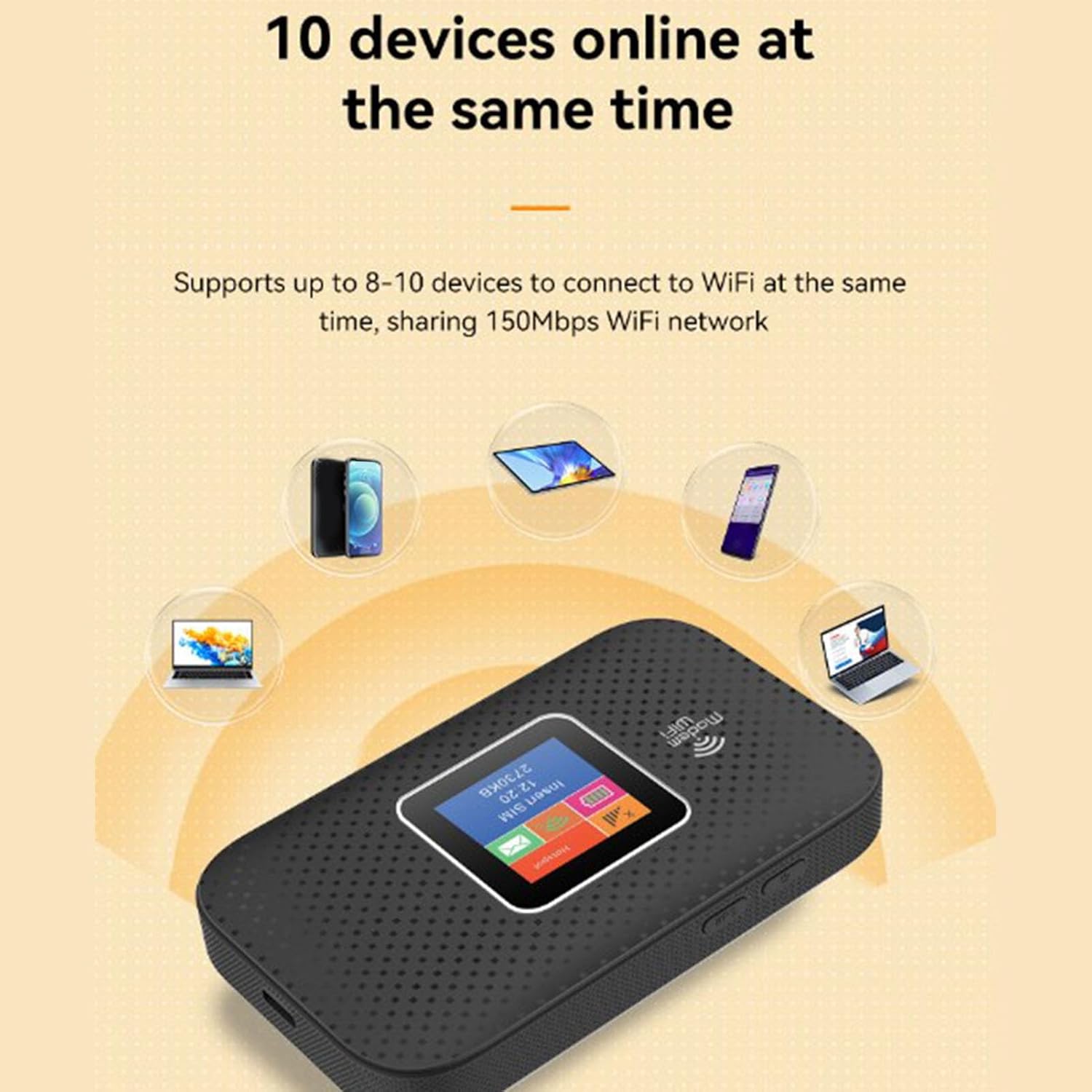
Image 5.1: The router demonstrating its capability to connect up to 10 devices simultaneously, including smartphones, tablets, and laptops.

Image 5.2: An illustration emphasizing the router's security features, specifically WPA/WPA2 encryption, for a more secure network environment.
6. Konserwacja
To ensure the longevity and optimal performance of your ASHATA 4G Portable Router, follow these maintenance guidelines:
- Utrzymywać w suchości: Unikaj narażania urządzenia na działanie wody, wilgoci lub wysokiej wilgotności powietrza.
- Kontrola temperatury: Do not expose the router to extreme temperatures (hot or cold). Operate and store it within recommended environmental conditions.
- Czyszczenie: Do czyszczenia zewnętrznej części urządzenia należy używać miękkiej, suchej ściereczki. Nie należy używać płynnych środków czyszczących ani aerozoli.
- Pielęgnacja baterii: For optimal battery life, avoid fully discharging the battery frequently. If storing for extended periods, charge the battery to about 50% and store in a cool, dry place.
- Unikaj wpływu fizycznego: Protect the device from drops, bumps, and strong vibrations.
7. Rozwiązywanie Problemów
If you encounter issues with your ASHATA 4G Portable Router, refer to the following troubleshooting tips:
- Brak połączenia z internetem:
- Sprawdź, czy karta SIM została prawidłowo włożona i aktywowana przy użyciu pakietu danych.
- Check the signal strength indicator on the router's display. If signal is weak or absent, move to an area with better network coverage.
- Zrestartuj router, wyłączając go i włączając ponownie.
- Verify that your connected device's Wi-Fi is enabled and connected to the correct SSID.
- Niska prędkość Internetu:
- Zmniejsz liczbę podłączonych urządzeń.
- Zbliż się do routera, aby zwiększyć siłę sygnału Wi-Fi.
- Check for network congestion in your area or contact your SIM card provider.
- Nie można połączyć się z Wi-Fi:
- Ensure you are entering the correct Wi-Fi password (Key).
- Uruchom ponownie router i urządzenie łączące.
- Check if the router's display shows any error messages.
- Router się nie włącza:
- Upewnij się, że bateria jest naładowana. Podłącz router do źródła zasilania za pomocą kabla typu C.
- Verify that the power cable and adapter are functioning correctly.
8. Specyfikacje
Detailed technical specifications for the ASHATA 4G Portable Router:
| Funkcja | Specyfikacja |
|---|---|
| Marka | ASZATA |
| Nazwa modelu | ASHATA3ethc05m91 |
| Technologia łączności | LTE, Wi-Fi |
| Standard komunikacji bezprzewodowej | 802.11a |
| Szybkość przesyłu danych | 300 megabitów na sekundę |
| Maksymalna szybkość przesyłania danych w górę | 300 megabitów na sekundę |
| Klasa pasma częstotliwości | Trójpasmowy |
| Support Network Band (4G) | B1 B3 B7 B20 B28 (2600 2100 1800 800 700MHZ) |
| Support Network Band (TDD) | B38 B40 B41 (2600 2300 2600MHZ) |
| Applicable Region | Europe, Africa, Southeast Asia, Northeast Asia, Middle East |
| Typ baterii | 3000mAh Li Polymer Battery (Built-In) |
| Port ładowania | Typ C |
| Protokół bezpieczeństwa | WPA2 |
| System operacyjny | Oparty na Linuksie |
| Kompatybilne urządzenia | Laptop, Mobile Phones, Tablets, Smart TVs |
| Zalecane zastosowania | Wewnątrz/na zewnątrz |
9. Gwarancja i wsparcie
ASHATA products are manufactured to high-quality standards. This product is covered by a limited warranty against defects in materials and workmanship from the date of purchase. Please retain your proof of purchase for warranty claims.
For technical support, warranty inquiries, or further assistance, please refer to the contact information provided with your purchase documentation or visit the official ASHATA webNie próbuj samodzielnie naprawiać urządzenia, ponieważ może to spowodować utratę gwarancji.