
HUNTVISION E3-E3Z
Instrukcja obsługi kamery bezpieczeństwa HUNTVISION E3-Z
Model: E3-Z (E3-E3Z)
1. Wprowadzenie
This user manual provides comprehensive instructions for the installation, operation, and maintenance of your HUNTVISION E3-Z Security Camera. Please read this manual thoroughly before using the product to ensure proper function and safety. Keep this manual for future reference.
2. Informacje dotyczące bezpieczeństwa
Zawsze stosuj się do poniższych wskazówek bezpieczeństwa, aby zapobiec uszkodzeniu urządzenia lub obrażeniom ciała:
- Upewnij się, że źródło zasilania jest zgodne z wymaganiami kamery.
- Nie wystawiaj aparatu na działanie ekstremalnych temperatur ani bezpośredniego światła słonecznego przez dłuższy czas.
- Unikaj umieszczania kamery w pobliżu silnych pól magnetycznych.
- Nie próbuj demontować ani modyfikować aparatu. Wszelkie czynności serwisowe powierzaj wykwalifikowanemu personelowi.
- Przechowuj aparat i jego akcesoria poza zasięgiem dzieci.
- Ensure proper mounting to prevent the camera from falling.
3. Zawartość opakowania
Sprawdź, czy w opakowaniu znajdują się wszystkie elementy:
- HUNTVISION E3-Z Security Camera (1)
- Zasilacz (1)
- Data Line (1)
- Auxiliary Package (1)
- Instrukcja obsługi (Niniejsza instrukcja)
Uwaga: Jeśli brakuje któregokolwiek z elementów lub jest on uszkodzony, prosimy o kontakt z obsługą klienta.
4. Koniec produktuview
The HUNTVISION E3-Z is a 3MP PTZ (Pan-Tilt-Zoom) outdoor security camera designed for comprehensive surveillance. It features AI motion tracking, full-color night vision, and two-way audio communication.

Rysunek 4.1: Przód view of the HUNTVISION E3-Z Security Camera, showing the lens, IR LEDs, and dual antennas.
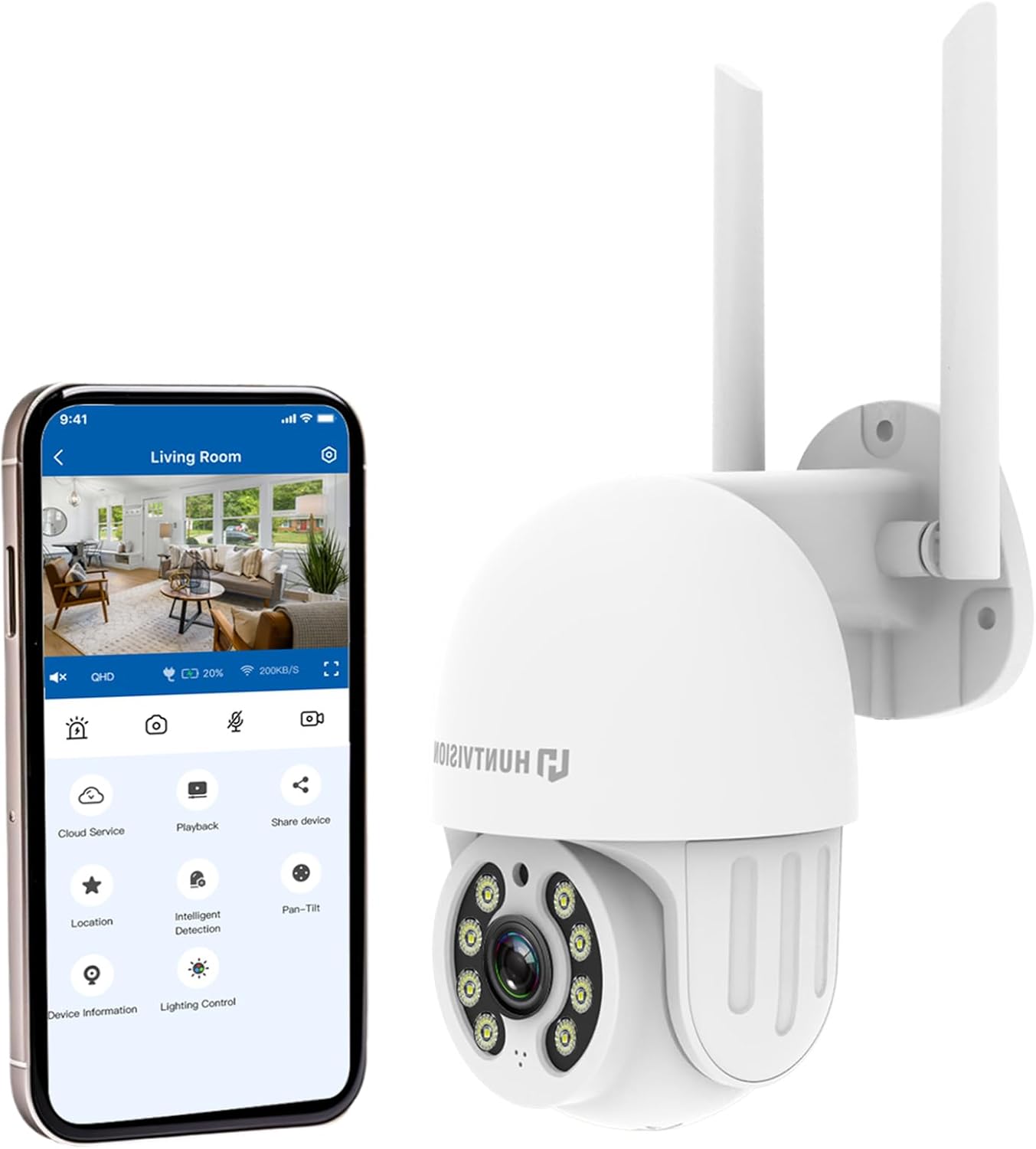
Rysunek 4.2: The HUNTVISION E3-Z camera alongside a smartphone displaying the companion mobile application interface, illustrating remote control capabilities.
Główne cechy:
- 3MP Full HD Resolution: Captures clear 2304×1296 footage.
- 24/7 Color Night Vision: Advanced starlight technology for full-color monitoring in low light.
- Inteligentne wykrywanie AI: Distinguishes people, vehicles, and animals with AI-powered motion tracking.
- Sterowanie PTZ 360°: Remote pan, tilt, and zoom via the Huntvision app.
- Dwukierunkowy dźwięk: Wbudowany mikrofon i głośnik umożliwiające komunikację.
- Odporność na warunki atmosferyczne IP65: Designed to withstand outdoor conditions (rain, snow, dust).
- Podwójna pamięć masowa: Supports up to 128GB TF card and cloud storage options.
- Łatwa konfiguracja: 2.4G WiFi and Bluetooth 4.2 for quick installation.
5. Konfiguracja i instalacja
5.1 Wybór lokalizacji
Wybierz odpowiednią lokalizację na zewnątrz, która zapewni pożądane viewing angle and is within range of your 2.4G WiFi network. The camera is IP65 weatherproof, making it suitable for various outdoor environments.

Rysunek 5.1: Examples of suitable installation environments, including residential homes, farms, construction sites, and commercial properties.
5.2 Montaż kamery
The camera supports wall mounting. Use the provided auxiliary package for secure installation.
- Zaznacz punkty wiercenia na ścianie, korzystając z uchwytu montażowego jako szablonu.
- W razie potrzeby wywierć otwory i włóż kotwy ścienne.
- Przymocuj uchwyt montażowy do ściany za pomocą śrub.
- Zamontuj kamerę w uchwycie montażowym, upewniając się, że jest ona pewnie osadzona.
5.3 Włączanie i konfiguracja początkowa
- Podłącz zasilacz do aparatu i podłącz go do gniazdka elektrycznego.
- Download the "Huntvision" app from your mobile app store (available for iOS).
- Open the app and follow the on-screen instructions to add your camera. The camera uses Bluetooth 4.2 for initial configuration, simplifying the WiFi connection process.
- Ensure your mobile device is connected to a 2.4G WiFi network during setup.
6. Obsługa aparatu
6.1 Na żywo View i sterowanie PTZ
Po połączeniu uzyskaj dostęp do transmisji na żywo view through the Huntvision app. You can remotely control the camera's pan (355°) and tilt (85°) functions to adjust the viewkąt.

Rysunek 6.1: Illustration of the camera's remote pan (355°) and tilt (85°) capabilities, controlled via the mobile application, along with 6X digital zoom.
6.2 Detekcja ruchu i alerty
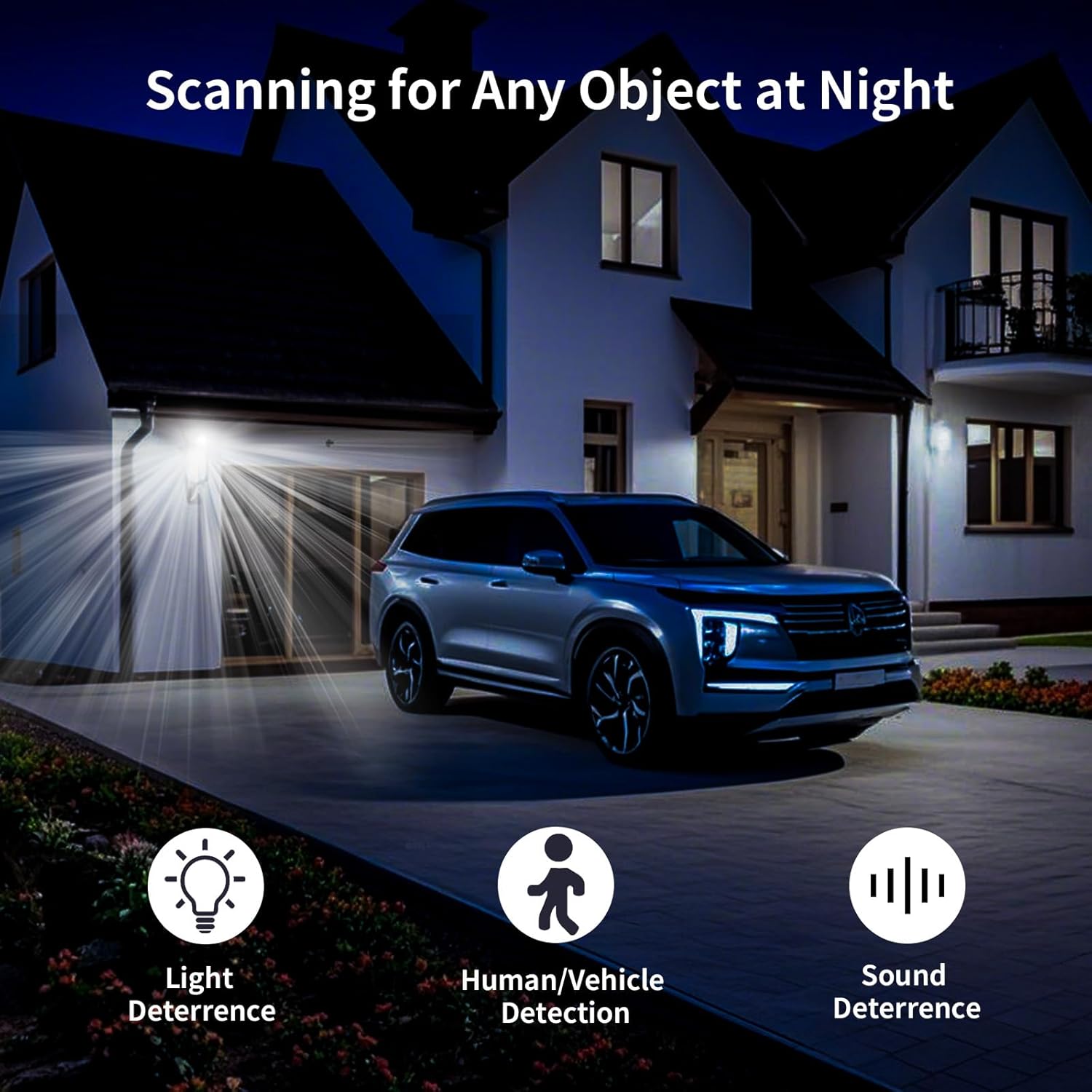
The camera features smart AI detection to distinguish between people, vehicles, and animals. Configure alert settings in the app to receive instant notifications on your mobile device when motion is detected.

Rysunek 6.2: Depiction of motion detection triggering a siren alert, spotlight alarm, and app notification push, alongside the two-way audio function.
6.3 Tryby widzenia nocnego
The E3-Z offers multiple night vision modes:
- Pełnokolorowa wizja nocna: Utilizes advanced starlight technology to provide color images in low-light conditions.
- IR Night Vision: Standard black and white infrared vision for complete darkness.
- Inteligentne widzenie w nocy: Automatycznie przełącza się między widzeniem nocnym w podczerwieni a kolorowym widzeniem nocnym na podstawie wykrytego ruchu lub warunków oświetlenia.
Rysunek 6.3: Visual comparison of Color Night Vision, IR Night Vision, and Smart Night Vision modes, demonstrating clear visibility in various nighttime scenarios.
6.4 Dźwięk dwukierunkowy
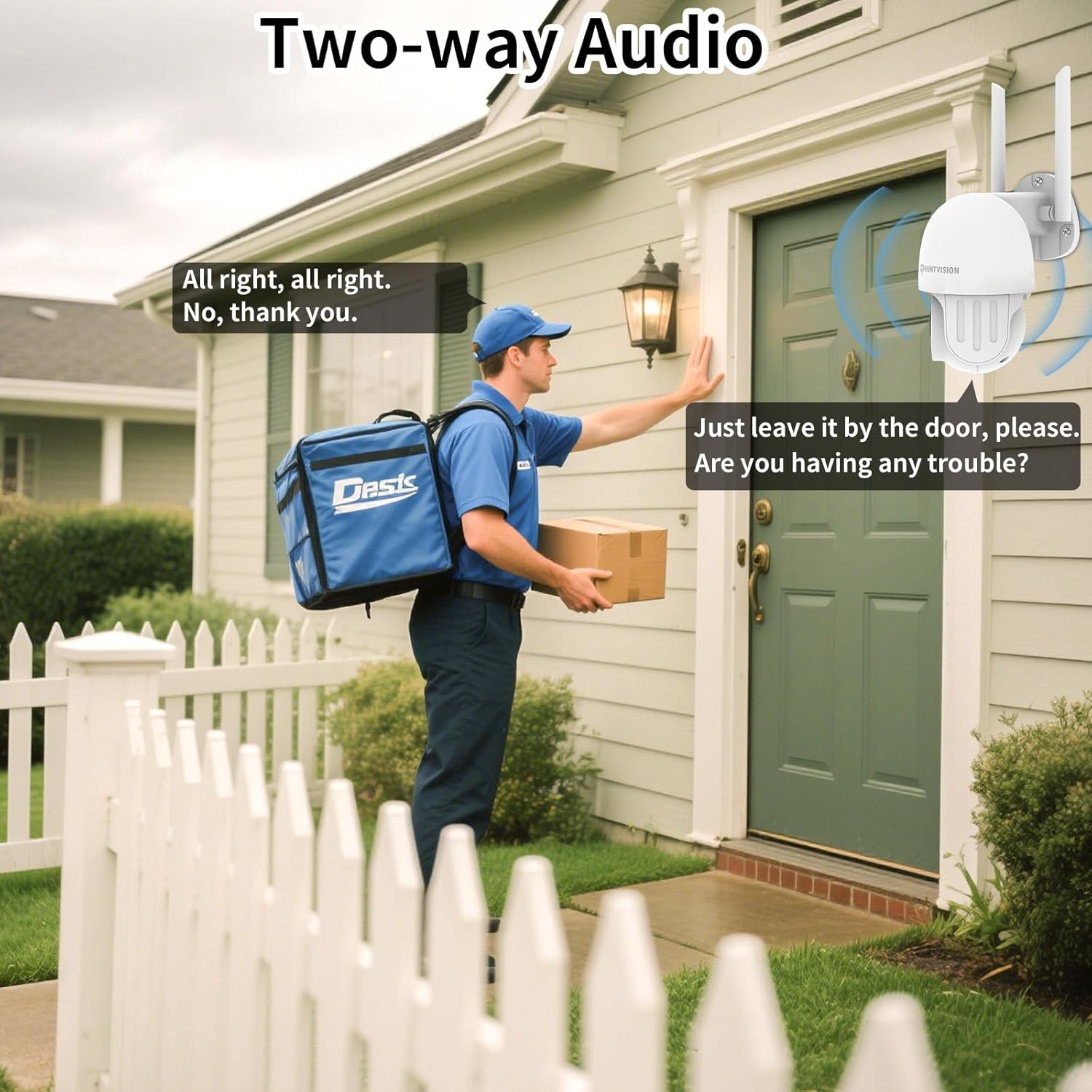
Use the two-way audio feature to communicate with individuals near the camera. This is useful for deterring intruders or speaking with delivery personnel.

Rysunek 6.4: Byłyample of two-way audio in use, showing a user communicating with a delivery person through the camera.
6.5 Opcje przechowywania
The camera supports local storage via a TF (microSD) card up to 128GB and cloud storage services. Insert the TF card into the designated slot on the camera.
Rysunek 6.5: Z bliska view of the TF card slot on the camera and a list of compatible memory card brands (Kingston, SanDisk, PNY) with supported capacities.
7. Konserwacja
Regularna konserwacja zapewnia optymalną wydajność i długowieczność Twojej kamery bezpieczeństwa:
- Czyszczenie: Delikatnie przetrzyj obiektyw i korpus aparatu miękką, suchą ściereczką. Nie używaj silnych środków chemicznych ani ściernych środków czyszczących.
- Aktualizacje oprogramowania układowego: Check the Huntvision app regularly for firmware updates. Keeping your camera's firmware up-to-date ensures access to the latest features and security enhancements.
- Cykl zasilania: Jeśli kamera przestanie reagować, spróbuj odłączyć ją od źródła zasilania na kilka sekund, a następnie podłączyć ją ponownie.
- Zarządzanie pamięcią masową: Okresowo ponownieview i zarządzaj nagranymi utworamitage. If using a TF card, ensure it has sufficient space or consider setting up automatic overwriting.
8. Rozwiązywanie Problemów
If you encounter issues with your HUNTVISION E3-Z camera, refer to the following common problems and solutions:
| Problem | Możliwa przyczyna | Rozwiązanie |
|---|---|---|
| Kamera offline w aplikacji | No power; WiFi disconnected; Router issues | Check power connection; Verify WiFi signal strength; Restart router and camera; Re-add camera to app if necessary. |
| Niska jakość obrazu | Dirty lens; Low light; Network bandwidth issues | Clean the lens; Ensure adequate lighting or proper night vision mode; Check network speed. |
| Nie otrzymano alertów ruchu | App notifications disabled; Detection sensitivity too low; Incorrect detection zone settings | Enable app notifications; Adjust detection sensitivity; Configure detection zones in the app. |
| Dwukierunkowe audio nie działa | Mikrofon/głośnik wyciszony w aplikacji; opóźnienie sieciowe | Sprawdź ustawienia dźwięku w aplikacji; upewnij się, że połączenie sieciowe jest stabilne. |
| TF card not recording | Card full; Card not formatted; Incompatible card | Format the TF card via the app; Replace with a compatible card (up to 128GB); Check recording settings. |
For further assistance, please contact HUNTVISION customer support.
9. Specyfikacje
| Funkcja | Szczegół |
|---|---|
| Nazwa modelu | 3MP Outdoor PTZ Camera (E3-Z) |
| Rezolucja | 3MP (2304 x 1296p) |
| Technologia łączności | Wireless (2.4G WiFi, Bluetooth 4.2 for setup) |
| Zakres obrotu/pochylenia | Pan 355 °, pochylenie 85 ° |
| Wizja nocna | Full-Color Night Vision, IR Night Vision, Smart Night Vision |
| Audio | Dźwięk dwukierunkowy |
| Opcje przechowywania | Karta TF (do 128 GB), przechowywanie w chmurze |
| Ocena odporności na warunki atmosferyczne | IP65 |
| Źródło zasilania | Elektryczny przewodowy |
| Typ montażu | Montaż ścienny |
| Wymiary (dł. x szer. x wys.) | 6.36 x 5.31 x 3.62 cala |
| Waga przedmiotu | 1 funt |
| Zawarte komponenty | Camera, Power adapter, Data line, Auxiliary package, User guide |
10. Gwarancja i wsparcie
HUNTVISION products come with a standard manufacturer's warranty. Please refer to the warranty card included in your package or visit the official HUNTVISION webSzczegółowe warunki gwarancji można znaleźć na naszej stronie.
Obsługa klienta:
If you require technical assistance or have questions regarding your HUNTVISION E3-Z Security Camera, please contact our customer support team. For the most up-to-date contact information, please visit the official HUNTVISION webodwiedź witrynę lub zapoznaj się z danymi kontaktowymi znajdującymi się na opakowaniu produktu.
Please have your model number (E3-Z) and purchase information ready when contacting support.
Ask a question about this manual
Ask about setup, troubleshooting, compatibility, parts, safety, or missing instructions. Manuals+ will review the question and use this page’s manual context to help answer it.