
Jarnex JN-LB4AB
Jarnex 4MP Bulb Home Security Camera User Manual
Model: JN-LB4AB | Brand: Jarnex
Wstęp
Welcome to your Jarnex 4MP Bulb Home Security Camera user manual. This guide provides detailed instructions for setting up, operating, and maintaining your camera to ensure optimal performance and security. This camera offers 4MP resolution, dual-band WiFi (2.4GHz & 5GHz), 360-degree coverage, color night vision, two-way audio, and smart home integration with Google Assistant and Alexa.
Co jest w pudełku
Sprawdź, czy w opakowaniu znajdują się wszystkie komponenty:
- Korpus aparatu
- Instrukcja obsługi

Image: The Jarnex 4MP Bulb Home Security Camera shown alongside a smartphone displaying the live feed and control options within the companion application.
Główne cechy
- High-Resolution with Extensive Coverage: Captures detailed 4MP images and provides 360-degree field of view, ensuring comprehensive monitoring with no blind spots, ideal for both indoor and outdoor environments.
- Dual-Band Connectivity and Easy Installation: Offers reliable, fast streaming and data transmission over both 5G & 2.4GHz WiFi networks. The camera can be easily installed in any standard light bulb socket, and bluetooth quick connection, eliminating complex setup processes.
- Enhanced Night Vision and Two-Way Audio: Delivers clear, color video even in low-light conditions, paired with two-way audio to communicate with family or deter intruders directly through the camera.
- Smart Home Integration and Real-Time Alerts: Compatible with Google Assistant and Alexa for effortless voice control and smart home integration, providing immediate alerts and notifications on your smartphone for enhanced security.
- Energy Efficiency and Unobtrusive Design: Designed to be both energy-efficient and discreet, this camera merges lighting and security in one device, blending seamlessly into your home decor while conserving energy.

Image: An illustration highlighting the camera's key features including night vision, siren, motion detection, plug & play installation, and two-way audio.
Przewodnik po konfiguracji
Krok 1: Włączanie
Screw the Jarnex camera into a standard E27 light bulb socket. Ensure the socket is powered on. The camera will initiate its self-test sequence.

Image: The Jarnex camera being easily screwed into a light bulb socket, demonstrating its simple plug-and-play installation.
Step 2: App Download and Account Creation
Download the official Jarnex security camera application from your smartphone's app store (available for iOS and Android). Create an account or log in if you already have one.
Krok 3: Łączenie się z Wi-Fi
Open the app and follow the on-screen instructions to add a new device. The camera supports both 2.4GHz and 5GHz Wi-Fi networks for enhanced connection speed and stability. Utilize the rapid Bluetooth connection feature for quick pairing.

Image: A smartphone screen displaying a "Successfully Connected!" message, indicating a successful Bluetooth pairing with the security camera.

Image: A graphic demonstrating the dual-band 2.4GHz and 5GHz Wi-Fi capabilities, showing how it enhances connection speed and stability throughout a home.
Instrukcja obsługi
Na żywo View i sterowanie obrotem/pochyleniem
Once connected, access the live feed through the app. Use the on-screen controls to pan (horizontal rotation) and tilt (vertical rotation) the camera for a full 360-degree view Twojego otoczenia.

Image: A visual representation of the camera's 360-degree pan and tilt functionality, illustrating its comprehensive coverage.
Dwukierunkowy dźwięk
Utilize the built-in microphone and speaker for two-way communication. Tap the microphone icon in the app to speak, and listen through the camera's speaker.

Image: A person at a door interacting with a delivery person using the camera's two-way audio feature, demonstrating its communication capabilities.
Wizja nocna
The camera automatically switches to color night vision in low-light conditions, providing clear, detailed images even in the dark.
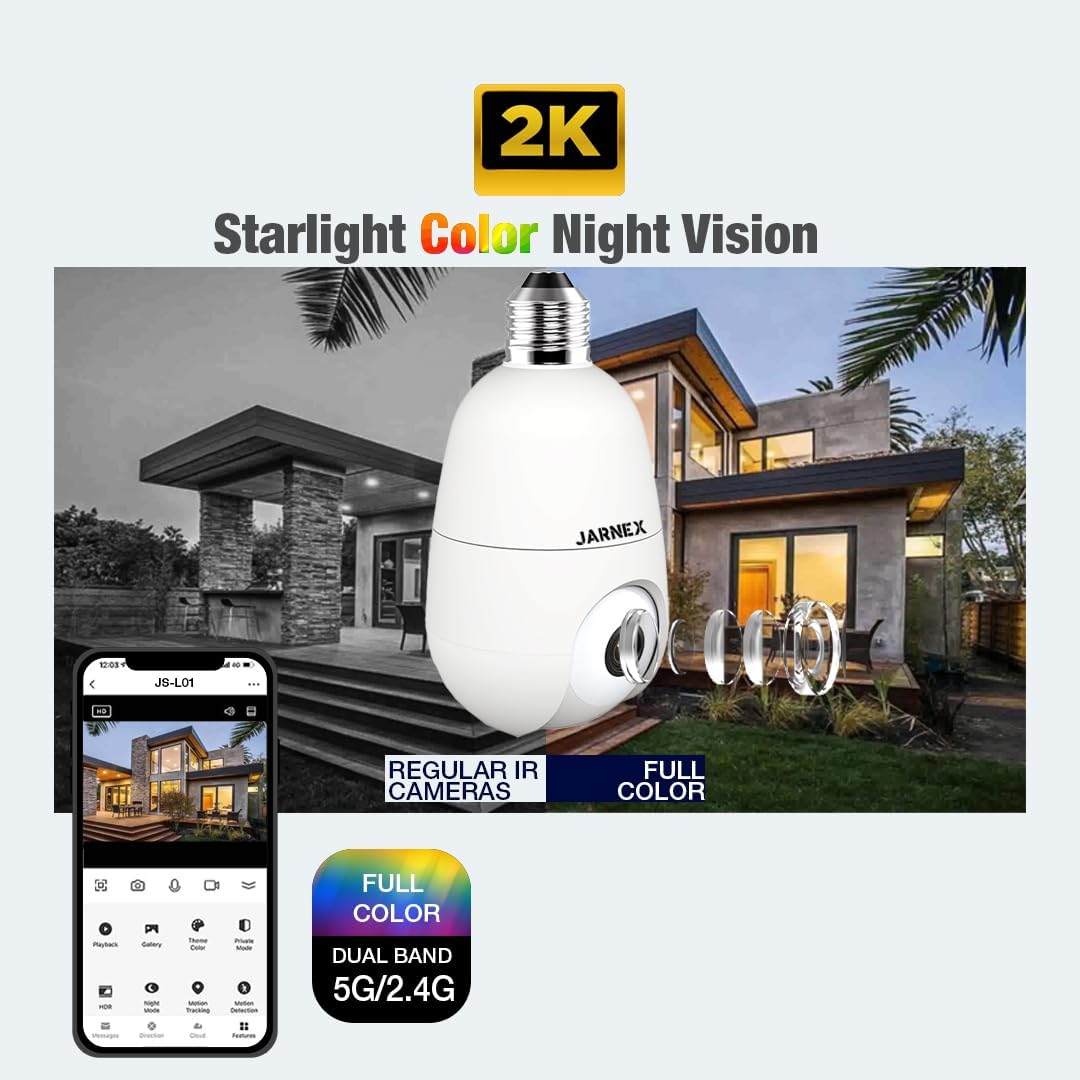
Image: A visual comparison highlighting the superior clarity and full-color detail of the Jarnex camera's starlight night vision compared to traditional infrared night vision.
Wykrywanie ruchu i alerty
Enable motion detection in the app to receive real-time alerts on your smartphone when activity is detected. The camera can also trigger a siren alarm to deter intruders.

Image: An illustration showing the camera detecting an intruder and a smartphone receiving a "Sound Detected" push notification, demonstrating the alarm and AI human detection feature.
Opcje przechowywania
The camera supports both local SD card storage and cloud storage for recording video footage. Insert a compatible SD card into the designated slot on the camera.
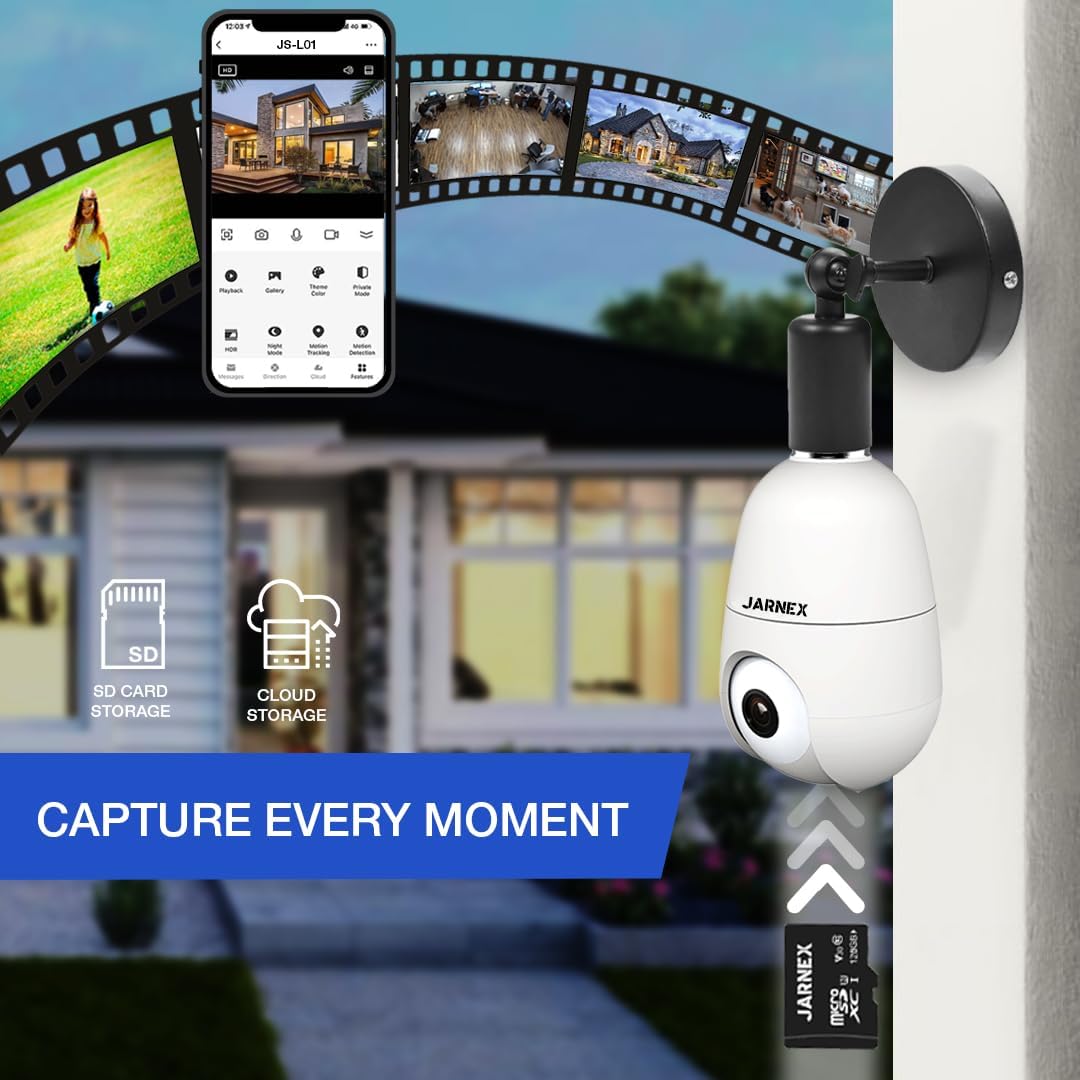
Image: The camera shown with icons representing SD card and cloud storage options, emphasizing its ability to capture and store every moment.
Integracja inteligentnego domu
Connect your Jarnex camera with Google Assistant or Amazon Alexa for voice control and seamless integration into your smart home ecosystem. Refer to the app's settings for detailed integration instructions.
Konserwacja
- Czyszczenie: Delikatnie przetrzyj obiektyw i korpus aparatu miękką, suchą ściereczką. Nie używaj silnych środków chemicznych ani ściernych środków czyszczących.
- Aktualizacje oprogramowania układowego: Regularnie sprawdzaj aplikację pod kątem dostępnych aktualizacji oprogramowania sprzętowego, aby mieć pewność, że Twój aparat ma najnowsze funkcje i udoskonalone zabezpieczenia.
- Stabilność sieci: Ensure your Wi-Fi network is stable and strong for optimal camera performance.
- Zarządzanie pamięcią masową: Okresowo ponownieview i zarządzaj nagranymi utworamitage on the SD card or cloud storage to free up space if needed.
Rozwiązywanie problemów
| Problem | Rozwiązanie |
|---|---|
| Kamera nie łączy się z siecią Wi-Fi. | Ensure your Wi-Fi password is correct. Check if the camera is within range of your router. Try restarting your router and the camera. Verify you are connecting to a 2.4GHz or 5GHz network as supported. |
| No live feed or choppy video. | Check your internet connection speed. Reduce the video quality setting in the app if your network bandwidth is limited. Ensure no obstructions are blocking the signal. |
| Dwukierunkowa transmisja dźwięku nie działa. | Check microphone and speaker permissions for the app on your smartphone. Ensure the volume on your phone and within the app is turned up. |
| Nie otrzymano alertów o ruchu. | Verify motion detection is enabled in the app settings. Check your phone's notification settings for the Jarnex app. Ensure the camera's field of view jest jasne. |
Specyfikacje
- Nazwa modelu: Jarnex Light Bulb Camera
- Numer modelu: JN-LB4AB
- Rozdzielczość przechwytywania wideo: 4MP
- Pole View: 360 Degrees (Pan/Tilt Coverage)
- Łączność: Wi-Fi (2.4 GHz i 5 GHz), Bluetooth
- Źródło zasilania: Socket (E27 standard)
- Zastosowanie wewnątrz/na zewnątrz: Wewnątrz, Na zewnątrz
- Cechy szczególne: 2-Way Audio, Motion Sensor, Night Vision (Color), PT Control (Pan/Tilt)
- Zgodne urządzenia: Smartfon, Amazon Alexa, Asystent Google
- Wymiary: 3 x 3 x 5.5 cala
- Waga przedmiotu: 8.4 uncji
- Zawartość zestawu: Camera body, user manual
Gwarancja i wsparcie
Jarnex products come with a manufacturer's warranty. For specific warranty details, please refer to the warranty card included with your product or visit the official Jarnex webstrona.
For technical support, troubleshooting assistance, or any inquiries, please contact Jarnex customer service:
- Wsparcie online: Odwiedź Jarnex Store on Amazon aby zapoznać się z odpowiedziami na często zadawane pytania i zasobami pomocy.
- Wsparcie e-mailowe: Refer to your product packaging or the Jarnex webstrona z adresem e-mail kontaktowym.
- Wsparcie telefoniczne: Refer to your product packaging or the Jarnex webstrona z numerem telefonu kontaktowego.
Please have your model number (JN-LB4AB) and purchase information ready when contacting support.
Ask a question about this manual
Ask about setup, troubleshooting, compatibility, parts, safety, or missing instructions. Manuals+ will review the question and use this page’s manual context to help answer it.