
1. Wprowadzenie
Thank you for choosing the Ailgely 2.4GHz WiFi Wall Touch Light Switch. This smart device integrates a light switch with a Type-C USB outlet, a standard USB outlet, and a US plug outlet, offering versatile control and charging capabilities. It supports 2-way light control, APP, and voice remote control, enhancing your smart home experience. This manual provides essential information for safe installation, operation, and maintenance.
2. Informacje dotyczące bezpieczeństwa
OSTRZEŻENIE: Ryzyko porażenia prądem. Nieprawidłowa instalacja może prowadzić do poważnych obrażeń ciała lub śmierci.
- Zawsze cut off power at the circuit breaker before installing or servicing the switch.
- Installation must be performed by a qualified electrician or a person with a thorough understanding of electrical wiring.
- Ensure that the neutral wire is present and correctly installed. A neutral wire is required for this device.
- Verify that live and neutral wires are connected to their correct terminals.
- Tighten all screw terminals securely to prevent loose connections.
- This device only supports 2.4 GHz Wi-Fi networks. It is not compatible with 5 GHz networks.
3. Zawartość opakowania
Po otwarciu opakowania należy sprawdzić, czy wszystkie elementy znajdują się w opakowaniu i nie są uszkodzone:
- 1 x Ailgely Smart Wall Touch Light Switch (2-Way Black US Plug)
- 1 x Zestaw śrub montażowych
- 1 x Instrukcja obsługi

Image: Package contents including the smart switch, mounting screws, and the user manual.
4. Funkcje produktu
- Zintegrowany projekt: Combines a smart light switch with a Type-C outlet, a USB outlet, and a standard US plug outlet for multiple functionalities.
- 2-Way Light Control: Designed to control two separate lights from a single location.
- Zdalne sterowanie: Easy pairing via 2.4GHz Wi-Fi for APP and voice remote control.
- Inteligentne funkcje: Supports timing, scheduling, and shared control with family members through the smart APP.
- Nowoczesna estetyka: Features an anti-scratch tempered glass panel for sensitive touch control and a sleek design that complements various home styles.
5. Specyfikacje
| Specyfikacja | Wartość |
|---|---|
| Kolor | Black US Plug |
| Typ | 2-drożny |
| Materiał główny | ABS + szkło |
| Wejście Voltage | 95-250V / AC 50-60Hz |
| Max. Load (Socket) | 16A |
| Wyjście USB | 5V 2.1A |
| Łączność bezprzewodowa | 802.11 b/g/n 2.4G Wi-Fi (Not 5 GHz) |
| Wymiary (dł. X szer. X gł.) | 120 mm x 76 mm x 34 mm (4.72 cala x 2.99 cala x 1.33 cala) |
| Waga przedmiotu | 8.5 uncji |
| Cotage | 4000 watów |

Image: Detailed dimensions of the smart wall switch for installation planning.
6. Konfiguracja i instalacja
Zanim zaczniesz: Ensure the power is OFF at the circuit breaker. A neutral wire is required for installation.
- Odłączenie zasilania: Locate the circuit breaker that controls the power to the switch you are replacing or the new installation location. Turn off the power completely. Verify power is off using a voltagtester.
- Wyjmij stary przełącznik (jeśli dotyczy): Ostrożnie zdejmij istniejącą płytkę ścienną i przełącznik z puszki ściennej. Odłącz przewody, zwracając uwagę na ich połączenia.
- Identyfikacja przewodów: Identify the Live (Hot), Neutral, and Load wires in your wall box. This smart switch requires a neutral wire. If you are unsure, consult a qualified electrician.
- Połączenie przewodowe: Connect the wires from your wall box to the corresponding terminals on the Ailgely Smart Switch. Refer to the wiring diagram provided with the product for precise connections. Ensure all wires are securely tightened in their terminals.
- Zamontuj przełącznik: Gently push the wired switch into the wall box. Use the provided mounting screws to secure the switch to the wall box.
- Zainstaluj płytę ścienną: Attach the tempered glass wall plate to the switch.
- Przywróć zasilanie: Włącz ponownie zasilanie za pomocą wyłącznika.
- Parowanie Wi-Fi: Follow the instructions in the included manual to pair the switch with your smart home APP. Ensure your Wi-Fi network is 2.4 GHz.
7. Instrukcja obsługi
7.1 Ręczne sterowanie dotykowe
The tempered glass panel features touch-sensitive icons for controlling the lights. Simply touch the light bulb icons to toggle the connected lights ON or OFF. The power outlet icon controls the integrated US plug outlet.

Image: The tempered glass panel offers sensitive and durable touch control.
7.2 Inteligentne sterowanie aplikacją
After successfully pairing the switch with your smart home APP (e.g., Tuya Smart, Smart Life), you can control the lights and outlets remotely from your smartphone or tablet.
- Zdalne włączanie/wyłączanie: Turn lights and outlets on or off from anywhere.
- Timing & Schedule: Set schedules for lights to turn on/off automatically at specific times.
- Tworzenie sceny: Create custom scenes to control multiple devices with a single command.
- Kontrola udziału: Share device control with family members through the APP.

Image: Demonstrates remote control of the smart switch using a mobile application.
7.3 Sterowanie głosowe
The smart switch is compatible with popular voice assistants (e.g., Amazon Alexa, Google Assistant). Once integrated, you can use voice commands to control your lights and outlets.
- ExampPolecenia:
- "Alexa, włącz światło w salonie."
- „Hej Google, wyłącz światło w kuchni”.
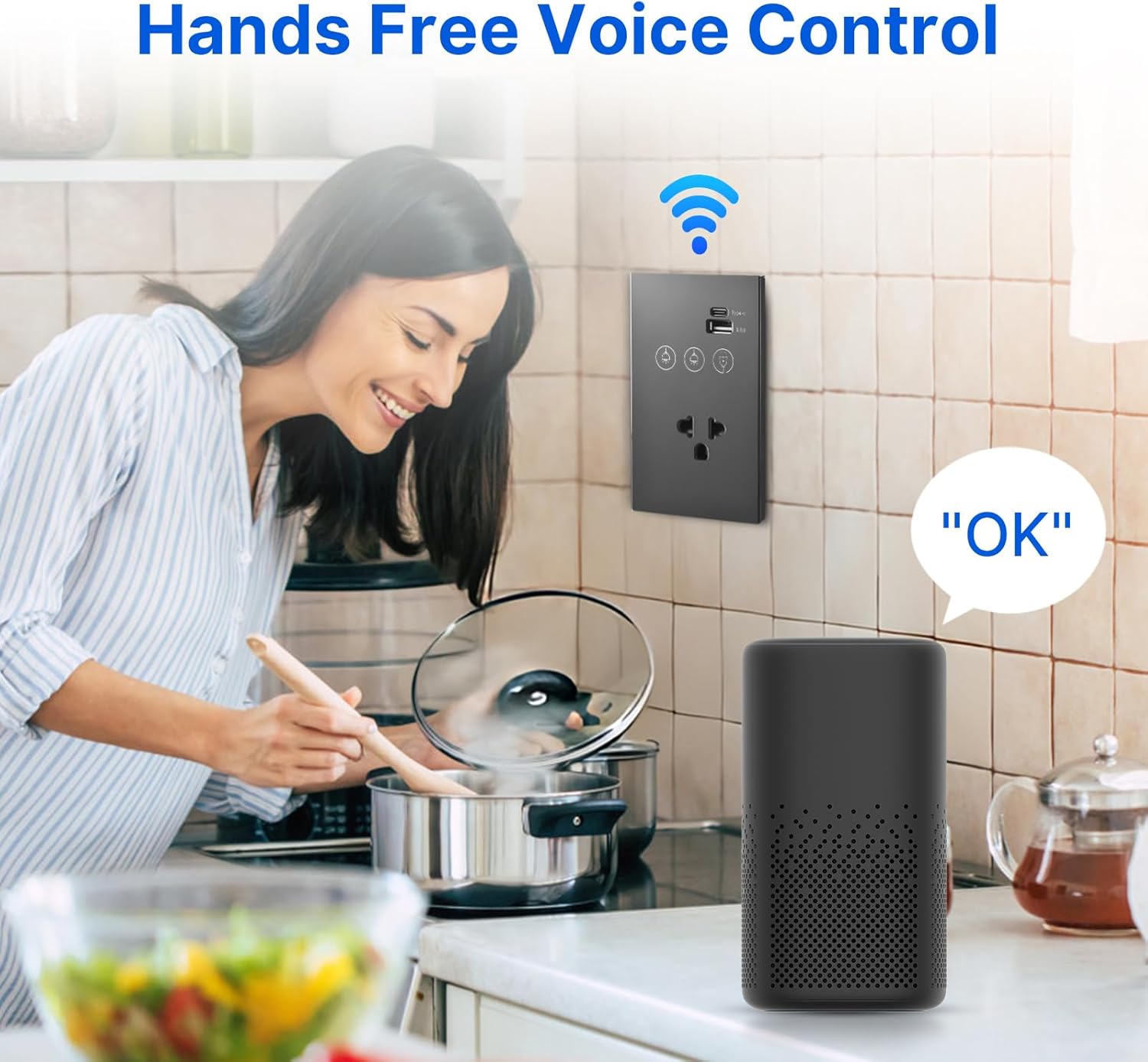
Image: Illustrates hands-free voice control of the smart switch.
8. Konserwacja
- Czyszczenie: Panel ze szkła hartowanego jest odporny na zarysowania i łatwy w czyszczeniu. Użyj miękkiej, miękkiej ściereczki.amp cloth to wipe the surface. Avoid abrasive cleaners or solvents that may damage the finish.
- Aktualizacje oprogramowania układowego: Periodically check the smart home APP for available firmware updates for your device to ensure optimal performance and security.
- Kontrola połączenia: If experiencing connectivity issues, ensure your Wi-Fi router is functioning correctly and the switch is within range of the 2.4 GHz network.
9. Rozwiązywanie Problemów
- Przełącznik nie odpowiada:
- Sprawdź czy wyłącznik jest włączony.
- Ensure all wiring connections are secure and correct (Live, Neutral, Load).
- If recently installed, double-check that the neutral wire is properly connected.
- Awaria połączenia Wi-Fi:
- Confirm your Wi-Fi network is 2.4 GHz. This device does not support 5 GHz Wi-Fi.
- Upewnij się, że przełącznik znajduje się w zasięgu routera Wi-Fi.
- Uruchom ponownie router Wi-Fi i spróbuj sparować ponownie.
- Make sure you are entering the correct Wi-Fi password.
- APP Control Issues:
- Sprawdź, czy Twój smartfon ma aktywne połączenie z Internetem.
- Ensure the smart home APP is updated to the latest version.
- Try unpairing and re-pairing the device in the APP.
- Sterowanie głosowe nie działa:
- Confirm the smart switch is successfully linked to your voice assistant account (e.g., Alexa, Google Home).
- Check if your voice assistant device is online and functioning correctly.
- Use the exact device names configured in your smart home APP.
10. Gwarancja i wsparcie
This product comes with a standard manufacturer's warranty. For specific warranty terms and conditions, please refer to the documentation provided at the time of purchase or contact the retailer. For technical support, troubleshooting assistance, or inquiries regarding your Ailgely Smart Wall Touch Light Switch, please contact Ailgely customer service through the contact information provided on the product packaging or the official Ailgely webstrona.