
Wstęp
Thank you for choosing the RPNB Smart Touchscreen Fireproof Safe. This manual provides detailed instructions for the safe's setup, operation, programming, and maintenance. Please read this manual thoroughly before using your safe to ensure proper function and security.

Image: The RPNB Smart Touchscreen Fireproof Safe, designed to protect valuables from both fire and water damage.
Środki ostrożności
- Do not store emergency keys inside the safe. Keep them in a secure, separate location.
- Upewnij się, że sejf jest solidnie zamontowany, aby zapobiec nieautoryzowanemu usunięciu.
- Unikaj narażania sejfu na działanie ekstremalnych temperatur i wilgoci.
- Do not use abrasive cleaners or solvents on the safe's surface.
- Trzymaj dzieci z dala od sejfu i jego mechanizmów blokujących.
Organizować coś
1. Instalacja baterii
- Locate the battery compartment on the back of the touchscreen panel.
- Press the tab on the left side of the lock cover and remove the cover.
- Connect a 9V alkaline battery (not included) to the battery connector.
- Carefully place the battery into the compartment and reattach the cover.

Image: Detail of the safe's handle, showing the battery compartment behind the touchscreen panel and the adjustable shelf inside.
2. Montaż uchwytu
- Insert the three-spoke handle into the handle hub on the safe door.
- Rotate the handle clockwise to secure it.
3. Initial Opening with Default Passcode
- Dotknij ekranu, aby aktywować klawiaturę.
- Wprowadź domyślny kod dostępu: 1234.
- Rotate the handle clockwise to open the safe door.
Video: This video demonstrates the initial setup steps, including battery installation, handle attachment, and opening the safe with the default passcode. It also shows how to set a new passcode and register fingerprints, as well as activating silent mode and the vibration alarm.
Programowanie
1. Setting a New Passcode
- With the safe door open, locate and press the red "SET" button on the inside of the door.
- Within 10 seconds, touch the screen to activate the keypad and enter your new 4-digit passcode.
- Press the "SET" button again to confirm.
- Test the new passcode with the door open before closing it.

Image: A visual guide to the three unlocking methods: emergency key, biometric fingerprint, and 4-digit intelligent touchscreen keypad.
2. Rejestrowanie odcisków palców
The safe supports up to 20 fingerprints.
- With the safe door open, locate and press the red "SET" button on the inside of the door.
- Place your finger on the fingerprint sensor and scan it 4 times, lifting your finger slightly between each scan.
- The safe will confirm successful registration.
- Test the registered fingerprint with the door open before closing it.
Obsługa sejfu
Metody odblokowywania
- Klucz awaryjny: Insert the emergency key into the keyhole, turn it, and rotate the handle clockwise to open.
- Kod dostępu: Touch the screen, enter your programmed passcode, and rotate the handle clockwise to open.
- Odcisk palca: Place your registered finger on the sensor. Once recognized, rotate the handle clockwise to open.
Tryb cichy
To activate or deactivate silent mode (which mutes keypad sounds):
- Dotknij ekranu, aby aktywować klawiaturę.
- Naciśnij i przytrzymaj numer 1 for 3 seconds until the pilot lamp oświetla.
- Silent mode is now activated/deactivated.
Vibration Alarm System
To enhance security, the safe features a vibration alarm:
- To activate the alarm, touch the screen to activate the keypad, then press and hold the number 3 for 3 seconds until the pilot lamp oświetla.
- If the safe experiences violent shaking, the alarm will sound for 1 minute.
- During an alarm, the keypad and fingerprint sensor will be temporarily disabled.
- To deactivate the alarm, use the emergency key to open the safe.

Image: The alarm system is activated by violent shaking, triggering a 1-minute buzzer. It can be deactivated using the emergency key.
Funkcje Ponadview
- Robust Fireproof Construction: Constructed from solid anti-theft steel with a 16mm heat-resistant fireproof board and five 20mm diameter solid steel bolts. UL72 fire standard compliant, offering 30 minutes of fire resistance at 1200°F.
- Przestronne wnętrze: 36L capacity with internal dimensions of 45.5 cm (H) x 32 cm (W) x 25 cm (D). Features an adjustable shelf with 8 possible height levels to accommodate various item sizes.
- Multiple Locking Methods: Offers three ways to unlock: emergency key, 4-digit intelligent touchscreen keypad, and 500DPI biometric fingerprint sensor. An external battery box design allows for emergency battery replacement.
- Ochrona wewnętrzna: The interior is fully covered with thick felt to protect valuables from scratches and damage.
- Wygodny montaż: Includes one pre-drilled hole at the bottom and one expansion bolt for easy and secure floor mounting to prevent theft.
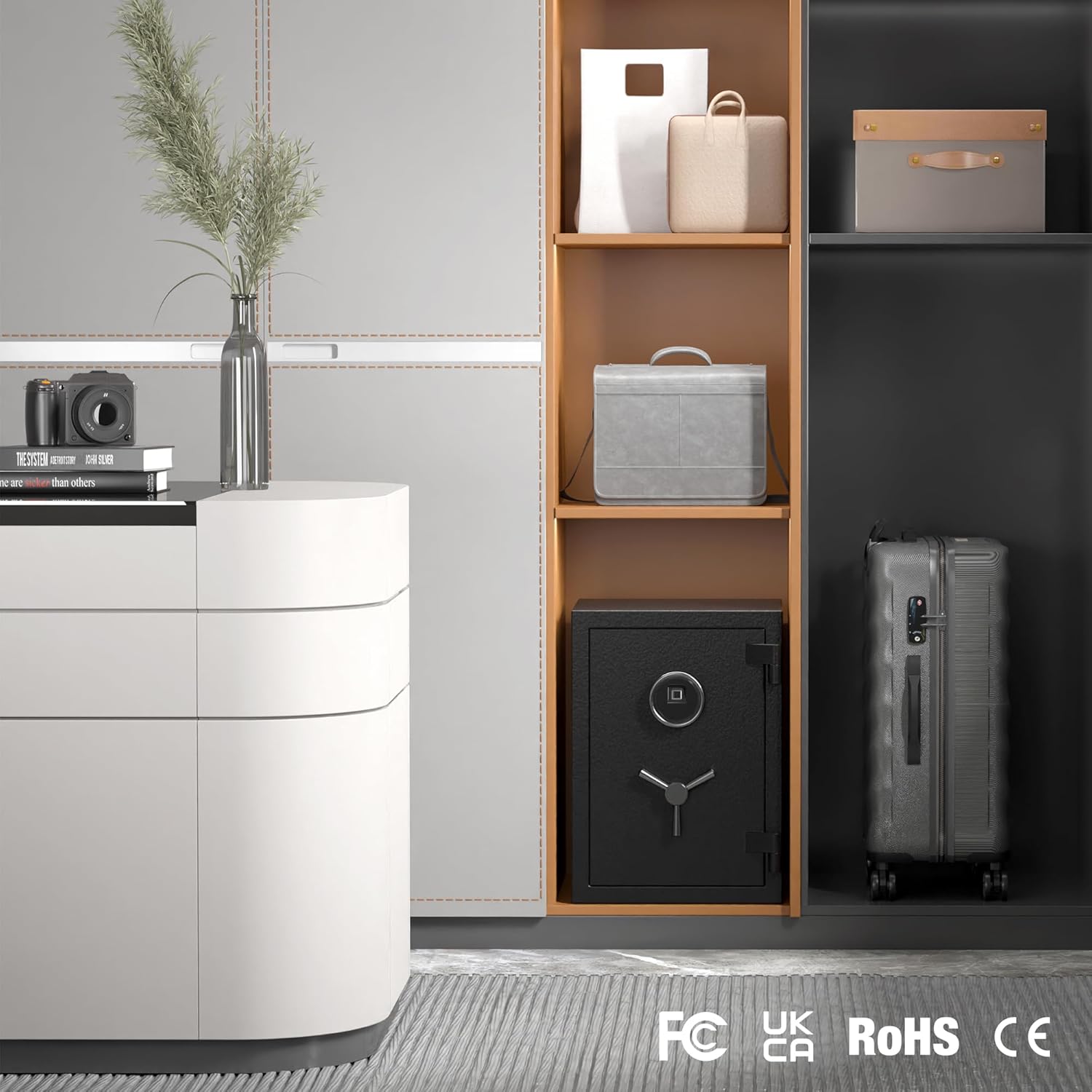
Image: The RPNB safe blends seamlessly into a home environment, providing secure storage without compromising aesthetics.
Video: This short video highlights key features of the RPNB safe, including the touchscreen keypad, fingerprint sensor, durable handle, solid steel bolts, fireproof board, and adjustable interior shelf.
Specyfikacje
| Atrybut | Szczegół |
|---|---|
| Marka | RPNB |
| Numer modelu | FSJP50/RPFS50 |
| Wymiary produktu | 35.05 x 36.05 x 50.05 cm (gł. x szer. x wys.) |
| Wymiary wewnętrzne | 45.5 cm (wys.) x 32 cm (szer.) x 25 cm (gł.) |
| Kolor | Czarny |
| Tworzywo | Stal stopowa |
| Zawarte komponenty | Spoke Handle, Emergency Keys (2) |
| Bateria w zestawie | NIE |
| Waga przedmiotu | 30.4 kilograma |
| Typ zamka | Elektroniczny |
| Pojemność | 36 litrów |

Image: Detailed dimensions of the 36L RPNB safe, showing external measurements of 50x36x35cm (HxWxD) and internal measurements of 45.5x32x25cm (HxWxD), with a weight of 30.4kg.
Rozwiązywanie problemów
- Safe does not open with passcode/fingerprint:
- Ensure batteries are correctly installed and have sufficient power. Replace with new 9V alkaline batteries if needed.
- Verify the correct passcode is being entered.
- Ensure your finger is clean and properly placed on the fingerprint sensor.
- Use the emergency key to open the safe if electronic access fails.
- Klawiatura nie reaguje:
- Sprawdź moc baterii.
- If the vibration alarm was triggered, the keypad may be temporarily disabled. Use the emergency key to reset.
- Niespodziewanie rozbrzmiewa alarm:
- The vibration alarm may have been triggered by movement. Use the emergency key to silence it.
- Review the alarm activation steps to ensure it was not accidentally enabled.
- Lost emergency keys:
- Contact RPNB customer support for assistance. Proof of ownership may be required.
Gwarancja i wsparcie
RPNB provides a 12-month warranty from the date of purchase. If you encounter any issues with your product, please contact our after-sales service. We are committed to resolving any problems you may have.
Aby uzyskać dalszą pomoc, odwiedź stronę RPNB Store on Amazon lub zapoznaj się z danymi kontaktowymi dołączonymi do zakupionego produktu.