The Walfront WSB7020R is an integrated Human Machine Interface (HMI) and Programmable Logic Controller (PLC) system designed for industrial control applications. It features a 7-inch TFT LCD display, a powerful 32-bit ARM9 processor, and is compatible with FX3U series PLCs. This all-in-one unit offers efficient control, monitoring, and programming capabilities for various automation scenarios.
Figure 1: Walfront HMI PLC All-in-One unit. This image highlights key features such as space-saving design, simplified wiring, timing lock, floating point support, sensitive touch, and accuracy.
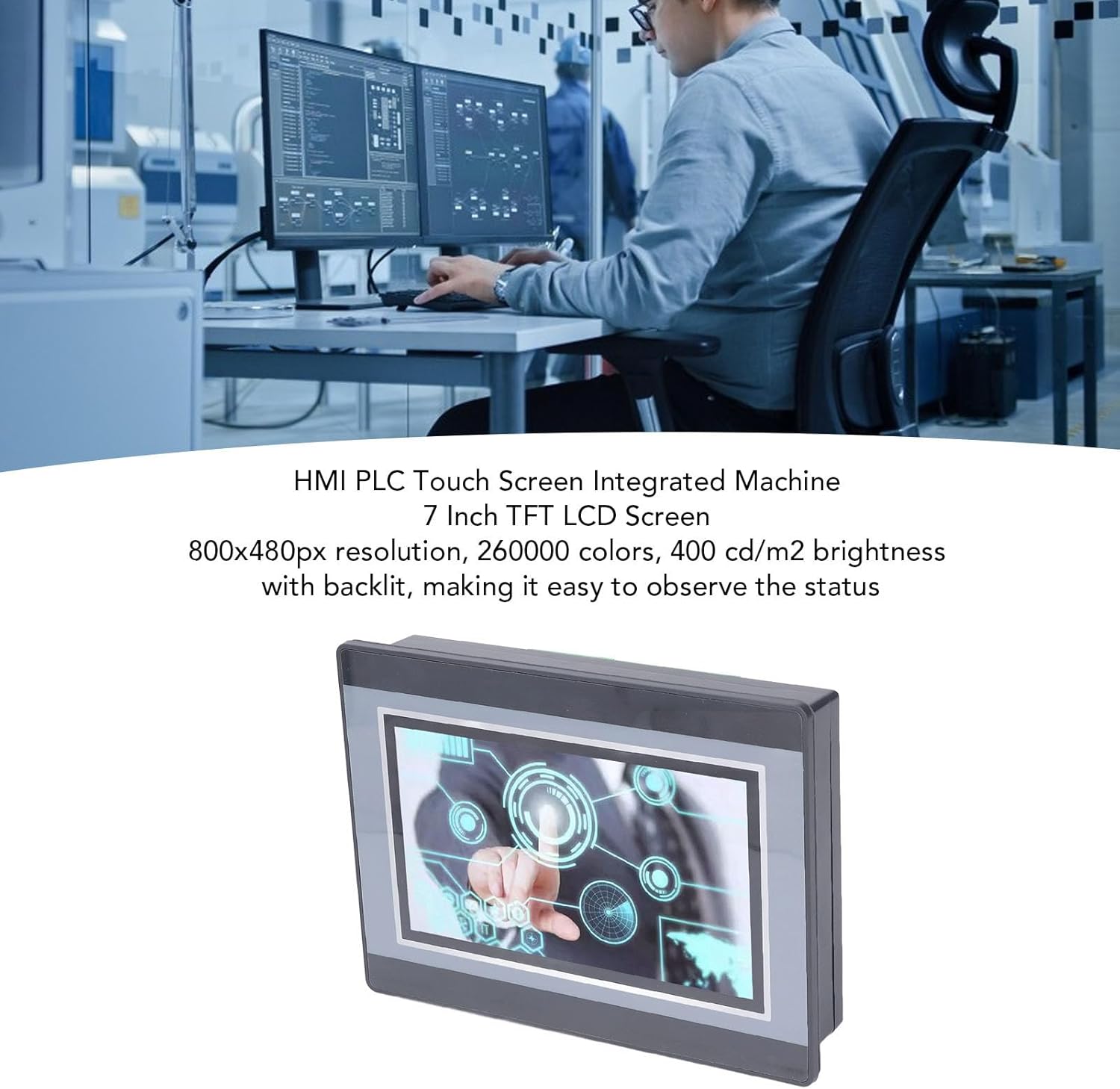
Figure 2: An engineer utilizing the HMI PLC Touch Screen Integrated Machine in a workspace. The display features an 800x480px resolution, 260,000 colors, and 400 cd/m2 brightness with backlighting for clear status observation.
2. Specyfikacje techniczne
Funkcja
Specyfikacja
Model
WSB7020R
Tworzywo
ABS
Wymiary (dł. x szer. x wys.)
Około. 202 x 148 x 51 mm (7.95 x 5.83 x 2.01 cala)
Figure 3: Detailed dimensions of the Walfront HMI PLC unit, showing length, width, and height measurements in both millimeters and inches.
3. Instalacja i konfiguracja
The Walfront WSB7020R HMI PLC is designed for straightforward installation into industrial control panels.
3.1. Rozpakowywanie
Carefully unpack the HMI PLC unit and verify that all components are present:
1 x HMI PLC Unit (Model WSB7020R)
4 śrub montażowych
4 x Fixing Brackets
3.2. Montaż panelowy
Prepare an opening in your control panel with dimensions of approximately 190 x 135 mm (7.48 x 5.31 in).
Insert the HMI PLC unit into the prepared opening from the front of the panel.
From the rear of the panel, attach the four fixing brackets to the sides of the HMI PLC unit.
Secure the unit by tightening the four installation screws through the brackets. Ensure the unit is firmly seated and stable.
3.3. Okablowanie
Connect power and I/O wiring according to your system's requirements. Refer to the detailed wiring diagrams in the comprehensive electronic manual for specific connections. Ensure all connections are secure and comply with local electrical codes.
4. Obsługa i programowanie
This section outlines the basic steps for operating and programming your Walfront HMI PLC unit.
4.1. Włącz zasilanie
Once installed and wired, apply power to the unit. The 7-inch TFT LCD display will illuminate, and the system will boot up.
4.2. HMI Programming
To develop or modify the Human Machine Interface (HMI) program:
Zainstalować HMI Studio 5.1 oprogramowanie na komputerze.
Connect your computer to the HMI PLC unit using a USB male-to-male cable.
Używać HMI Studio 5.1 to create or edit your HMI project.
Download the HMI program to the unit via the USB connection.
4.3. Programowanie PLC
For programming the Programmable Logic Controller (PLC) functionality:
Install either GX Developer or Prace GX2 oprogramowanie na komputerze.
Connect your computer to the HMI PLC unit.
Use the chosen software to develop, download, and debug your PLC program.
The download speed for PLC programs is 38.4Kbps.
Notatka: Monitoring writing is not supported by the PLC programming software for this unit.
Figure 4: The HMI PLC unit's display, emphasizing its 4-wire industrial resistive touch screen with 4H hardness. The text also highlights its low power consumption, fast running speed, stable performance, and direct programmability, downloadability, debuggability, and monitorability using software (monitoring writing not supported).
Figure 5: Wide application range of the HMI PLC unit, including Printing, Chemical Industry, Plastic, Building Materials, Home Furnishings, Packing, Textile, Food, and Metallurgy, demonstrating its flexibility in industrial automation control scenarios.
5. Konserwacja
Regularna konserwacja zapewnia długowieczność i optymalną wydajność jednostki HMI PLC.
Czyszczenie: Do czyszczenia wyświetlacza i obudowy używaj miękkiej, suchej ściereczki. Unikaj środków czyszczących o działaniu ściernym i rozpuszczalników, które mogłyby uszkodzić ekran lub obudowę.asing.
Warunki środowiskowe: Ensure the unit operates within its specified temperature and humidity ranges to prevent damage.
Aktualizacje oprogramowania układowego: Periodically check the Walfront official webodwiedź tę witrynę, aby sprawdzić, czy są dostępne aktualizacje oprogramowania sprzętowego, które poprawiają wydajność lub dodają nowe funkcje.
Kontrola połączenia: Regularnie sprawdzaj wszystkie połączenia przewodów pod kątem szczelności i oznak zużycia lub korozji.
6. Rozwiązywanie Problemów
W tej sekcji znajdziesz rozwiązania typowych problemów, na jakie możesz natrafić.
Urządzenie nie włącza się:
Sprawdź podłączenie zasilania i upewnij się, że zapewnia ono właściwą głośność.tage (24 V).
Sprawdź, czy źródło zasilania jest aktywne.
Wyświetlacz nie działa:
Upewnij się, że urządzenie jest włączone.
If the backlight is on but no image, try restarting the unit.
Ekran dotykowy nie reaguje:
Calibrate the touch screen if available in the system settings.
Upewnij się, że ekran jest czysty i nic na nim nie przeszkadza.
Cannot Download HMI/PLC Program:
Verify the USB cable connection is secure and functional.
Ensure the correct programming software (HMI Studio 5.1 for HMI, GX Developer/GX Works2 for PLC) is installed and configured properly.
Check for driver issues on your computer.
PLC Program Not Executing Correctly:
Review your PLC program logic for errors.
Ensure the program has been successfully downloaded to the unit.
Check I/O connections for proper wiring.
For further assistance, please refer to the detailed electronic manual or contact Walfront customer support.
7. Gwarancja i wsparcie
7.1. Informacje o gwarancji
This Walfront HMI PLC unit comes with a manufacturer's warranty for 90 dni od daty zakupu. Niniejsza gwarancja obejmuje wady materiałowe i wykonawcze powstałe w wyniku normalnego użytkowania. Nie obejmuje ona uszkodzeń spowodowanych niewłaściwym użytkowaniem, wypadkami, nieautoryzowanymi modyfikacjami lub nieprawidłową instalacją.
7.2. Obsługa klienta
If you encounter any issues not covered in this manual or require further technical assistance, please contact Walfront customer support. Refer to the product packaging or the official Walfront webna tej stronie znajdziesz najbardziej aktualne dane kontaktowe.
Please have your product model (WSB7020R) and purchase details ready when contacting support.
Ask a question about this manual
Ask about setup, troubleshooting, compatibility, parts, safety, or missing instructions. Manuals+ will review the question and use this page’s manual context to help answer it.