
Wstęp
Thank you for choosing the KLIM K7 Cassette Tape Player and MP3 Converter. This device allows you to enjoy your classic cassette tapes and convert them into digital MP3 files for modern playback. It features a built-in microphone for recording, an integrated speaker, and a rechargeable battery for portability. This manual provides detailed instructions for setup, operation, and maintenance of your KLIM K7.
Produkt ponadview
Główne cechy
- Konwerter kaset na MP3: Effortlessly convert cassette tapes to digital MP3 files directly onto an SD card.
- Przenośna konstrukcja: Lightweight and compact for on-the-go listening.
- Wbudowany mikrofon: Record audio directly to the SD card.
- Wbudowany głośnik: Share your audio without external devices.
- Akumulator: Integrated 1000mAh battery provides extended playback.
- SD Card Player: Odtwórz MP3 files zapisane na karcie SD.
- Gniazdo słuchawkowe 3.5 mm: For private listening with included earphones.
Komponenty i elementy sterujące urządzenia
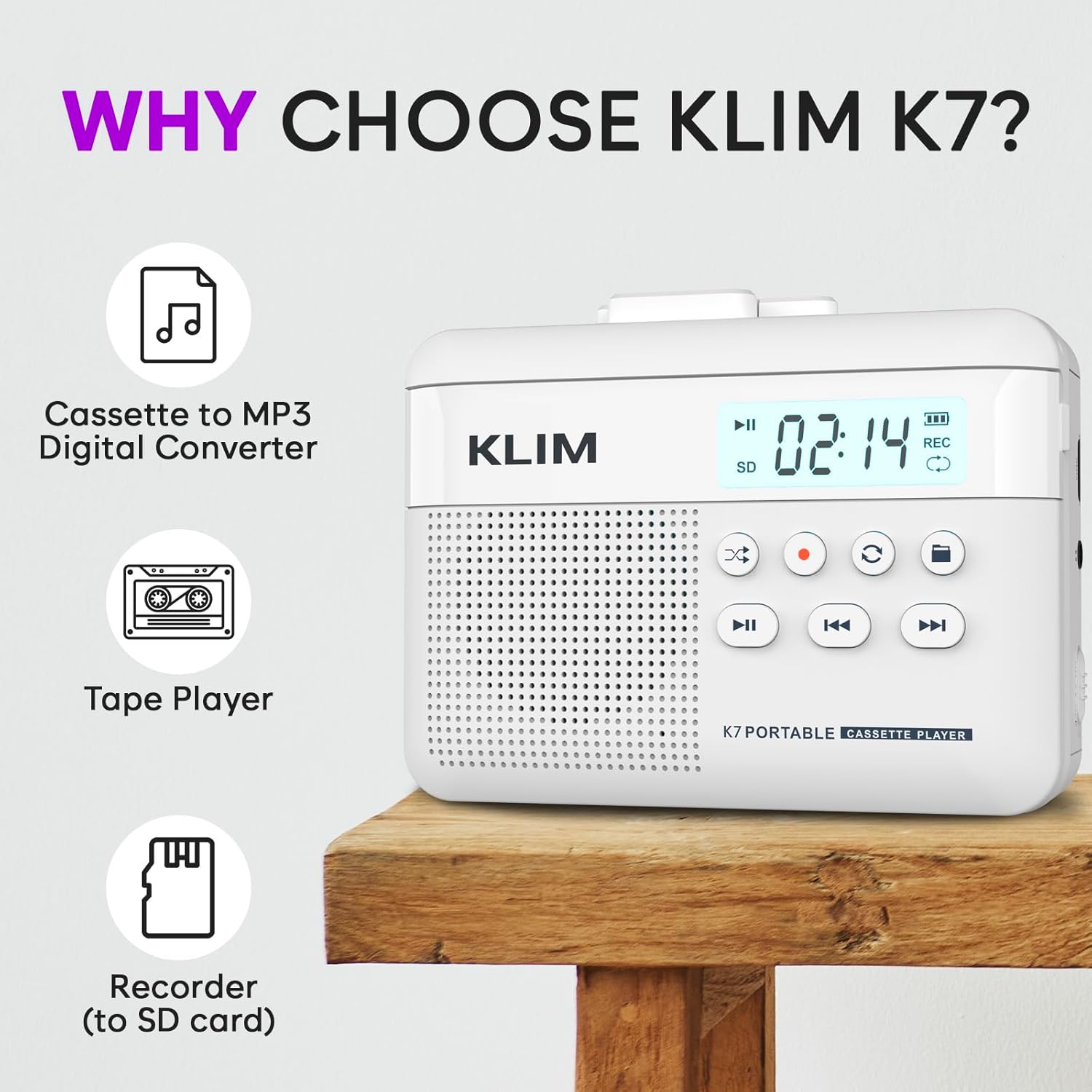
Rysunek 1: Przód view of the KLIM K7 Cassette Player, showing the speaker grille, LCD display, and control buttons (Play/Pause, Rewind, Fast Forward, Stop, Record, Mode, Folder, Loop).
- Wyświetlacz LCD: Shows track number, recording status, and battery level.
- Głośnik: Zintegrowany głośnik do odtwarzania dźwięku.
- Przycisk Odtwórz/Pauza (►▮): Rozpoczyna lub wstrzymuje odtwarzanie.
- Rewind Button (◀◀): Rewinds the cassette tape or navigates backward through MP3 tracks.
- Fast Forward Button (►►): Fast forwards the cassette tape or navigates forward through MP3 tracks.
- Przycisk Stop (■): Zatrzymuje odtwarzanie lub nagrywanie.
- Record Button (●): Rozpoczyna lub zatrzymuje nagrywanie.
- Przycisk trybu (↻): Switches between cassette playback and SD card MP3 playback.
- Folder Button (🖿): Navigates through folders on the SD card.
- Loop Button (⟳): Powtarza bieżący utwór lub wszystkie utwory.

Rysunek 2: Strona view of the KLIM K7 Cassette Player, highlighting the SD card slot, 3.5mm headphone jack, and On/Off switch.
- Gniazdo karty SD: Insert your Micro SD card here for recording and MP3 playback.
- Gniazdo słuchawkowe 3.5 mm: Connect the included earphones or other standard headphones.
- Przełącznik włączania/wyłączania: Włącza lub wyłącza urządzenie.
- Regulacja głośności: Reguluje poziom wyjściowy audio.

Rysunek 3: Szczyt view of the KLIM K7 Cassette Player with the cassette compartment open, showing the tape mechanism.
- Komora kasety: Insert your cassette tapes here.
- Cassette Door Release: Otwiera kieszeń kasety.
Organizować coś
1. Ładowanie akumulatora
Before first use, fully charge the KLIM K7. The device comes with a 1000mAh rechargeable battery.
- Locate the Type-C USB charging port on the side of the device.
- Connect the included Type-C USB cable to the charging port and the other end to a USB power adapter (not included) or a computer's USB port.
- The charging indicator on the LCD display will show charging status. A full charge typically takes approximately 2 hours.

Rysunek 4: The KLIM K7 connected to a Type-C USB cable for charging.
2. Wkładanie karty SD
An SD card (16GB included) is required for converting tapes to MP3 and for recording with the built-in microphone.
- Znajdź gniazdo karty SD znajdujące się z boku urządzenia (patrz rysunek 2).
- Ostrożnie wsuń kartę Micro SD do gniazda, złotymi stykami skierowanymi w dół, aż do kliknięcia.
- To remove, push the SD card inward until it clicks, then release, and it will eject.

Rysunek 5: Inserting the Micro SD card into the KLIM K7.
3. Wkładanie kasety magnetofonowej
- Press the Cassette Door Release button to open the cassette compartment.
- Insert your cassette tape with the open side facing upwards and the tape reels aligned with the player's mechanism.
- Zamknij dokładnie pokrywę komory kasety, aż do kliknięcia.
Instrukcja obsługi
1. Odtwarzanie kaset magnetofonowych
- Ensure the device is powered on using the On/Off switch.
- Insert a cassette tape as described in the Setup section.
- Naciśnij Odtwórz/Pauza (►▮) przycisk, aby rozpocząć odtwarzanie.
- Dostosuj głośność za pomocą regulatora głośności.
- Użyj Rewind (◀◀) I Przewiń do przodu (►►) przyciski do nawigacji po taśmie.
- Naciśnij Zatrzymaj (■) przycisk, aby zakończyć odtwarzanie.
2. Converting Cassette Tapes to MP3
The KLIM K7 allows direct conversion of cassette audio to MP3 files on the inserted SD card, without needing a computer or additional software.
- Ensure an SD card is inserted and the device is powered on.
- Włóż kasetę, którą chcesz przekonwertować.
- Naciśnij Odtwórz/Pauza (►▮) przycisk, aby rozpocząć odtwarzanie taśmy.
- Długie naciśnięcie ten Record (●) button. The 'REC' indicator on the LCD display will illuminate, indicating that recording has started.
- Aby zatrzymać nagrywanie, naciśnij Record (●) button again. The 'REC' indicator will turn off. The recorded audio will be saved as an MP3 file na karcie SD.
- You can then remove the SD card and use the included SD card reader to transfer the MP3 files to a computer or other device.

Rysunek 6: Visual guide for converting cassette audio to MP3 files.
3. Using the Built-in Microphone for Recording
The KLIM K7 can also record audio directly from its built-in microphone to the SD card.
- Ensure an SD card is inserted and the device is powered on.
- Naciśnij Mode (↻) button until the device is in SD card mode (no cassette playing).
- Długie naciśnięcie ten Record (●) button. The 'REC' indicator will light up, and the device will start recording audio from its microphone.
- Aby zatrzymać nagrywanie, naciśnij Record (●) button again. The 'REC' indicator will turn off, and the recording will be saved as an MP3 file.

Rysunek 7: Using the KLIM K7's built-in microphone for recording.
4. Odtwarzanie plików MP3 Files from SD Card
- Zapewnij kartę SD z MP3 files is inserted and the device is powered on.
- Naciśnij Mode (↻) button to switch to SD card playback mode. The LCD display will show track information.
- Naciśnij Odtwórz/Pauza (►▮) przycisk, aby rozpocząć odtwarzanie.
- Użyj Rewind (◀◀) I Przewiń do przodu (►►) przyciski do pomijania utworów.
- Ten Folder (🖿) button allows navigation through different folders on the SD card.
- Ten Loop (⟳) button can be used to repeat the current track or all tracks.
- Dostosuj głośność za pomocą regulatora głośności.
- Naciśnij Zatrzymaj (■) przycisk, aby zakończyć odtwarzanie.

Rysunek 8: Enjoying audio with the KLIM K7 and included earphones.
Konserwacja
Proper maintenance ensures the longevity and optimal performance of your KLIM K7.
- Czyszczenie: Do czyszczenia zewnętrznej części urządzenia należy używać miękkiej, suchej ściereczki. Nie należy używać płynnych środków czyszczących ani rozpuszczalników.
- Komora kasety: Okresowo czyść głowice taśmy i rolki dociskowe delikatnie przecierając je wacikiem.ampened with isopropyl alcohol to prevent audio quality degradation. Ensure the device is off and dry before use.
- Składowanie: Przechowywać urządzenie w chłodnym i suchym miejscu, z dala od bezpośredniego światła słonecznego i ekstremalnych temperatur.
- Pielęgnacja baterii: W przypadku długotrwałego przechowywania ładuj akumulator do około 50% co kilka miesięcy, aby zachować jego sprawność.
Rozwiązywanie problemów
If you encounter any issues with your KLIM K7, please refer to the following common solutions:
| Problem | Możliwa przyczyna | Rozwiązanie |
|---|---|---|
| Urządzenie nie włącza się. | Bateria jest rozładowana. | Charge the device using the provided Type-C USB cable. |
| No sound during cassette playback. | Volume is too low or headphones are not connected properly. | Increase the volume. Ensure headphones are fully plugged into the 3.5mm jack. |
| Recording to MP3 fails or produces no file. | SD card is full, not inserted correctly, or corrupted. | Check SD card insertion. Ensure sufficient space on the SD card. Try reformatting the SD card (this will erase all data). |
| Poor audio quality from cassette. | Dirty tape heads or worn-out cassette tape. | Clean the tape heads and pinch rollers. Try a different cassette tape to determine if the issue is with the tape itself. |
| Urządzenie zawiesza się lub przestaje reagować. | Tymczasowy błąd oprogramowania. | Turn the device off and then on again. If the issue persists, allow the battery to fully discharge and then recharge. |
Specyfikacje
- Wymiary produktu: 4.76 x 3.61 x 1.56 cala
- Waga przedmiotu: 9.9 uncji
- Bateria: 1 bateria litowo-jonowa (w zestawie), 1000 mAh
- Czas ładowania: Około 2 godzin
- Składowanie: Obsługuje karty Micro SD (16 GB w zestawie)
- Wyjście audio: Built-in speaker, 3.5mm headphone jack
- Format nagrywania: MP3

Rysunek 9: Dimensions of the KLIM K7 Cassette Player.
Gwarancja i wsparcie
KLIM is committed to producing quality electronics. The KLIM K7 Cassette Tape Player comes with a 5-letnia gwarancja. If you encounter any problems with your device, please contact KLIM customer support for assistance.
Mogą być dostępne do nabycia dodatkowe plany ochrony:
- 2-letni plan ochrony: $3.99 (one-time)
- 3-letni plan ochrony: $5.99 (one-time)
- NEW Complete Protect: $16.99 (monthly)
Aby uzyskać dalszą pomoc, odwiedź stronę Sklep KLIM na Amazon.