
LIECTROUX G7
LIECTROUX G7 Robot Vacuum Cleaner and Mop User Manual
Model: G7
1. Wprowadzenie
This manual provides detailed instructions for the operation and maintenance of your LIECTROUX G7 Robot Vacuum Cleaner and Mop. Please read this manual thoroughly before use to ensure proper function and extend the lifespan of your device. The LIECTROUX G7 combines powerful vacuuming with efficient mopping, featuring advanced LiDAR navigation and a convenient self-emptying station.
2. Konfiguracja
2.1 Rozpakowywanie i umieszczanie
Carefully remove all components from the packaging. Place the self-emptying station on a hard, flat surface against a wall, ensuring there are no obstacles within 1 meter (3.3 feet) to the front and 0.5 meters (1.6 feet) to the sides. Connect the power cord to the station and plug it into a power outlet.
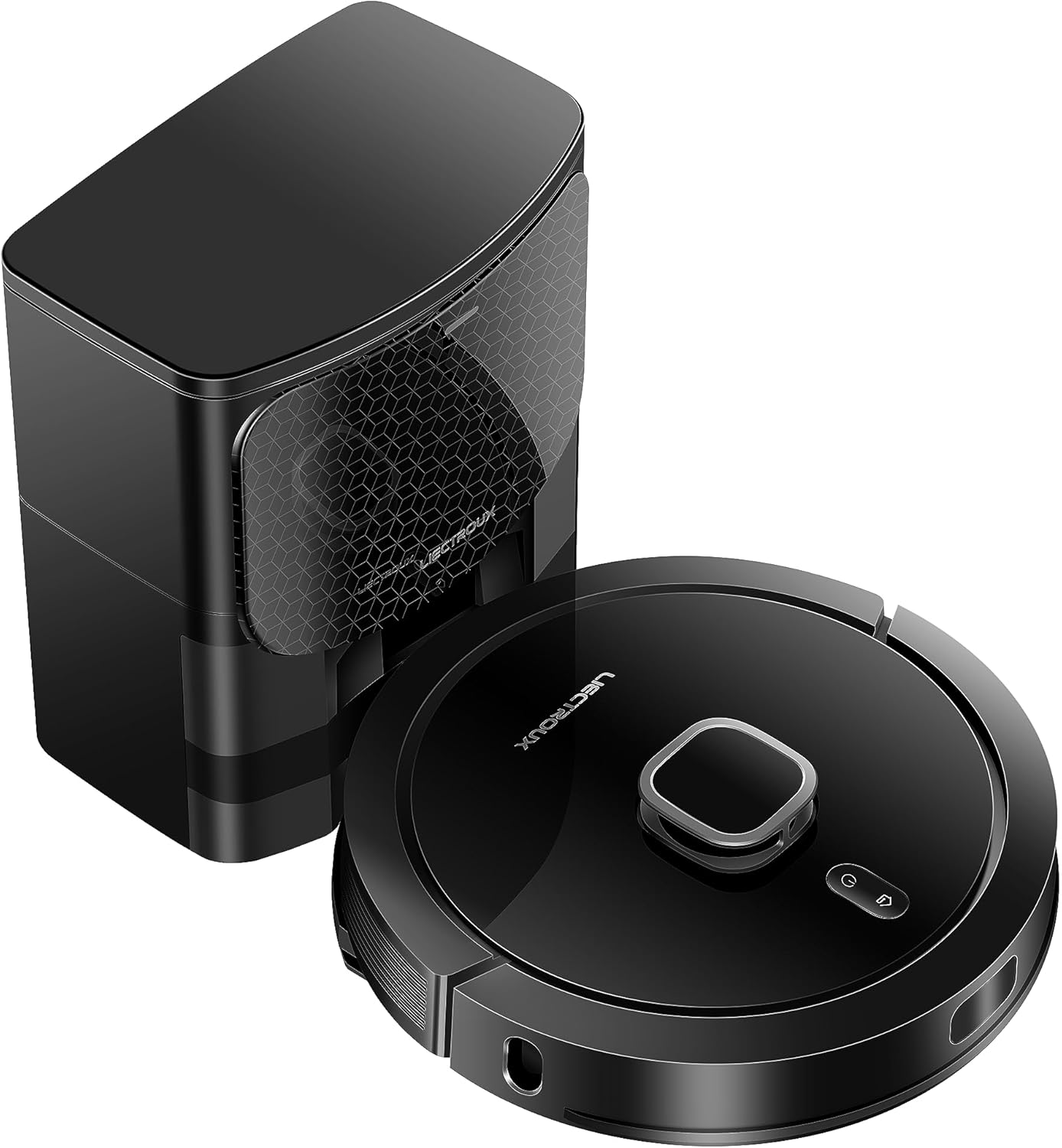
Image: The LIECTROUX G7 robot vacuum cleaner and its accompanying self-emptying station.
2.2 Pierwsze ładowanie
Place the robot vacuum onto the charging contacts of the self-emptying station. Ensure the robot is properly docked. The robot will automatically begin charging. A full charge is recommended before the first use to optimize battery performance.

Image: Diagram illustrating the robot's automatic return to the charging station when battery is low and its ability to resume cleaning from the breakpoint.
2.3 App Connection and Initial Mapping
Download the 'Liectroux' app from your mobile app store (available for iOS and Android). Follow the in-app instructions to connect your robot vacuum to your home Wi-Fi network. Once connected, initiate an initial full cleaning cycle to allow the robot to map your home using its LiDAR navigation system. The app will build a real-time map of your cleaning area.
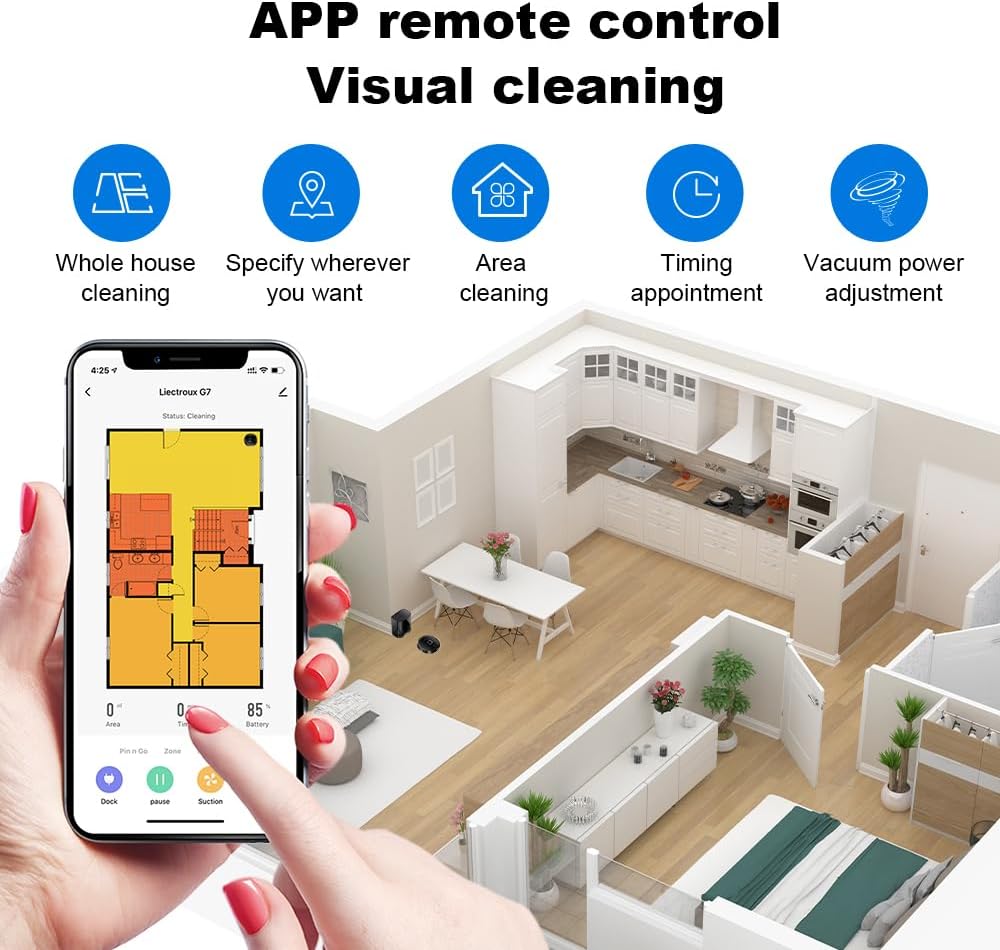
Image: A mobile phone screen displaying the Liectroux app interface for remote control and visual cleaning, showing a floor plan and various cleaning options.
3. Instrukcja obsługi
3.1 tryby czyszczenia
The LIECTROUX G7 offers various cleaning modes accessible via the mobile app:
- Całkowite sprzątanie domu: Robot czyści cały zmapowany obszar.
- Sprzątanie obszaru: Select specific rooms or areas on the map for cleaning.
- Czyszczenie strefy: Draw a custom rectangular zone on the map for the robot to clean.
- Timing Appointment: Schedule cleaning times for specific days or intervals.
3.2 Funkcje kontroli aplikacji
Aplikacja zapewnia kompleksową kontrolę nad robotem odkurzającym:
- Mapa w czasie rzeczywistym: View the robot's current location and cleaning progress.
- Wirtualne ściany i strefy zamknięte: Narysuj wirtualne granice na mapie, aby uniemożliwić robotowi wstęp do określonych obszarów.
- Vacuum Power Adjustment: Adjust suction power across 4 levels to suit different floor types and cleaning needs.
- Regulacja przepływu wody: Control the water output for mopping across 3 levels.
Image: A mobile phone screen displaying the Liectroux app interface for remote control and visual cleaning, showing a floor plan and various cleaning options.
3.3 Integracja z asystentem głosowym
The robot vacuum is compatible with popular voice assistants such as Amazon Alexa and Google Home. Refer to the 'Liectroux' app for detailed instructions on linking your device to these services for convenient voice control commands.

Image: The robot vacuum cleaner positioned on a rug, with an Amazon Echo Dot and Google Home Mini speaker on a nearby table, indicating voice assistant compatibility.
3.4 Automatic Recharging and Continuous Cleaning
When the robot's battery level is low, it will automatically return to the self-emptying station to recharge. Once sufficiently charged, it will resume cleaning from where it left off, ensuring complete coverage of your home without interruption.
Image: Diagram illustrating the robot's automatic return to the charging station when battery is low and its ability to resume cleaning from the breakpoint.
4. Konserwacja
4.1 Dust Collection Station
The self-emptying station is equipped with a 3L large dust bag, designed to hold debris for up to 60 days, providing effortless cleaning. Replace the dust bag when indicated by the app or when it is full.
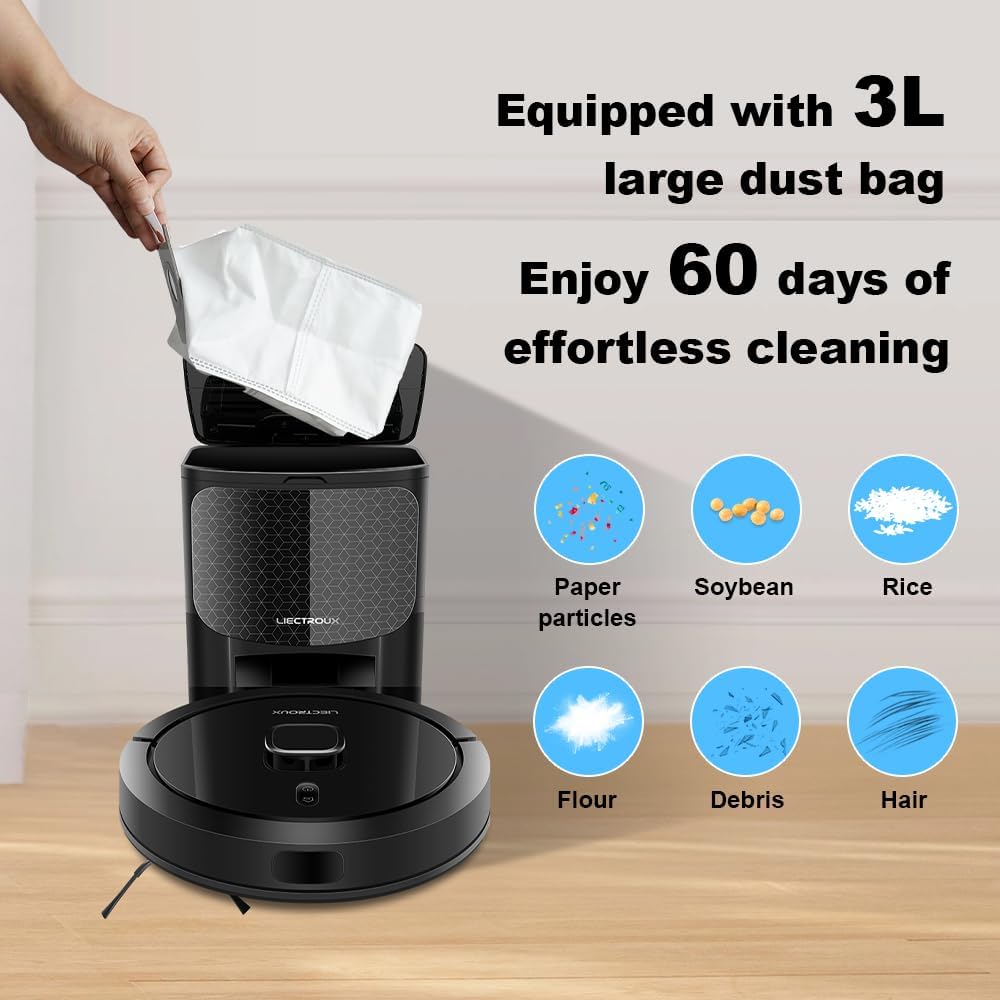
Image: A hand inserting a large 3L dust bag into the self-emptying station, with icons showing various types of debris it can collect.

Image: A cutaway diagram of the automated docking station, illustrating the airflow path for effortless debris collection from the robot vacuum.
4.2 Zbiornik na wodę i podkładka mopująca
Regularly empty and refill the integrated water tank with clean water. Clean the mopping pad after each use to prevent odor and maintain optimal mopping efficiency. The app allows adjustment of water flow for different floor types.
4.3 Szczotki i filtry
Periodically inspect and clean the main brush and side brushes to remove tangled hair, dust, and debris. The HEPA filter should be cleaned or replaced according to the app's recommendations to maintain optimal suction power and air quality.
4.4 Czujniki
Wipe the anti-collision, anti-falling, and LiDAR sensors with a soft, dry cloth to ensure accurate navigation, obstacle detection, and cliff avoidance. Keep the charging contacts on both the robot and station clean.

Image: A collage of four images demonstrating the robot vacuum's advanced features: anti-collision (avoiding toys), anti-falling (detecting stairs), twining-proof (avoiding tangled wires), and easy climbing (overcoming small obstacles).
5. Rozwiązywanie Problemów
5.1 Robot nie ładuje się
- Ensure the charging contacts on both the robot and station are clean and free of debris.
- Verify the power cord is securely plugged into the station and a working power outlet.
5.2 Robot Stuck or Lost
- Clear obstacles from the robot's path.
- If the robot frequently gets stuck, consider setting virtual walls or no-go zones in the app.
5.3 Słaba wydajność czyszczenia
- Check and empty the dust bag in the self-emptying station.
- Wyczyść lub wymień filtr HEPA.
- Clean the main and side brushes to remove tangled hair and debris.
- Ensure the water tank is filled for mopping and the mopping pad is clean.
5.4 Problemy z łącznością aplikacji
- Ensure your home Wi-Fi network is stable and the robot is within range of the router.
- Restart the robot and your Wi-Fi router.
- Re-pair the device with the app if necessary, following the in-app instructions.
5.5 Robot Not Mapping Correctly
- Ensure the environment is well-lit during the initial mapping run.
- Remove temporary obstacles that might interfere with the LiDAR sensor.
6. Specyfikacje
| Funkcja | Opis |
|---|---|
| Marka | LIECTROUX |
| Nazwa modelu | G7 |
| Kolor | Czarny |
| Tworzywo | ABS |
| Funkcja specjalna | Automatyczne odpylanie |
| Zalecenia dotyczące powierzchni | Płytka |
| Wymiary produktu | 45.5Dł. x 58Sz. x 40.5Wys. centymetrów |
| Typ kontrolera | Kontrola aplikacji |
| Typ filtra | HEPA |
| Źródło zasilania | Zasilany bateryjnie |
| Metoda kontroli | Aplikacja |
| Producent | Liectroux |
7. Gwarancja i wsparcie
For warranty information, technical support, or service inquiries regarding your LIECTROUX G7 Robot Vacuum Cleaner, please contact LIECTROUX customer support directly. Refer to the product packaging or the official LIECTROUX webstrona zawierająca najnowsze dane kontaktowe i zasoby pomocy technicznej.
Ask a question about this manual
Ask about setup, troubleshooting, compatibility, parts, safety, or missing instructions. Manuals+ will review the question and use this page’s manual context to help answer it.