
Wstęp
Welcome to the RingConn Gen 2 Smart Ring user manual. This guide provides essential information for setting up, operating, maintaining, and troubleshooting your smart ring. The RingConn Gen 2 is designed to offer comprehensive health monitoring, including sleep apnea detection, sleep tracking, heart rate, stress levels, activity, blood oxygen, and women's health insights, all without a subscription fee.
1. Konfiguracja
1.1 Dobór rozmiaru pierścionka
The RingConn Smart Ring has unique sizing standards that differ from standard US ring sizes. For the most accurate data collection and comfortable fit, it is highly recommended to use the RingConn Sizing Kit before ordering your smart ring.

Figure 1: RingConn Sizing Kit overview.
- Step 1: Purchase the Sizing Kit. Obtain the RingConn Sizing Kit to determine your ideal ring size.
- Step 2: Wear the Sizing Ring. Wear the most comfortable sizing ring on your non-dominant hand's index, middle, or ring finger. Ensure it fits snugly without rotation for accurate measurement.
- Step 3: Test for 24 Hours. Wear the sizing ring for at least 24 hours to ensure it remains comfortable throughout the day and night, accounting for natural finger swelling.
- Step 4: Confirm Your Size. Once you have confirmed the perfect fit, you can confidently order your RingConn Gen 2 Smart Ring in the determined size.
Video 1: Guide on how to choose the perfect size for your RingConn using the sizing kit.
1.2 Ładowanie pierścienia
The RingConn Gen 2 Smart Ring comes with a magnetic charging case. Place the ring into the charging case to begin charging. A full charge provides up to 12 days of battery life. The charging case itself can recharge the ring up to 15 times, extending usage to over 150 days.
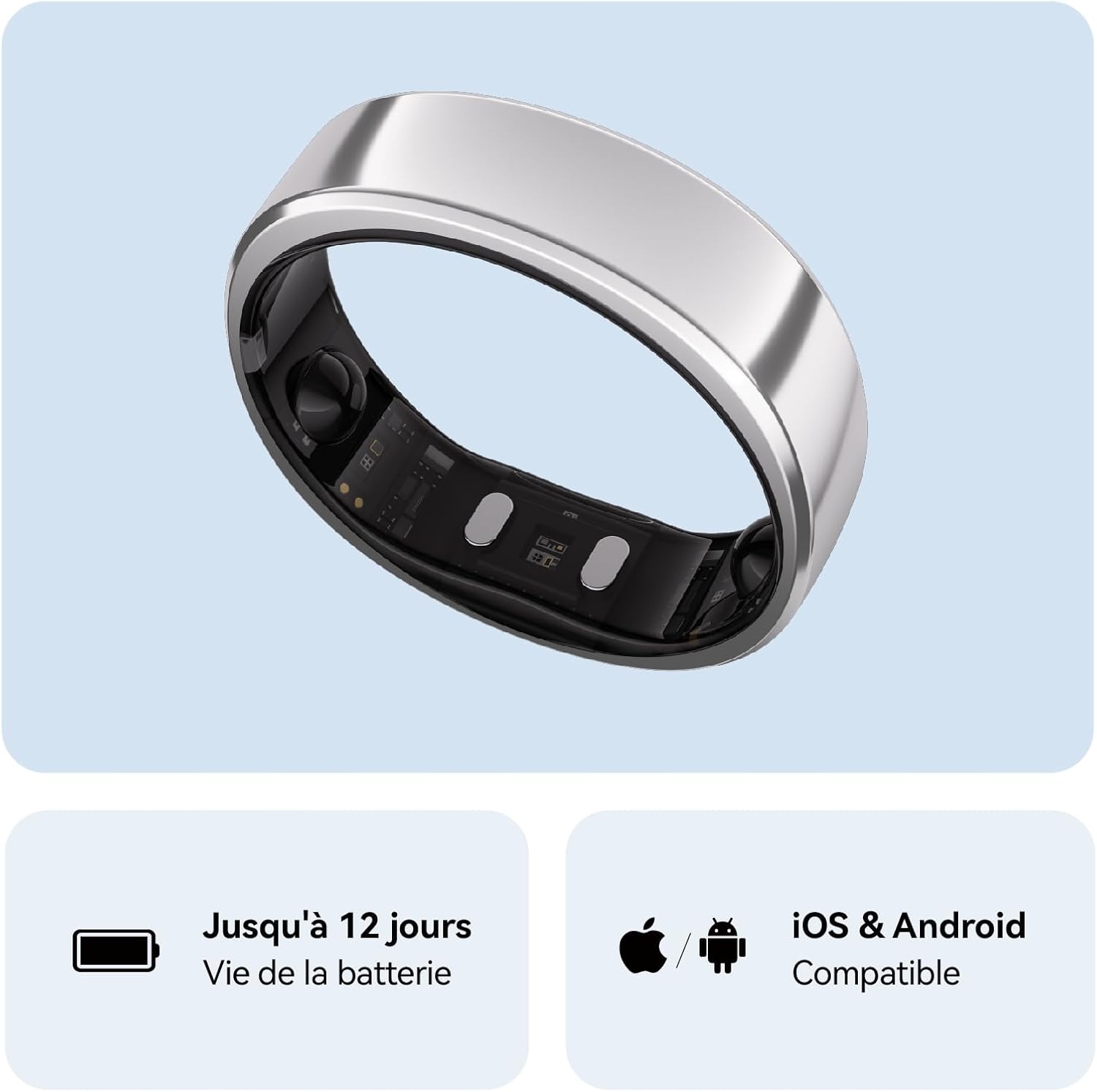
Figure 2: RingConn Gen 2 Smart Ring in its magnetic charging case.
1.3 Instalacja i parowanie aplikacji
Download the RingConn health monitoring application from the App Store (iOS) or Google Play Store (Android). Follow the in-app instructions to pair your RingConn Gen 2 Smart Ring with your smartphone via Bluetooth. The app provides real-time health data and insights.

Figure 3: RingConn app interface showing subscription-free access.
2. Operating the Ring
2.1 Proper Wearing
Wear the RingConn Smart Ring on your non-dominant hand. For optimal accuracy, it is recommended to wear it on your index finger. Ensure the two raised sensors on the inside of the ring are firmly against the base of your finger, facing your palm.

Figure 4: Proper wearing of the RingConn Smart Ring during activity.
2.2 Funkcje monitorowania stanu zdrowia
The RingConn Gen 2 Smart Ring continuously monitors various health metrics:
- Sleep Apnea Monitoring: Utilizes AI-controlled technology to detect respiratory irregularities during sleep.
- Analiza snu: Śledź sentages (light, deep, REM), sleep score, and heart rate during sleep to improve sleep quality.
- Monitorowanie częstości akcji serca: Provides real-time heart rate tracking throughout the day.
- Monitorowanie stresu: Tracks stress levels and helps identify triggers and recovery strategies.
- Śledzenie aktywności: Monitors steps, distance, calories burned, and other daily activities.
- Blood Oxygen Levels (SpO2): Mierzy saturację krwi tlenem.
- Zdrowie kobiet: Predicts menstrual and ovulation dates by combining body temperature with menstrual data.

Figure 5: Sleep apnea monitoring in the RingConn app.

Figure 6: Sleep analysis data in the RingConn app.
Wideo 2: Ponadview of RingConn Gen 2 features and daily use.
3. Konserwacja
3.1 Czyszczenie
To maintain optimal performance and hygiene, regularly clean your RingConn Smart Ring. Use a soft, damp cloth to wipe the ring. Avoid harsh chemicals or abrasive materials that could damage the finish or sensors.
3.2 Wodoodporność
The RingConn Gen 2 Smart Ring is IP68 rated and water-resistant up to 100 meters. This allows for worry-free use during activities like swimming, showering, and washing hands. However, prolonged exposure to hot water or steam (e.g., saunas, hot tubs) should be avoided as it may affect the ring's seals over time.

Figure 7: RingConn Gen 2 Smart Ring demonstrating water resistance.
4. Rozwiązywanie Problemów
If you encounter issues with your RingConn Gen 2 Smart Ring, please refer to the following common troubleshooting steps:
- Problemy z łącznością: Ensure Bluetooth is enabled on your smartphone and the ring is within range. Try restarting both the ring (by placing it in the charger) and your phone.
- Niedokładne odczyty: Verify that the ring is worn correctly with the sensors firmly against your skin. Ensure the ring is clean and free from debris.
- Obawy dotyczące żywotności baterii: Confirm the ring is fully charged. If battery life is significantly shorter than expected, ensure the charging contacts are clean and the charging case is also charged.
- Brak synchronizacji aplikacji: Close and reopen the RingConn app. Check for app updates in your device's app store.
For persistent issues, consult the official RingConn support resources or contact customer service.
5. Specyfikacje
| Funkcja | Szczegół |
|---|---|
| Nazwa modelu | Pierścień inteligentny RingConn Gen 2 |
| Numer modelu | RCA-01 |
| Marka | Połączenie pierścieniowe |
| Tworzywo | Tytan |
| System operacyjny | Android Wear 1.0 (Compatible with iOS/Android) |
| Technologia łączności | Bluetooth |
| Poziom wodoodporności | Wodoodporny (IP68) |
| Głębokość wodoodporności | 100 metrów |
| Czas pracy baterii (średni) | 12 dni |
| Skład baterii | Litowo-polimerowy |
| Pojemność pamięci masowej | 2 MB |
| Typ wyświetlacza | Brak wyświetlacza |
| Czujniki | Accelerometer, Optical Heart Rate Sensor, Pulse Oximeter |
| Obsługiwane aplikacje | Sleep Monitoring, Stress Monitoring, Heart Rate Measurement, Blood Oxygen Monitoring, Health Monitoring App |
| Co jest w pudełku | 1 Ładowarka |
| GTIN | 810180160216 |
6. Gwarancja i wsparcie
6.1 Informacje o gwarancji
The RingConn Gen 2 Smart Ring comes with a limited warranty. Please refer to the warranty card included with your product or visit the official RingConn webSzczegółowe warunki gwarancji i jej okres obowiązywania można znaleźć na stronie internetowej.
6.2 Obsługa klienta
For further assistance, technical support, or inquiries, please visit the official RingConn website or contact their customer service team. Contact details can typically be found on the product packaging or the official webstrona.