
Wstęp
This manual provides essential instructions for the safe and effective use of your Sony PXW-Z200 4K XDCAM Camcorder. The PXW-Z200 is designed for professional video production, offering UHD 4K60 HDR capture, advanced autofocus, and versatile recording and streaming capabilities. Please read this manual thoroughly before operating the camcorder and retain it for future reference.
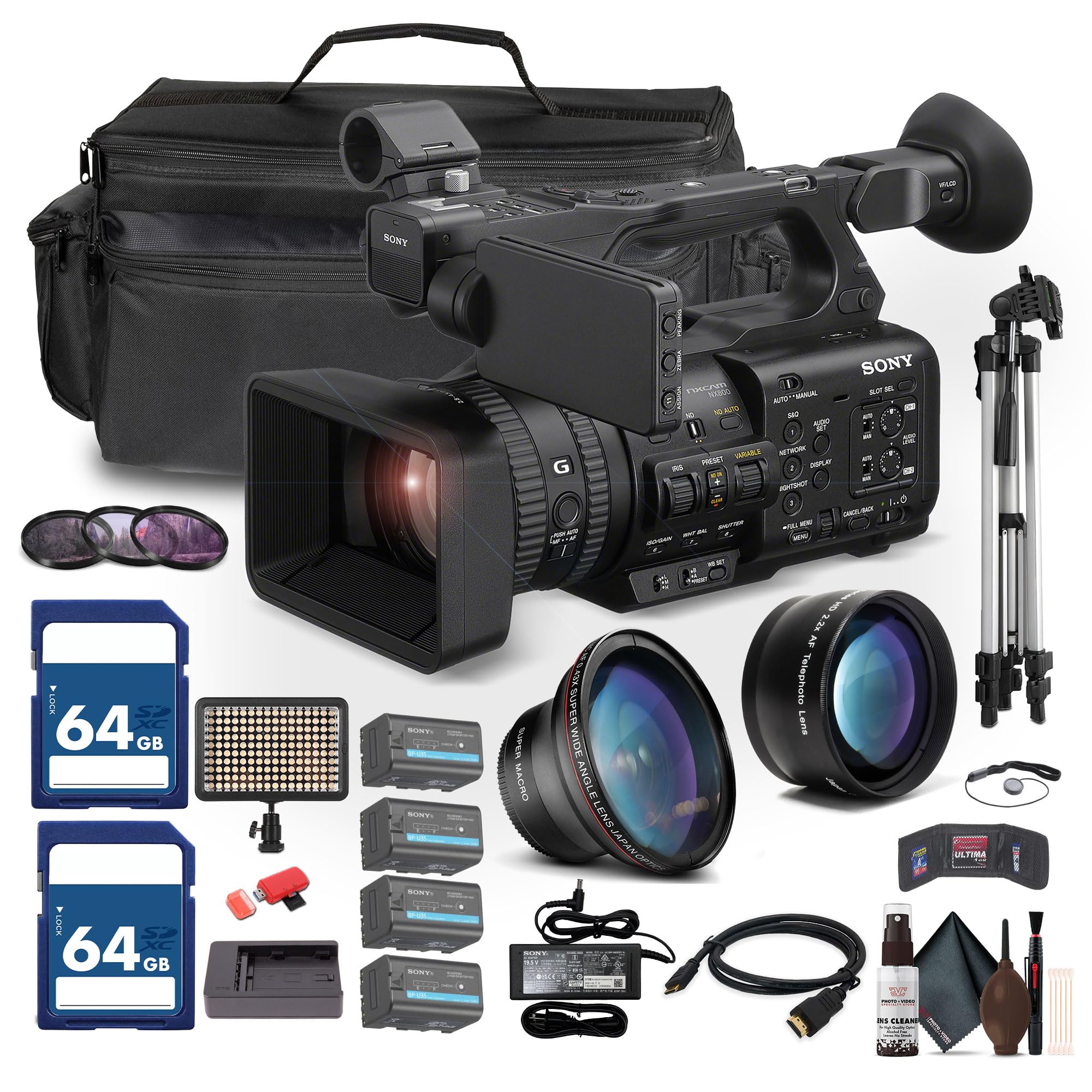
Figure 1: Sony PXW-Z200 4K XDCAM Camcorder, showing the lens, handle, and main body.
Organizować coś
1. Rozpakowanie i sprawdzenie zawartości
Carefully unpack all items and ensure the following components are present. If any item is missing or damaged, contact your dealer.
- Sony PXW-Z200 4K 1" CMOS Sensor XDCAM Camcorder
- Zasilacz sieciowy
- Przewód zasilający
- Ładowarka baterii
- Battery Pack (BP-U35 or similar)
- LCD Hood
- Osłona obiektywu
- Muszla oczna
- Uchwyt na mikrofon
- Cold Shoe Kit
2. Zakładanie osłony obiektywu
Align the lens hood with the front of the lens and twist gently until it locks into place. The lens hood helps to reduce flare and protect the lens.
3. Instalacja akumulatora
- Upewnij się, że kamera jest wyłączona.
- Znajdź komorę baterii z tyłu kamery.
- Slide the battery pack (e.g., BP-U35) into the compartment until it clicks securely into place.
- Aby wyjąć baterię, naciśnij przycisk zwalniający baterię i wysuń ją.

Rycina 2: Lewa strona view of the camcorder, showing the battery compartment area.
4. Wkładanie kart pamięci
The PXW-Z200 supports dual CFexpress Type-A/SD card slots.
- Otwórz pokrywę gniazda karty pamięci.
- Insert the CFexpress Type-A or SD card into the appropriate slot with the correct orientation until it clicks.
- Zamknij pokrywę gniazda karty pamięci.
- Format new memory cards in the camcorder before first use to ensure optimal performance. Refer to the "Operating" section for formatting instructions.
5. Podłączanie zasilacza sieciowego
Connect the supplied AC adapter to the camcorder's DC IN jack and then to a wall outlet to power the camcorder or charge the battery while installed.
Obsługa kamery
1. Włączanie/wyłączanie zasilania
To power on the camcorder, slide the POWER switch to the ON position. To power off, slide it to the OFF position.
2. Podstawowe nagrywanie
- Sprawdź, czy włożono sformatowaną kartę pamięci.
- Set the desired shooting mode (e.g., Automatic, Manual) using the mode dial or menu settings.
- Wykadruj swoje ujęcie za pomocą viewfinder or the flip-out LCD monitor.
- Naciśnij START/STOP NAGRYWANIA Naciśnij przycisk, aby rozpocząć nagrywanie. Zaświeci się wskaźnik nagrywania.
- Naciśnij START/STOP NAGRYWANIA ponownie, aby zatrzymać nagrywanie.

Figure 3: The PXW-Z200 camcorder being used to record an event, demonstrating its operational context.
3. Kontrola ostrości
The PXW-Z200 offers both automatic and manual focus options.
- Auto Focus: The camcorder features AI-powered autofocus. Ensure the AUTO/MANUAL switch for focus is set to AUTO.
- Ręczne ustawianie ostrości: To manually adjust focus, set the AUTO/MANUAL switch to MANUAL and rotate the focus ring on the lens.

Figure 4: Detail of the camcorder's control panel, showing the AUTO/MANUAL switch for focus and other settings.
4. Operacje powiększania
Use the zoom rocker on the handle or the zoom ring on the lens to adjust the focal length. The camcorder features a 20x optical zoom and a 30x Clear Image Zoom in 4K.
5. Recording Formats and Settings
The PXW-Z200 supports various recording formats including XAVC S-I, HS-L, S-L, and HD/QFHD. Access the menu system to select your desired format, frame rate (up to 4K120 and 1080p240), and color profiles (S-Cinetone, ITU709, 709tone, HLG).
6. Audio Input and Monitoring
The camcorder features 4-channel audio input. Connect external microphones via the XLR inputs. Monitor audio levels on the LCD screen and through headphones connected to the headphone jack.
7. Łączność i przesyłanie strumieniowe
The PXW-Z200 offers multiple connectivity options:
- Wyjście 12G-SDI: For high-quality video output to professional monitors or switchers.
- Wyjście HDMI: For connecting to consumer displays or recorders.
- Wi-Fi/Ethernet: Utilize the integrated 2.4/5 GHz Wi-Fi or Ethernet port for live streaming via RTMP/RTMPS, SRT, and FTP.
- Sony Monitor & Control App: Use the dedicated app for remote monitoring and control of the camcorder via a compatible smartphone or tablet.
Konserwacja
Właściwa konserwacja gwarantuje długowieczność i optymalną wydajność kamery.
- Czyszczenie soczewek: Use a soft, lint-free cloth and a specialized lens cleaning solution to gently clean the lens surface. Avoid touching the lens with bare fingers.
- Oczyszczanie ciała: Przetrzyj korpus kamery suchą, miękką ściereczką. W przypadku uporczywych zabrudzeń delikatnie przetrzyj.ampen the cloth with water. Do not use strong detergents or solvents.
- Czyszczenie czujnika: Sensor cleaning should ideally be performed by authorized service personnel. Avoid attempting to clean the sensor yourself unless you are experienced.
- Pielęgnacja baterii: Przechowuj baterie w chłodnym i suchym miejscu. Unikaj częstego całkowitego rozładowywania lub przeładowywania baterii, aby wydłużyć ich żywotność.
- Składowanie: When not in use, store the camcorder in a dry, dust-free environment, preferably in a padded case to protect it from impacts.
Rozwiązywanie problemów
If you encounter issues with your PXW-Z200, refer to the following common troubleshooting steps:
| Problem | Możliwa przyczyna / rozwiązanie |
|---|---|
| Kamera nie włącza się. |
|
| Nie można nagrywać wideo. |
|
| Image is out of focus. |
|
| Brak nagrania audio. |
|
Aby uzyskać bardziej szczegółowe informacje dotyczące rozwiązywania problemów lub uporczywych problemów, zapoznaj się z oficjalną pomocą techniczną firmy Sony webodwiedź witrynę firmy Sony lub skontaktuj się z działem obsługi klienta firmy Sony.
Specyfikacje
Key technical specifications for the Sony PXW-Z200 Camcorder:
| Funkcja | Szczegół |
|---|---|
| Marka | Sony |
| Nazwa modelu | PXW-Z200 |
| Technologia czujnika fotograficznego | CMOS |
| Rozdzielczość przechwytywania wideo | 4K, 720p, 480p |
| Maksymalna ogniskowa | 154.21 milimetrów |
| Maksymalna apertura | 1.8 stopnia |
| Format przechwytywania wideo | XAVC S-I |
| Obsługiwany format audio | Dolby Digital/AC-3 |
| Technologia łączności | HDMI |
| Zoom optyczny | 20 razy |
| Typ czujnika | CMOS |
| Poziom wodoodporności | Nie jest wodoodporny |
| Stabilizacja obrazu | NIE |
| Waga przedmiotu | 4.32 funtów |
| Typ soczewki | Wide Angle, Zoom |
| Typ fokusu | Autofokus |
| Tryby fotografowania | Automatic, Landscape, Low Light, Manual, Night, Portrait, Slow Motion, Sports |
| Proporcje obrazu | 16:9 |
| File Format | XAVC S-I, HS-L, S-L, HD/QFHD |
| Efektywna rozdzielczość wideo | 3840 pikseli |
| Kompatybilne urządzenia | Smartphone, Laptop, Personal Computer, Tablet, Devices with SDI input, Devices with HDMI input |
| Typ kamery | Kamera wideo |
| Maksymalna rozdzielczość wyświetlacza | 4K UHD |
| Brzęczenie | Optyczny, cyfrowy |
Gwarancja i wsparcie
The Sony PXW-Z200 Camcorder is manufactured by Sony. For detailed warranty information, product registration, software updates, and technical support, please visit the official Sony support webZachowaj paragon jako dowód zakupu na wypadek reklamacji.
Oficjalne wsparcie Sony Webstrona: https://www.sony.com/electronics/support
For video tutorials and additional resources, please check the official Sony Professional YouTube channel or their product pages.