
PureMounts PM-TVS-40
Instrukcja obsługi uniwersalnego stojaka pod telewizor PureMounts PM-TVS-40 z regulacją wysokości
Model: PM-TVS-40
1. Wprowadzenie
This manual provides comprehensive instructions for the safe and efficient assembly, operation, and maintenance of your PureMounts PM-TVS-40 Universal Height-Adjustable TV Stand. Please read this manual thoroughly before installation and retain it for future reference.
The PureMounts PM-TVS-40 is designed to provide a stable and elegant solution for displaying televisions ranging from 32 to 70 inches, supporting a maximum weight of 40 kg. It features VESA compatibility up to 400x400, height adjustment, and swivel functionality for optimal viewing.
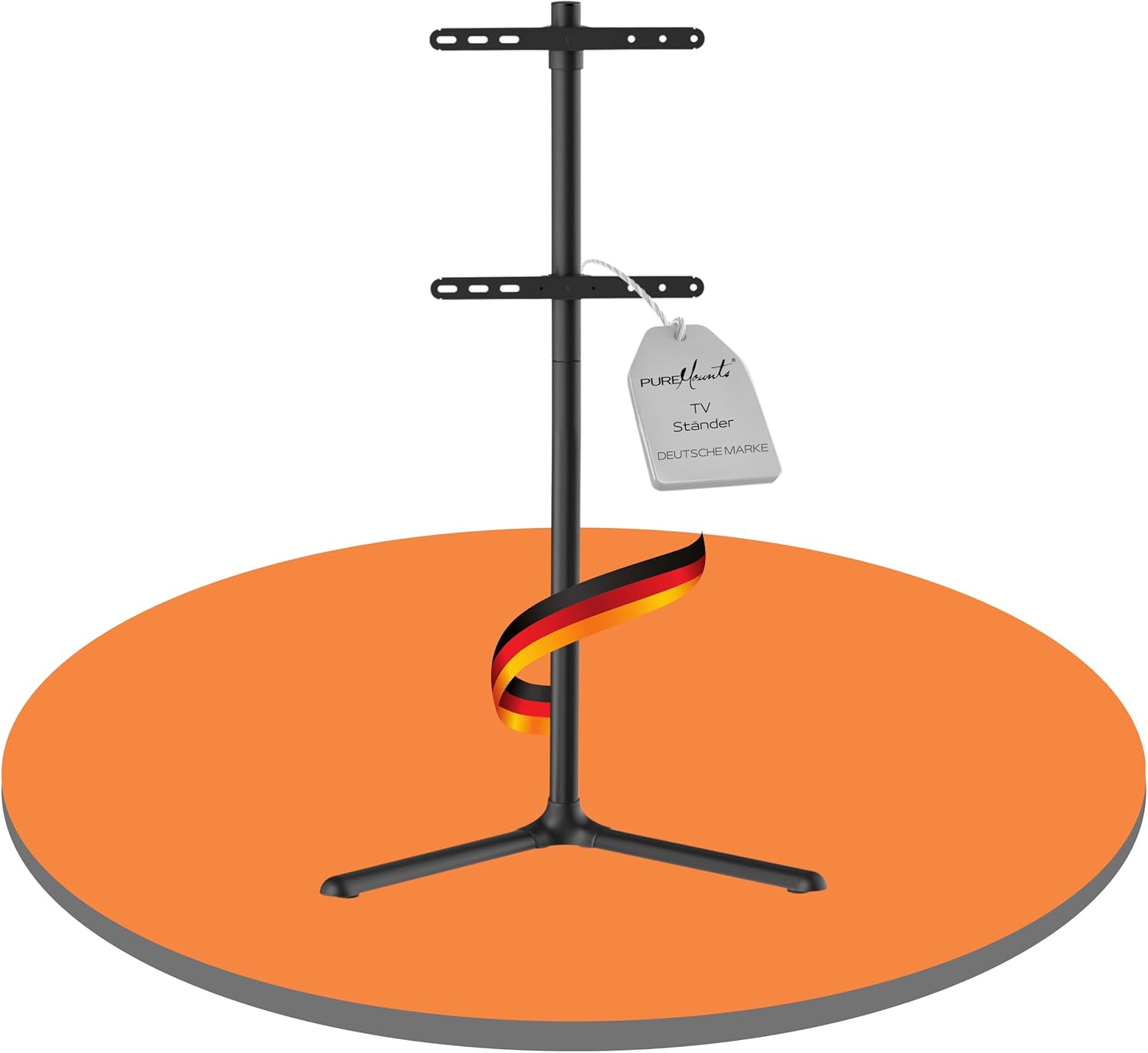
Obraz 1.1: The PureMounts PM-TVS-40 Universal Height-Adjustable TV Stand, featuring a sleek black design and a stable base.
2. Informacje dotyczące bezpieczeństwa
Ważny: Failure to follow these safety instructions may result in property damage, serious injury, or death. If you do not understand these instructions, or have doubts about the safety of the installation, please contact PureMounts customer support.
- Ensure the floor surface is stable and can support the combined weight of the TV stand and your television.
- Nie przekraczać maksymalnego udźwigu 40 kg (88 funtów).
- Do not exceed the maximum VESA compatibility of 400x400 mm.
- Always use two people for lifting and positioning heavy televisions.
- Trzymaj wszystkie małe części i materiały opakowaniowe poza zasięgiem dzieci.
- Tighten all screws firmly, but do not overtighten. Overtightening can damage the screws or the stand components.
- Regularly check that the stand is securely assembled and that all fasteners are tight.
3. Zawartość opakowania
Before beginning assembly, verify that all components are present and undamaged. If any parts are missing or damaged, do not attempt to assemble the stand. Contact PureMounts customer service for assistance.

Obraz 3.1: All components and mounting hardware included with the PureMounts PM-TVS-40 TV Stand. This includes the stand base, vertical support pole, TV mounting brackets, various screws, washers, spacers, and assembly tools.
Pakiet zazwyczaj zawiera:
- Podstawa podstawy
- Vertical Support Pole
- Uchwyty montażowe do telewizora (2 sztuki)
- Klipsy do zarządzania kablami
- Assorted Screws, Washers, and Spacers for TV attachment
- Narzędzia montażowe (np. klucz imbusowy)
- Instrukcja obsługi
4. Konfiguracja i instalacja
Follow these steps carefully to assemble your PureMounts PM-TVS-40 TV Stand.
4.1 Assemble the Base and Vertical Pole
- Attach the vertical support pole to the stand base using the provided screws and tools. Ensure it is securely fastened.
4.2 Attach TV Mounting Brackets to the TV
The stand is compatible with VESA patterns from 200x200 to 400x400 mm and supports TVs from 32 to 70 inches.

Obraz 4.1: Illustration of VESA compatibility ranging from 200x200 to 400x400 mm, suitable for various LCD, LED, OLED, QLED, Curved, and Plasma TVs. The image also highlights the robust and elegant design of the stand.
- Znajdź otwory montażowe VESA z tyłu telewizora.
- Z dostarczonego zestawu montażowego wybierz odpowiednie śruby, podkładki i podkładki, które pasują do otworów montażowych Twojego telewizora.
- Attach the two TV mounting brackets to the back of your television. Ensure they are securely tightened and level.
4.3 Mount the TV to the Stand
- With assistance, carefully lift your television and hook the attached mounting brackets onto the vertical support pole of the stand.
- Secure the TV to the stand using the safety screws or locking mechanisms provided. Refer to the specific instructions in the included assembly guide for detailed steps.
4.4 Zarządzanie kablami
The stand features an integrated cable management system to keep your cables organized and out of sight.
- Route your TV and device cables through the designated cable management clips or channels on the back of the vertical pole.
- Secure the cables to maintain a tidy appearance and prevent accidental disconnections.
5. Instrukcja obsługi
5.1 Regulacja wysokości
The PureMounts PM-TVS-40 TV Stand offers four height adjustment levels (1090mm, 1040mm, 990mm, 940mm) to optimize your viewzdobywania doświadczenia.

Obraz 5.1: This image illustrates the height adjustability of the PureMounts TV stand, showing four possible height settings (109/104/99/94 cm). It also highlights the maximum load capacity of 40 kg.
- To adjust the height, you may need to partially unmount the TV from the stand to access the adjustment points on the vertical pole.
- Follow the specific instructions in your assembly guide for safe height adjustment. Ensure the TV is securely re-mounted at the desired height.
5.2 Funkcja obrotowa
The stand allows for a swivel range of +70° to -70°, enabling you to adjust the viewkąt.
- Gently grasp the sides of your television and carefully rotate it to the desired angle.
- Avoid forcing the TV beyond its intended swivel range.
6. Konserwacja
To ensure the longevity and optimal performance of your PureMounts PM-TVS-40 TV Stand, follow these maintenance guidelines:
- Czyszczenie: Przetrzyj stojak miękką, suchą ściereczką. W przypadku uporczywych zabrudzeń delikatnie przetrzyj.amp Można użyć ściereczki zwilżonej łagodnym mydłem, a następnie dokładnie wysuszyć. Unikać środków czyszczących o działaniu ściernym i rozpuszczalników.
- Kontrola: Okresowo sprawdzaj wszystkie śruby i elementy mocujące, aby upewnić się, że są dobrze dokręcone. W razie potrzeby dokręć je ponownie, ale nie przekręcaj.
- Wentylacja: The open design of the stand promotes ventilation for your TV. Ensure that the area around your TV is not obstructed to maintain proper airflow.
7. Rozwiązywanie Problemów
If you encounter any issues with your PureMounts PM-TVS-40 TV Stand, refer to the following common solutions:
- Stojak wydaje się niestabilny:
- Upewnij się, że wszystkie śruby są dobrze dokręcone.
- Sprawdź, czy waga telewizora i wzorzec VESA mieszczą się w specyfikacji stojaka.
- Place the stand on a flat, level, and stable surface.
- Telewizor nie jest wypoziomowany:
- Check that the TV mounting brackets are installed evenly on the back of the TV.
- Ensure the stand's vertical pole is assembled straight.
- Trudności z regulacją wysokości lub obrotu:
- Upewnij się, że żadne kable nie utrudniają ruchu.
- For height adjustment, ensure the TV is partially unmounted as per instructions.
- Do not force movement; if resistance is met, re-check assembly.
If the issue persists, please contact PureMounts customer support for further assistance.
8. Specyfikacje
| Funkcja | Specyfikacja |
|---|---|
| Marka | CzysteMounty |
| Numer modelu | PM-TVS-40 |
| Kompatybilne rozmiary telewizorów | 32 - 70 cali |
| Maksymalna ładowność | 40 kg (88 funta) |
| Zgodność ze standardem VESA | 200x200, 300x200, 400x200, 300x300, 400x300, 400x400 mm |
| Regulacja wysokości | 4 steps (1090mm, 1040mm, 990mm, 940mm) |
| Zakres obrotu | +70° do -70° |
| Kolor | Czarny |
| Tworzywo | Plastik, Stal nierdzewna |
| Typ montażu | Montaż na podłodze |
9. Gwarancja i wsparcie
PureMounts products are manufactured with high-quality materials and undergo strict quality control. For information regarding warranty coverage, please refer to the warranty card included with your product or visit the official PureMounts webstrona.
For technical support, missing parts, or any questions regarding your PureMounts PM-TVS-40 TV Stand, please contact PureMounts customer service. Contact details can typically be found on the product packaging or the official PureMounts webstrona.
Ask a question about this manual
Ask about setup, troubleshooting, compatibility, parts, safety, or missing instructions. Manuals+ will review the question and use this page’s manual context to help answer it.