
eppfun Cutemeet 818 (LS003)
Instrukcja obsługi słuchawek bezprzewodowych eppfun Cutemeet 818
Model: LS003
Marka: eppfun
Wstęp
Dziękujemy za zakupasing the eppfun Cutemeet 818 Wireless Headphones. These headphones are designed to provide a superior audio experience with advanced features such as Bluetooth 5.4, LE Audio, and aptX Lossless support. They offer both wireless and wired connectivity, ensuring versatility for various listening scenarios. With a lightweight and comfortable design, the Cutemeet 818 is perfect for extended use.
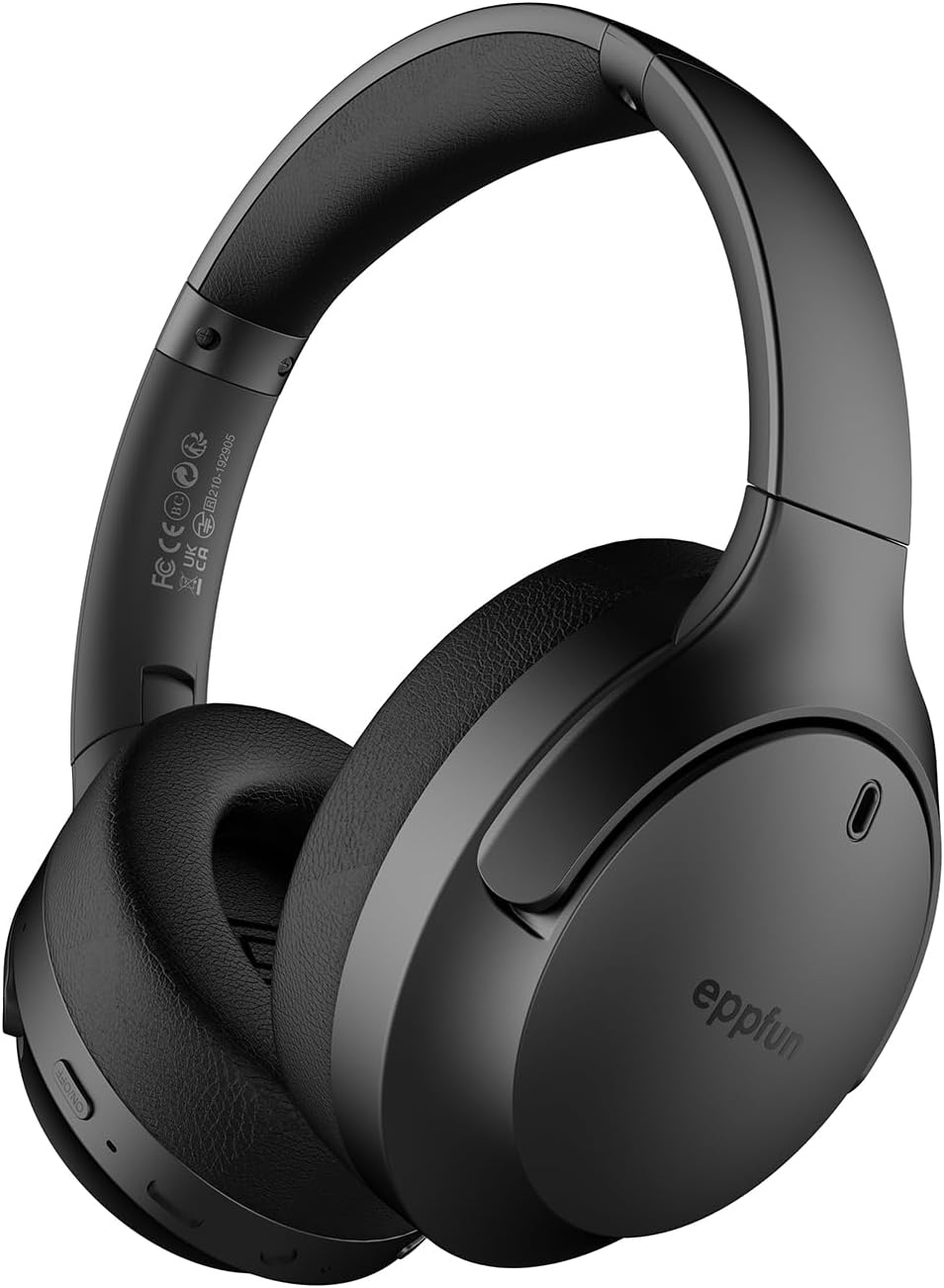
Figure 1: eppfun Cutemeet 818 Wireless Headphones
The image displays the eppfun Cutemeet 818 wireless headphones in black, showcasing their sleek design and over-ear form factor. The eppfun logo is visible on the earcups.
Informacje dotyczące bezpieczeństwa
Please read this safety information carefully before using the headphones to ensure proper operation and prevent damage or injury.
- Nie wystawiaj słuchawek na działanie ekstremalnych temperatur, wilgoci ani substancji żrących.
- Unikaj upuszczania słuchawek i narażania ich na silne uderzenia.
- Nie rozbieraj ani nie próbuj samodzielnie naprawiać słuchawek. Spowoduje to unieważnienie gwarancji.
- Czyść słuchawki miękką, suchą ściereczką. Nie używaj silnych środków chemicznych ani materiałów ściernych.
- Słuchaj muzyki na umiarkowanym poziomie głośności, aby zapobiec uszkodzeniu słuchu. Długotrwała ekspozycja na głośne dźwięki może spowodować nieodwracalną utratę słuchu.
- Przechowywać w miejscu niedostępnym dla dzieci i zwierząt domowych.
Zawartość opakowania
Sprawdź, czy w przesyłce znajdują się wszystkie elementy:
- eppfun Cutemeet 818 Wireless Headphones
- Kabel ładujący USB-C
- Kabel audio AUX 3.5 mm
- Instrukcja obsługi (ten dokument)
Produkt ponadview
Zapoznaj się z różnymi częściami i elementami sterującymi słuchawek.
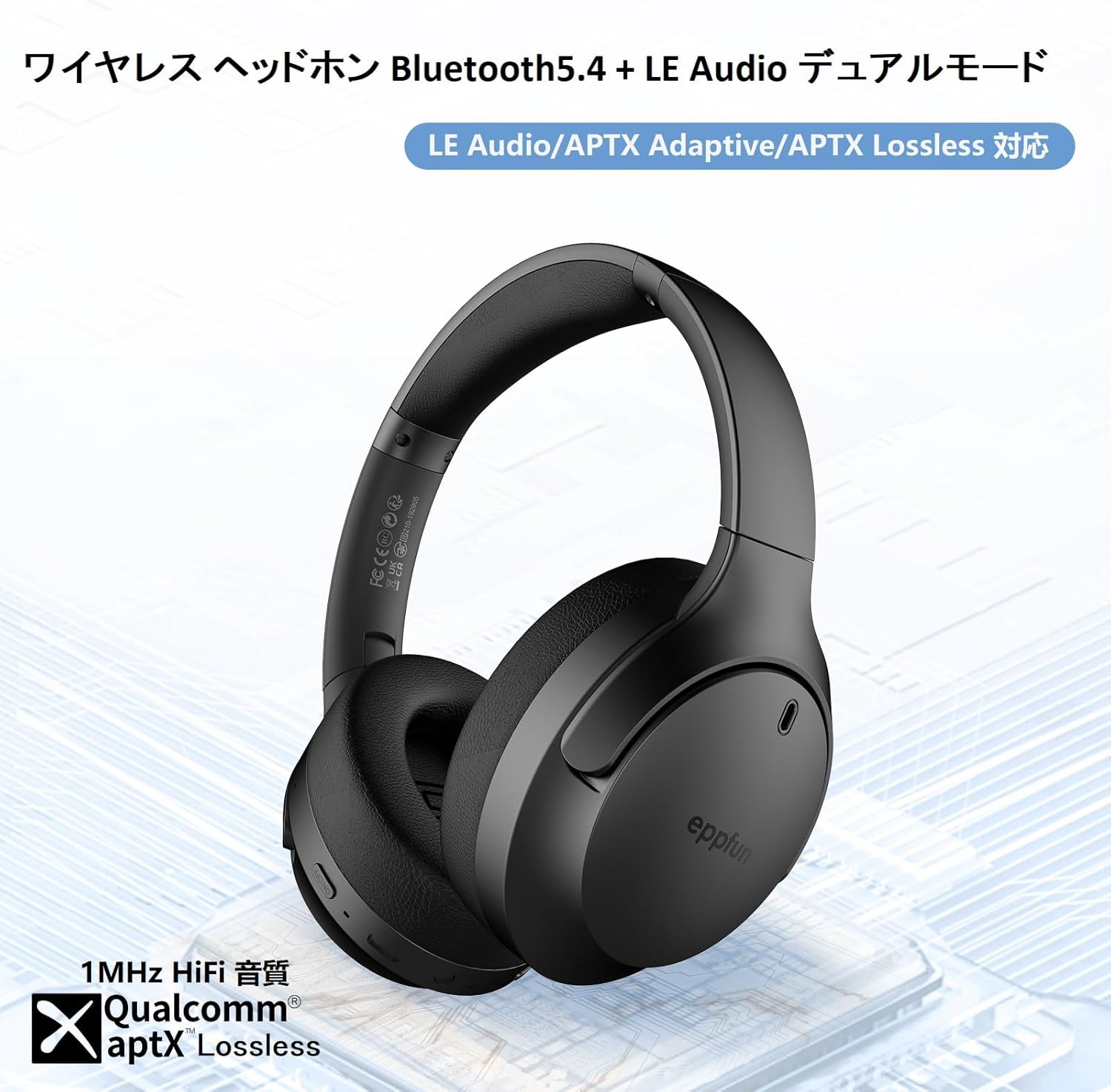
Figure 2: Headphone Features and Controls
This image highlights the eppfun Cutemeet 818 headphones, emphasizing their support for Bluetooth 5.4, LE Audio, APTX Adaptive, and APTX Lossless technologies, indicating high-fidelity audio capabilities.
Sterowanie i porty:
- Przycisk zasilania: Naciśnij i przytrzymaj, aby włączyć/wyłączyć. Naciśnij krótko, aby włączyć/wstrzymać.
- Przycisk zwiększania głośności/następnego utworu: Naciśnij krótko, aby zwiększyć głośność. Naciśnij długo, aby przejść do następnego utworu.
- Przycisk zmniejszania głośności/poprzedniego utworu: Naciśnij krótko, aby zmniejszyć głośność. Naciśnij długo, aby przejść do poprzedniego utworu.
- Przycisk wielofunkcyjny (MFB): Used for answering/ending calls, activating voice assistant.
- Port ładowania USB-C: Do ładowania słuchawek.
- Gniazdo audio 3.5 mm: For wired connection using the AUX cable.
- Wskaźnik LED: Wyświetla stan zasilania, parowania i ładowania.
- Mikrofon: Built-in CVC 8.0 noise-cancelling microphone for clear calls.
Organizować coś
1. Ładowanie słuchawek
Before first use, fully charge the headphones. Connect the USB-C charging cable to the headphone's USB-C port and the other end to a USB power adapter (not included) or a computer's USB port. The LED indicator will show charging status and turn off or change color when fully charged.
2. Parowanie Bluetooth
- Upewnij się, że słuchawki są wyłączone.
- Naciśnij i przytrzymaj przycisk zasilania przez około 5 sekund, aż dioda LED zacznie migać naprzemiennie na niebiesko i czerwono, wskazując tryb parowania.
- Na swoim urządzeniu (smartfonie, tablecie, komputerze) włącz Bluetooth i wyszukaj nowe urządzenia.
- Select "eppfun Cutemeet 818" from the list of available devices.
- Po nawiązaniu połączenia dioda LED zacznie świecić ciągłym niebieskim światłem lub będzie powoli migać na niebiesko.

Figure 3: Bluetooth Connectivity Example
This image illustrates the eppfun Cutemeet 818 headphones wirelessly connected to both a smartphone and a tablet, demonstrating their versatile Bluetooth 5.4 capabilities for seamless audio and communication.
3. Połączenie przewodowe (tryb AUX)
To use the headphones in wired mode, connect one end of the included 3.5mm AUX audio cable to the headphone's 3.5mm audio jack and the other end to your audio source's 3.5mm output. The headphones will automatically switch to wired mode, and the Bluetooth function will be disabled.
Instrukcja obsługi
Włączanie/wyłączanie zasilania
- Włączanie: Naciśnij i przytrzymaj przycisk zasilania przez 2–3 sekundy, aż dioda LED zacznie migać na niebiesko.
- Wyłączone: Naciśnij i przytrzymaj przycisk zasilania przez 3–4 sekundy, aż kontrolka LED zacznie migać na czerwono, a następnie wyłączy się.
Odtwarzanie muzyki
- Odtwórz/Pauza: Krótko naciśnij przycisk zasilania.
- Zwiększenie głośności: Naciśnij krótko przycisk zwiększania głośności.
- Ściszanie: Naciśnij krótko przycisk zmniejszania głośności.
- Następny utwór: Naciśnij i przytrzymaj przycisk zwiększania głośności.
- Poprzedni utwór: Naciśnij i przytrzymaj przycisk zmniejszania głośności.
Zarządzanie połączeniami
- Odbieranie/kończenie połączeń: Krótko naciśnij MFB.
- Odrzuć połączenie: Naciśnij i przytrzymaj MFB.
- Aktywuj asystenta głosowego: Naciśnij dwukrotnie MFB.
LE Audio and Auracast Functionality
The eppfun Cutemeet 818 headphones support LE Audio for superior sound quality with low power consumption and Auracast for ultra-low latency audio transmission. To utilize the Auracast feature for ultra-low latency, an eppfun LE Audio transmitter (sold separately, e.g., ASIN B0CCRTMQ3W) is required. Connect the headphones to the transmitter for an optimized gaming or video experience.

Figure 4: LE Audio and Auracast Support
This image displays a comparison chart of Bluetooth codecs, highlighting the advantages of LC3 (LE Audio) over SBC in terms of audio quality at various bitrates. It also features the Auracast logo, indicating support for this advanced audio sharing technology.
Konserwacja
- Czyszczenie: Use a soft, lint-free cloth to wipe the headphones. For earcups, gently wipe with a slightly damp cloth and then dry thoroughly. Do not use alcohol, solvents, or abrasive cleaners.
- Składowanie: When not in use, store the headphones in a cool, dry place, away from direct sunlight and extreme temperatures. The foldable design (Figure 5) allows for compact storage and easy portability.
- Pielęgnacja baterii: To prolong battery life, avoid fully discharging the headphones frequently. Charge them regularly, especially if not used for extended periods.

Rysunek 5: Składana konstrukcja ułatwiająca przenoszenie
This image demonstrates the foldable design of the eppfun Cutemeet 818 headphones, highlighting their compact nature for convenient storage and travel.
Rozwiązywanie problemów
| Problem | Możliwa przyczyna | Rozwiązanie |
|---|---|---|
| Słuchawki nie włączają się. | Niski poziom naładowania baterii. | Naładuj słuchawki do pełna. |
| Nie można sparować z urządzeniem. | Słuchawki nie są w trybie parowania; Bluetooth w urządzeniu jest wyłączony; urządzenie znajduje się zbyt daleko. | Ensure headphones are in pairing mode (flashing blue/red). Turn on device Bluetooth. Move headphones closer to device (within 10m). |
| Brak dźwięku lub słaba jakość dźwięku. | Volume too low; incorrect audio source; interference; low battery. | Increase volume on headphones and device. Check if AUX cable is properly connected. Move away from sources of interference. Charge headphones. |
| Jakość połączeń jest słaba. | Hałas środowiskowy; przeszkadzanie mikrofonowi. | Przenieś się w cichsze miejsce. Upewnij się, że mikrofon nie jest zasłonięty. |
| Przerywane połączenie/przerwy w dźwięku. | Zbyt duża odległość od urządzenia, zakłócenia, niski poziom baterii. | Move closer to the device. Avoid obstacles between headphones and device. Charge headphones. |
Specyfikacje
| Funkcja | Szczegół |
|---|---|
| Nazwa modelu | LS003 (Cutemeet 818) |
| Technologia łączności | Bluetooth 5.4, przewodowy (3.5 mm AUX) |
| Technologia komunikacji bezprzewodowej | Bluetooth |
| Kontrola hałasu | Sound Isolation (CVC 8.0 for calls) |
| Gniazdo słuchawkowe | Gniazdo 3.5 mm |
| Zawarte komponenty | Cable, Headphones |
| Wiek docelowy | Dorosły |
| Tworzywo | Acrylonitrile Butadiene Styrene (ABS), Leather, Metal |
| Kompatybilne urządzenia | iPhone & Android Smartphones, Gaming Consoles, TVs, Laptops, Mobile Phones |
| Poziom wodoodporności | Wodoodporny |
| Wymagany akumulator | Tak |
| Producent | śmiech |
| Waga przedmiotu | 430 gramów |
| Impedancja | 32 omy |
| Styl słuchawek | Nauszne |
| Obsługiwane kodeki audio | LE Audio (LC3), aptX Lossless, aptX Adaptive |
Gwarancja i wsparcie
eppfun products come with a standard warranty. For detailed warranty information, product support, or technical assistance, please refer to the warranty card included in your package or visit the official eppfun website. You can also contact eppfun customer service through the retailer where you purchased the product.
Ważna uwaga: The maximum communication distance for Bluetooth is 10 meters. This distance may vary depending on the usage environment and interference from other electronic devices. If the battery level is too low, latency may occur. Please charge the headphones regularly.
Ask a question about this manual
Ask about setup, troubleshooting, compatibility, parts, safety, or missing instructions. Manuals+ will review the question and use this page’s manual context to help answer it.