
1. Wprowadzenie
The Simsky Video Baby Monitor YM300 is designed to provide comprehensive monitoring of your child. This system includes a 7-inch UHD touch screen monitor and a dual 4MP camera with 6X zoom capabilities. It offers advanced features such as AI tracking, cry detection, and secure local storage, ensuring peace of mind for parents.
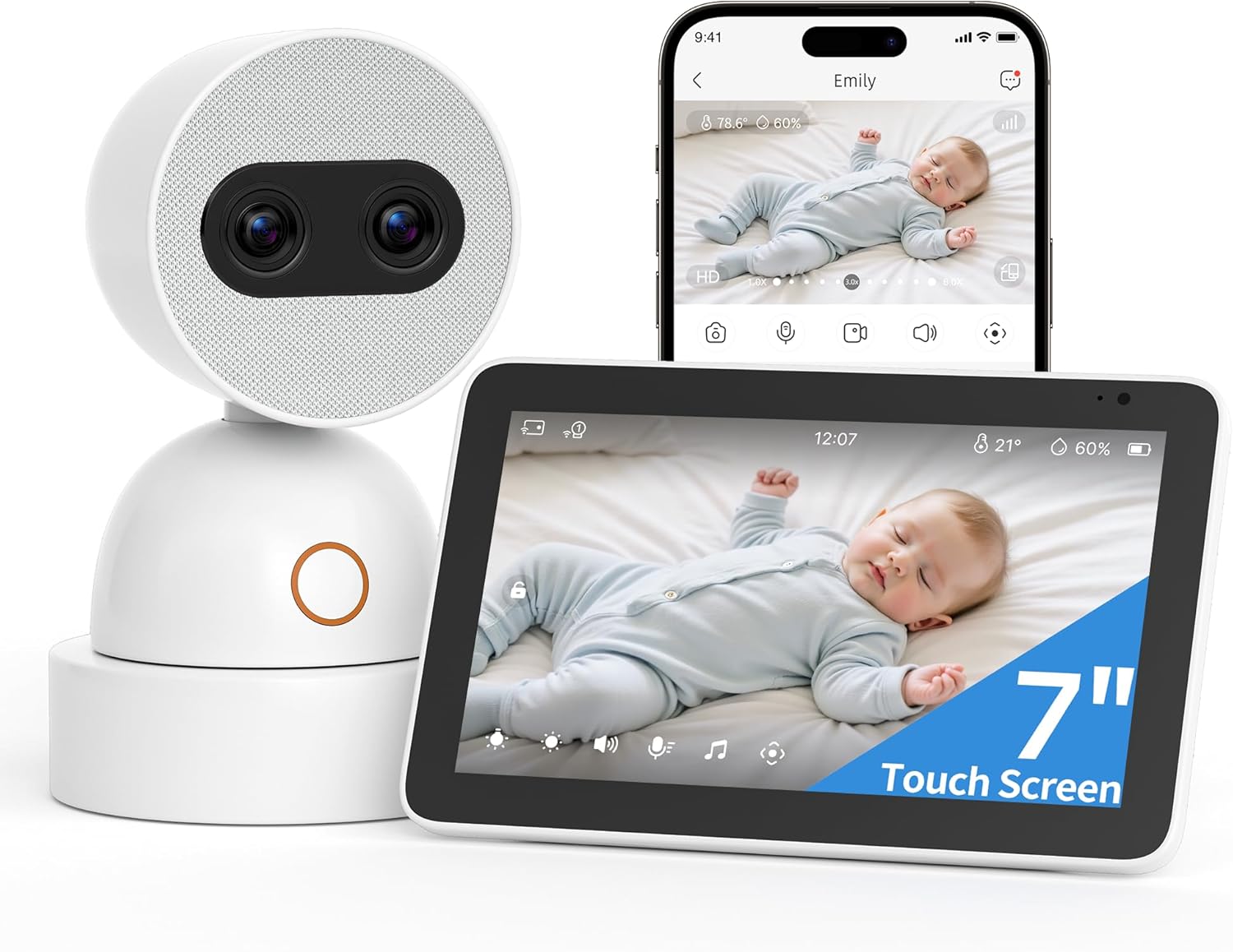
Image 1.1: Simsky Video Baby Monitor YM300 components including the monitor, camera, and smartphone interface.
2. Składniki produktu
Sprawdź, czy w przesyłce znajdują się wszystkie elementy wymienione poniżej:
- Monitoruj x1
- Kamera x1
- Kabel USB x2
- Narzędzie do resetowania x1
- Zasilacz x2
- Uchwyt montażowy x1
- Kotwy do płyt gipsowo-kartonowych x3
- Śruby x3
- Uchwyt ścienny x1

Image 2.1: All components included in the Simsky Video Baby Monitor YM300 package.
3. Instrukcje konfiguracji
3.1 Włączanie i początkowe parowanie
- Connect the power adapters to the monitor and camera, then plug them into a power outlet.
- The monitor and camera will automatically attempt to pair. If pairing is unsuccessful, refer to the troubleshooting section.
- Once paired, the camera's video feed will appear on the monitor screen.
3.2 Umiejscowienie i montaż kamery
Umieść kamerę w miejscu zapewniającym wyraźny widok view of the monitoring area. Ensure it is out of reach of children. The included wall mount and hardware can be used for secure installation.
- Choose a suitable wall location, ensuring it is at least 3 feet (1 meter) away from the crib or play area.
- Użyj uchwytu montażowego jako szablonu do zaznaczenia miejsc wywiercenia otworów.
- Drill pilot holes and insert drywall anchors if necessary.
- Przymocuj uchwyt montażowy do ściany za pomocą dołączonych śrub.
- Zamontuj kamerę w uchwycie montażowym.
3.3 Smartphone App Connection (Optional)
For remote access and additional features, download the Simsky app on your smartphone (Android or iOS).
- Scan the QR code in the quick start guide or search for "Simsky" in your device's app store.
- Follow the in-app instructions to create an account and add your camera device.
- Ensure your smartphone is connected to a stable Wi-Fi network for optimal performance.

Image 3.1: The monitor offers both local viewing and remote access via a smartphone application.
4. Instrukcja obsługi
4.1 Obsługa monitora
The 7-inch touch screen monitor provides intuitive control over the camera and system settings.
- Interfejs dotykowy: Navigate menus, adjust settings, and control camera movement directly on the screen.
- Na żywo View: Displays real-time video from the camera.
- Regulacja głośności: Adjust the audio output from the camera.
- Jasność: Modify screen brightness for comfortable viewing.
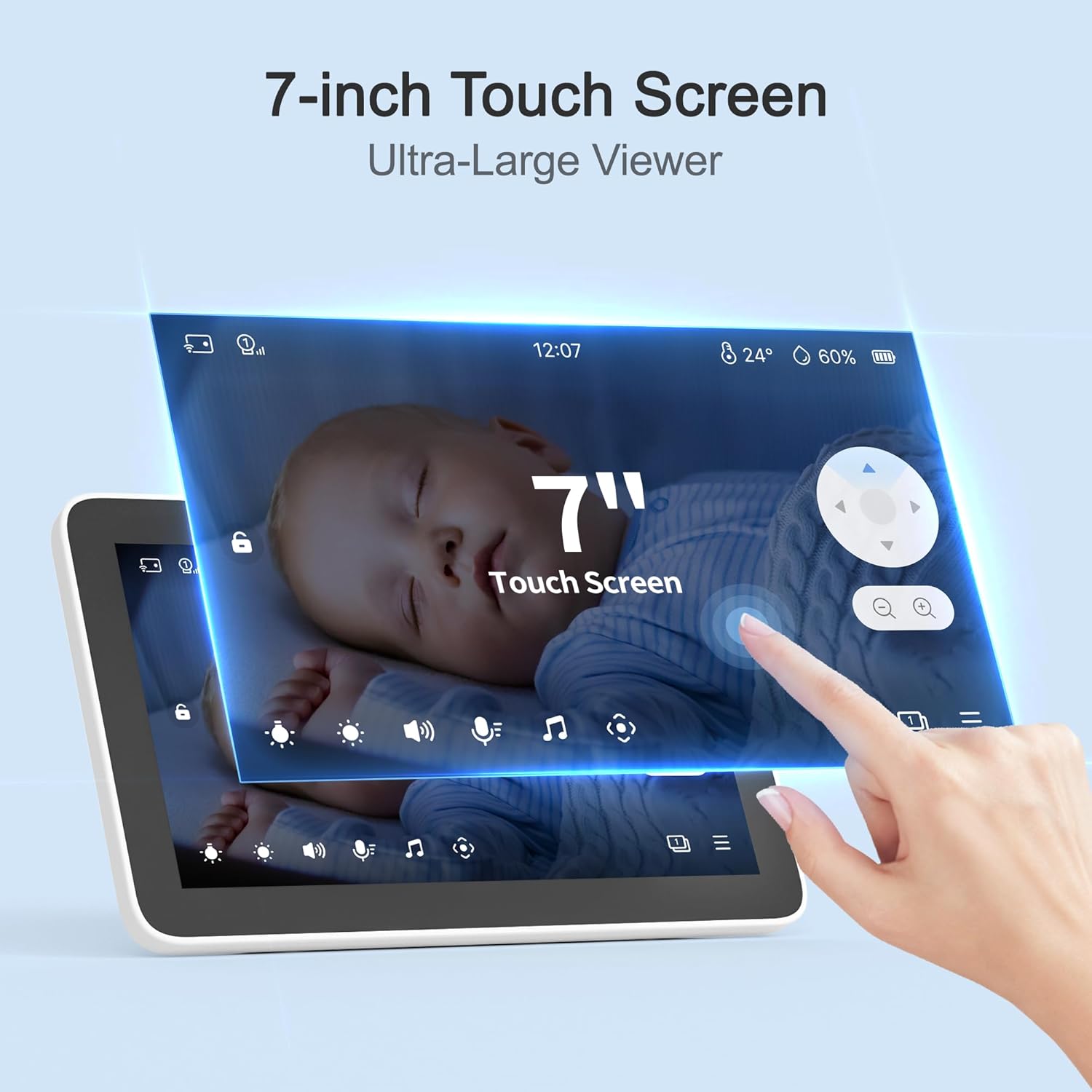
Image 4.1: The 7-inch touch screen offers easy navigation and control.
4.2 Camera Control and Features
The dual 4MP camera offers advanced viewMożliwości:
- Pan i Tilt: Remotely adjust the camera's horizontal and vertical viewing angles to cover the entire room.
- 6X Optical-Quality Zoom: Utilize the dual lenses for detailed close-ups without loss of clarity.
- Widzenie nocne: Automatic infrared LEDs provide clear video monitoring in low-light or complete darkness.
- Rozmowa dwukierunkowa: Use the monitor or app to speak to your child through the camera's speaker.
- Kołysanki: Play soothing sounds or lullabies directly from the camera.
- Światło nocne: The camera features an adjustable backlit night light to create a calming ambiance.

Image 4.2: The dual 4MP camera provides 6x optical-quality zoom for detailed viewing.
4.3 Advanced AI Functions
The monitor integrates intelligent detection features for enhanced safety:
- Inteligentne śledzenie AI: The camera automatically adjusts its pan-tilt to keep your child in view.
- Wykrywanie płaczu: Notifies you when your child cries, ensuring timely attention.
- Face Covered Detection: Alerts you if your child's face is obstructed, promoting safe breathing.
- Danger Zone Detection & Virtual Fence: Define specific areas to receive alerts if your child enters or exits them.
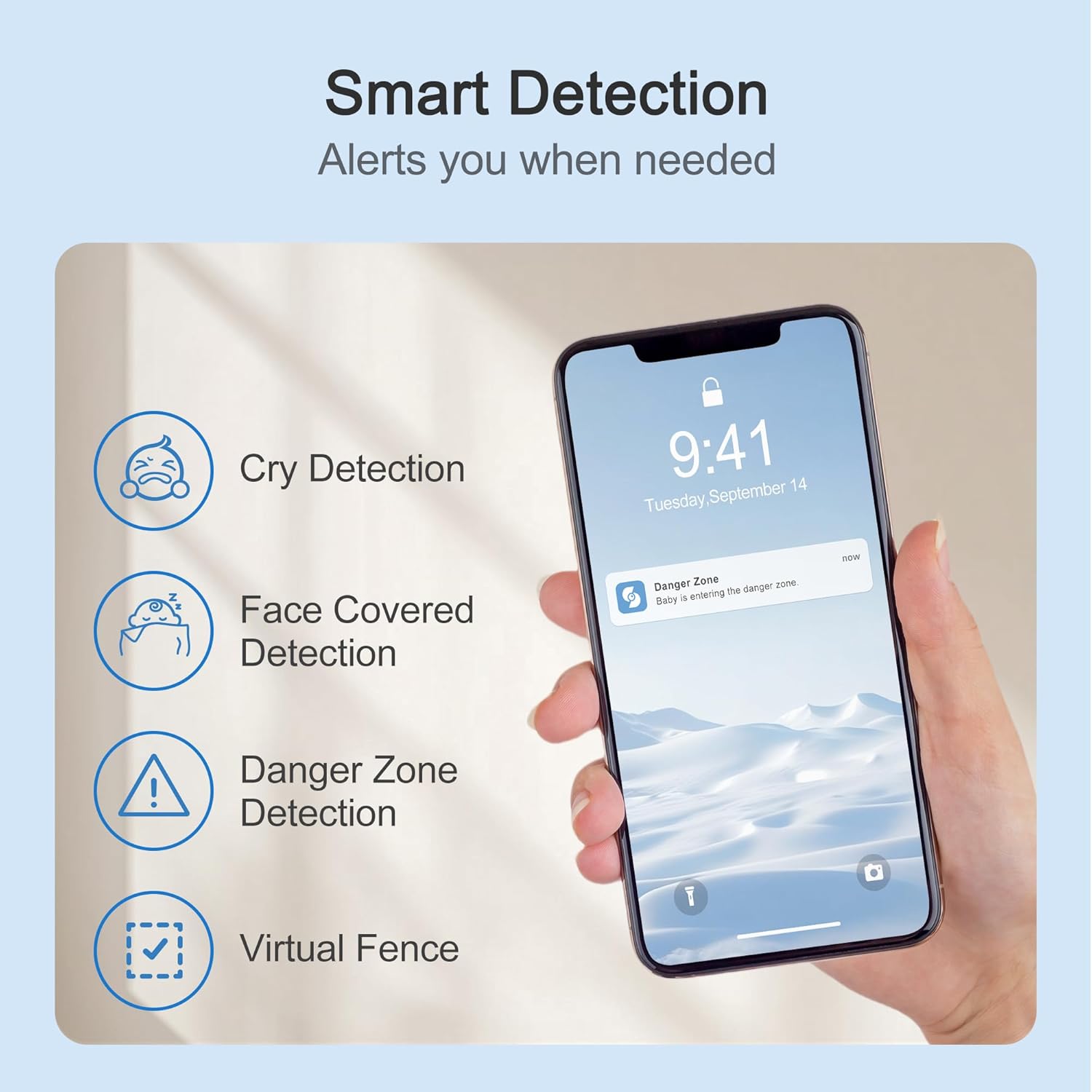
Image 4.3: Smart detection features provide alerts for various events.
5. Data Storage and Security
The Simsky YM300 prioritizes your privacy and data security:
- 32 GB pamięci lokalnej: All recordings are stored locally on the included 32GB Micro SD card, ensuring data privacy. The system supports up to 256GB Micro SD cards.
- Nagrywanie 24/7: Continuous recording is available via the Simsky app.
- Szyfrowanie AES 128-bitowe: Data transmission is secured with AES 128-bit encryption and TLS protocols.
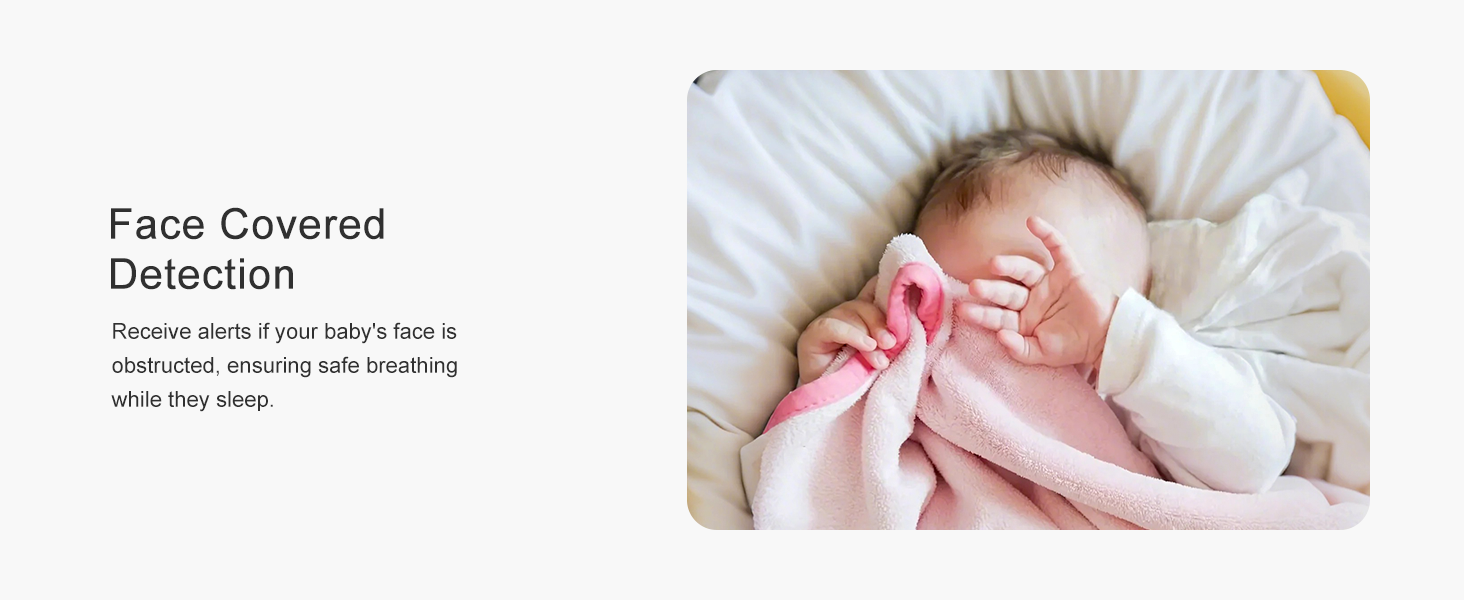
Image 5.1: Data privacy and security are maintained through local storage and encryption.
6. Konserwacja
Regular maintenance ensures optimal performance and longevity of your Simsky Video Baby Monitor.
- Czyszczenie: Do czyszczenia ekranu monitora i obiektywów aparatu używaj miękkiej, suchej ściereczki. Unikaj środków czyszczących o właściwościach ściernych i rozpuszczalników.
- Pielęgnacja baterii: The monitor contains a Lithium Ion battery. To prolong battery life, avoid extreme temperatures and fully discharge and recharge periodically.
- Aktualizacje oprogramowania: Check the Simsky app regularly for firmware updates to ensure your device has the latest features and security enhancements.
7. Rozwiązywanie Problemów
If you encounter issues with your Simsky Video Baby Monitor, refer to the following common solutions:
| Problem | Możliwa przyczyna | Rozwiązanie |
|---|---|---|
| Brak obrazu na monitorze | Camera or monitor not powered on; Out of range; Pairing lost | Ensure both devices are plugged in and powered on. Move camera closer to monitor. Re-pair devices (refer to manual for specific steps). |
| Niska jakość obrazu | Low light; Dirty lens; Interference | Ensure adequate lighting or check night vision. Clean camera lens. Move devices away from other electronics. |
| No audio or poor audio | Volume too low; Microphone/speaker blocked; Out of range | Increase monitor volume. Ensure nothing is covering the camera's microphone or speaker. Move camera closer to monitor. |
| Monitoruj szybkie rozładowywanie się baterii | High screen brightness; Continuous use; Aging battery | Reduce screen brightness. Plug in monitor when not actively moving it. Contact support if battery life significantly degrades. |
| Problemy z łącznością aplikacji | Weak Wi-Fi signal; Incorrect app settings; Outdated app version | Ensure strong Wi-Fi signal. Verify app settings and camera connection. Update the Simsky app to the latest version. |
8. Specyfikacje
| Funkcja | Szczegół |
|---|---|
| Numer modelu | YM300 |
| Rozmiar wyświetlacza | 7 cali |
| Rozdzielczość kamery | Podwójny 4MP |
| Zoom optyczny | 6x |
| Łączność | Wi-Fi, Bezprzewodowe |
| Pamięć lokalna | 32GB Micro SD (expandable up to 256GB) |
| Źródło zasilania | Battery Powered (Lithium Ion), AC Adapter |
| Metoda kontroli | App, Remote (Monitor) |
| Viewing kąt | 360 stopni (obrót/pochylenie) |
| Bezpieczeństwo | AES 128-bit Encryption, TLS protocols |
| Cechy specjalne | Touch Screen, AI Tracking, Cry Detection, Face Covered Detection, Danger Zone Detection, Virtual Fence, Two-Way Talk, Lullabies, Night Light, T/H Sensor |
| UPC | 632412969356 |
9. Gwarancja i wsparcie
For warranty information and technical support, please contact Simsky customer service. Details can typically be found on the official Simsky webmiejscu lub w opakowaniu produktu.
Możesz również odwiedzić Simsky Store on Amazon Aby uzyskać dodatkowe informacje o produkcie i zasoby pomocy technicznej.