
1. Wprowadzenie
Thank you for choosing the Anmite 24-inch IPS 100Hz Full HD Gaming Monitor, model AN-238W02. This manual provides essential information for setting up, operating, and maintaining your new monitor. Please read this manual thoroughly before use to ensure proper functionality and to maximize your viewzdobywania doświadczenia.
This monitor features a 24-inch IPS panel with a 1920 x 1080 Full HD resolution, a 100Hz refresh rate, and a 1ms response time, designed to deliver smooth and vibrant visuals for gaming and multimedia. It also includes AMD FreeSync Premium technology for tear-free gameplay and specialized FPS/RTS game modes.
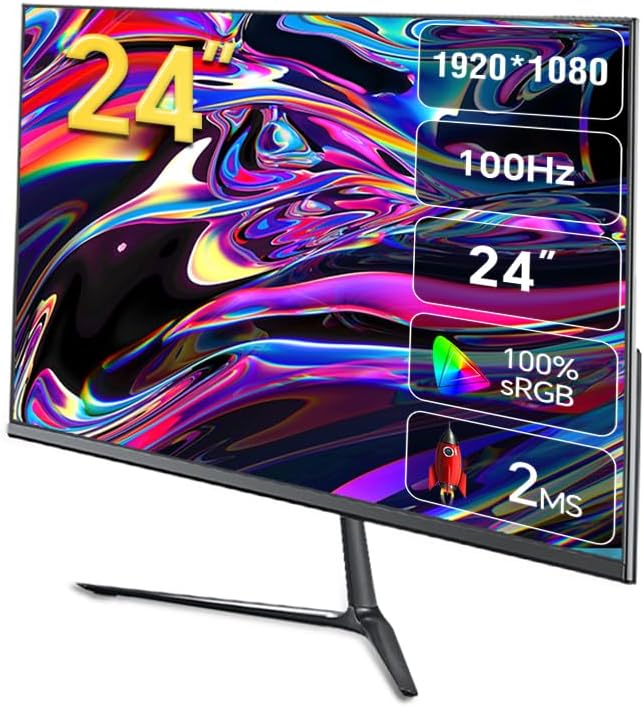
Obraz 1.1: Przód view of the Anmite AN-238W02 monitor, showcasing its 24-inch display, 1920x1080 resolution, 100Hz refresh rate, and 1ms response time.
2. Informacje dotyczące bezpieczeństwa
- Aby zapobiec jego upadkowi, zawsze umieszczaj monitor na stabilnej, płaskiej powierzchni.
- Nie blokuj otworów wentylacyjnych. Zapewnij odpowiednią ilość miejsca wokół monitora, aby zapewnić prawidłowy przepływ powietrza.
- Należy używać wyłącznie zasilacza dołączonego do monitora.
- Chroń monitor przed wodą, wilgocią i bezpośrednim działaniem promieni słonecznych.
- Nie próbuj otwierać monitora casing. Wszelkie prace serwisowe powierzaj wykwalifikowanemu personelowi.
- Odłączaj monitor od gniazdka elektrycznego podczas burzy z piorunami lub jeśli nie używasz go przez dłuższy czas.
3. Zawartość opakowania
Proszę sprawdzić zawartość opakowania po rozpakowaniu. Jeśli brakuje któregokolwiek elementu lub jest on uszkodzony, prosimy o kontakt ze sprzedawcą.
- Anmite 24" IPS 100Hz Full HD Gaming Monitor (AN-238W02)
- Stojak na monitor (podstawa i szyjka)
- Zasilacz i kabel zasilający
- Kabel HDMI
- Instrukcja obsługi (ten dokument)
4. Konfiguracja
4.1 Montaż podstawy monitora
- Ostrożnie wyjmij monitor z opakowania, dbając o ochronę ekranu.
- Attach the stand neck to the back of the monitor by aligning the mounting points and securing with screws (if provided).
- Connect the stand base to the stand neck, ensuring it clicks into place or is secured with the provided screw.
- Zmontowany monitor należy umieścić na stabilnej, płaskiej powierzchni.
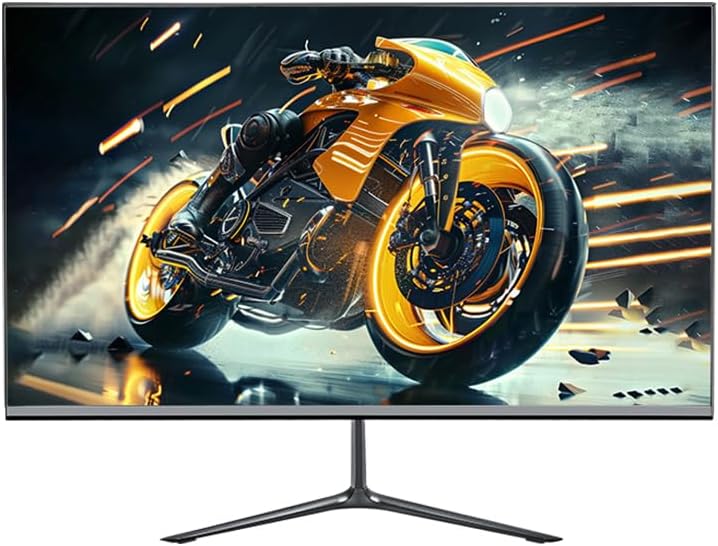
Image 4.1: The Anmite AN-238W02 monitor fully assembled with its stand, ready for connection.
4.2 Podłączanie monitora
Przed podłączeniem upewnij się, że wszystkie urządzenia są wyłączone.
- Podłączenie zasilania: Podłącz zasilacz do wejścia zasilania monitora, a następnie podłącz kabel zasilający do gniazdka ściennego.
- Połączenie wideo: Connect one end of the HDMI cable (or VGA cable) to the corresponding port on your computer's graphics card and the other end to the HDMI (or VGA) input on the monitor. For optimal performance and 100Hz refresh rate, HDMI is recommended.
- Wyjście audio: If you wish to connect external speakers or headphones, plug them into the Audio Out Jack on the monitor.
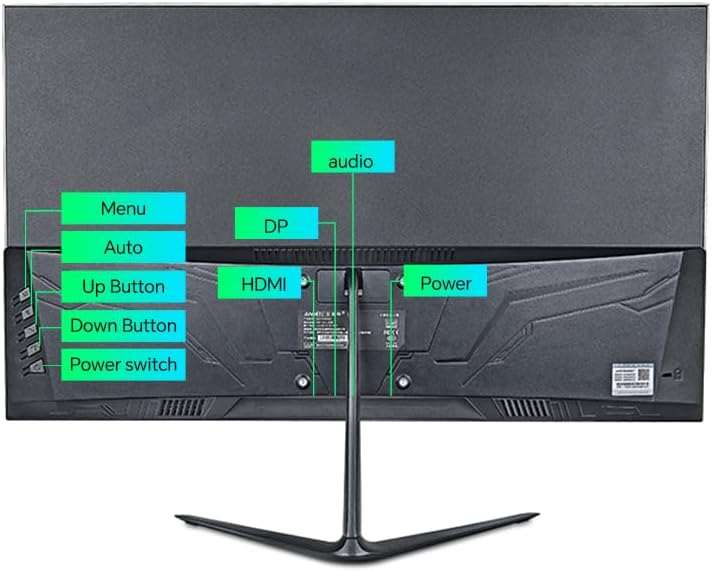
Obraz 4.2: Tył view of the monitor, highlighting the power input, HDMI, DP (DisplayPort, if available), VGA, and audio ports, along with the control buttons.
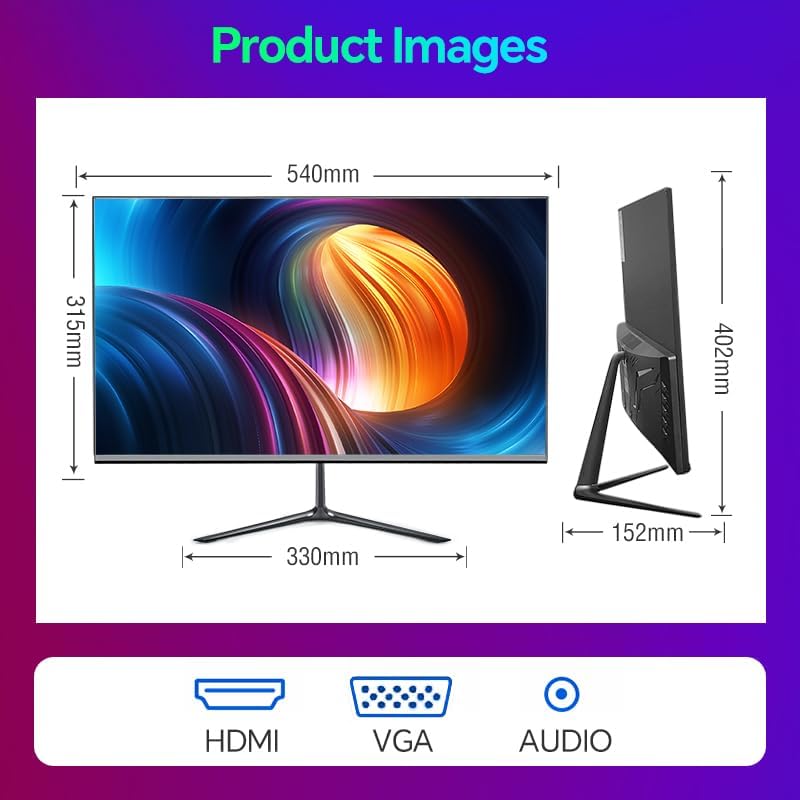
Image 4.3: Diagram illustrating the monitor's physical dimensions and the types of input ports available: HDMI, VGA, and Audio Out.
5. Instrukcja obsługi
5.1 Włączanie/wyłączanie zasilania
Naciśnij Wyłącznik zasilania button located on the back of the monitor to turn it on or off. The power indicator light will illuminate when the monitor is on.
5.2 Menu ekranowe (OSD)
The OSD menu allows you to adjust various monitor settings. Use the buttons on the back of the monitor to navigate:
- Menu: Naciśnij, aby otworzyć menu OSD lub wejść do podmenu.
- Przycisk w górę: Navigate up or increase a value.
- Przycisk w dół: Navigate down or decrease a value.
- Auto (or Exit): Automatically adjust image settings (VGA only) or exit the current menu.
5.3 Główne funkcje i ustawienia
- Częstotliwość odświeżania 100 Hz: This monitor supports a 100Hz refresh rate, providing smoother motion and reduced input lag compared to standard 60Hz monitors. Ensure your graphics card and connection cable (HDMI recommended) support this refresh rate, and set it in your operating system's display settings.
- AMD Freesync Premium: This technology synchronizes the monitor's refresh rate with your AMD graphics card's frame rate, eliminating screen tearing and stuttering. Enable FreeSync in your graphics card's control panel and ensure it is active in the monitor's OSD settings (if applicable).
- FPS/RTS Game Modes: The monitor includes pre-calibrated display settings optimized for First-Person Shooter (FPS) and Real-Time Strategy (RTS) games. Access these modes through the OSD menu to enhance visibility and color profiles for specific game genres.
- Przeciwdoblaskowy: This feature reduces screen flickering, which can cause eye strain during prolonged use. It operates by preventing the backlight from flickering periodically, providing a more comfortable viewzdobywania doświadczenia.
- Micro-Bezel Design: The monitor features a micro-bezel on three sides, maximizing the visible screen area and providing an immersive viewzdobywania doświadczenia.

Image 5.1: The monitor displaying a high-refresh-rate gaming experience, emphasizing smooth visuals.

Rysunek 5.2: Szczegółowy view of the monitor's micro-bezel design, illustrating the minimal border around the display.
6. Konserwacja
6.1 Czyszczenie monitora
- Zawsze odłączaj monitor od zasilania przed czyszczeniem.
- Delikatnie użyj miękkiej, niestrzępiącej się szmatki dampened with water or a non-abrasive screen cleaner to wipe the screen.
- Do monitora casing, use a soft, dry cloth. Avoid using harsh chemicals or abrasive materials.
6.2 Przechowywanie
Jeśli monitor będzie przechowywany przez dłuższy czas, należy odłączyć go od zasilania, przykryć, aby ochronić przed kurzem, i przechowywać w chłodnym, suchym miejscu.
7. Rozwiązywanie Problemów
| Problem | Możliwa przyczyna | Rozwiązanie |
|---|---|---|
| Brak zasilania | Kabel zasilający nie jest podłączony; gniazdko elektryczne nie działa | Upewnij się, że kabel zasilający jest solidnie podłączony do monitora i gniazdka. Sprawdź gniazdko, podłączając je do innego urządzenia. |
| Brak sygnału | Kabel wideo nie jest podłączony; wybrano nieprawidłowe źródło sygnału wejściowego | Check video cable connections (HDMI/VGA); Use OSD menu to select correct input source. |
| Obraz jest niewyraźny lub zniekształcony | Nieprawidłowa rozdzielczość; Problem z kablem | Set display resolution to 1920 x 1080 in your computer's display settings; Try a different video cable. |
| Migotanie ekranu | Refresh rate mismatch; Cable issue | Ensure refresh rate is set to 100Hz in display settings; Check for Anti-Flicker setting in OSD; Try a different video cable. |
8. Specyfikacje
| Funkcja | Specyfikacja |
|---|---|
| Numer modelu | AN-238W02 |
| Rozmiar ekranu | 23.8 cali |
| Typ panelu | IPS |
| Rezolucja | 1920 x 1080 (Pełna rozdzielczość HD) |
| Częstotliwość odświeżania | Do 100 Hz |
| Czas reakcji | 1 ms |
| Łączność | VGA, HDMI, Audio Out Jack |
| Technologia AMD FreeSync | Yes (Premium Compatible) |
| Antymigotanie | Tak |
| Wymiary produktu (z podstawą) | 21 x 38 x 49 cala |
| Waga przedmiotu | 5.5 funta |
| Producent | Shenzhen Anmite Technology Co.,Ltd. |
9. Gwarancja i wsparcie
Anmite monitors are designed for reliability and performance. For information regarding warranty coverage, please refer to the warranty card included with your purchase or the retailer's policy where the product was acquired.
For technical support, troubleshooting assistance beyond this manual, or service inquiries, please contact Anmite customer support through the contact information provided with your product documentation or visit the official Anmite webstrona.