
1. Wprowadzenie
Dziękujemy za wybór bezprzewodowej klawiatury MageGee LIGHT100 w kremowym kolorze. Ta klawiatura mechaniczna została zaprojektowana z myślą o wszechstronności i komforcie, wyposażona w uszczelkę, przełączniki z możliwością wymiany podczas pracy oraz łączność wielotrybową. Niniejsza instrukcja zawiera niezbędne informacje dotyczące konfiguracji, obsługi i konserwacji nowej klawiatury, aby zapewnić jej optymalną wydajność i trwałość.

Rysunek 1: Bezprzewodowa klawiatura MageGee LIGHT100 w kolorze kremowym.
2. Główne cechy
- Połączenie trójmodowe: Obsługuje Bluetooth 5.0, łączność bezprzewodową 2.4 GHz i przewodowy USB-C, zapewniając wszechstronną łączność z wieloma urządzeniami.
- Struktura uszczelki Creamy Thock Sound: Posiada konstrukcję z uszczelką i pięcioma warstwami pianki pochłaniającej dźwięk, co redukuje hałas i zapewnia bardziej miękkie, wygodne pisanie.
- Wymienny, wstępnie skonfigurowany, niestandardowy przełącznik: Wyposażone w ciche, liniowe przełączniki Blue Whale, które można pojedynczo wyjmować i które są kompatybilne z konfiguracjami 3-/5-pinowymi, co pozwala na łatwą personalizację bez lutowania.
- 16.8 miliona fajnych podświetleń RGB: Oferuje szeroką gamę statycznych i dynamicznych efektów podświetlenia oraz kolorów, dzięki czemu możesz spersonalizować swoją konfigurację i ulepszyć wrażenia z gry.
- Duża bateria 8000 mAh i nakładki na klawisze PBT: Wyposażona w baterię o dużej pojemności, zapewniającą długi czas użytkowania, oraz wytrzymałe, unikatowe, boczne nakładki na klawisze PBT. Układ 96% oszczędza miejsce na biurku, zachowując jednocześnie najważniejsze klawisze.

Rysunek 2: Struktura uszczelki i elementy wewnętrzne zapewniające lepsze wrażenia podczas pisania.

Rysunek 3: Kreatywny, 96% kompaktowy układ 99-klawiszowy.
3. Konfiguracja
Klawiatura MageGee LIGHT100 oferuje trzy wygodne tryby połączenia:
- Tryb przewodowy (USB-C): Podłącz odłączany kabel USB-C klawiatury do portu USB komputera. Klawiatura zostanie automatycznie rozpoznana i będzie gotowa do użycia.
- Tryb bezprzewodowy 2.4 GHz: Przełącz przełącznik klawiatury na pozycję „2.4 GHz”. Podłącz odbiornik USB 2.4 GHz do wolnego portu USB w urządzeniu. Klawiatura połączy się bezprzewodowo.
- Tryb Bluetooth 5.0: Przełącz przełącznik na klawiaturze na pozycję „BT”. Naciśnij Fn + 1/2/3 Aby wybrać jeden z trzech kanałów Bluetooth. Na swoim urządzeniu wyszukaj urządzenia Bluetooth i wybierz „MageGee LIGHT100”, aby je sparować. Możesz podłączyć maksymalnie trzy urządzenia i przełączać się między nimi za pomocą Fn + 1/2/3.
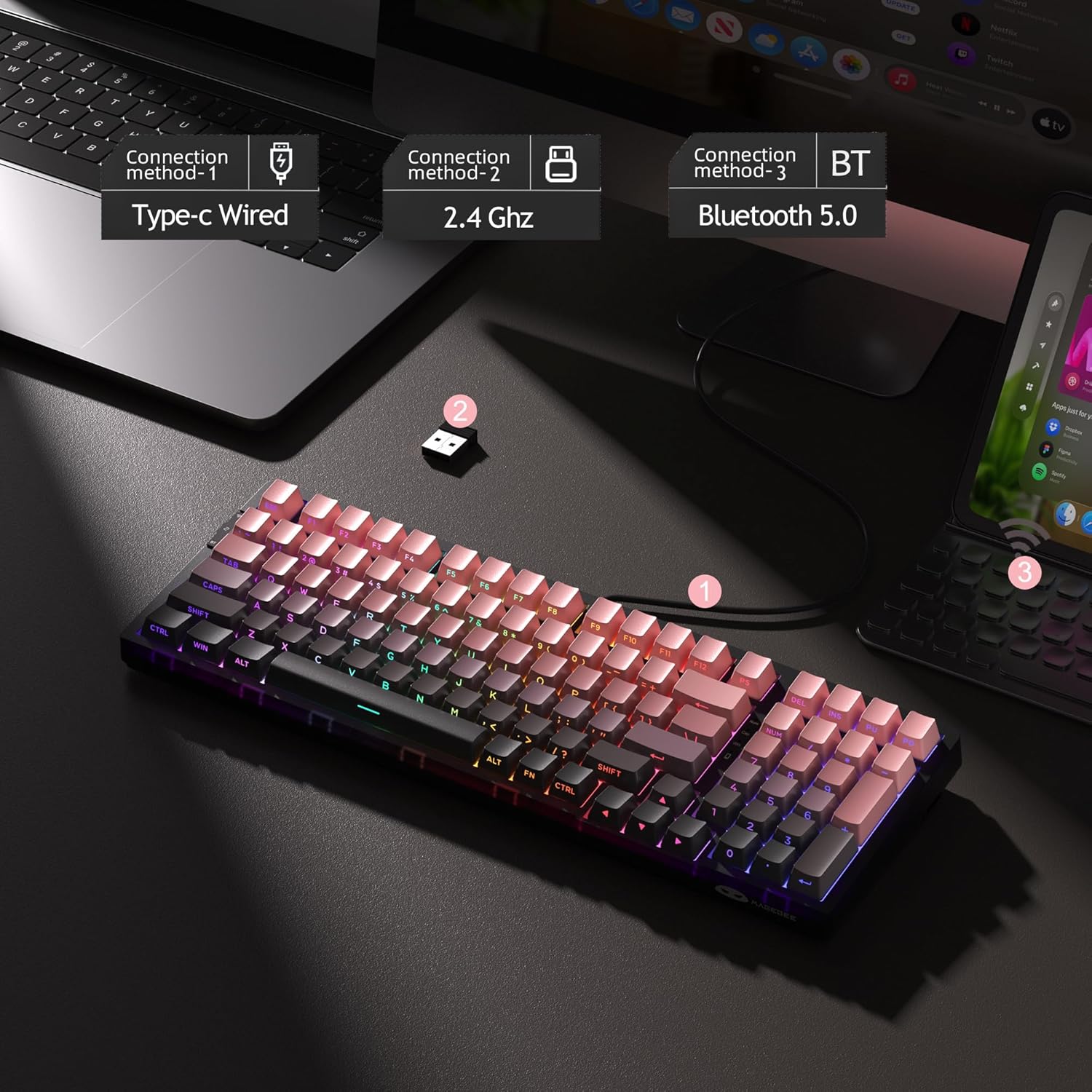
Rysunek 4: Trzy metody podłączenia klawiatury LIGHT100.
4. Instrukcja obsługi
4.1 Sterowanie podświetleniem RGB
Klawiatura LIGHT100 oferuje dynamiczne podświetlenie RGB z 16.8 milionami kolorów. Użyj następujących kombinacji klawiszy, aby dostosować podświetlenie:
- Fn + Enter: Przełączaj się pomiędzy około 20 różnymi trybami podświetlenia.
- Fn + ←/→: Dostosuj kolory podświetlenia.
- Fn + ↑/↓: Kontroluj jasność podświetlenia (zwiększaj/zmniejszaj).
- Fn + =+/_-: Kontroluj prędkość podświetlenia (zwiększ/zmniejsz).

Rysunek 5: Funkcje sterowania podświetleniem RGB.
4.2 Informacje o baterii
Klawiatura jest wyposażona w baterię o dużej pojemności 8000 mAh, zapewniającą długi czas pracy. Czas pracy baterii zależy od intensywności podświetlenia:
- Około 53 godzin z włączonym podświetleniem RGB.
- Około 400 godzin przy wyłączonym podświetleniu RGB.
- Czas czuwania: około 450 godzin.
Aby sprawdzić stan baterii, naciśnij Fn + Ctrl.
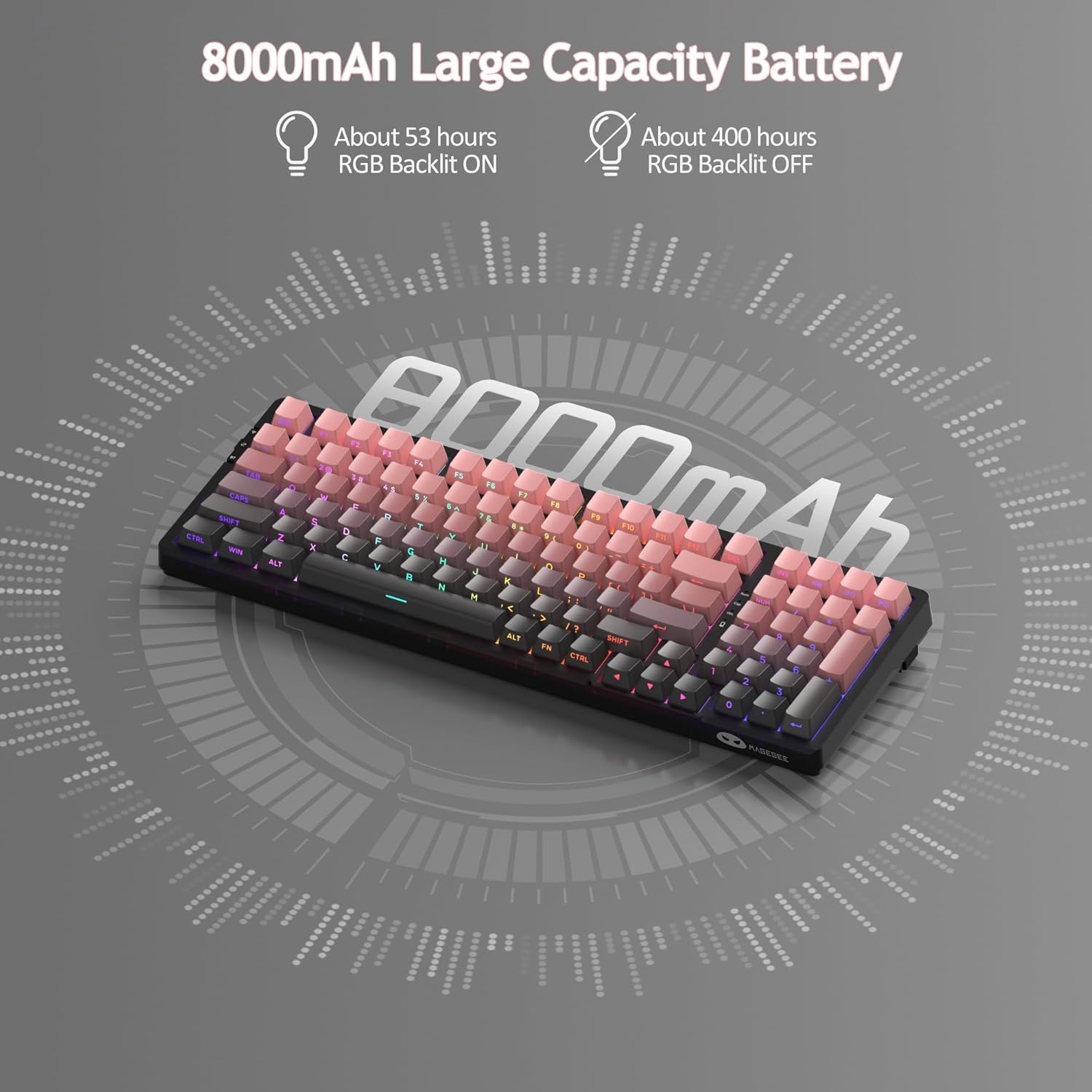
Rysunek 6: Szczegóły akumulatora o dużej pojemności 8000 mAh.
4.3 Oficjalny film o produkcie
Wideo 1: Oficjalna klawiatura bezprzewodowa MageGee LIGHT100 z kremową uszczelkąview. W tym filmie zaprezentowano funkcje klawiatury, w tym łączność trójmodową, konstrukcję uszczelki i podświetlenie RGB.
5. Konserwacja
5.1 Przełączniki z możliwością wymiany na gorąco
Klawiatura MageGee LIGHT100 jest wyposażona w przełączniki z funkcją hot-swap, co pozwala na łatwą wymianę poszczególnych przełączników bez lutowania. Zapewnia to elastyczność w zakresie personalizacji i napraw. Klawiatura obsługuje przełączniki 3- i 5-pinowe.

Rysunek 7: Mechanizm przełącznika z możliwością wymiany na gorąco.
5.2 Nakładki na klawisze PBT
Klawiatura jest wyposażona w trwałe nakładki na klawisze z tworzywa PBT, znane ze swojej odporności na połysk i zużycie z upływem czasu. Unikalne, boczne napisy zapewniają trwałość i estetyczny wygląd. Aby wyczyścić nakładki, delikatnie przetrzyj je miękką, miękką szmatką.amp ściereczką. Aby dokładniej wyczyścić, możesz użyć dołączonego ściągacza do klawiszy, aby je zdjąć i wyczyścić pojedynczo.

Rysunek 8: Zdejmowane nakładki na klawisze PBT umożliwiające łatwe czyszczenie i personalizację.
6. Rozwiązywanie Problemów
Jeśli napotkasz jakiekolwiek problemy z klawiaturą MageGee LIGHT100, wypróbuj poniższe typowe czynności rozwiązywania problemów:
- Problemy z łącznością: Upewnij się, że klawiatura jest w odpowiednim trybie (przewodowym, 2.4 GHz lub Bluetooth) dla wybranego typu połączenia. W przypadku trybu bezprzewodowego sprawdź poziom naładowania baterii. W przypadku Bluetooth upewnij się, że Bluetooth w urządzeniu jest włączony i spróbuj ponownie sparować.
- Klawisze nie reagują: Sprawdź, czy klawiatura jest prawidłowo podłączona. Jeśli pracuje w trybie bezprzewodowym, upewnij się, że jest naładowana. Jeśli poszczególne klawisze nie reagują, przełącznik może być uszkodzony i należy go wymienić ze względu na możliwość wymiany bez wyłączania urządzenia.
- Problemy z podświetleniem: Sprawdź, czy podświetlenie jest włączone za pomocą Fn + Enter. Dostosuj jasność za pomocą Fn + ↑/↓.
- Opóźnienie: W przypadku połączeń bezprzewodowych spróbuj zbliżyć się do odbiornika lub urządzenia. Upewnij się, że nie występują silne zakłócenia ze strony innych urządzeń bezprzewodowych.
Aby uzyskać dalszą pomoc, zapoznaj się z informacjami pomocniczymi zawartymi w rozdziale 8.
7. Specyfikacje
| Marka | MageGee |
| Numer modelu | Róża - 8000mAh |
| Technologia łączności | USB-C, 2.4 GHz, Bluetooth 5.0 |
| Opis klawiatury | Ergonomiczny, Mechaniczny |
| Liczba kluczy | 99 (96% układu) |
| Podświetlenie | RGB (16.8 milionów kolorów) |
| Typ przełącznika | Liniowy (przełącznik Blue Whale) |
| Pojemność baterii | 8000mAh |
| Waga przedmiotu | 2.97 funta |
| Wymiary opakowania | 16.85 x 8.78 x 2.44 cala |
| Kompatybilne urządzenia | Komputery, laptopy, tablety, smartfony (systemy Win/Mac Dual) |
8. Gwarancja i wsparcie
Produkty MageGee objęte są ograniczoną gwarancją. Aby uzyskać szczegółowe informacje o gwarancji, pomocy technicznej lub skontaktować się z obsługą klienta, odwiedź oficjalną stronę MageGee. weblub zapoznaj się z kartą gwarancyjną dołączoną do opakowania produktu. Zachowaj dowód zakupu na wypadek roszczeń gwarancyjnych.
Oficjalny sklep MageGee: Odwiedź sklep MageGee na Amazon