
1. Koniec produktuview
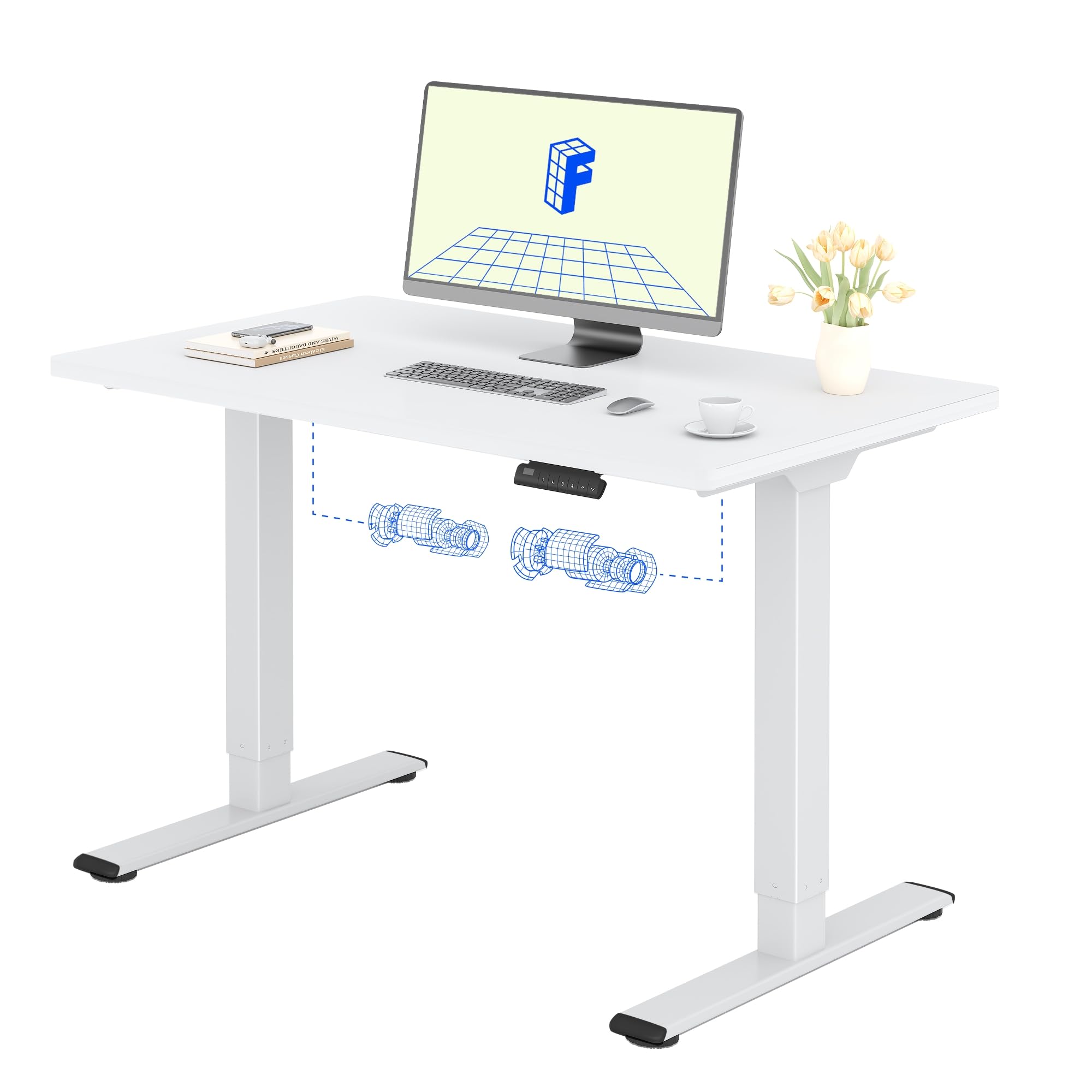
The FLEXISPOT Electric Standing Desk QB2 SET is designed to provide a stable and efficient workspace with adjustable height capabilities. This desk features a robust dual-motor system and an intelligent control panel for ease of use.
Główne cechy:
- Mocne dwa silniki: Ensures greater stability and efficiency, with a maximum speed of up to 25 mm/s.
- Stabilne wsparcie: Static load capacity of 120 kg and dynamic load capacity of 100 kg, providing secure support for various office equipment.
- Inteligentny panel sterowania: Features four memory functions for easy height adjustment and an anti-collision system for safety.
- Regulowana wysokość: The desk height can be adjusted from 70 cm to 119 cm to suit different user requirements and work preferences.
- One-Piece Tabletop: A seamless 120x60cm tabletop for a clean and modern aesthetic.

2. Informacje dotyczące bezpieczeństwa
Przed montażem i użyciem należy przeczytać i zrozumieć wszystkie instrukcje bezpieczeństwa, aby zapobiec obrażeniom ciała lub uszkodzeniu produktu.
- Do not exceed the maximum allowed weight of 70 kg (moving) or 100 kg (statyczne)Przeciążenie może powodować niestabilność i uszkodzenia.
- Pay close attention to stability when adjusting the height. Ensure the desk is level and all items are securely placed.
- Be cautious of obstacles in the vicinity that could cause a collision during height adjustment. The desk is equipped with an anti-collision system, but manual vigilance is always recommended.
- Aby zapobiec wypadkom, trzymaj dzieci i zwierzęta domowe z dala od biurka podczas pracy.
- Ensure all cables are properly managed and secured to avoid entanglement or damage during movement.

3. Instalacja i montaż
The FLEXISPOT Electric Standing Desk is designed for straightforward assembly. An instruction manual is included with your purchase. It is recommended that dwie osoby assemble the desk to ensure safety and ease.
Wskazówki dotyczące montażu:
- Przeczytaj instrukcję: Dokładnie ponownieview the included assembly instructions before starting.
- Narzędzia: All necessary tools are typically included. A small electric screwdriver can speed up the process, but is not essential. You may need a pencil and a wood drill bit for minor pilot holes.
- Rozpakowywanie: The desk is shipped in two separate packages for maximum protection: one for the desktop and one for the frame. Ensure both packages have arrived before beginning assembly.
- Czas: Assembly typically takes around 1 hour for one person, taking their time.


4. Instrukcja obsługi
The FLEXISPOT Electric Standing Desk offers intuitive controls for adjusting its height and saving preferred positions.
Funkcje panelu sterowania:
- Przyciski w górę/w dół: Use the up (▲) and down (▼) arrows to manually adjust the desk height.
- Ustawienia pamięci (1, 2, 3, 4): The control panel allows you to save up to four preferred height settings. To save a height: adjust the desk to your desired height, then press and hold one of the memory buttons (1-4) until you hear a beep or see the display flash, indicating the height is saved.
- Wyświetlacz LED: Pokazuje aktualną wysokość biurka w centymetrach.
- System zapobiegający kolizjom: This safety feature automatically stops and slightly reverses the desk's movement if it encounters an obstacle during height adjustment.
Zakres regulacji wysokości:
Biurko można regulować od minimalnej wysokości 70 cm do maksymalnej wysokości 119 cm.


5. Konserwacja
Proper maintenance ensures the longevity and optimal performance of your FLEXISPOT Electric Standing Desk.
Czyszczenie:
- The desk surface and frame are easy to clean. Use a dry or damp płótno to wipe away dust and spills.
- Unikaj stosowania silnych środków chemicznych i ściernych środków czyszczących, gdyż mogą one uszkodzić powłokę.
Opieka ogólna:
- Regularly check all screws and fasteners to ensure they are tight. Retighten if necessary.
- Keep the area around the desk clear to allow for smooth height adjustments and to prevent the anti-collision system from being triggered unnecessarily.
- Do not place excessively heavy objects on the desk, especially when moving, to avoid straining the motors.
6. Rozwiązywanie Problemów
If you encounter any issues with your FLEXISPOT Electric Standing Desk, refer to the following common troubleshooting steps.
Typowe problemy i rozwiązania:
- Desk Not Moving / No Power:
- Sprawdź, czy kabel zasilający jest prawidłowo podłączony do biurka i gniazdka ściennego.
- Upewnij się, że gniazdko ścienne działa prawidłowo, podłączając do niego inne urządzenie.
- Desk Wobbles at High Height:
- Sprawdź, czy wszystkie śruby montażowe są dokręcone.
- Verify that the desk is on a level surface. Adjust the leveling feet if necessary.
- Distribute weight evenly on the desktop.
- Kod błędu na wyświetlaczu:
- Refer to the detailed troubleshooting section in the included physical manual for specific error codes and their solutions.
- Often, a simple reset can resolve minor errors. To perform a reset, unplug the desk for 10-15 seconds, then plug it back in.
- Częste uruchamianie się systemu antykolizyjnego:
- Ensure there are no obstructions under or above the desk during movement.
- Check if any cables are interfering with the desk's movement.
If these steps do not resolve the issue, please contact FLEXISPOT customer support for further assistance.
7. Specyfikacje produktu
| Funkcja | Szczegół |
|---|---|
| Marka | ELASTYCZNI |
| Numer modelu | QB2 SET |
| GTIN/UPC | 840460406635 |
| Projekt biurka | Biurko stojące |
| Kształt | Prostokątny |
| Wymiary produktu (Gł. x Szer. x Wys.) | 60P x 120l x 73H cm (60D x 120W x 73H cm) |
| Rozmiar blatu stołu | Wymiary: 120x60 cm |
| Grubość blatu | 1.5 cm |
| Kolor | Biała rama + biały top |
| Styl | Nowoczesny |
| Materiał bazowy | Stal stopowa |
| Najlepszy rodzaj materiału | Drewno |
| Rodzaj wykończenia | Laser, Powder Coated |
| Cechy specjalne | Ergonomic, Height Adjustable, Memory Presets, Anti-collision |
| Waga przedmiotu | 30 kilograma |
| Minimalna wysokość | 70 cm |
| Maksymalna wysokość | 119 cm |
| Mechanizm podnoszący | Elektryczny (podwójny silnik) |
| Zalecana ładowność | 100 kilograma |
| Zalecane osoby do Zgromadzenia | 2 |
| Instrukcja montażu | Dołączony |
| Zawarte komponenty | Height adjustment mechanism, keyboard drawer (if applicable) |
| Typ pokoju | Biuro |
| Zalecane zastosowania | Work, Home, Office, Gaming |

8. Informacje o gwarancji
FLEXISPOT provides a limited warranty for the Electric Standing Desk QB2 SET.
- 5-letnia gwarancja: Covers the frame, motors, and other mechanical components.
- 2-letnia gwarancja: Covers the controller, switch, and electronic components.
For detailed warranty terms and conditions, please refer to the warranty card included with your product or visit the official FLEXISPOT webstrona.
9. Obsługa klienta
Should you require assistance with your FLEXISPOT Electric Standing Desk, please utilize the following resources:
- Sklep internetowy: Visit the official FLEXISPOT store on Amazon for product information and FAQs: FLEXISPOT Amazon Store
- Skontaktuj się z obsługą klienta: For technical support, warranty claims, or any other inquiries, please contact FLEXISPOT customer service directly. Contact details can typically be found on the official FLEXISPOT webstronie lub w dokumentacji produktu.
- Zwroty: If you are not satisfied with your purchase, you may be eligible for a return within 30 days. Please refer to the return policy of your retailer or contact customer service for details.