
LIECTROUX YW509
Instrukcja obsługi robota myjącego okna LIECTROUX YW509
Brand: LIECTROUX | Model: YW509
Wstęp
This manual provides detailed instructions for the safe and efficient operation, maintenance, and troubleshooting of your LIECTROUX YW509 Robot Window Cleaner. Please read this manual thoroughly before using the device and keep it for future reference.
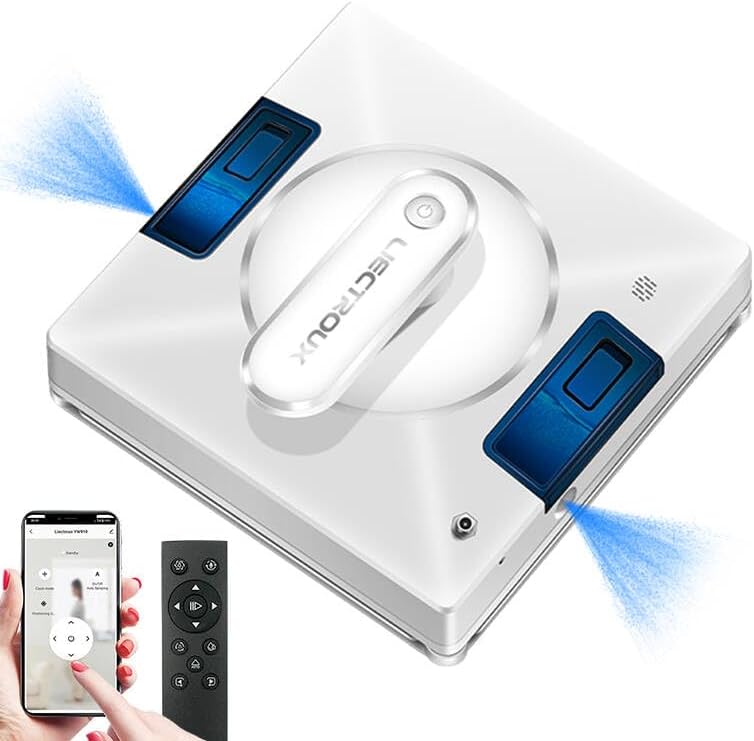
Figure 1: LIECTROUX YW509 Robot Window Cleaner overview.
Ważne instrukcje bezpieczeństwa
Always adhere to the following safety guidelines to prevent injury or damage to the device.
- Ensure the safety rope is securely fastened before each use, especially when cleaning high-rise windows. The device is equipped with a 4m professional safety rope.
- The robot must be connected to a power source during operation. The built-in UPS battery provides approximately 25 minutes of backup power in case of power failure, preventing the robot from falling.
- Nie należy używać robota na pękniętych lub uszkodzonych powierzchniach szklanych.
- Trzymaj ręce, włosy i luźną odzież z dala od ruchomych części.
- Nie zanurzaj urządzenia w wodzie ani innych płynach.
- Supervise children and pets when the robot is in operation.

Figure 2: Safety features including strong suction and safety rope attachment.
Konfiguracja i przygotowanie
Zawartość opakowania
Sprawdź, czy w opakowaniu znajdują się wszystkie elementy:
- LIECTROUX YW509 Robot Window Cleaner
- Zdalne sterowanie
- Power Adapter and Cord (5.2m)
- Safety Rope (4m)
- Microfiber Cleaning Cloths (2 included)
- Water Bottle (for filling tank)
- Instrukcja obsługi
Konfiguracja początkowa
- Naładuj baterię: Although the robot operates while plugged in, ensure the internal UPS battery is charged for emergency power backup. Connect the power adapter to the robot and a power outlet.
- Zamocuj linę bezpieczeństwa: Securely attach the safety rope to the designated anchor point on the robot and to a sturdy object indoors.
- Install Cleaning Cloths: Attach the microfiber cleaning cloths to the cleaning pads on the bottom of the robot. Ensure they are properly aligned and secured.
- Napełnij zbiornik na wodę: Open the water tank cap and fill with clean water or a suitable window cleaning solution. The robot features built-in large capacity water tanks.
- Włączanie: Connect the power cord to the robot and a power outlet. Press the power button on the robot or remote control to turn it on.
Instrukcja obsługi
Placing the Robot
Place the robot on the glass surface, ensuring it is flat against the surface. The strong suction power (3000PA) will hold it in place.
Tryby czyszczenia
The LIECTROUX YW509 offers three automatic cleaning modes and manual control via remote or app:
- N Path: Cleans in an N-shaped pattern, suitable for tall and narrow windows.
- Z Path: Cleans in a Z-shaped pattern, suitable for wide and short windows.
- N+Z Path: Combines both N and Z patterns for comprehensive cleaning, ideal for large windows.

Figure 3: Available cleaning modes for optimal coverage.
Funkcja rozpylania wody
The robot features dual nozzles that spray water in two directions, ensuring effective cleaning. This function can be activated automatically or manually via the remote control or app.
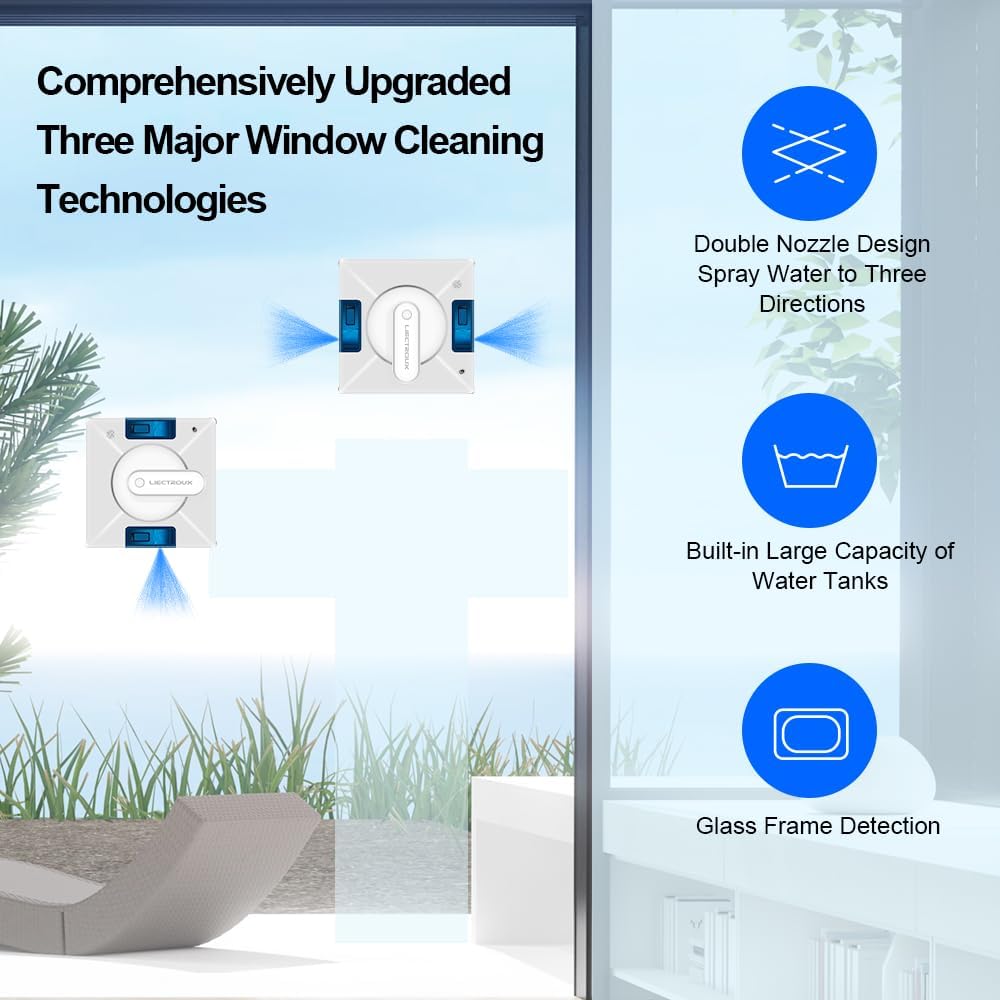
Figure 4: Advanced window cleaning technologies including dual nozzle spray.
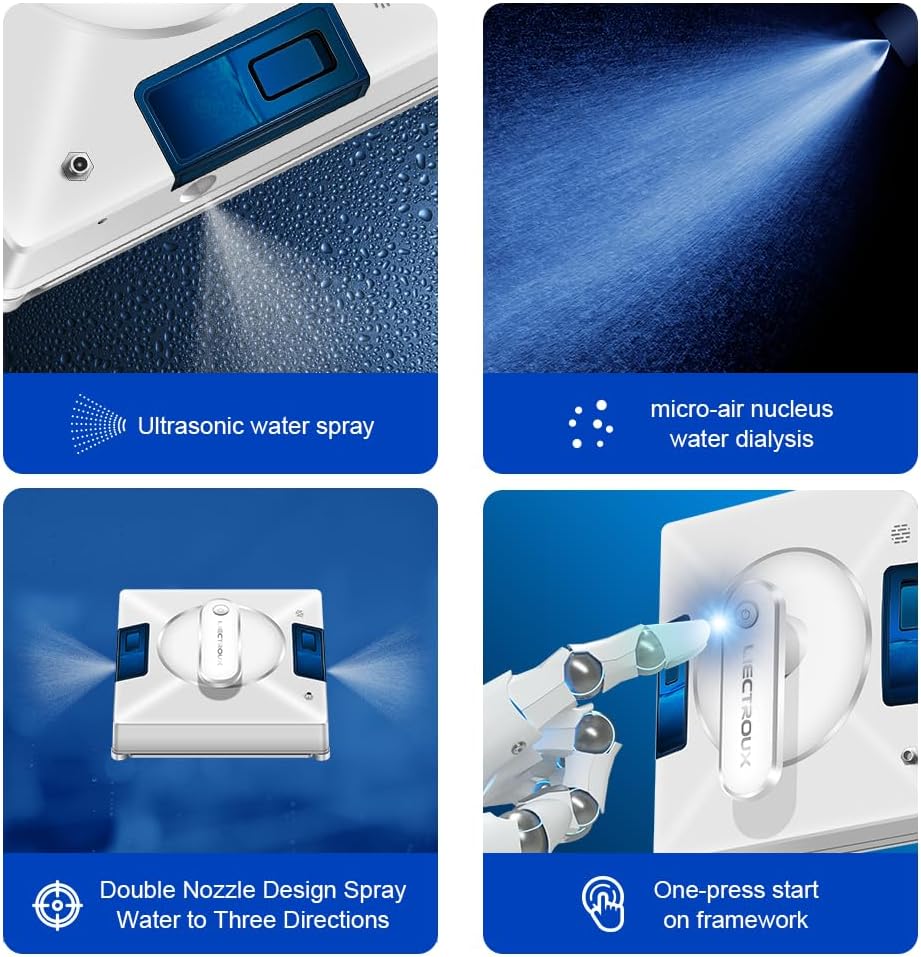
Rysunek 5: Szczegółowy view of the robot's spraying and operational features.
Rozpoczęcie i zatrzymanie pracy
- Start: Press the 'Start' button on the remote control or within the smartphone application. The robot will automatically detect window frames and obstacles, adjusting its path.
- Wstrzymaj/Zatrzymaj: Press the 'Pause' or 'Stop' button on the remote control or app to halt operation.
- Sterowanie ręczne: Use the directional arrows on the remote control or app for manual navigation.
Zgodność powierzchni
The LIECTROUX YW509 is designed for various smooth surfaces, including:
- Glass (windows, glass doors, shower screens)
- Płytki
- Marmurowe ściany
- Wooden/tile surfaces (smooth)
- Linoleum, Vinyl, Concrete (smooth)

Figure 6: Versatile application across different smooth surfaces.
Konserwacja
Czyszczenie robota
- Ściereczki z mikrofibry: After each use, remove and wash the microfiber cleaning cloths. They are reusable.
- Ciało robota: Wipe the robot's exterior with a soft, dry cloth. Do not use abrasive cleaners or immerse the robot in water.
- Czujniki: Periodically clean the sensors located on the edges of the robot to ensure accurate frame detection and obstacle avoidance.
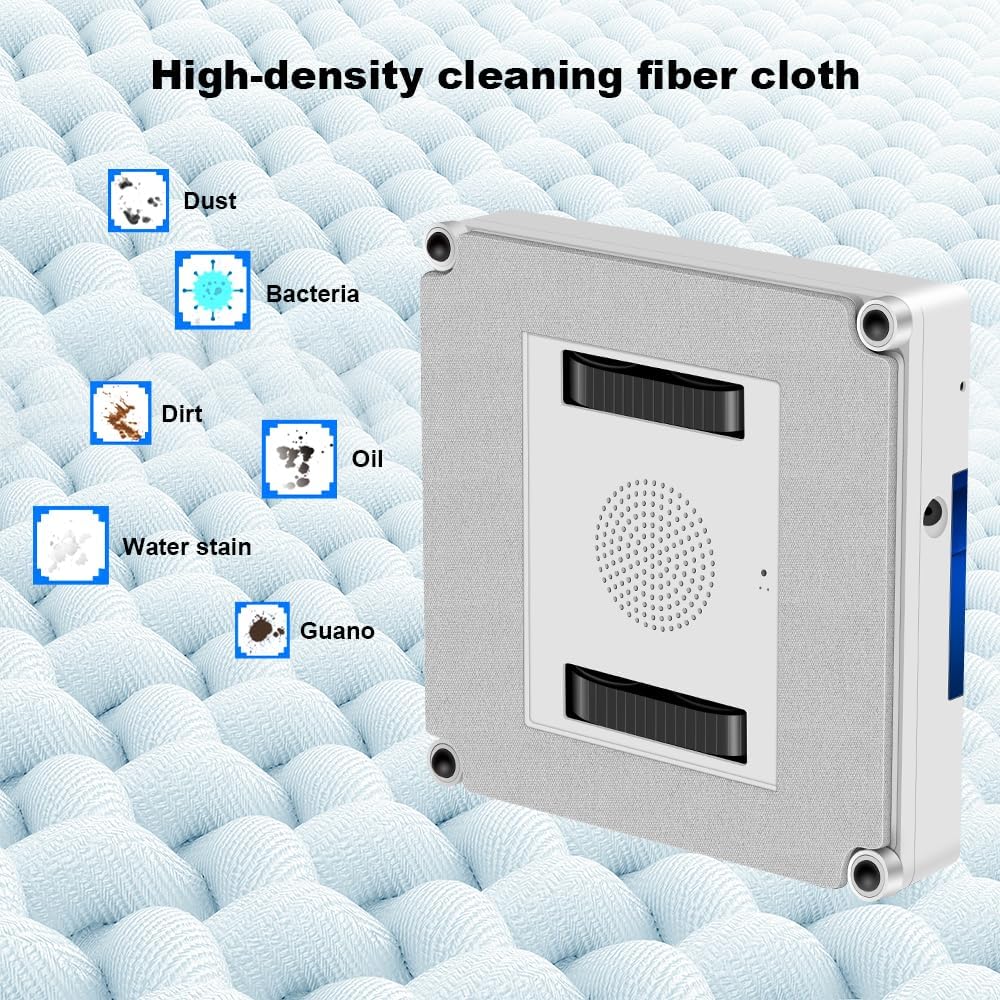
Figure 7: High-density microfiber cleaning cloth for effective dirt removal.
Zbiornik na wodę
Empty any remaining water from the tank after use. Refill with fresh water or cleaning solution before each new cleaning session.
Rozwiązywanie problemów
| Problem | Możliwa przyczyna | Rozwiązanie |
|---|---|---|
| Robot not sticking to glass. | Niewystarczająca siła ssania, brudne nakładki czyszczące, nierówna powierzchnia. | Ensure power cord is securely connected. Clean or replace cleaning pads. Ensure surface is smooth and clean. |
| Robot zatrzymuje się niespodziewanie. | Power disconnected; low UPS battery; obstacle detected. | Check power connection. Allow UPS battery to charge. Clear any obstacles. |
| Słaba skuteczność czyszczenia. | Dirty cleaning cloths; empty water tank; incorrect cleaning mode. | Replace or wash cleaning cloths. Refill water tank. Select appropriate cleaning mode for the window size. |
| Robot is noisy. | Normal operation sound; loose parts. | Some noise is normal due to the suction motor. Check for any loose components. |
Specyfikacje
| Funkcja | Szczegół |
|---|---|
| Marka | LIECTROUX |
| Nazwa modelu | YW509 |
| Kolor | Biały |
| Tworzywo | ABS |
| Wymiary produktu | 21.5 dł. x 21.5 szer. x 6.5 wys. cm |
| Waga przedmiotu | 4 kilograma |
| Moc ssania | 3000Pa |
| Źródło zasilania | Elektryczny przewodowy |
| Typ kontrolera | Sterowanie aplikacją, sterowanie przyciskami, sterowanie zdalne |
| Funkcja specjalna | Fall Protection (UPS battery, safety rope) |
| Zalecana powierzchnia | Marble, Laminate, Linoleum, Glass, Tile, Wood, Vinyl, Concrete |
Gwarancja i wsparcie
For warranty information and technical support, please refer to the documentation included with your product or contact the seller directly. The product is sold by LIECTROUX ROBOTICS SA.
Return Policy: The buybox winner indicates a return policy with a duration of 30 days for refund/replacement.
For further assistance, you may visit the official LIECTROUX webwitryny lub skontaktuj się z obsługą klienta.
Filmy o produktach
W dostępnych danych przeznaczonych do umieszczenia w niniejszej instrukcji nie umieszczono żadnych oficjalnych filmów wideo produktu pochodzących od sprzedawcy.
Ask a question about this manual
Ask about setup, troubleshooting, compatibility, parts, safety, or missing instructions. Manuals+ will review the question and use this page’s manual context to help answer it.