
1. Wprowadzenie
Thank you for choosing the Kipcush D2 Portable White Noise Sound Machine. This device is designed to enhance your sleep and relaxation experience with a variety of soothing sounds, breathing exercises, and smart alarm clock features. Please read this manual thoroughly to understand how to operate your device safely and effectively.

Image: Kipcush D2 Portable White Noise Sound Machine, gray model.
2. Ważne informacje dotyczące bezpieczeństwa
- Nie wystawiaj urządzenia na działanie wody ani nadmiernej wilgoci.
- Trzymaj urządzenie z dala od źródeł ciepła i bezpośredniego światła słonecznego.
- Use only the provided USB-C charging cable. A power adapter is not included to reduce environmental waste.
- Nie próbuj samodzielnie demontować ani naprawiać urządzenia. Skontaktuj się z obsługą klienta, aby uzyskać pomoc.
- Przechowywać w miejscu niedostępnym dla dzieci i zwierząt domowych.
3. Zawartość opakowania
- Kipcush D2 przenośna maszyna do wytwarzania białego szumu
- Kabel ładujący USB-C
- Instrukcja obsługi
4. Konfiguracja
4.1. Ładowanie urządzenia
Before first use, fully charge the device using the provided USB-C cable. Connect the USB-C cable to the charging port on the device and the other end to a compatible USB power adapter (not included) or a computer USB port. The battery indicator on the screen will show charging status.

Image: Kipcush D2 on a nightstand, illustrating its rechargeable battery feature.
4.2. Pierwsze włączenie zasilania
Press and hold the power button located on the side of the device until the screen illuminates. The device will boot up and display the main interface.
4.3. Ustawianie daty i godziny
Upon first power-on or after a factory reset, you may need to set the date and time. Navigate to the 'Settings' menu on the touch screen and select 'Date & Time'. You can choose to set it manually or connect to Wi-Fi for automatic synchronization.
4.4. Customizing Clock Display
The Kipcush D2 offers various clock display styles. From the main clock screen, swipe left or right on the touch screen to browse and select your preferred clock face.

Image: Kipcush D2 showing different customizable clock dials.
5. Instrukcja obsługi
5.1. Nawigacja po ekranie dotykowym
The Kipcush D2 features an intuitive color LCD touch screen. Tap icons to select functions, swipe to navigate through lists or clock faces, and use the back arrow icon to return to the previous screen.

Image: Close-up of the Kipcush D2's intelligent touch screen interface.
5.2. Selecting Sleep Sounds
The device offers 24 scientifically researched sleep sounds, including white noises, ambient noises, sounds of nature, and lullabies. From the main menu, tap the 'White Noises' icon or other sound categories to browse and select your desired sound. Tap a sound to play it.
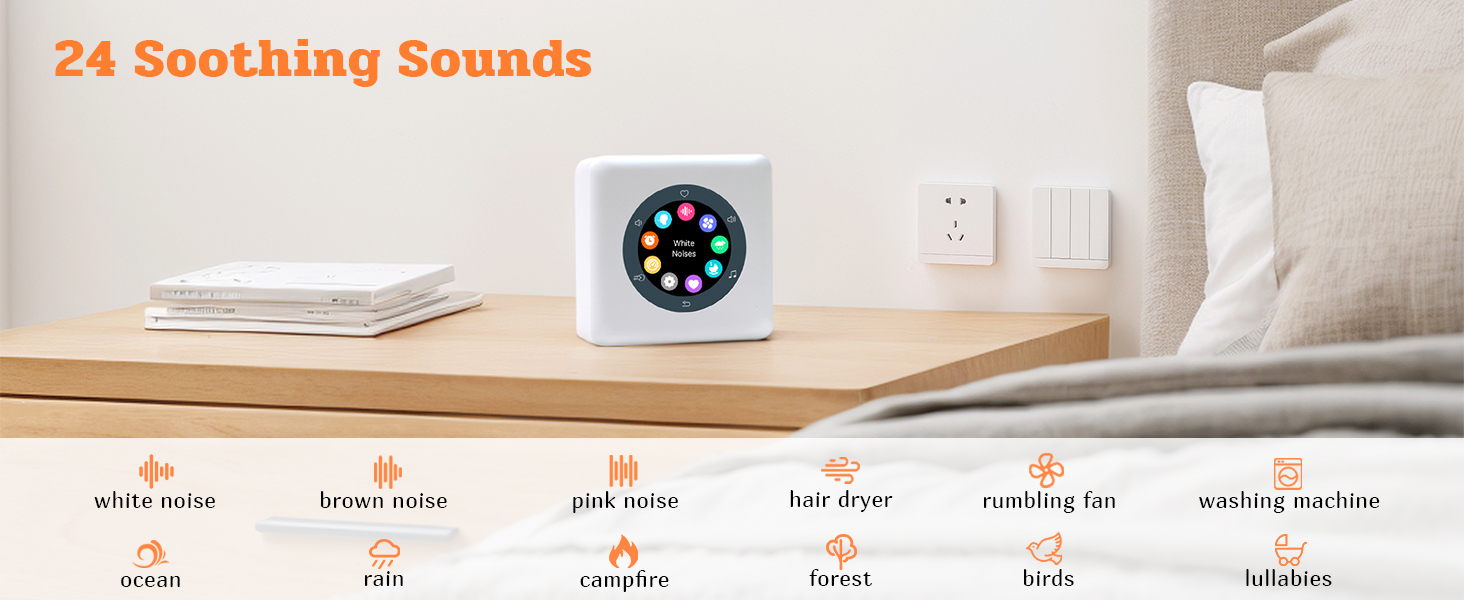
Image: Kipcush D2 displaying sound selection options on its touch screen.

Image: Kipcush D2 showcasing its 24 soothing sound options.
Video: This video demonstrates the Kipcush D2 Portable White Noise Sound Machine's various features, including sound selection, alarm clock settings, and overall user interface navigation.
5.3. Using the Favorites Feature
While a sound is playing, tap the heart-shaped button on the screen to add it to your favorites. To access your saved sounds, navigate to the 'Favorites' menu. This allows for quick and easy playback of your preferred sounds.
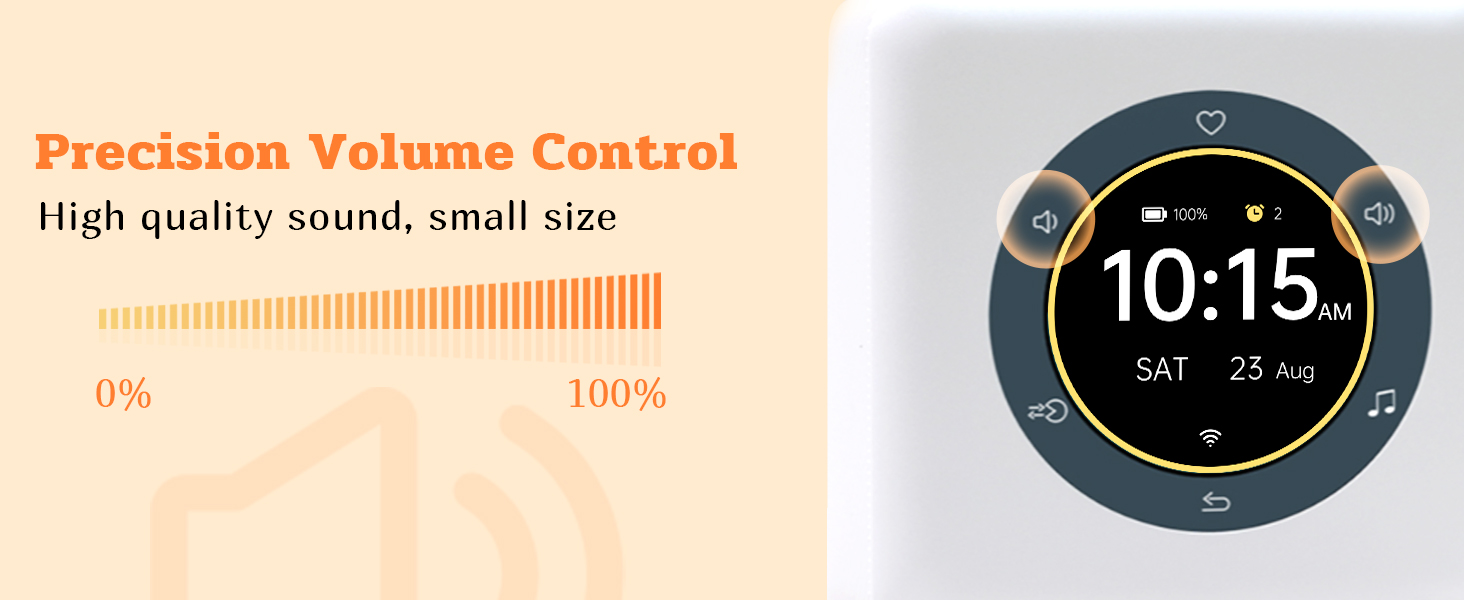
Image: Kipcush D2 displaying the favorites menu on its touch screen.
5.4. Regulacja głośności
Use the volume up and down icons on the screen to precisely adjust the sound level from 0% to 100%. The device offers high-quality sound output.
Image: Kipcush D2 showing its precision volume control interface.
5.5. Ćwiczenia oddechowe
The Kipcush D2 includes a professional breath training function with 5 different modes (e.g., Sleep pattern 4-7-8, Stress pattern 3-4-5, Calm pattern 4-6, Mind & Body pattern 4-4, Relax pattern 4-4). Navigate to the 'Breath Training' menu, select a mode, and follow the on-screen visual and audio guidance to achieve relaxation.

Image: Person meditating with the Kipcush D2, demonstrating the breath training function.
Video: This video illustrates the Kipcush D2 Portable White Noise Sound Machine's integrated breathing training function, showing how to select and use different breathing patterns for relaxation.
5.6. Ustawianie alarmów
Access the 'Alarms' menu to set multiple alarms. You can customize the alarm time, choose from various alarm sounds, set repeat days, and configure snooze time and count.
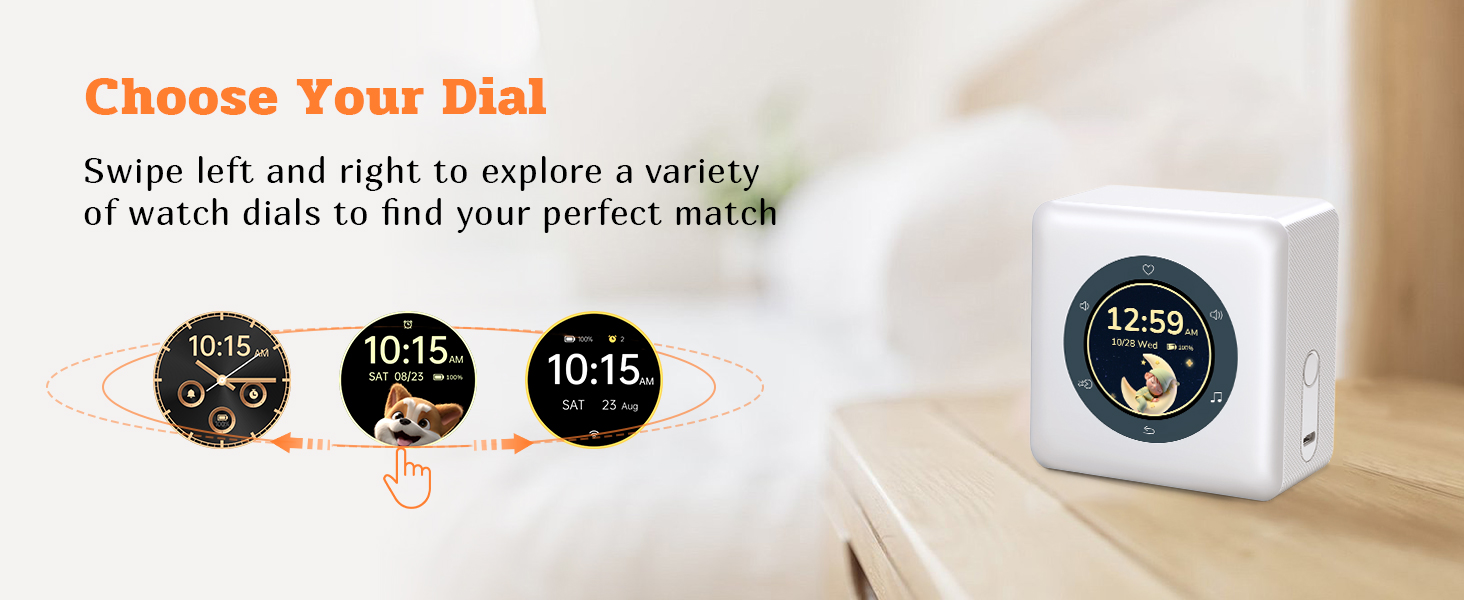
Image: Kipcush D2 displaying alarm settings on its touch screen.
5.7. Ustawianie timerów
The 'Timers' menu allows you to set countdown timers for various durations. This is useful for short relaxation sessions or as a reminder.
5.8. Funkcja drzemki
When an alarm sounds, you can activate the snooze function by simply flipping the device over. This will pause the alarm for the set snooze duration.

Image: Kipcush D2 demonstrating the 'Flip to Snooze' feature.
6. Konserwacja
- Czyść urządzenie miękką, suchą ściereczką. Nie używaj środków czyszczących o właściwościach ściernych ani rozpuszczalników.
- Upewnij się, że port ładowania jest wolny od kurzu i zanieczyszczeń.
- Przechowuj urządzenie w chłodnym i suchym miejscu, jeśli nie będziesz go używać przez dłuższy czas.
7. Rozwiązywanie Problemów
| Problem | Rozwiązanie |
|---|---|
| Urządzenie nie włącza się. | Upewnij się, że urządzenie jest w pełni naładowane. Podłącz je do źródła zasilania za pomocą kabla USB-C. |
| Brak dźwięku. | Check the volume level. Ensure a sound is selected and playing. |
| Ekran dotykowy nie reaguje. | Restart the device by holding the power button. If the issue persists, contact customer support. |
| Alarm nie działa. | Verify alarm settings (time, days, sound, volume). Ensure the alarm is enabled. |
8. Specyfikacje
| Funkcja | Szczegół |
|---|---|
| Marka | Kipkusz |
| Numer modelu | D2 |
| Kolor | Szary |
| Typ wyświetlacza | Intelligent Color LCD Touch Screen |
| Wymiary produktu | 1"W x 1"H (Note: This seems to be a placeholder, actual dimensions might vary) |
| Źródło zasilania | Zasilanie bateryjne (ładowalne) |
| Tworzywo | Polipropylen (PP) |
| Waga przedmiotu | 0.47 kilograma |
| Budzik | Tak |
| Ćwiczenia oddechowe | Tak (5 tryby) |
| Uspokajające dźwięki | 24 (White Noises, Ambient Noises, Sounds of Nature, Lullabies) |
9. Gwarancja i wsparcie
Kipcush products come with a lifelong warranty. If you have any questions, encounter issues, or require assistance with your Kipcush D2 Portable White Noise Sound Machine, please contact our customer support team. We are committed to providing support and ensuring your satisfaction.
For support, please visit the Kipcush store on Amazon or refer to the contact information provided with your purchase.