
1. Wprowadzenie
This manual provides detailed instructions for the proper use, setup, operation, and maintenance of your EBTOOLS Bluetooth Headset. Please read this manual thoroughly before using the product to ensure optimal performance and longevity.
2. Koniec produktuview
2.1 Główne cechy
- Obrotowy mikrofon: Easily adjust the microphone to the optimal angle for clear voice capture.
- Technologia Bluetooth 5.0: Ensures faster, more efficient, and stable wireless connectivity with compatible devices.
- Wygodny projekt: Single-ear design with padded ear cushion and flexible headband for extended wear without discomfort.
- Długa żywotność baterii: Up to 17 hours of talk time and 200 hours of standby time on a 2-hour charge.
- Uniwersalna kompatybilność: Works with laptops, cell phones, PCs, tablets, and other Bluetooth-enabled devices. Ideal for office, home, remote work, call centers, VoIP, and Skype.
2.2 Zawartość opakowania
Sprawdź, czy w przesyłce znajdują się wszystkie elementy:
- EBTOOLS Bluetooth Headset
- Baza ładująca
- Kabel ładujący Micro USB
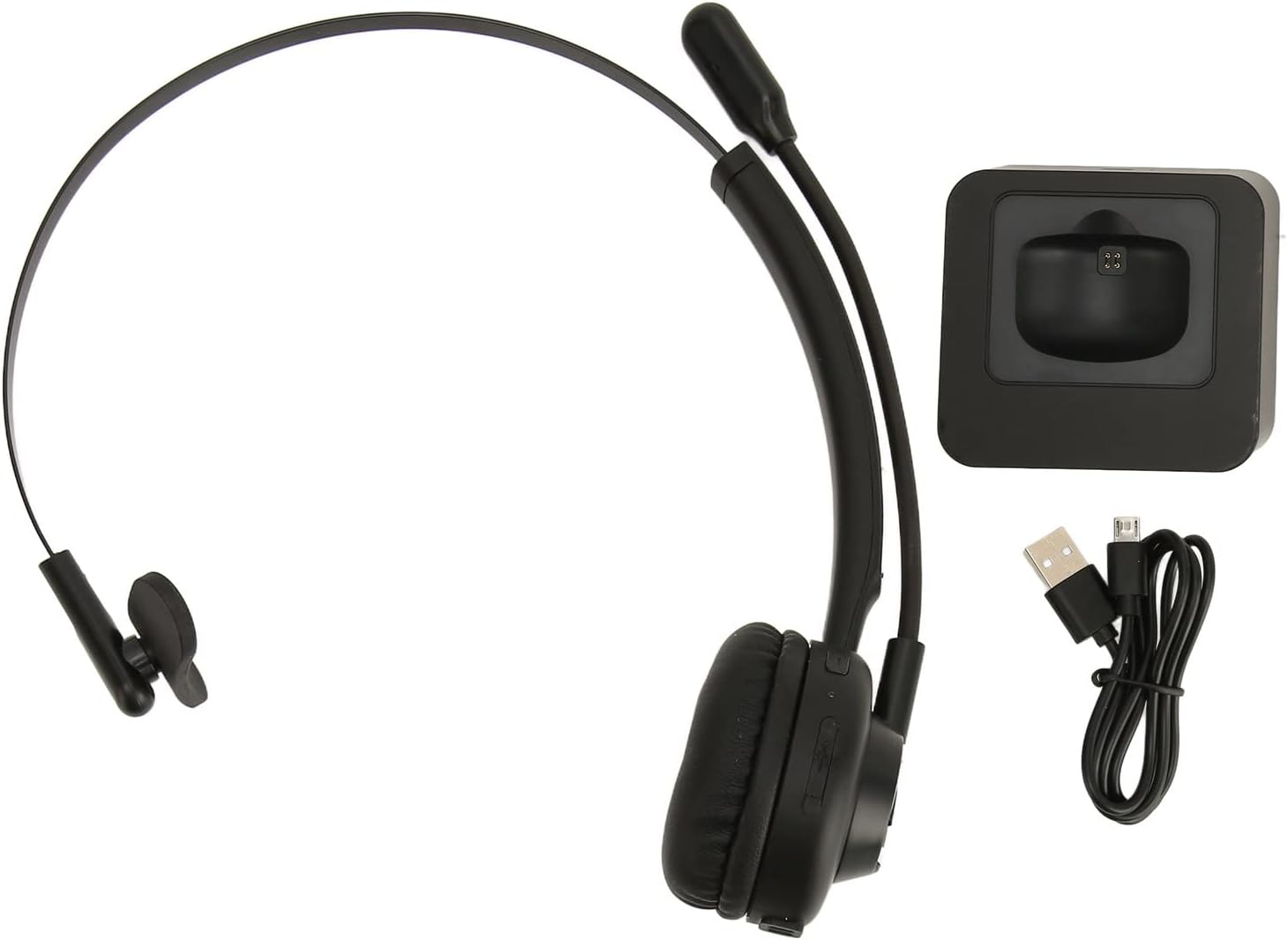
Image: The EBTOOLS Bluetooth Headset, its dedicated charging base, and a Micro USB charging cable, illustrating the complete package contents.
2.3 Headset Controls and Indicators

Image: A detailed diagram highlighting the Micro USB port, LED indicator, Volume Down button, Multifunctional button, and Volume Up button on the EBTOOLS Bluetooth Headset.
- Port micro USB: Do bezpośredniego ładowania zestawu słuchawkowego.
- Wskaźnik LED: Wyświetla stan zasilania, ładowania i parowania.
- Głośność - Przycisk: Zmniejsza głośność dźwięku.
- Przycisk wielofunkcyjny: Controls power, pairing, call answer/end, and music playback.
- Głośność + przycisk: Zwiększa głośność dźwięku.
3. Konfiguracja
3.1 Ładowanie zestawu słuchawkowego
Before first use, fully charge the headset. You can charge it using the included charging base or directly via the Micro USB port.
- Connect the Micro USB cable to the charging base and a power source (e.g., computer USB port, USB wall adapter).
- Place the headset onto the charging base, ensuring the charging contacts align. The LED indicator on the headset will show charging status.
- Alternatively, connect the Micro USB cable directly to the headset's Micro USB port and a power source.
- A full charge typically takes approximately 2 hours. The LED indicator will change color or turn off once fully charged.

Obraz: Zbliżenie view of the headset's earcup, showing the charging contacts designed to connect with the charging base.
3.2 Parowanie z urządzeniem Bluetooth
Aby podłączyć zestaw słuchawkowy do urządzenia:
- Upewnij się, że zestaw słuchawkowy jest wyłączony.
- Naciśnij i przytrzymaj Przycisk wielofunkcyjny for approximately 5-7 seconds until the LED indicator flashes red and blue alternately, indicating pairing mode.
- Włącz Bluetooth na swoim urządzeniu (telefonie, komputerze, tablecie) i wyszukaj nowe urządzenia.
- Select "EBTOOLS Headset" (or similar name) from the list of available devices.
- Once connected, the LED indicator on the headset will typically flash blue slowly or turn solid blue.
- Jeśli zostaniesz poproszony o podanie hasła, wpisz „0000”.
3.3. Noszenie zestawu słuchawkowego
The headset is designed for comfort and flexibility.
- Adjust the flexible headband to fit comfortably over your head.
- The single ear design allows you to remain aware of your surroundings.
- Rotate the microphone boom to position it close to your mouth for optimal voice clarity. The microphone can be rotated 180 degrees to be worn on either the left or right ear.

Image: A person wearing the EBTOOLS Bluetooth Headset, demonstrating the comfortable fit and the adjustable, rotatable microphone positioned for clear communication.
4. Instrukcja obsługi
4.1 Włączanie/wyłączanie zasilania
- Włączanie: Naciśnij i przytrzymaj Przycisk wielofunkcyjny for approximately 3 seconds until the LED indicator flashes blue.
- Wyłączone: Naciśnij i przytrzymaj Przycisk wielofunkcyjny for approximately 3-5 seconds until the LED indicator flashes red and then turns off.
4.2 Regulacja głośności
- Naciśnij Przycisk głośności + to increase the listening volume.
- Naciśnij Głośność - Przycisk aby zmniejszyć głośność.
4.3 Zarządzanie połączeniami
- Odbierz połączenie: Naciśnij krótko Przycisk wielofunkcyjny when an incoming call rings.
- Zakończ połączenie: Naciśnij krótko Przycisk wielofunkcyjny podczas rozmowy telefonicznej.
- Odrzuć połączenie: Naciśnij i przytrzymaj Przycisk wielofunkcyjny for approximately 2 seconds when an incoming call rings.
- Ponowne wybieranie ostatniego numeru: Naciśnij dwukrotnie Przycisk wielofunkcyjny gdy nie prowadzisz rozmowy.
4.4 Music Playback (if supported by device)
- Odtwórz/Pauza: Naciśnij krótko Przycisk wielofunkcyjny.
- Następny utwór: Naciśnij i przytrzymaj Przycisk głośności +.
- Poprzedni utwór: Naciśnij i przytrzymaj Głośność - Przycisk.
4.5 Korzystanie z mikrofonu
The rotatable microphone ensures your voice is captured clearly.
- Adjust the microphone boom to be approximately 1-2 inches from your mouth.
- The microphone can be rotated 180 degrees to allow wearing the headset on either the left or right ear.

Obraz: Zbliżenie view of the EBTOOLS headset's flexible microphone boom, highlighting its design for optimal voice pickup.
5. Konserwacja
5.1 Czyszczenie
- Przetrzyj zestaw słuchawkowy miękką, suchą lub lekko wilgotną szmatką.amp płótno.
- Nie używaj ostrych środków chemicznych, rozpuszczalników czyszczących ani silnych detergentów.
- Unikaj dostania się wilgoci do otworów.
5.2 Pielęgnacja baterii
- Aby zachować sprawność baterii, ładuj zestaw słuchawkowy regularnie, nawet jeśli nie używasz go często.
- Unikaj częstego całkowitego rozładowywania akumulatora.
- Przechowuj zestaw słuchawkowy w chłodnym i suchym miejscu, chroniąc go przed ekstremalnymi temperaturami.
6. Rozwiązywanie Problemów
Jeśli masz problemy ze swoim zestawem słuchawkowym, zapoznaj się z poniższymi typowymi rozwiązaniami:
| Problem | Możliwe rozwiązanie |
|---|---|
| Zestaw słuchawkowy nie włącza się. | Ensure the headset is charged. Connect it to the charging base or directly via USB. |
| Nie można sparować z urządzeniem. | Ensure the headset is in pairing mode (LED flashing red/blue). Turn off and on your device's Bluetooth. Delete previous pairings on your device and try again. Ensure the headset is within range (typically 10 meters). |
| Brak dźwięku lub niski poziom głośności. | Increase volume on both the headset and your connected device. Ensure the headset is selected as the audio output device on your computer or phone. Re-pair the headset. |
| Mikrofon nie działa. | Ensure the microphone is positioned correctly. Check microphone settings on your connected device to ensure the headset is selected as the input device. |
| Przerywane połączenie. | Move closer to your connected device. Avoid obstacles between the headset and device. Reduce interference from other wireless devices. |
7. Specyfikacje
| Funkcja | Szczegół |
|---|---|
| Nazwa marki | EBTOOLS |
| Numer modelu | EBTOOLSrsgvuyg5fc |
| Technologia łączności | Bluetooth 5.0 |
| Waga przedmiotu | 11.6 uncji |
| Wymiary opakowania | 7.09 x 6.69 x 2.36 cala |
| Czas rozmowy | Do 17 godzin |
| Czas czuwania | Do 200 godzin |
| Czas ładowania | Około 2 godzin |
8. Gwarancja i wsparcie
For warranty information or technical support, please refer to the documentation included with your purchase or contact EBTOOLS customer service through the retailer where the product was purchased. Keep your proof of purchase for warranty claims.