
1. Wprowadzenie
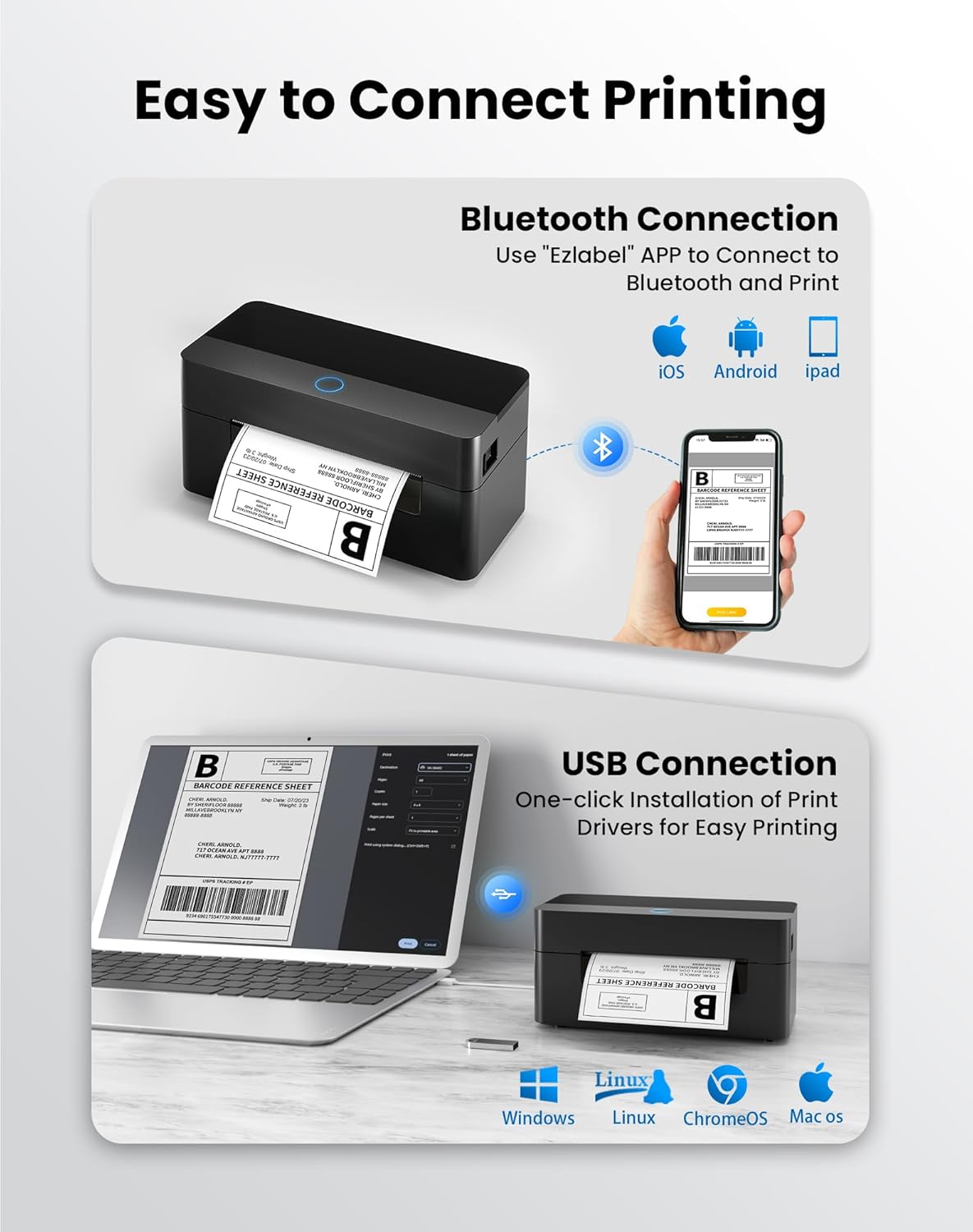
This manual provides detailed instructions for the setup, operation, and maintenance of your BPXX Bluetooth Thermal Shipping Label Printer, Model D463B. This printer is designed for efficient and clear printing of various thermal labels, including 4x6 inch shipping labels, with a resolution of 203 DPI. It supports both Bluetooth connectivity via the 'Ezlabel' mobile application and USB connection to computers.
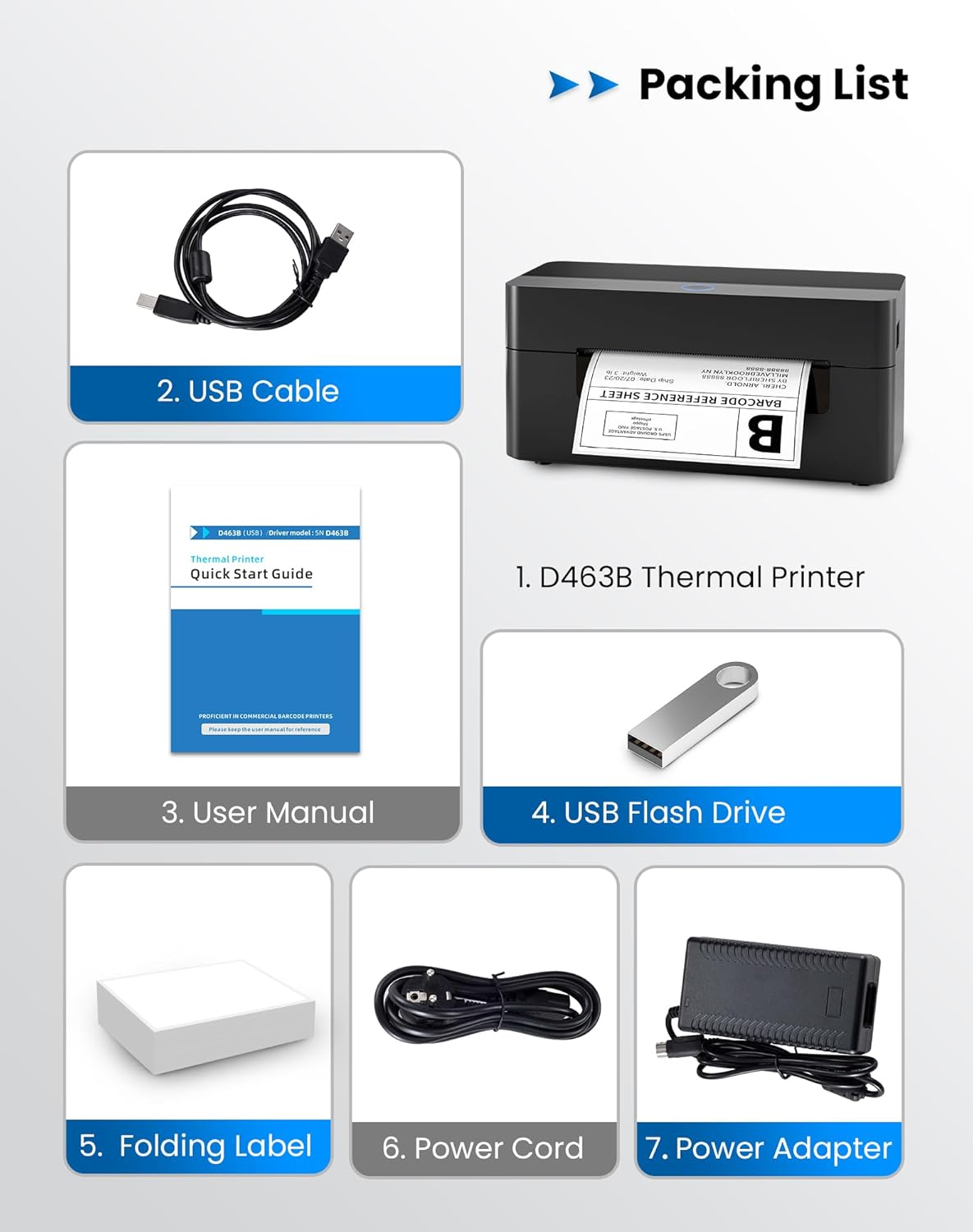
2. Lista rzeczy do spakowania
Sprawdź, czy w przesyłce znajdują się wszystkie elementy wymienione poniżej:
- 1 x BPXX D463B Thermal Printer
- 1 x kabel USB
- 1 x Instrukcja obsługi
- 1 x USB Flash Drive (containing drivers)
- 1 x Folding Label (samp(rolka)
- 1 x Przewód zasilający
- 1 x zasilacz
3. Przewodnik konfiguracji
3.1 Połączenie sprzętowe
- Connect the power adapter to the printer's power port and plug the power cord into an electrical outlet.
- Open the printer cover and load the thermal labels. Ensure the labels are facing the correct direction for printing and are properly aligned within the guide rails.
- Zamknij dokładnie pokrywę drukarki.

3.2 Instalacja oprogramowania i sterowników
3.2.1 Mobile App (Bluetooth Connection)
For mobile printing, download the 'Ezlabel' application from your device's app store (available for iOS and Android).
- Szukaj 'Ezlabel' in the App Store (iOS) or Google Play Store (Android).
- Pobierz i zainstaluj aplikację.
- Włącz Bluetooth w swoim urządzeniu mobilnym.
- Open the 'Ezlabel' app and follow the in-app instructions to connect to your BPXX D463B printer via Bluetooth.
3.2.2 Computer Driver (USB Connection)
For computer printing, install the appropriate drivers for your operating system (Windows, Mac OS, Linux, ChromeOS). Drivers are provided on the included USB flash drive or can be downloaded from the official webstrona.
- Insert the provided USB flash drive into your computer.
- Locate and run the installer for your operating system.
- Postępuj zgodnie z instrukcjami wyświetlanymi na ekranie, aby dokończyć instalację sterownika.
- Alternatively, download drivers from: BPXX Driver Download
4. Instrukcja obsługi
4.1 Ładowanie etykiet
Ensure the thermal labels are loaded correctly for optimal printing. The printer supports thermal labels with widths ranging from 1 to 4.5 inches, including standard 4x6 inch shipping labels.
- Otwórz górną pokrywę drukarki.
- Place the roll of thermal labels into the label compartment, ensuring the printable side faces upwards.
- Feed the first label through the printer's output slot until it is slightly extended.
- Dopasuj prowadnice etykiet tak, aby dokładnie odpowiadały szerokości etykiet, ale nie za ciasno.
- Zamknij górną pokrywę. Drukarka automatycznie wykryje rozmiar etykiety i przeprowadzi kalibrację.

4.2 Printing via Bluetooth (Mobile App)
- Ensure the printer is powered on and connected to the 'Ezlabel' app via Bluetooth.
- Open the 'Ezlabel' app on your mobile device.
- Select or create your desired label design. The app includes preset templates for various label sizes.
- Confirm print settings such as label size and quantity.
- Zainicjuj polecenie drukowania z aplikacji.
4.3 Printing via USB (Computer)
- Podłącz drukarkę do komputera za pomocą dostarczonego kabla USB.
- Sprawdź, czy sterowniki drukarki zostały prawidłowo zainstalowane.
- Open the document or application from which you wish to print (e.g., a PDF viewer, shipping software).
- Select the BPXX D463B printer from your printer options.
- Adjust print settings as needed (e.g., paper size to 4x6 inches for shipping labels).
- Send the print command.
4.4 Supported Platforms and Print Quality
The BPXX D463B printer is compatible with major shipping carriers and e-commerce platforms, facilitating the printing of shipping labels, return labels, and postagetykiety elektroniczne.
- Shipping Carriers: FedEx, UPS, USPS, DHL, EasyPost, etc.
- E-commerce Platforms: Amazon, Shopify, Etsy, eBay, Walmart, etc.
The printer utilizes a high-quality thermal print head and advanced algorithms to deliver clear and sharp barcodes and text at 203 DPI resolution. It achieves a high-speed output of 152mm/s, capable of printing approximately 72 4x6 inch shipping labels per minute.


5. Konserwacja
Regularna konserwacja zapewnia optymalną wydajność i wydłuża żywotność drukarki.
- Czyszczenie głowicy drukującej: Use an alcohol swab or a specialized thermal printer cleaning pen to gently wipe the print head. Ensure the printer is off and cooled down before cleaning.
- Czyszczenie powierzchni zewnętrznej: Przetrzyj zewnętrzną część drukarki miękką, miękką szmatką.amp płótno. Unikaj stosowania ostrych chemikaliów lub materiałów ściernych.
- Usuwanie kurzu: Periodically use compressed air to clear any dust or paper debris from inside the label compartment.
6. Rozwiązywanie Problemów
If you encounter issues with your BPXX D463B printer, refer to the following common problems and solutions:
- Drukarka nie odpowiada:
- Sprawdź, czy przewód zasilający jest prawidłowo podłączony i czy drukarka jest włączona.
- For Bluetooth connection, verify that Bluetooth is enabled on your device and the printer is paired within the 'Ezlabel' app.
- For USB connection, check the USB cable connection and ensure drivers are correctly installed. Try a different USB port or cable.
- Poor Print Quality (Faint/Streaky Prints):
- Wyczyść głowicę drukującą zgodnie z opisem w rozdziale Konserwacja.
- Upewnij się, że używasz wysokiej jakości etykiet termicznych.
- Check print density settings in the 'Ezlabel' app or printer preferences on your computer.
- Etykiety nie są podawane prawidłowo:
- Verify that labels are loaded correctly and aligned with the guide rails.
- Upewnij się, że na ścieżce etykiety nie ma żadnych przeszkód.
- Perform a label calibration from the printer settings or app if available.
- Printer Offline Error:
- Uruchom ponownie drukarkę i komputer/urządzenie mobilne.
- Re-establish the Bluetooth or USB connection.
- Check printer status in your operating system's printer settings.
7. Specyfikacje produktu
| Nazwa modelu | D463B |
| Marka | BPXX |
| Technologia druku | Termiczny |
| Technologia łączności | Bluetooth, USB |
| Maksymalna rozdzielczość druku | 203 x 203 Dots Per Inch (DPI) |
| Maksymalna prędkość drukowania | 152 mm/s (72 labels per minute) |
| Maksymalny rozmiar nośnika | 4 x 6 cali |
| Obsługiwana szerokość etykiety | 1 - 4.5 cali |
| Kompatybilne urządzenia | PC (Windows, Mac OS, Linux, ChromeOS), Smartphones (iOS, Android) |
| Metoda kontroli | App ('Ezlabel'), USB |
| Wymiary produktu | 7.3" gł. x 3.3" szer. x 3.3" wys. |
| Waga przedmiotu | 1.6 funta |
| Zawarte komponenty | Printer, USB Cable, User Manual, USB Flash Drive, Sample Labels, Power Cord, Power Adapter |
8. Gwarancja i wsparcie
The BPXX D463B Thermal Shipping Label Printer comes with a limited warranty. For specific warranty terms and conditions, please refer to the documentation included with your product or contact BPXX customer support.
For technical assistance, troubleshooting, or any inquiries regarding your product, please contact BPXX customer support through the official webstronę internetową lub dane kontaktowe znajdujące się na opakowaniu produktu.