
1. Wprowadzenie
The KKB G200 4G LTE Cellular Security Camera is designed for robust outdoor surveillance in locations without traditional Wi-Fi access. This solar-powered, wire-free camera offers 2K HD resolution, color night vision, two-way audio, and remote monitoring via a dedicated mobile application. Its integrated 4G LTE connectivity ensures continuous operation and real-time alerts, making it ideal for farms, construction sites, remote cabins, and other off-grid environments.
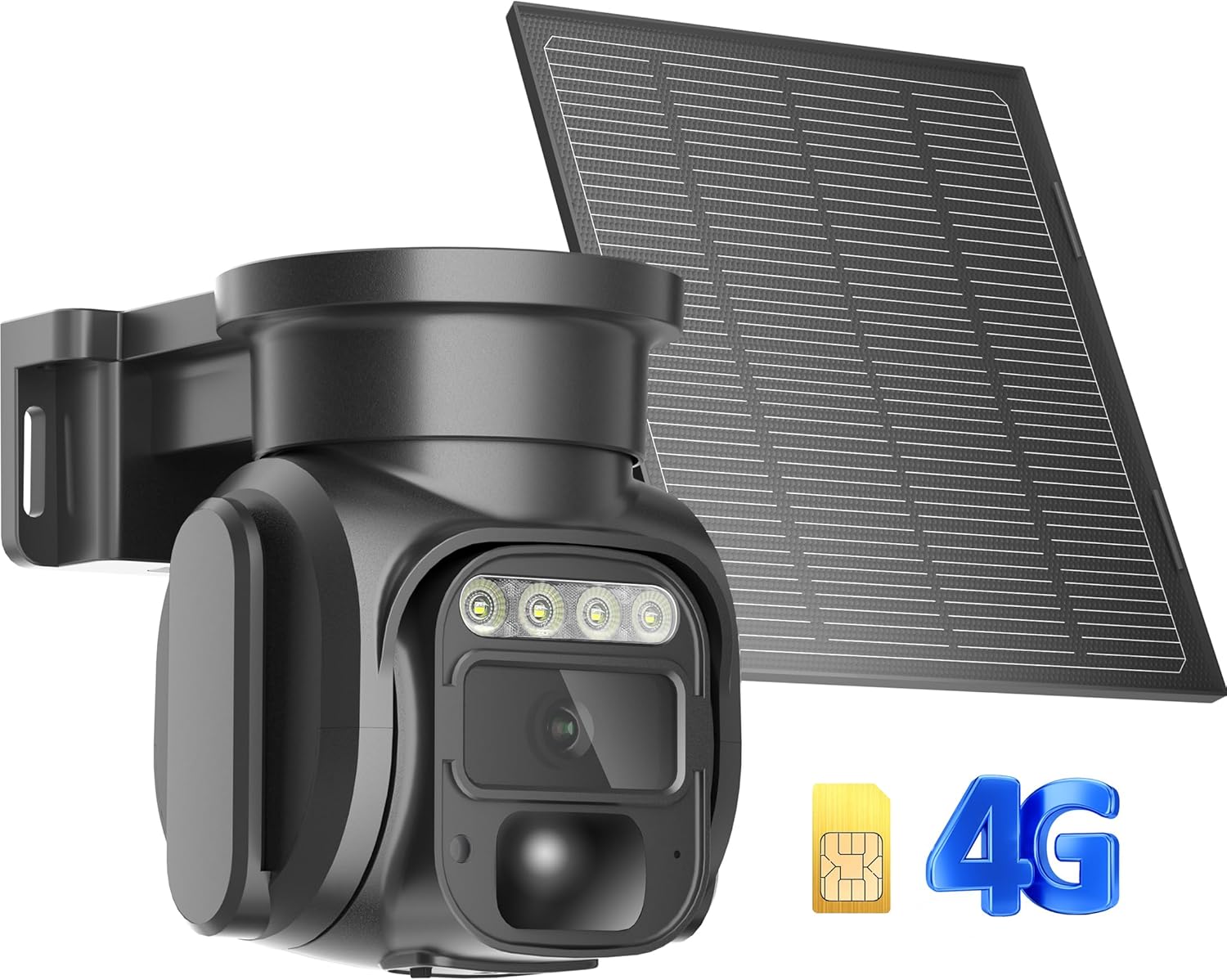
Figure 1: KKB G200 4G LTE Cellular Security Camera and Solar Panel.
2. Zawartość opakowania
Sprawdź, czy w przesyłce znajdują się wszystkie elementy:
- 1 x KKB 4G LTE Security Camera
- Panel słoneczny 1x5 W
- 1 x Built-in SIM Card (non-replaceable)
- 1 x Instrukcja obsługi
- Installation Accessories (screws, wall anchors, mounting bracket)
3. Główne cechy
- Łączność 4G LTE: Operates independently without Wi-Fi, connecting via a built-in SIM card to Verizon, T-Mobile, or AT&T networks.
- Zasilane energią słoneczną: Equipped with a 5W solar panel for continuous charging, ensuring wire-free and sustainable operation.
- Rozdzielczość 2K HD: Przechwytuje wyraźne i szczegółowe wideo footage.
- Kolorowe widzenie nocne: Provides full-color night vision or infrared night vision for enhanced visibility in low-light conditions.
- Pan-Tilt-Zoom (PTZ): Offers a 355° horizontal and 90° vertical rotation for comprehensive area coverage and 4x digital zoom.
- Inteligentne wykrywanie ruchu: Features a sensitive PIR motion sensor that sends instant alerts to your smartphone upon detecting human or animal movement.
- Dwukierunkowy dźwięk: Wbudowany mikrofon i głośnik pozwalają na komunikację z gośćmi w czasie rzeczywistym lub odstraszanie intruzów.
- Dostęp zdalny: Monitor your property from anywhere using the iCam365 mobile application.
- Elastyczne przechowywanie: Supports local storage via an SD card (up to 128GB, not included) and optional cloud storage.
- Odporna na warunki atmosferyczne konstrukcja: IP66 rated for outdoor use, capable of withstanding various weather conditions from -10°C to 55°C (14°F to 131°F).
4. Przewodnik konfiguracji
4.1 Pierwsze ładowanie
Before initial use, fully charge the camera for 12 hours using a standard 5V/1A or 5V/2A charger. Avoid using fast chargers, as this may damage the device or prevent proper functionality.
4.2 Instalacja karty SIM i karty SD
The camera comes with a built-in, non-replaceable SIM card that automatically connects to the local 4G network. It does not support third-party SIM cards. If you wish to use local storage, insert a Micro SD card (up to 128GB, not included) into the designated slot.

Figure 2: SIM Card and optional Micro SD Card slot.
4.3 Pobieranie aplikacji i łączenie
- Pobierz iCam365 app from your smartphone's app store (Android or iOS).
- Załóż konto i zaloguj się.
- Ensure the camera is powered on (check the power switch at the bottom of the camera).
- Follow the in-app instructions to add your device. The app will guide you through connecting the camera via Bluetooth.
- Once connected, you can name your device and configure initial settings.
4.4 Montaż kamery i panelu słonecznego
Use the provided installation accessories to securely mount the camera and solar panel. Choose a location that offers optimal sunlight exposure for the solar panel and a clear view for the camera. The solar panel can be angled to maximize sun absorption.

Rysunek 3: Exampmontaż kamery i paneli słonecznych.
5. Instrukcja obsługi
5.1 Remote Monitoring and Live View
Access the iCam365 app on your smartphone to view żyćtage from your camera anytime, anywhere, using 4G data. The app provides controls for pan, tilt, and digital zoom functions.
5.2 Detekcja ruchu i alerty
The integrated PIR motion sensor detects movement and sends immediate alert notifications to your phone. You can adjust the sensitivity settings within the iCam365 app to minimize false alarms.

Figure 4: Motion detection alert on smartphone.
5.3 Widzenie nocne
The camera automatically switches to night vision mode in low-light conditions. You can choose between full-color night vision or infrared night vision for optimal clarity.

Figure 5: Night vision capabilities of the camera.
5.4 Dźwięk dwukierunkowy
Utilize the two-way audio feature through the app to speak and listen remotely. This allows for direct communication with individuals near the camera.
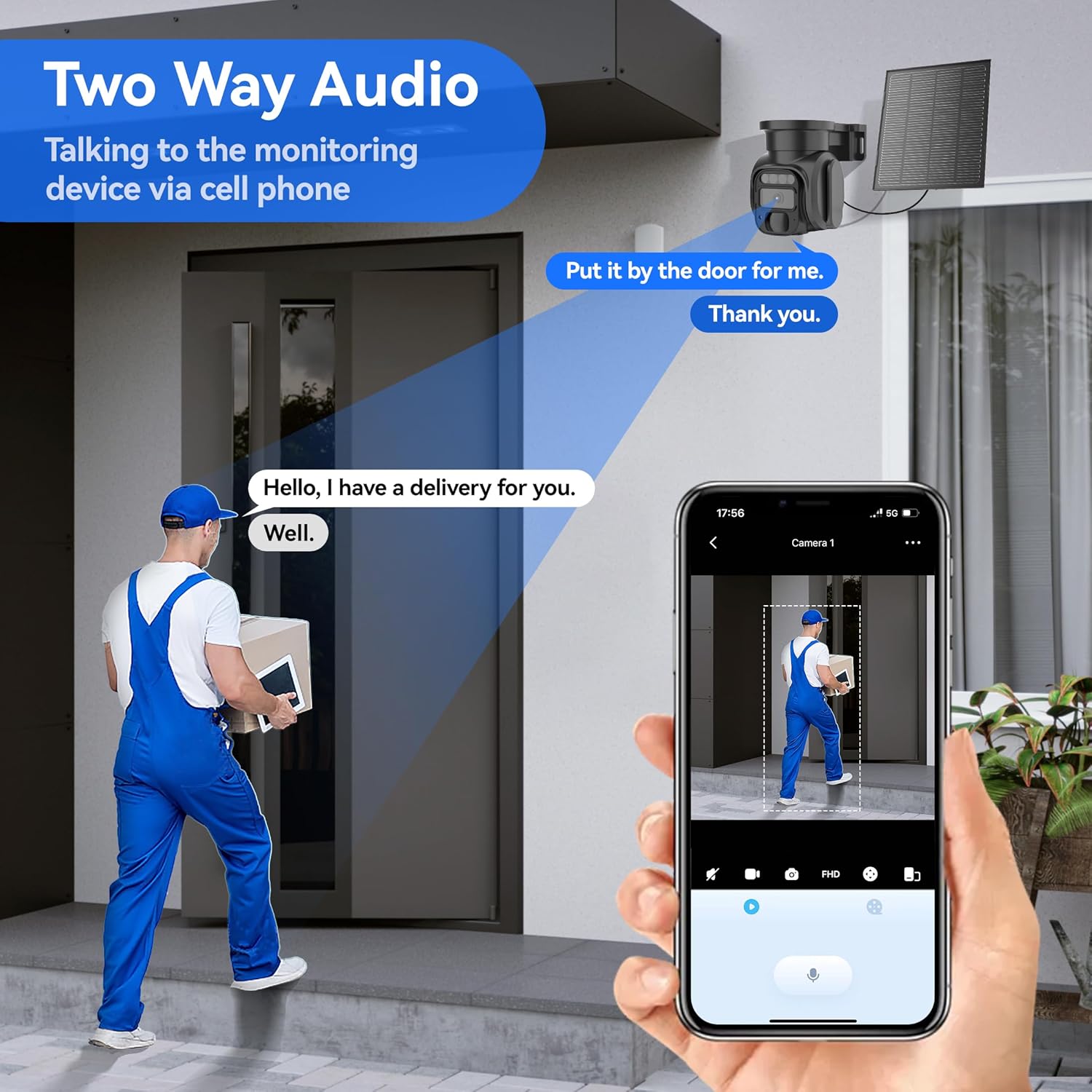
Figure 6: Two-way audio functionality.
5.5 Przechowywanie wideo
Nagrane footage can be saved to a Micro SD card (not included) or uploaded to the optional cloud storage service. Review and manage recordings directly from the iCam365 app.
6. Data Plan Information
The KKB G200 camera operates exclusively with its pre-installed SIM card. It includes 300MB of free trial data for initial use. To continue service, you must subscribe to a data plan directly through the iCam365 app. Available plans include:
- 14.9 USD/miesiąc
- $79.9/6 months
- 149.9 USD/rok
These plans offer unlimited data usage during the subscription period. The camera does not support third-party SIM cards.

Figure 7: KKB Cellular Data Plan options.
7. Konserwacja
7.1 Wskazówki dotyczące ładowania
Always use a standard 5V/1A or 5V/2A charger for charging the camera. Using fast chargers may cause damage to the device.
7.2 Odporność na warunki atmosferyczne
The camera is IP66 waterproof, designed to operate effectively in various outdoor conditions. Its operating temperature range is from -10°C to 55°C (14°F to 131°F).
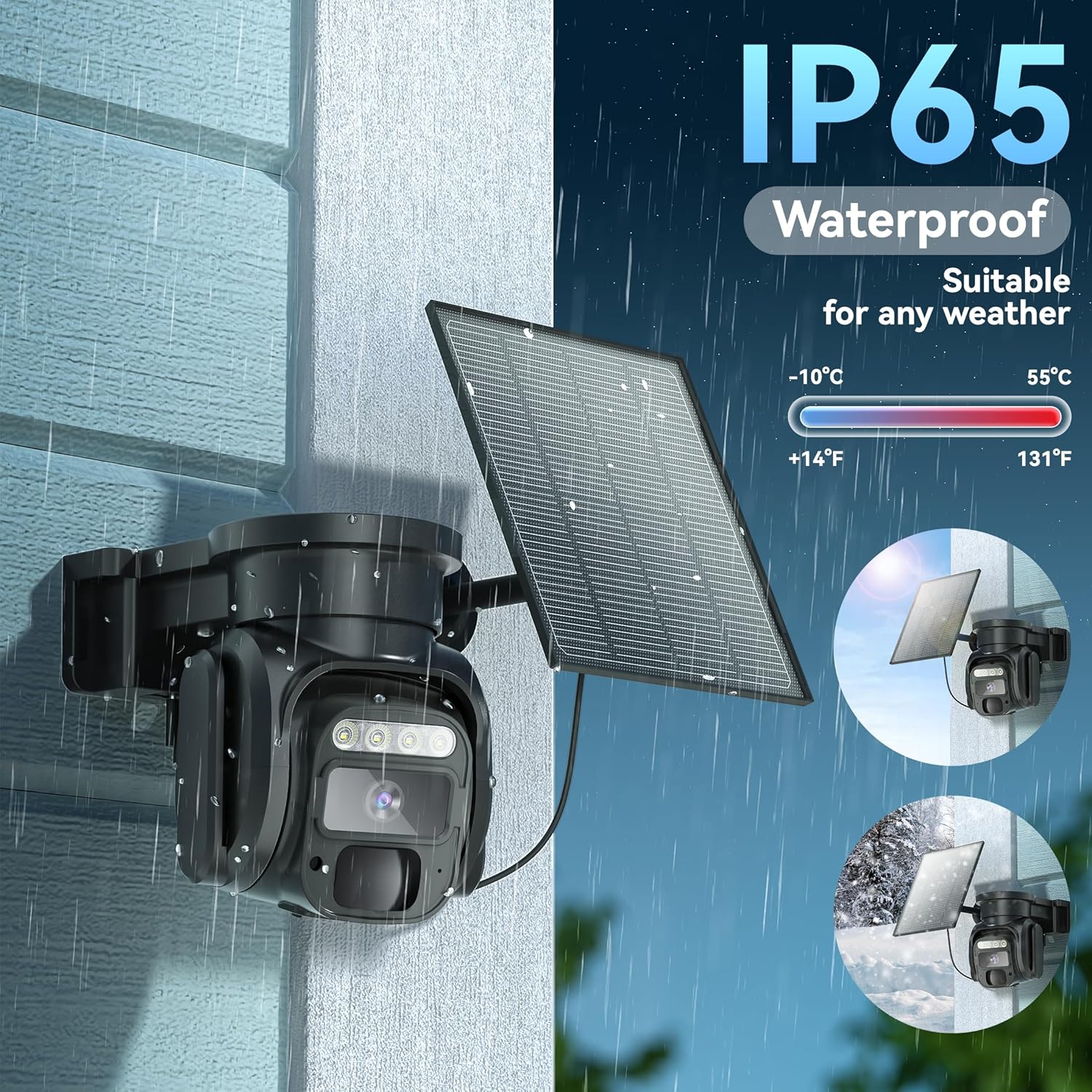
Figure 8: IP66 Waterproof rating for all-weather use.
7.3 Czyszczenie
Okresowo czyść obiektyw aparatu i panel słoneczny miękką, miękką szmatką.amp cloth to ensure optimal performance and clear image capture. Avoid abrasive cleaners.
8. Rozwiązywanie Problemów
- Camera not turning on/dying at night: Ensure the solar panel is positioned to receive maximum direct sunlight throughout the day. Verify the initial 12-hour charge was completed. Check battery status in the app.
- Brak połączenia sieciowego: Confirm the camera is powered on. Check the data plan status in the iCam365 app. Ensure the camera is in an area with adequate 4G LTE signal coverage.
- Alerty nie zostały odebrane: Check notification settings within the iCam365 app and your smartphone's system settings. Ensure the camera has an active data plan.
- Słaba jakość wideo: Ensure the camera lens is clean. Check the network signal strength. Adjust video resolution settings in the app if necessary.
- Problemy z dwukierunkową transmisją dźwięku: Check volume settings on your smartphone and within the app. Ensure there are no obstructions blocking the microphone or speaker on the camera.
9. Specyfikacje techniczne
| Funkcja | Specyfikacja |
|---|---|
| Numer modelu | G200 |
| Technologia łączności | Wireless (Cellular 4G LTE) |
| Źródło zasilania | Zasilany energią słoneczną (panel słoneczny 5 W) |
| Rozdzielczość przechwytywania wideo | 2K |
| Wizja nocna | Kolorowa wizja nocna, wizja nocna w podczerwieni |
| Zakres obrotu/pochylenia | 355° w poziomie, 90° w pionie |
| Zoom cyfrowy | 4x |
| Wykrywanie ruchu | Czujnik ruchu PIR |
| Audio | Dwukierunkowa transmisja dźwięku (wbudowany mikrofon i głośnik) |
| Opcje przechowywania | Karta Micro SD (do 128 GB, nie jest dołączona), przechowywanie w chmurze |
| Zgodność aplikacji | iCam365 (Android, iOS) |
| Poziom wodoodporności | IP66 |
| Temperatura pracy | -10°C do 55°C (14°F do 131°F) |
| Baterie | 4 baterie litowo-jonowe (w zestawie) |
| Wymiary | 3.7 x 5.9 x 5.6 cala |
| Waga przedmiotu | 2.35 funta |
10. Gwarancja i wsparcie
For any issues or questions, KKB offers multi-channel service including in-app online contact and email support. 7x24 hours professional technical support is available to assist you.

Figure 9: KKB Customer Support.