
Wstęp
This manual provides comprehensive instructions for the safe and efficient use of your DALI SUB C-8 D Powered Subwoofer. The SUB C-8 D is designed to integrate seamlessly into various audio setups, enhancing bass performance for both surround sound systems and compact stereo configurations. Please read this manual thoroughly before installation and operation to ensure optimal performance and longevity of your device.
Ważne instrukcje bezpieczeństwa
- Źródło zasilania: Connect the subwoofer only to a power supply of the type described in this manual or marked on the unit.
- Wentylacja: Zapewnij odpowiednią wentylację. Nie blokuj otworów wentylacyjnych. Montaż należy wykonać zgodnie z instrukcją producenta.
- Ciepło: Nie należy instalować w pobliżu źródeł ciepła, takich jak grzejniki, kratki wentylacyjne, piece lub inne urządzenia (w tym amp(lifiers) wytwarzające ciepło.
- Woda i wilgoć: Nie należy używać urządzenia w pobliżu wody ani narażać go na działanie kapiącej lub zachlapanej wody.
- Czyszczenie: Czyścić wyłącznie suchą szmatką.
- Serwisowanie: Nie próbuj samodzielnie naprawiać tego produktu. Wszelkie czynności serwisowe należy powierzyć wykwalifikowanemu personelowi serwisowemu.
- Umieszczenie: Place the subwoofer on a stable, level surface to prevent tipping. Avoid placing it in direct sunlight or in areas with high humidity.
Zawartość opakowania
Sprawdź, czy w przesyłce znajdują się wszystkie elementy:
- DALI SUB C-8 D Powered Subwoofer
- Kabel zasilający
- Szybki przewodnik
Organizować coś
1. Umieszczenie
The DALI SUB C-8 D is designed for floor standing placement. Its compact size allows for flexible positioning within your listening environment. For optimal bass response, experiment with different locations in your room. Generally, placing the subwoofer in a corner can enhance bass output, while placing it along a wall can provide a more balanced sound. Ensure the subwoofer is placed on a stable, level surface.
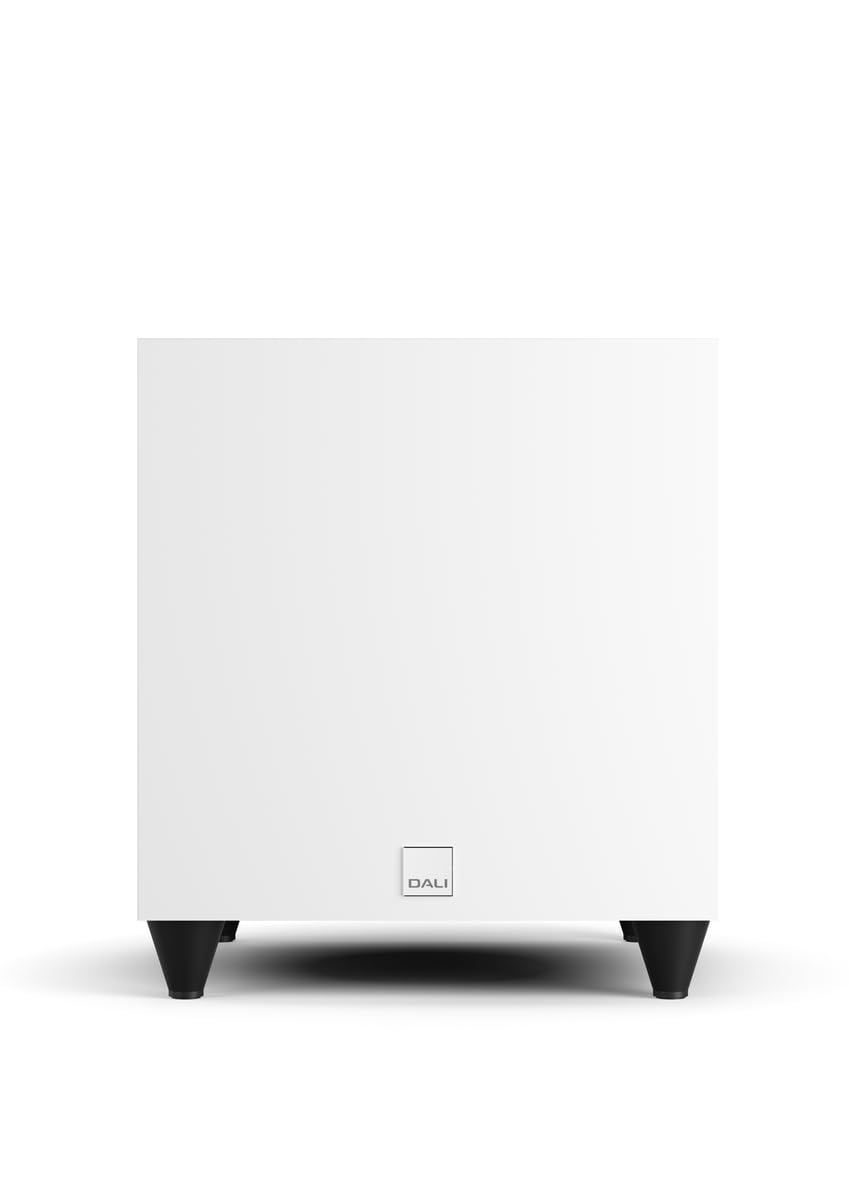
Obraz: Przód view of the DALI SUB C-8 D Powered Subwoofer, showcasing its compact white cabinet and four black feet.
2. Połączenia
Connect the subwoofer to your audio system using the appropriate cables. The SUB C-8 D features RCA connectivity for line input.
- Wejście liniowe (RCA): Connect the RCA output from your amplifier or AV receiver to the "LINE INPUT" (LFE or Stereo) on the subwoofer's rear panel.
- Podłączenie zasilania: Connect the supplied power cable to the AC inlet on the subwoofer's rear panel, then plug it into a suitable wall outlet.
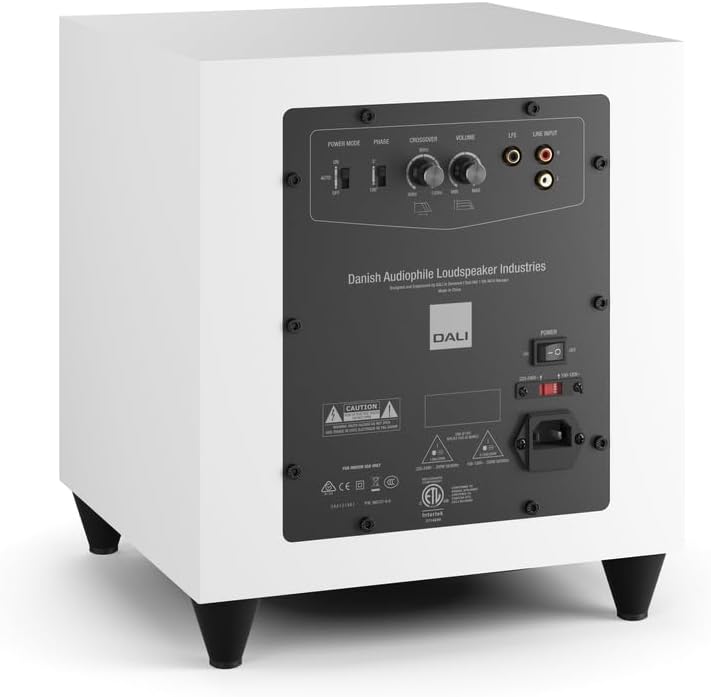
Image: Rear panel of the DALI SUB C-8 D Subwoofer, showing the power switch, AC inlet, RCA line inputs, and control knobs for Power Mode, Phase, Crossover, and Volume.
3. Ustawienia początkowe
Before powering on, set the initial controls on the rear panel:
- Tryb zasilania: Set to "AUTO" for automatic power on/off with signal detection, or "ON" for continuous operation.
- Faza: Start with "0°". Adjust later if bass sounds thin or out of sync with main speakers.
- Krzyżowanie: Set to a starting point based on your main speakers' low-frequency capabilities. A common starting point is 80 Hz.
- Tom: Set to a low level (e.g., 1/4 or 1/3 of the way up) to avoid sudden loud bass when first powering on.
Działanie
Włączanie/wyłączanie zasilania
Once connected, flip the main power switch on the rear panel to the "ON" position. If "Power Mode" is set to "AUTO", the subwoofer will power on automatically when an audio signal is detected and enter standby mode when no signal is present for a period.
Dostosowywanie ustawień dźwięku
- Tom: Adjust the volume knob to balance the subwoofer's output with your main speakers. The bass should be felt, not overtly heard as a separate speaker.
- Krzyżowanie: Fine-tune the crossover frequency. This determines the point at which the subwoofer takes over from your main speakers. If your main speakers are small, a higher crossover frequency (e.g., 100-120 Hz) may be appropriate. For larger speakers, a lower frequency (e.g., 60-80 Hz) might be better.
- Faza: If the bass sounds weak or hollow, try switching the phase between 0° and 180°. The correct setting will result in the most impactful and coherent bass.
Make small adjustments and listen to various types of audio content to find the optimal settings for your room and preferences.
Konserwacja
To ensure the longevity and optimal performance of your DALI SUB C-8 D subwoofer, follow these simple maintenance guidelines:
- Czyszczenie: Dust the cabinet regularly with a soft, dry cloth. Avoid using abrasive cleaners, solvents, or chemical sprays, as these can damage the finish.
- Wentylacja: Ensure that the ventilation openings on the subwoofer are not obstructed by dust or other objects.
- Środowisko: Keep the subwoofer away from direct sunlight, excessive heat, and high humidity.
- Kable: Okresowo sprawdzaj wszystkie połączenia kablowe, aby mieć pewność, że są solidne i nieuszkodzone.
Rozwiązywanie problemów
If you experience issues with your DALI SUB C-8 D, refer to the following common problems and solutions:
- Brak dźwięku:
- Ensure the subwoofer is plugged in and the main power switch is "ON".
- Check if the "Power Mode" is set correctly (e.g., "AUTO" and an audio signal is present).
- Verify that the RCA audio cables are securely connected to both the subwoofer and your amppodgrzewacz/odbiornik.
- Increase the volume level on the subwoofer and your amppodgrzewacz/odbiornik.
- Distorted or Unclear Bass:
- Reduce the volume level on the subwoofer.
- Adjust the "Crossover" frequency. It might be set too high or too low for your main speakers.
- Experiment with the "Phase" switch (0° or 180°) to ensure proper integration with your main speakers.
- Sprawdź, czy nie ma luźnych połączeń lub uszkodzonych kabli.
- Subwoofer Not Powering On Automatically (in AUTO mode):
- Ensure an audio signal is being sent to the subwoofer.
- Check the sensitivity of your amplifier's output or try increasing the volume slightly.
- If the issue persists, switch the "Power Mode" to "ON" for continuous operation.
If these steps do not resolve the issue, please contact DALI customer support or your authorized dealer.
Specyfikacje
| Marka | DALI |
| Numer modelu | SUB C-8 D |
| Typ głośnika | Subwoofer |
| Rozmiar głośnika | 8 cali |
| Średnica głośnika niskotonowego | 20 centymetrów |
| Maksymalna moc wyjściowa głośnika | 220 watów |
| Technologia łączności | RCA |
| Tryb wyjścia audio | Otaczać |
| Typ montażu | Stały podłogowe |
| Metoda kontroli | Touch (knobs/switches) |
| Konkretne zastosowania produktu | Home entertainment systems |
| Liczba kanałów audio | 5.1 |
| Kompatybilne urządzenia | Desktop, Gaming Console, Home Theater, Laptop, Projector, Television |
| Wymiary przedmiotu (gł. x szer. x wys.) | 13" gł. x 12" szer. x 11" wys. |
| Waga przedmiotu | 21.8 funtów |
| Źródło zasilania | Elektryczny przewodowy |
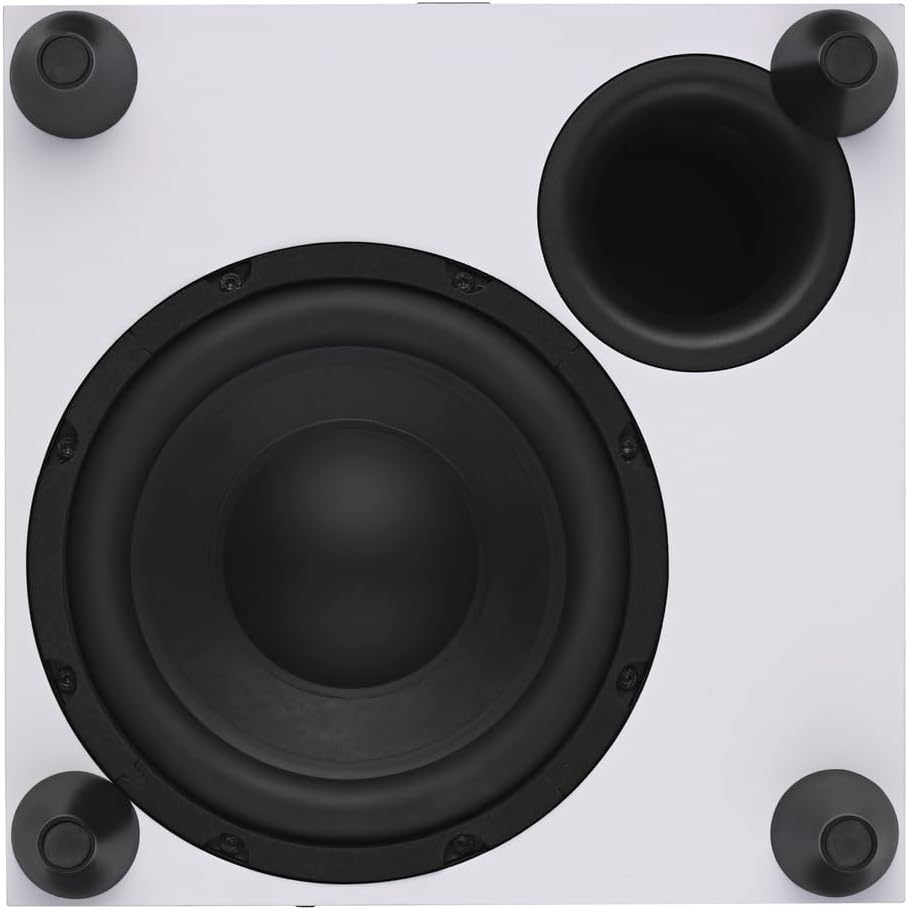
Obraz: widok z góry view of the DALI SUB C-8 D Subwoofer, showing the 8-inch woofer and bass port.
Informacje o gwarancji
The DALI SUB C-8 D Powered Subwoofer comes with a 1-roczna ograniczona gwarancja from the date of purchase. This warranty covers manufacturing defects in materials and workmanship under normal use. It does not cover damage caused by misuse, accident, unauthorized modifications, or improper installation.
For detailed warranty terms and conditions, please refer to the documentation included with your product or visit the official DALI webstrona.
Wsparcie
For technical assistance, troubleshooting beyond this manual, or warranty claims, please contact DALI customer support or your authorized DALI dealer.
You can find more information and contact details on the official DALI webstrona: www.dali-speakers.com