
Codnida COD-214
System kamer do monitoringu zewnętrznego Codnida 4MP (model COD-214) – instrukcja obsługi
Szczegółowe instrukcje dotyczące konfiguracji, obsługi i konserwacji.
1. Wprowadzenie
Thank you for choosing the Codnida 4MP Outdoor Surveillance Camera System. This manual provides detailed instructions to help you install, operate, and maintain your security system effectively. Please read this manual thoroughly before use and retain it for future reference.
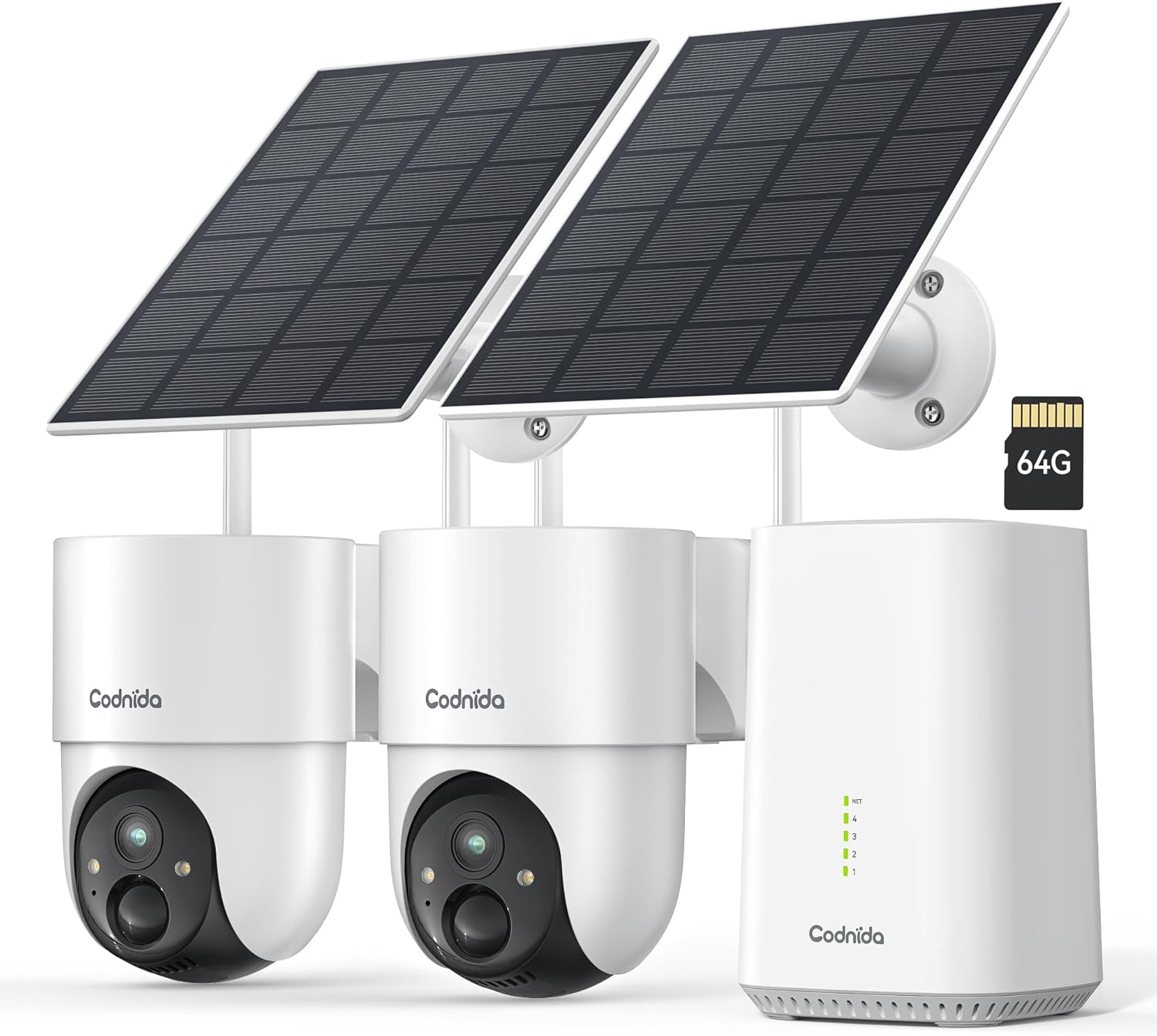
Image 1.1: Codnida 4MP Outdoor Surveillance Camera System components.
2. Zawartość opakowania
Sprawdź, czy wszystkie wymienione poniżej elementy znajdują się w Twojej paczce. Jeśli brakuje któregokolwiek z nich lub jest on uszkodzony, skontaktuj się z obsługą klienta.
- 2 x Codnida 4MP Outdoor Cameras
- 2 x panele słoneczne
- 1 x stacja bazowa
- 1 x kabel HDMI
- 1 x zasilacz z kablem
- 1 x 64GB TF Memory Card (pre-installed or separate)
- 1 x kabel sieciowy
- 4 x śruby montażowe
- 2 x naklejek ostrzegawczych
- 1 x Instrukcja obsługi (ten dokument)
3. Przewodnik konfiguracji
3.1 Połączenie ze stacją bazową
- Connect the Base Station to a power outlet using the provided power adapter.
- Connect the Base Station to your router using the provided network cable.
- Optionally, connect the Base Station to a TV or monitor using the HDMI cable for a larger display.
3.2 Instalacja kamery
The cameras are designed for outdoor use and are solar-powered, minimizing the need for frequent battery charging.
- Wybierz miejsce montażu zapewniające optymalne nasłonecznienie panelu słonecznego i przejrzystą przestrzeń. view obszaru, który chcesz monitorować.
- Mount the camera and solar panel securely using the provided screws. Ensure the solar panel is angled to receive maximum direct sunlight.
- Podłącz kabel panelu słonecznego do kamery.
- Ensure the camera is within range of the Base Station's Wi-Fi signal (2.4 GHz or 5 GHz).
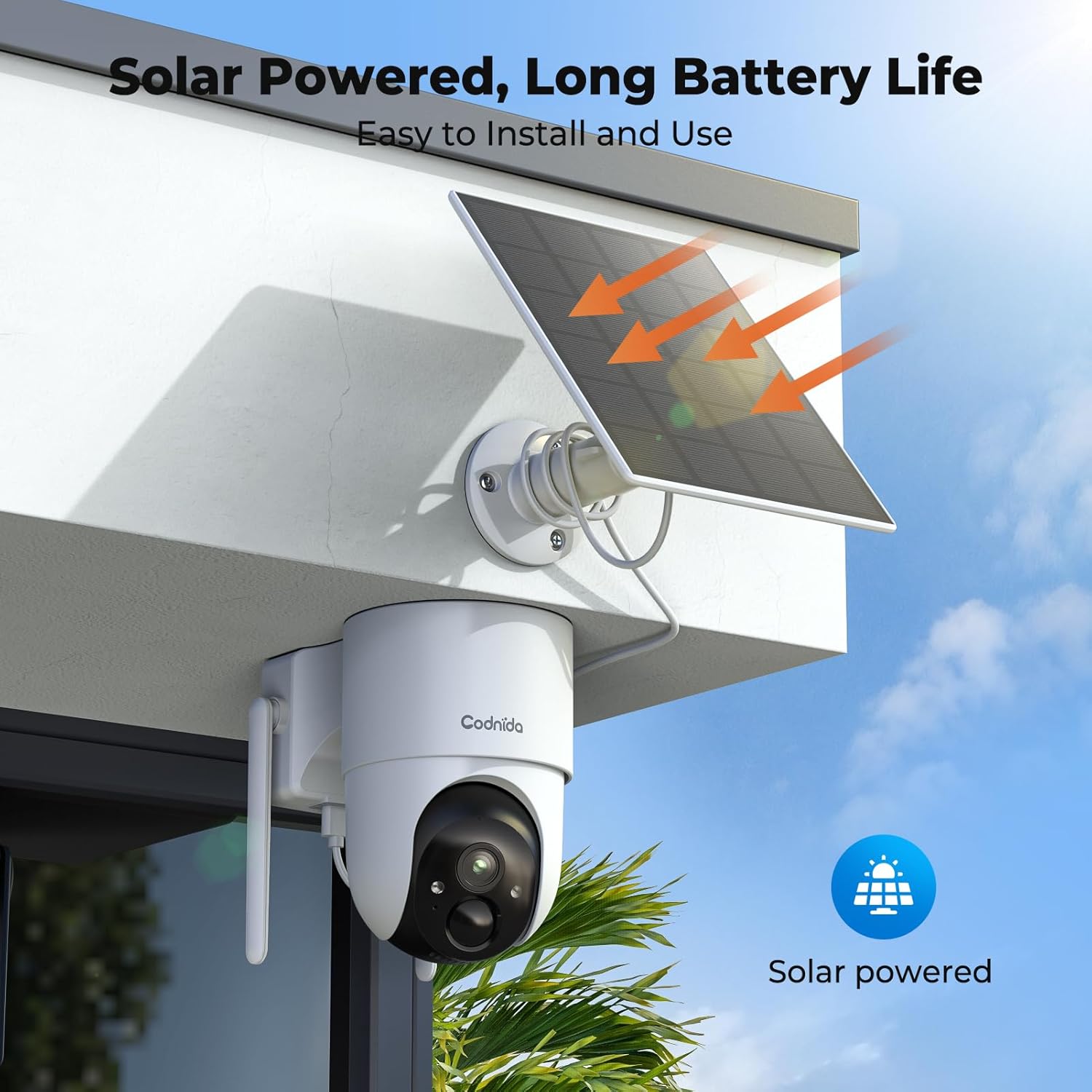
Obraz 3.2.1: Example of solar-powered camera installation.
3.3 Konfiguracja aplikacji (EseeCloud)
- Pobierz aplikację „EseeCloud” ze sklepu z aplikacjami na swoim smartfonie.
- Zarejestruj się, aby założyć konto lub zaloguj się, jeśli już je posiadasz.
- Follow the in-app instructions to add your Base Station and cameras. This typically involves scanning a QR code or manually entering device IDs.
- Po połączeniu możesz view live feeds, access recordings, and configure settings.
4. Instrukcja obsługi
4.1 Na żywo View i nagrywanie
Access the EseeCloud app or a connected monitor to view żyćtage from your cameras. The system supports 24/7 recording to the included 64GB TF card, providing up to 120 days of video storage.

Image 4.1.1: Live view display on a monitor.
4.2 Sterowanie obrotem, pochyleniem i powiększeniem (PTZ)
The cameras offer 355° pan and 90° tilt capabilities, providing a 360° view of your surroundings. Control these movements directly from the EseeCloud app.

Image 4.2.1: Pan-Tilt control via EseeCloud app.
4.3 Detekcja ruchu i alerty
The system features PIR motion detection, capable of identifying persons, vehicles, and animals. You will receive real-time notifications on your smartphone when motion is detected in designated areas.

Image 4.3.1: PIR motion detection identifying objects.
4.4 Widzenie nocne
The cameras provide crystal clear 4MP video quality, including two night vision modes: infrared and color night vision, effective up to 15 meters (65 feet).
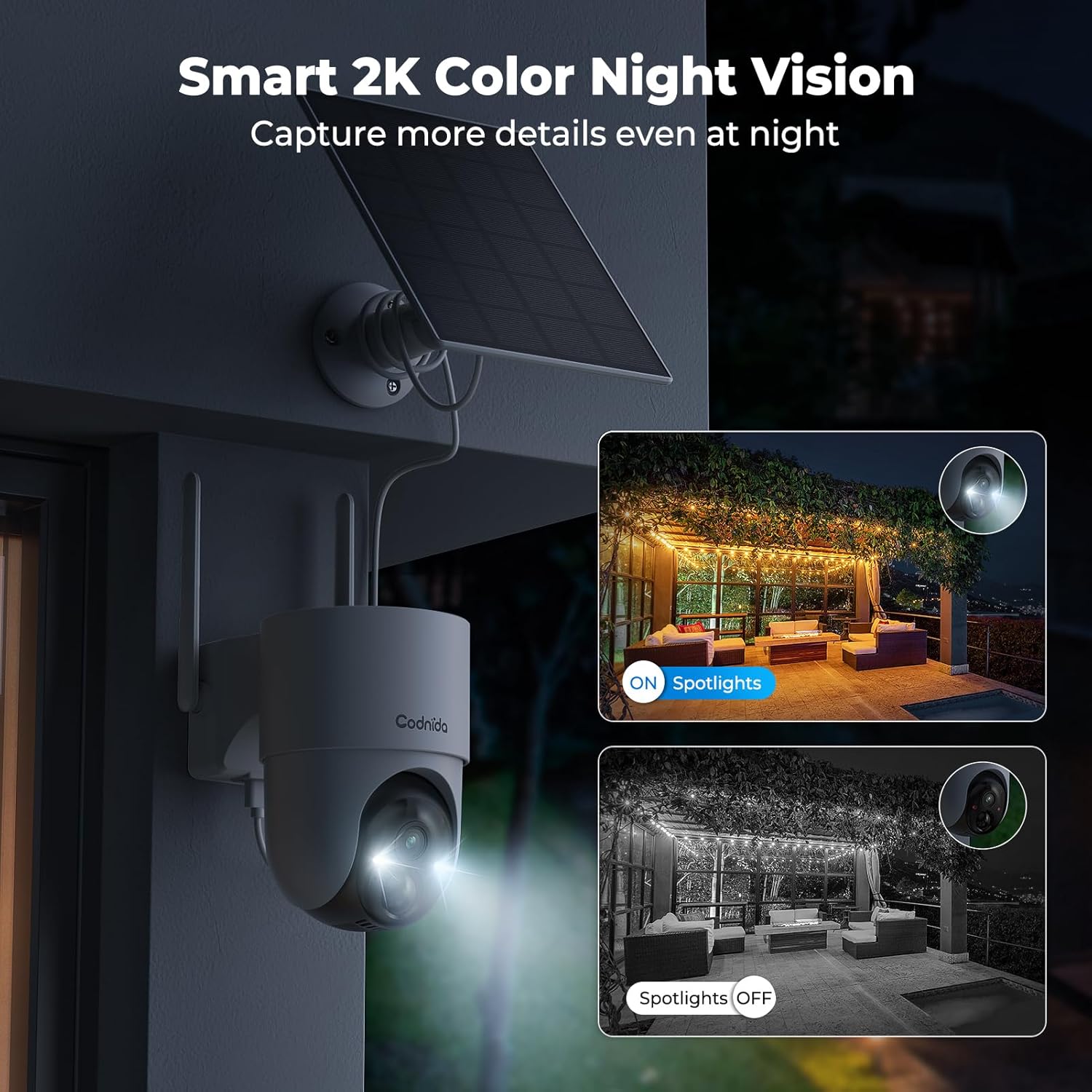
Image 4.4.1: Smart 2K color night vision with spotlights.
4.5 Dźwięk dwukierunkowy
Utilize the built-in microphone and speaker for two-way communication through the EseeCloud app. This allows you to speak to visitors or deter intruders remotely.

Image 4.5.1: Two-way audio functionality via smartphone.
5. Konserwacja
5.1 Pielęgnacja paneli słonecznych
Regularly clean the surface of the solar panels to ensure optimal charging efficiency. Dust, dirt, and debris can reduce sunlight absorption. Use a soft, damp ściereczka do czyszczenia.
5.2 Czyszczenie aparatu
Wipe the camera lens and body with a soft, lint-free cloth to remove any smudges or dirt. Avoid using harsh chemicals that could damage the camera's finish or lens coating. The cameras are IP65 water-resistant, designed to withstand rain and snow.

Image 5.2.1: IP65 water resistance for all-weather protection.
5.3 aktualizacji oprogramowania sprzętowego
Periodically check the EseeCloud app for available firmware updates. Keeping your device's firmware updated ensures optimal performance, security, and access to new features.
6. Rozwiązywanie Problemów
| Problem | Możliwa przyczyna | Rozwiązanie |
|---|---|---|
| Camera not connecting to Base Station | Out of range; Wi-Fi interference; incorrect pairing. | Move camera closer to Base Station; reduce interference; re-pair camera via EseeCloud app. |
| Brak źródła wideo | Camera offline; network issue; power issue. | Check camera power and network connection; restart Base Station and router. |
| Niska jakość obrazu | Dirty lens; low network bandwidth; app setting. | Clean camera lens; ensure stable Wi-Fi; select HD quality in EseeCloud app. |
| Panel słoneczny nie ładuje się | Niewystarczająca ilość światła słonecznego, brudny panel, wadliwe połączenie. | Relocate panel for more sun; clean panel surface; check cable connection. |
| Alerty ruchu nie działają | Wykrywanie ruchu wyłączone, nieprawidłowa czułość, ustawienia powiadomień aplikacji. | Enable motion detection in app; adjust sensitivity; check phone notification settings for EseeCloud. |
7. Specyfikacje
| Funkcja | Szczegół |
|---|---|
| Model | COD-214 (D214) |
| Rozdzielczość wideo | 4MP (1440p recording) |
| Viewing kąt | 360 stopni (obrót o 355°, pochylenie o 90°) |
| Zakres noktowizora | 15 m (65 stóp) |
| Składowanie | Karta TF 64 GB (w zestawie) |
| Łączność | Wireless (Wi-Fi 2.4GHz/5GHz), HDMI |
| Źródło zasilania | Solar Powered (Lithium-ion battery) |
| Odporność na wodę | IP65 (wodoodporne) |
| Cechy specjalne | Two-way audio, Motion detection, HD Resolution, PTZ Technology, Night vision |
| Kompatybilne urządzenia | Smartphone (EseeCloud app) |
| Tworzywo | Plastikowy |
| Pobór mocy | 5 watów |
| Typ instalacji | Screw-in (Wall, Ceiling, Tree, Door mounting) |
8. Gwarancja i wsparcie
8.1 Gwarancja producenta
The Codnida 4MP Outdoor Surveillance Camera System comes with a manufacturer's warranty of 1.5 years from the date of purchase. Please retain your proof of purchase for warranty claims.
8.2 Obsługa klienta
For technical assistance, troubleshooting, or warranty inquiries, please contact Codnida customer support. Refer to the contact information provided on the product packaging or the official Codnida webstrona.
Ask a question about this manual
Ask about setup, troubleshooting, compatibility, parts, safety, or missing instructions. Manuals+ will review the question and use this page’s manual context to help answer it.