
Wstęp
This manual provides essential information for the proper setup, operation, and maintenance of your ONN 24-inch FHD Gaming Monitor, model 100027813. Please read this manual thoroughly before using the product to ensure optimal performance and safety. This monitor is designed to deliver a high-quality gaming experience with its 1080p resolution, 165Hz refresh rate, 1ms response time, and FreeSync technology.
Informacje dotyczące bezpieczeństwa
Aby zapobiec uszkodzeniu monitora i zapewnić bezpieczeństwo użytkownika, należy zawsze przestrzegać następujących środków ostrożności:
- Nie wystawiaj monitora na działanie deszczu i wilgoci, aby uniknąć ryzyka pożaru lub porażenia prądem.
- Nie otwierać monitora casing. Wewnątrz nie ma żadnych części, które mogłyby być naprawiane przez użytkownika. Wszelkie prace serwisowe należy zlecać wykwalifikowanemu personelowi serwisowemu.
- Aby zapobiec jego upadkowi, ustaw monitor na stabilnej, płaskiej powierzchni.
- Zapewnij odpowiednią wentylację wokół monitora. Nie blokuj otworów wentylacyjnych.
- Należy używać wyłącznie zasilacza dołączonego do monitora.
- Odłączaj monitor od gniazdka elektrycznego podczas burzy z piorunami lub jeśli nie używasz go przez dłuższy czas.
Zawartość opakowania
Sprawdź, czy w opakowaniu znajdują się wszystkie elementy:
- ONN 24-inch FHD Gaming Monitor
- Stojak na monitor (podstawa i szyjka)
- Zasilacz
- DisplayPort Cable (6 ft)
- Kabel HDMI (6 stóp)
- Instrukcja obsługi (ten dokument)

Image: Retail box of the ONN 24-inch Gaming Monitor, highlighting key features like 165Hz, 1ms response time, DisplayPort, HDMI, and Adaptive-Sync.
Organizować coś
1. Montaż stojaka
- Ostrożnie wyjmij monitor i elementy stojaka z opakowania.
- Attach the stand neck to the stand base. Secure it with the provided screw, if applicable.
- Align the assembled stand with the mounting slot on the back of the monitor. Gently push until it clicks into place or secure with screws as per the design.
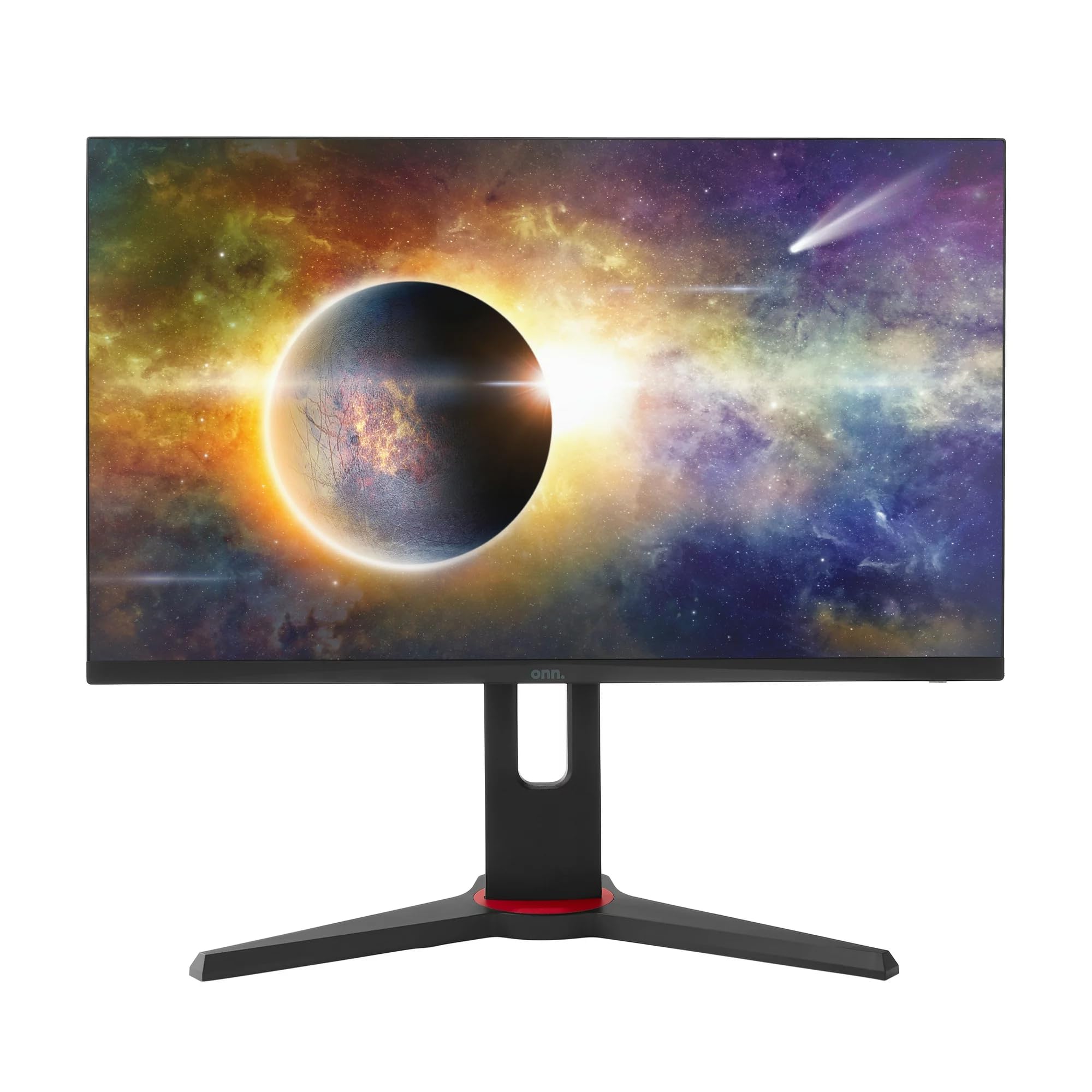
Obraz: Przód view of the ONN 24-inch Gaming Monitor, fully assembled with its stand.

Obraz: Tył view of the ONN 24-inch Gaming Monitor, illustrating the stand attachment and cable management area.
2. Podłączanie kabli
Locate the input ports on the back of your monitor:
- Moc: Podłącz zasilacz do wejścia zasilania monitora, a następnie do gniazdka sieciowego.
- Wejście wideo: Connect one end of the provided DisplayPort or HDMI cable to the corresponding port on your computer's graphics card and the other end to the monitor. The monitor supports 2 HDMI inputs and 1 DisplayPort input.
- Wyjście audio (opcjonalnie): If your monitor has a 3.5mm audio jack, you can connect external speakers or headphones.

Obraz: Zbliżenie view of the monitor's rear ports, including HDMI 1, HDMI 2, DisplayPort (DP), and power input.
3. Pierwsze włączenie zasilania
- Upewnij się, że wszystkie kable są bezpiecznie podłączone.
- Press the power button on the monitor (usually located on the back or bottom right).
- The monitor should display the ONN logo and then search for an input signal.
- If no image appears, ensure your computer is powered on and the correct input source is selected on the monitor (see Operating section).
Operacyjny
1. Włączanie/wyłączanie zasilania
Press the power button to turn the monitor on or off. The power indicator light will show the monitor's status (e.g., blue for on, amber for standby).
2. Nawigacja po menu ekranowym (OSD)
Your monitor features an OSD menu for adjusting various settings. Typically, buttons on the back or bottom of the monitor control the OSD:
- Przycisk menu: Otwiera menu ekranowe.
- Przyciski nawigacyjne (góra/dół/lewo/prawo): Służy do poruszania się po opcjach menu.
- Przycisk Wybierz/Wprowadź: Potwierdza wybór lub przechodzi do podmenu.
- Przycisk wyjścia: Wychodzi z bieżącego menu lub OSD.
3. Dostosowywanie ustawień
Key settings you can adjust via the OSD menu include:
- Jasność/Kontrast: Dostosuj ogólną jasność i różnicę między obszarami jasnymi i ciemnymi.
- Ustawienia kolorów: Modyfikuj temperaturę barwową, gamma i poszczególne poziomy RGB.
- Źródło sygnału wejściowego: Wybierz ręcznie pomiędzy wejściami HDMI 1, HDMI 2 lub DisplayPort.
- Częstotliwość odświeżania: Ensure your graphics card and monitor are set to 165Hz for the smoothest experience. This is usually configured in your operating system's display settings.
- Czas reakcji: Adjust the monitor's response time setting (e.g., 1ms) for reduced motion blur in fast-paced games.
- Technologia FreeSync: Enable FreeSync in the OSD menu and in your AMD graphics card settings to synchronize the monitor's refresh rate with your GPU's frame rate, eliminating screen tearing and stuttering.
- Tryby obrazu: Select from preset modes optimized for different content (e.g., Standard, Game, Movie, Text).

Image: The ONN 24-inch Gaming Monitor displayed in a typical desk setup, connected to a laptop with gaming peripherals.
Konserwacja
Czyszczenie monitora
- Zawsze odłączaj monitor od zasilania przed czyszczeniem.
- Delikatnie użyj miękkiej, niestrzępiącej się szmatki dampspłukać wodą lub łagodnym, nieściernym środkiem do czyszczenia ekranów.
- Nie rozpylaj środka czyszczącego bezpośrednio na ekran. Najpierw nanieś go na ściereczkę.
- Unikaj stosowania silnych środków chemicznych, szorstkich czyścików i rozpuszczalników.
Składowanie
Jeśli monitor będzie przechowywany przez dłuższy okres czasu, odłącz wszystkie kable, zapakuj go do oryginalnego opakowania (jeśli jest dostępne) i przechowuj w chłodnym, suchym miejscu, z dala od bezpośredniego światła słonecznego i ekstremalnych temperatur.
Rozwiązywanie problemów
Jeśli masz problemy z monitorem, zapoznaj się z poniższymi typowymi problemami i ich rozwiązaniami:
| Problem | Możliwe rozwiązanie |
|---|---|
| Brak obrazu na ekranie |
|
| Image is flickering or distorted |
|
| Brak dźwięku (jeśli używasz głośników monitora/wyjścia audio) |
|
| Monitor not reaching 165Hz |
|
Specyfikacje
Detailed technical specifications for the ONN 24-inch FHD Gaming Monitor (Model 100027813):
| Funkcja | Specyfikacja |
|---|---|
| Numer modelu | 100027813 |
| Rozmiar ekranu | 24 cali |
| Rezolucja | FHD 1080p (1920x1080) |
| Częstotliwość odświeżania | 165 Hz |
| Czas reakcji | 1 milisekund |
| Technologia wyświetlania | IPS |
| Adaptacyjna synchronizacja | FreeSync |
| Proporcje obrazu | 16:9 |
| Współczynnik kontrastu | 2000:1 |
| Powierzchnia ekranu | Matte, Anti-glare with low blue light setting |
| Łączność | 2x HDMI, 1x DisplayPort |
| Wymiary produktu (Gł. x Szer. x Wys.) | Wymiary 61.3 x 11.3 x 37.3 cm |
| Waga przedmiotu | 6.1 kilogramów |
| Kolor | Czarny |
| Typ montażu | Uchwyt biurkowy |
| Konkretne zastosowania | Entertainment, Gaming |
Gwarancja
This ONN 24-inch FHD Gaming Monitor is a renewed product. Warranty terms and conditions for renewed products may vary. Please refer to the specific warranty information provided by the seller or retailer at the time of purchase. It is recommended to retain your proof of purchase for any warranty claims.
Wsparcie
For technical assistance, troubleshooting beyond this manual, or warranty inquiries, please contact the retailer or the Amazon Renewed support channel where the product was purchased. Have your model number (100027813) and proof of purchase ready when contacting support.