
VIKVIZ PG2347C-28
VIKVIZ 4MP PoE IP Turret Camera User Manual
Model: PG2347C-28
Your guide to advanced outdoor surveillance with human/vehicle detection, full-color night vision, and IP67 weatherproofing.
1. Wprowadzenie
Thank you for choosing the VIKVIZ 4MP PoE IP Turret Camera. This manual provides essential information for the proper installation, operation, and maintenance of your security camera. Please read this manual thoroughly before using the product to ensure safe and effective operation. Keep this manual for future reference.
2. Zawartość opakowania
Sprawdź, czy wszystkie wymienione poniżej elementy znajdują się w Twojej paczce. Jeśli brakuje któregokolwiek z nich lub jest on uszkodzony, skontaktuj się z obsługą klienta.
- VIKVIZ 4MP PoE IP Turret Camera
- Śruby do montażu
- Instrukcja obsługi (ten dokument)

Image: Contents of the VIKVIZ 4MP PoE IP Turret Camera package.
3. Koniec produktuview
The VIKVIZ 4MP PoE IP Turret Camera is designed for reliable outdoor surveillance, offering high-definition video and intelligent features.
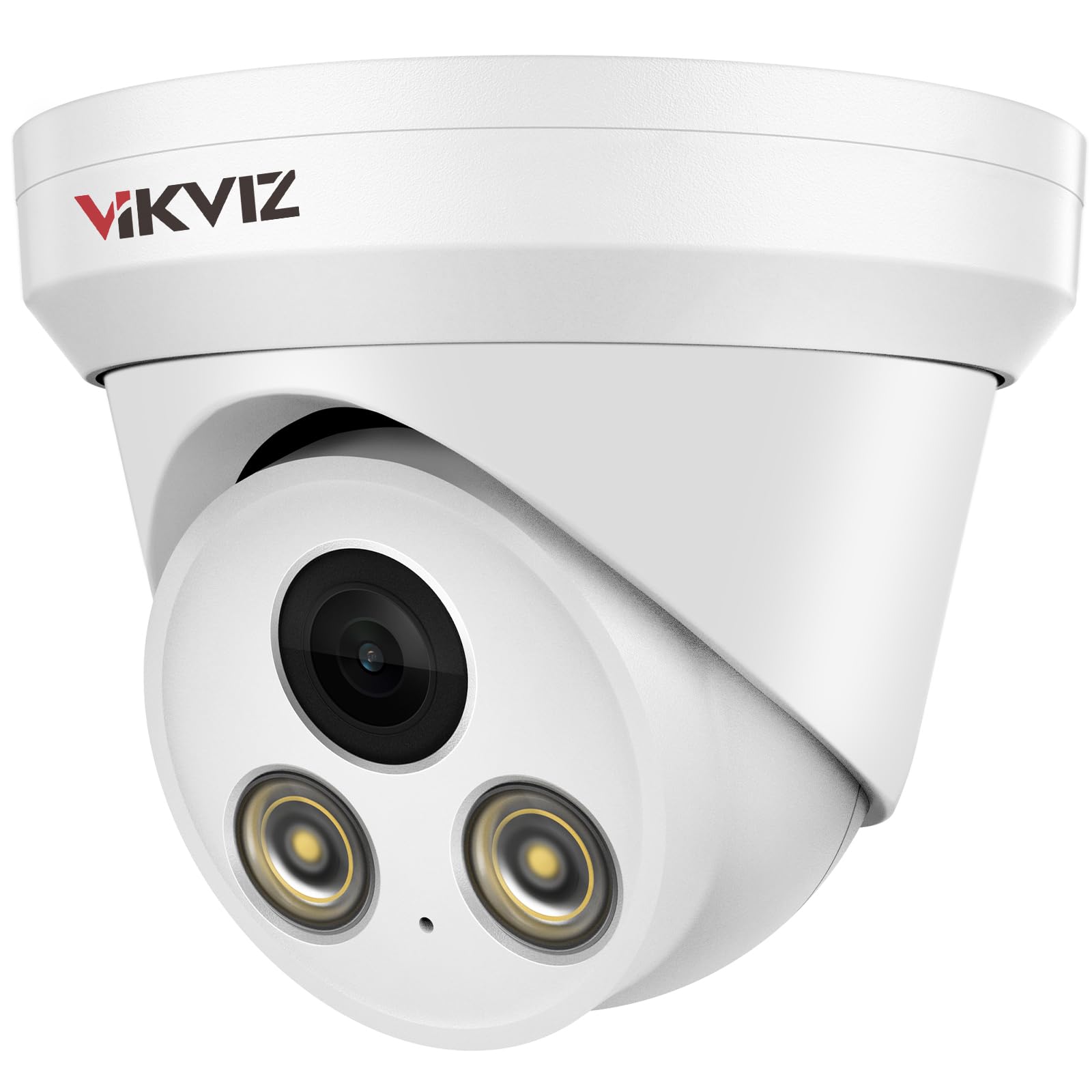
Obraz: Przód view of the VIKVIZ 4MP PoE IP Turret Camera.
Główne cechy:
- Rozdzielczość HD 4MP: Delivers clear 2560x1440 video at 25 frames per second.
- Wbudowany mikrofon: Enables one-way audio monitoring for comprehensive environmental awareness.
- Obiektyw stały 2.8 mm: Provides a super-wide 105° viewing angle to cover larger areas.
- 98ft Full-Color Night Vision: Features F1.0 large aperture lens and soft-light assist system for rich, detailed color images even in low light.
- Human/Vehicle Motion Detection: Advanced AI detection reduces false alarms and accurately identifies relevant events.
- Stopień ochrony przed warunkami atmosferycznymi IP67: Trwały metalowy casing withstands harsh outdoor conditions, including immersion in 1m of water for 30 minutes.
- Zasilanie przez Ethernet (PoE): Simplifies installation by transmitting power and data through a single network cable.
- Szeroka kompatybilność: Supports Onvif protocol and RTSP, compatible with most third-party NVRs (e.g., Blue Iris, iSpy, Hikvision NVRs, but not Reolink NVRs).
- H.265+ Smart Coding: Efficient video compression reduces bandwidth and storage requirements.

Obraz: Ponadview funkcji aparatu.

Image: Built-in microphone for audio recording.

Image: Wide-angle view zapewnia obiektyw 2.8 mm.

Image: IP67 waterproof rating in various weather conditions.

Image: Image quality enhancements like WDR, BLC, HLC, and 3D DNR.
Video: A demonstration of the 4MP IP camera's physical appearance and various functions.
4. Konfiguracja i instalacja
This section guides you through the physical installation and initial setup of your VIKVIZ PoE IP Camera.
4.1. Schemat połączeń
The camera supports Power over Ethernet (PoE), allowing both power and data transmission through a single Ethernet cable. This simplifies wiring and installation.

Image: Various connection methods for the PoE IP Camera.
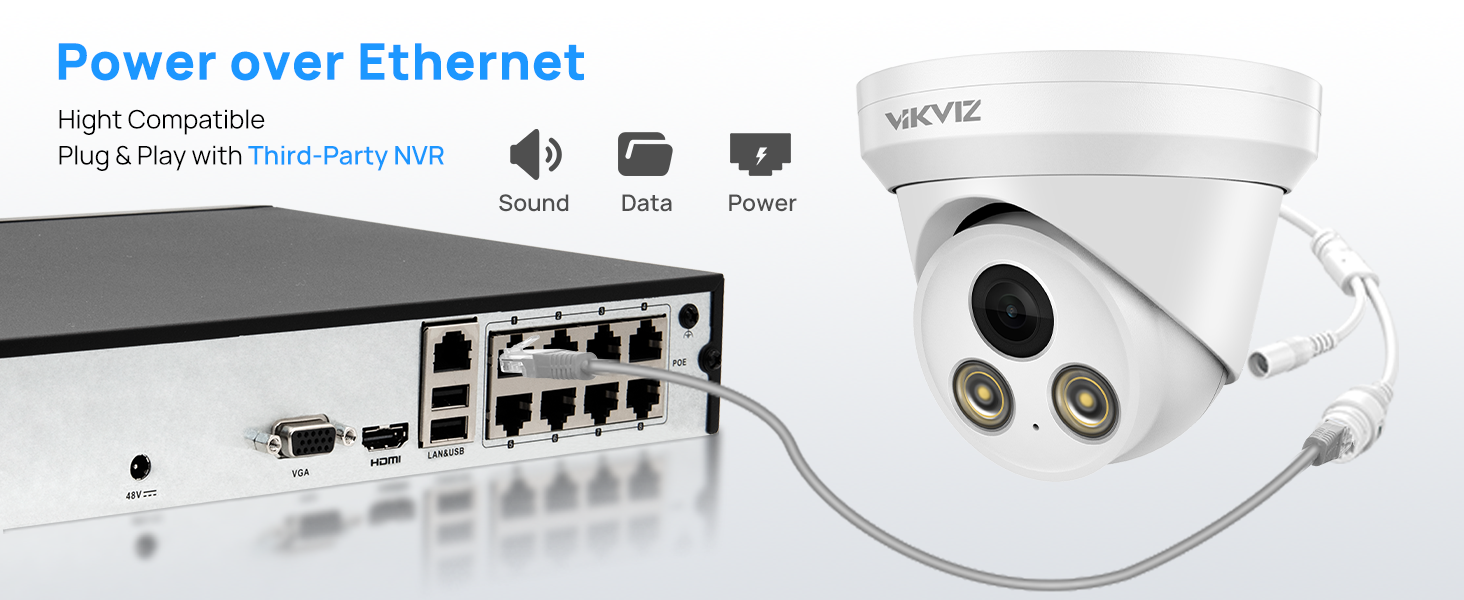
Image: Power over Ethernet connection for simplified setup.
4.2. Wskazówki dotyczące instalacji
For detailed physical installation steps, refer to the video below. Ensure the camera is securely mounted and cables are properly connected and protected.
Video: Step-by-step guide for PoE camera installation.
4.3. Connecting to an NVR
The VIKVIZ camera is compatible with various NVR systems. Follow the instructions in the videos below for connecting to an NVR or setting up the camera directly.
Video: General POE Camera operation and connection methods.
Video: Instructions on how to connect the camera to a Hikvision NVR.
5. Instrukcja obsługi
Learn how to utilize the advanced features of your VIKVIZ camera for effective surveillance.
5.1. Motion Detection (Human/Vehicle)
The camera features intelligent human and vehicle detection to minimize false alarms. You can configure detection areas and sensitivity settings via the camera's web interfejs lub kompatybilne oprogramowanie.

Image: AI Motion Detection for human and vehicle events.

Image: Real-time motion alerts via mobile app.

Image: Motion2.0 Human/Vehicle Detection in action.
Video: Guide on how to set up motion detection and human body detection for the camera.
5.2. Full-Color Night Vision
Experience clear, full-color video even in low-light conditions, extending your surveillance capabilities beyond traditional black and white infrared. The camera's F1.0 lens and soft-light assist system capture more light for superior night imaging.

Image: Full-color night vision capability.

Image: Comparison of traditional IR vs. VIKVIZ Full-Color Night Vision.
Video: Display and introduction of the 4MP Color Night Vision Security Camera.
5.3. Remote Access & Monitoring
Access your camera feed and receive alerts from anywhere using the dedicated mobile app (Videolink) or compatible PC software (IVMS-4200, LMS) and web przeglądarek.

Image: Remote access options for the camera.

Image: Free app for remote access.

Image: Multi-user real-time remote access.
6. Konserwacja
Regularna konserwacja zapewnia optymalną wydajność i długowieczność aparatu.
- Czyszczenie: Delikatnie przetrzyj obiektyw i obudowę aparatu miękką ściereczką.amp szmatką. Unikaj środków czyszczących o działaniu ściernym i rozpuszczalników, które mogą uszkodzić powierzchnię.
- Aktualizacje oprogramowania układowego: Okresowo sprawdzaj producenta website or your app for available firmware updates. Keeping your camera's firmware up-to-date ensures access to the latest features and security enhancements.
- Kontrola kabla: Regularly inspect all cables for any signs of wear, damage, or loose connections. Ensure waterproof connections are sealed properly.
7. Rozwiązywanie Problemów
Jeśli masz problemy z aparatem, zapoznaj się z poniższymi typowymi problemami i ich rozwiązaniami:
| Problem | Możliwa przyczyna | Rozwiązanie |
|---|---|---|
| Brak źródła wideo | Loose cable connection, no power, incorrect network settings. | Check all Ethernet and power connections. Ensure PoE is active or 12V DC power is supplied. Verify camera IP address and network configuration. |
| Niska jakość obrazu | Dirty lens, low bandwidth, incorrect image settings. | Clean the lens. Check network bandwidth. Adjust image settings (brightness, contrast, WDR, DNR) in the camera's web interfejs. |
| Motion detection not triggering or too many false alarms | Incorrect sensitivity, detection area not set, environmental factors. | Adjust motion detection sensitivity and detection area in the camera settings. Ensure human/vehicle detection is enabled. |
| Cannot connect to NVR/Software | Incorrect IP address, password, or protocol. | Verify the camera's IP address, username, and password. Ensure the NVR supports Onvif/RTSP and the camera's protocol. Note: Not compatible with Reolink NVRs. |
8. Specyfikacje
| Funkcja | Szczegół |
|---|---|
| Nazwa modelu | PG2347C-28 |
| Rozdzielczość przechwytywania wideo | 4 MP (2560 × 1440) |
| Szybkość klatek | 25 klatek na sekundę |
| Obiektyw | 2.8mm stałe obiektywy |
| Viewing kąt | 105 stopni |
| Zakres noktowizora | 98 stóp (pełnokolorowa wizja nocna) |
| Audio | Built-in Microphone (One-way audio) |
| Technologia łączności | PoE, Onvif, Wired |
| Źródło zasilania | DC12V OR POE |
| Międzynarodowa Ocena Ochrony | IP67 (wodoodporne) |
| Tworzywo | Metal |
| Tryb pracy | Tylko ruch (wykrywanie ludzi/pojazdów) |
| Kodowanie wideo | H.265+, H.265, H.264 |
| Temperatura pracy | -40°F do +140°F (-40°C do +60°C) |
9. Gwarancja i pomoc techniczna
VIKVIZ is committed to providing high-quality products and excellent customer service.
- Gwarancja: Produkt objęty jest 2-letnią gwarancją producenta.
- Wsparcie techniczne: Lifetime technical support is available for all VIKVIZ customers. For assistance, please visit the VIKVIZ Store on Amazon lub skontaktuj się z naszym działem obsługi klienta.
Ask a question about this manual
Ask about setup, troubleshooting, compatibility, parts, safety, or missing instructions. Manuals+ will review the question and use this page’s manual context to help answer it.