
GNCC GT1PRO Black Caméra Surveillance
GNCC 2K Outdoor Security Camera User Manual
Model: GT1PRO Black Caméra Surveillance
Marka: GNCC
1. Wprowadzenie
This manual provides detailed instructions for the installation, operation, and maintenance of your GNCC 2K Outdoor Security Camera. This camera is designed to provide reliable surveillance with advanced features for enhanced home security.
Key features include 2K Ultra HD resolution, enhanced night vision up to 50 feet/15m, smart AI detection for motion and sound alerts, two-way audio, IP65 weatherproof rating, and seamless integration with Alexa and Google Home.
2. Co znajduje się w pudełku
- Instrukcja obsługi
- Podstawka
- Zasilacz
- Śruba montażowa

Image: GNCC 2K Outdoor Security Camera and its retail packaging, illustrating the product and its box contents.
3. Przewodnik konfiguracji
3.1. Instalacja fizyczna
- Wybierz lokalizację: Select a suitable outdoor location for the camera, ensuring it is within reach of a power outlet. The camera is IP65 weatherproof, suitable for various outdoor conditions.
- Zaznacz i wywierć otwory: Use the mounting bracket to mark the desired drill points on the installation surface. Drill pilot holes for the mounting screws.
- Zamontuj wspornik montażowy: Securely attach the mounting bracket to the surface using the provided screws.
- Zamontuj kamerę: Screw the camera onto the mounting bracket. Adjust the camera's angle and position as needed, then tighten the mount to secure it.
- Podłącz do zasilania: Plug the camera's USB power cable into the provided power adapter, then plug the adapter into a wall outlet. Clips are included to help secure the wire along the installation path.

Image: The GNCC 2K Outdoor Security Camera, highlighting its IP65 weatherproof design, suitable for outdoor installation.
3.2. Instalacja i połączenie aplikacji
- Download the Osaio App: Szukaj "Osaio" in your smartphone's app store (Google Play or Apple App Store) and install it.
- Zarejestruj się/Zaloguj: Open the Osaio app and follow the on-screen instructions to register a new account or log in if you already have one.
- Dodaj urządzenie: In the app, select the option to add a new device. Choose the GNCC 2K Outdoor Security Camera from the list.
- Połącz się z Wi-Fi: Follow the app's prompts to connect the camera to your 2.4GHz Wi-Fi network. Ensure your Wi-Fi is set to 2.4GHz, as 5GHz is not supported. You may be prompted to scan a QR code displayed on your phone with the camera, or connect via AP mode.
- Potwierdzenie: A successful connection is typically indicated by a double beep from the camera and a green checkmark in the app. If the indicator light is flashing red, or you do not hear the double beep, please reset the camera and try again.
Video: A guide to connecting the GNCC security camera to the Osaio GT1Pro app, demonstrating the Wi-Fi and AP mode setup processes.
4. Instrukcja obsługi
4.1. Na żywo View
Access the Osaio app to view żyćtage from your camera anytime, anywhere. This allows for real-time monitoring of your property.
4.2. Detekcja ruchu i dźwięku
The camera features smart AI-powered motion and sound detection. You will receive real-time phone alerts when people, pets, packages, or vehicles are identified, reducing false alarms. The built-in siren can be activated via the Osaio app to deter intruders.

Image: The GNCC 2K Outdoor Security Camera demonstrating motion detection capabilities, with a person approaching a door.

Image: A smartphone screen showing real-time notifications from the Osaio app, indicating detected motion and sound events.
4.3. Dźwięk dwukierunkowy
Utilize the integrated microphone and speaker for two-way communication. This allows you to speak with visitors, delivery personnel, or warn unwanted guests directly through the camera from your smartphone.
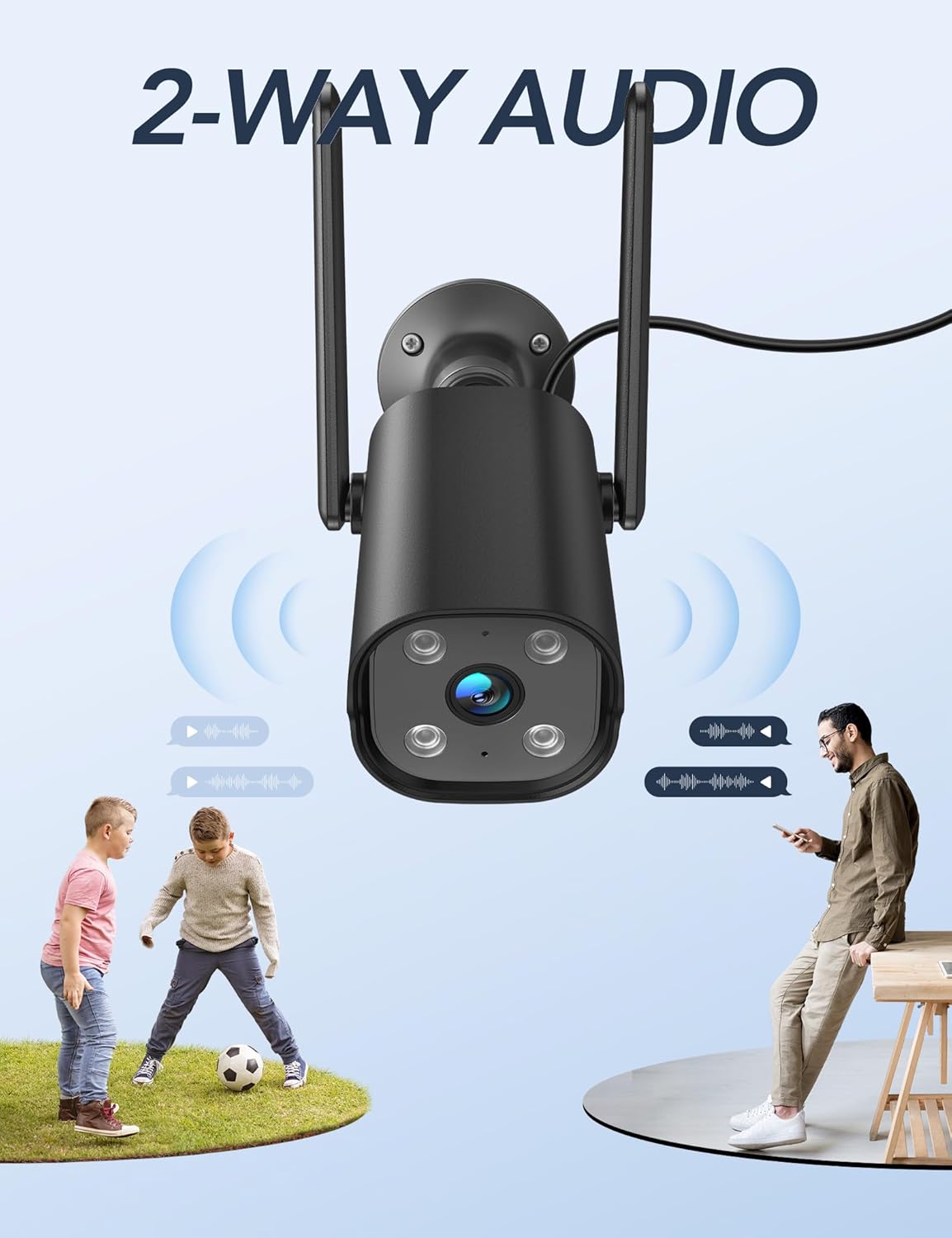
Image: The GNCC 2K Outdoor Security Camera illustrating its two-way audio capability, showing communication between the camera and individuals.
4.4. Wizja nocna
The camera provides enhanced night vision, allowing you to see clearly up to 50 feet (15 meters) even in complete darkness, ensuring 24/7 surveillance.
4.5. Rejestrowanie i przechowywanie
The camera supports 24/7 recording. Footage can be stored securely on a Micro SD card (up to 128GB, not included) or via encrypted cloud storage with a free 14-day trial. You can review past recordings through the Osaio app.

Image: A visual representation of the GNCC 2K Outdoor Security Camera's 24/7 recording capability, showing continuous video capture.

Image: Diagram illustrating the GNCC 2K Outdoor Security Camera's flexible storage options: cloud storage (with a 14-day free trial) and local SD card storage (up to 128GB, not included).
4.6. Integracja inteligentnego domu
The GNCC 2K Outdoor Security Camera is compatible with Alexa and Google Home, allowing for convenient hands-free voice control. You can also remotely manage the camera and share live feeds with family members through the Osaio app.
Wideo: Ponadview of the GNCC 2K Outdoor Security Camera (GT1Pro), highlighting its features including 2K HDR, siren, 2.4GHz WiFi, IP65, AI detection, night vision, motion detection, and 2-way audio.
5. Konserwacja
- Czyszczenie: Regularnie czyść obiektyw i korpus aparatu miękką, miękką szmatką.amp ściereczkę, aby usunąć kurz i zanieczyszczenia. Unikaj używania ostrych środków chemicznych.
- Kontrola połączenia: Periodically check the power cable and Wi-Fi connection to ensure stable operation.
- Aktualizacje oprogramowania układowego: Keep the Osaio app updated to the latest version. The app will notify you of any available firmware updates for the camera, which can improve performance and add new features.
6. Rozwiązywanie Problemów
- Kamera nie łączy się z aplikacją:
- Upewnij się, że Twoja sieć Wi-Fi obsługuje częstotliwość 2.4 GHz. Kamera nie obsługuje Wi-Fi 5 GHz.
- Sprawdź, czy hasło Wi-Fi jest poprawnie wprowadzone w aplikacji.
- Make sure the camera's indicator light is flashing red before attempting to connect. If not, reset the camera.
- Upewnij się, że kamera znajduje się w zasięgu routera Wi-Fi.
- Brak problemów z nagrywaniem/przechowywaniem:
- If using an SD card, ensure it is properly inserted and formatted within the app. Check if the SD card has sufficient storage space.
- If using cloud storage, verify your subscription status and internet connection.
- False Motion/Sound Alerts:
- Adjust the sensitivity settings for motion and sound detection in the Osaio app.
- Define specific detection zones to exclude areas with frequent irrelevant movement (e.g., busy streets, swaying trees).
- Słaba jakość widzenia nocnego:
- Ensure there are no obstructions directly in front of the camera lens that could interfere with the infrared lights.
- Wyczyść obiektyw aparatu, aby usunąć wszelkie smugi i zabrudzenia.
7. Specyfikacje
| Funkcja | Szczegół |
|---|---|
| Marka | GNCC |
| Nazwa modelu | GT1ProB |
| Zastosowanie wewnątrz/na zewnątrz | Na zewnątrz (odporność na warunki atmosferyczne IP65) |
| Rozdzielczość przechwytywania wideo | 2K (efektywna rozdzielczość zdjęć 3 MP) |
| Zakres noktowizora | 50 stóp |
| Technologia łączności | Bezprzewodowa (tylko Wi-Fi 2.4 GHz) |
| Źródło zasilania | Przewodowy elektryczny (5 V, 5 W) |
| Dwukierunkowy dźwięk | Tak |
| Wykrywanie ruchu/dźwięku | Yes (Smart AI Detection) |
| Opcje przechowywania | Karta Micro SD (do 128 GB), przechowywanie w chmurze |
| Zgodność z inteligentnym domem | Alexa, Google Home |
| Wymiary (dł. x szer. x wys.) | 4.33 x 3.07 x 2.09 cala |
| Waga przedmiotu | 7.4 uncji (210 grama) |
| Viewing kąt | 110 stopni |
| Szybkość klatek | 15 klatek na sekundę |
| Kodowanie wideo | H.265 |
| Typ powiększenia | Zoom cyfrowy (4x) |
8. Gwarancja i wsparcie
For any questions or support regarding your GNCC 2K Outdoor Security Camera, please contact GNCC customer service.
E-mail: wsparcie@gncchome.com
Please refer to the product packaging or official GNCC webstronie, aby uzyskać szczegółowe informacje dotyczące gwarancji.