
1. Wprowadzenie
Welcome to the user manual for your new Lenovo IdeaCentre 27IRH9 F0HM000RUS All-in-One PC. This document provides comprehensive instructions to help you set up, operate, maintain, and troubleshoot your device. Please read this manual thoroughly before using your computer to ensure optimal performance and longevity.
The Lenovo IdeaCentre 27IRH9 F0HM000RUS is a powerful and elegantly designed all-in-one desktop computer, featuring a 27-inch Full HD touchscreen display, an Intel Core i7 13th Gen i7-13620H processor, 16GB of RAM, and a 512GB SSD. It comes pre-installed with Windows 11 Home, offering a stable, intuitive, and responsive computing environment for both productivity and creative tasks.
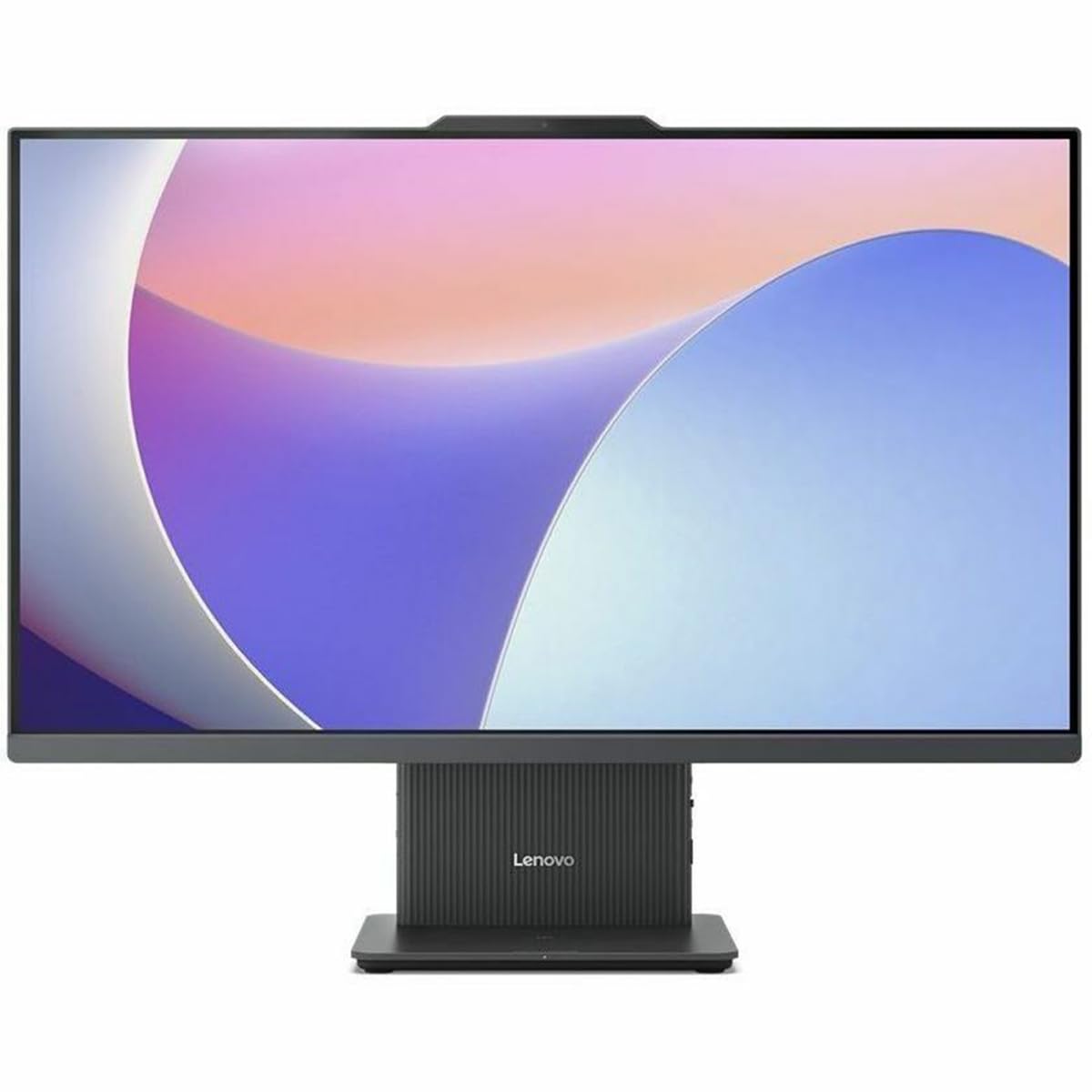
Rycina 1: Przód view of the Lenovo IdeaCentre 27IRH9 F0HM000RUS All-in-One PC.
2. Przewodnik konfiguracji
2.1 Rozpakowywanie i umieszczanie
- Carefully remove all components from the packaging. Ensure all items listed in the packing slip are present.
- Place the IdeaCentre All-in-One PC on a stable, flat surface, such as a desk or table. Ensure there is adequate ventilation around the device.
- Avoid placing the computer in direct sunlight or near heat sources.
2.2 Podłączanie urządzeń peryferyjnych
Connect the included wireless keyboard and mouse. The USB receiver for these devices is typically found in the mouse or keyboard packaging. Insert the USB receiver into an available USB port on the back of the computer.
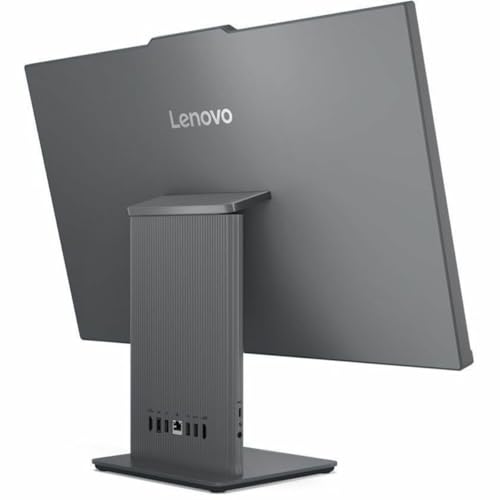
Rysunek 2: Tył view of the IdeaCentre, highlighting available ports for peripheral connections.
2.3 Połączenie zasilania
- Connect the power adapter cable to the power input port on the back of the IdeaCentre PC.
- Podłącz zasilacz do uziemionego gniazdka elektrycznego.
2.4 Pierwsze uruchomienie
- Naciśnij przycisk zasilania, który zazwyczaj znajduje się z boku lub na dolnej ramce wyświetlacza.
- Postępuj zgodnie z instrukcjami wyświetlanymi na ekranie, aby ukończyć proces konfiguracji systemu Windows 11 Home, obejmujący wybór języka, nawiązanie połączenia sieciowego i utworzenie konta użytkownika.
3. Instrukcja obsługi
3.1 Windows 11 Home Basics
Your IdeaCentre PC runs on Windows 11 Home, offering a user-friendly interface. Familiarize yourself with the Start Menu, Taskbar, and File Explorer for efficient navigation and application management.
3.2 Funkcjonalność ekranu dotykowego
The 27-inch Full HD display supports multi-touch gestures. Use gestures such as tap, swipe, pinch-to-zoom, and two-finger scroll for intuitive interaction with applications and content.
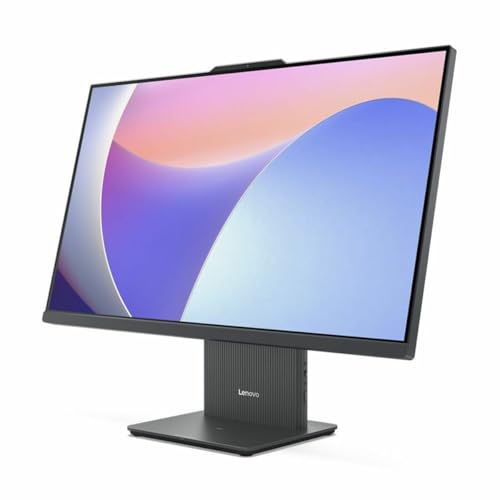
Figure 3: User interacting with the touchscreen display of the IdeaCentre.
3.3 Łączność sieciowa
- Wi-Fi: To connect to a wireless network, click the Wi-Fi icon in the taskbar, select your network, and enter the password. The device supports 802.11ax for stable and efficient online operations.
- Ethernet: For a wired connection, plug an Ethernet cable into the RJ-45 port on the back of the computer.
3.4 Urządzenia Bluetooth
To pair Bluetooth devices (e.g., headphones, speakers), go to Ustawienia > Bluetooth i urządzenia, turn on Bluetooth, and select your device from the list to pair. Bluetooth ensures stable wireless communication with minimal interference from nearby devices.
3.5 USB Type-C Port Usage
The USB Type-C port supports high-speed data transfer and power delivery, allowing for streamlined connectivity and efficient integration with various peripherals.
4. Konserwacja
4.1 Czyszczenie urządzenia
- Ekran: Użyj miękkiej, niestrzępiącej się ściereczki, lekko wyczyśćampPrzemyj wodą lub płynem do czyszczenia ekranów. Unikaj silnych środków chemicznych.
- Podwozie: Wipe the exterior with a soft, dry cloth. Do not use abrasive cleaners.
- Przed czyszczeniem upewnij się, że urządzenie jest wyłączone i odłączone od zasilania.
4.2 Aktualizacje oprogramowania
Regularly check for and install Windows updates and driver updates to ensure system stability, security, and optimal performance. Go to Ustawienia > Windows Update aby zarządzać aktualizacjami.
4.3 Kopia zapasowa danych
Periodically back up your important files to an external drive or cloud storage to prevent data loss. Windows 11 offers built-in backup solutions.
5. Rozwiązywanie Problemów
This section addresses common issues you might encounter with your IdeaCentre PC.
| Problem | Możliwe rozwiązanie |
|---|---|
| Computer does not power on | Ensure the power cable is securely connected to both the computer and the electrical outlet. Test the outlet with another device. |
| Brak wyświetlania na ekranie | Check if the computer is powered on. If connected to an external monitor, ensure the correct input source is selected on the monitor. |
| Problemy z połączeniem Wi-Fi | Restart your router and modem. Ensure Wi-Fi is enabled on your computer. Check network settings in Windows. |
| Klawiatura lub mysz nie reagują | Check battery levels for wireless devices. Ensure the USB receiver is properly inserted. Try a different USB port. |
| System jest powolny lub nie odpowiada | Close unnecessary applications. Check for background processes using Task Manager. Ensure sufficient free space on the SSD. Run a system scan for malware. |
If problems persist, refer to the Lenovo support webodwiedź witrynę lub skontaktuj się z obsługą klienta, aby uzyskać dalszą pomoc.
6. Specyfikacje
Detailed technical specifications for the Lenovo IdeaCentre 27IRH9 F0HM000RUS:
| Funkcja | Szczegół |
|---|---|
| Marka | Lenovo |
| Numer modelu | F0HM000RUS |
| System operacyjny | Windows 11 Home |
| Model procesora | Intel Core i7-13620H (13. generacji) |
| Prędkość procesora | 4.9 GHz |
| Procesor graficzny | Karta graficzna Intel UHD (zintegrowana) |
| Pamięć RAM | 16 GB DDR5 |
| Składowanie | Dysk SSD 512 GB |
| Rozmiar ekranu | 27 cali |
| Rozdzielczość wyświetlacza | 1920 x 1080 (Pełna rozdzielczość HD) |
| Typ wyświetlacza | IPS, Touchscreen |
| Proporcje obrazu | 16:9 |
| Łączność bezprzewodowa | Wi-Fi (802.11ax), Bluetooth |
| Porty USB | 4 (w tym USB-C) |
| Porty HDMI | 1 |
| Pobór mocy | 135 watów |
| Wymiary produktu | Wymiary 22.1 x 56.1 x 75.9 cm |
| Waga produktu | 24.25 funtów |
| Zawarte komponenty | AIO Stand, Wireless Keyboard, Wireless Mouse, USB Receiver, Power Adapter |
| UPC | 197531855381 |
7. Gwarancja i wsparcie
7.1 Gwarancja na produkt
Your Lenovo IdeaCentre 27IRH9 F0HM000RUS comes with a standard manufacturer's warranty. Please refer to the warranty card included in your product packaging or visit the official Lenovo webSzczegółowe warunki gwarancji, jej czas trwania i procedury serwisowe można znaleźć na stronie internetowej.
7.2 Wsparcie techniczne
For technical assistance, troubleshooting beyond this manual, or service inquiries, please contact Lenovo customer support. You can find contact information, FAQs, and additional resources on the official Lenovo support webstrona: support.lenovo.com. When contacting support, please have your product model number (F0HM000RUS) and serial number ready.