
Wstęp
This manual provides detailed instructions for the safe and efficient operation of your Longer Ray5 20000mW Laser Engraver with Air Assist Kit. Please read this manual thoroughly before using the device to ensure proper setup, operation, and maintenance. Retain this manual for future reference.
Informacje dotyczące bezpieczeństwa
OSTRZEŻENIE: Laser engravers are powerful tools that can cause serious injury if not used correctly. Always follow these safety guidelines:
- Podczas obsługi urządzenia należy zawsze nosić odpowiednie okulary ochronne chroniące przed promieniowaniem laserowym.
- Never look directly into the laser beam or at its reflection.
- Należy zadbać o dobrą wentylację miejsca pracy w celu rozproszenia oparów i dymu.
- Trzymaj materiały łatwopalne z dala od ścieżki lasera.
- Nie pozostawiaj maszyny bez nadzoru podczas pracy.
- Upewnij się, że maszyna jest ustawiona na stabilnej, równej powierzchni.
- Trzymaj dzieci i zwierzęta domowe z dala od obszaru operacyjnego.
- Przed przystąpieniem do prac konserwacyjnych lub regulacyjnych należy odłączyć zasilanie.
- Zapoznaj się z procedurami awaryjnego wyłączania.
Zawartość opakowania
Sprawdź, czy w opakowaniu znajdują się wszystkie komponenty:
- Longer Ray5 20000mW Laser Engraver Unit
- Pompa wspomagania powietrza
- Air Assist Nozzle and Tubing
- Zasilacz
- Kabel USB
- Okulary ochronne
- Instrukcja obsługi (ten dokument)
- Materiał Samples (may vary)

Image: Air assist kit components including the pump, nozzle, and tubing.
Organizować coś
- Rozpakowywanie: Ostrożnie wyjąć wszystkie elementy z opakowania.
- Montaż: Follow the included quick start guide for assembling the main laser engraver frame and attaching the laser module.
- Air Assist Installation:
- Connect the air assist pump to the designated port on the laser module using the provided tubing.
- Ensure the air assist nozzle is securely attached to direct airflow to the engraving/cutting point.
- Podłączenie zasilania: Podłącz zasilacz do grawerki, a następnie do odpowiedniego gniazdka elektrycznego.
- Połączenie z komputerem: Connect the engraver to your computer via USB, or prepare for Wi-Fi/TF card connection.

Image: The Longer Ray5 laser engraver with the air assist pump connected and ready for operation.
Instrukcja obsługi
1. Oprogramowanie i łączność
The Longer Ray5 supports various software and connection methods:
- Zgodne oprogramowanie: LaserGRBL and LightBurn.
- Systemy operacyjne: Supports Windows 7+, MacOS, and Linux.
- Metody połączenia: Wi-Fi, USB, App, and TF card.
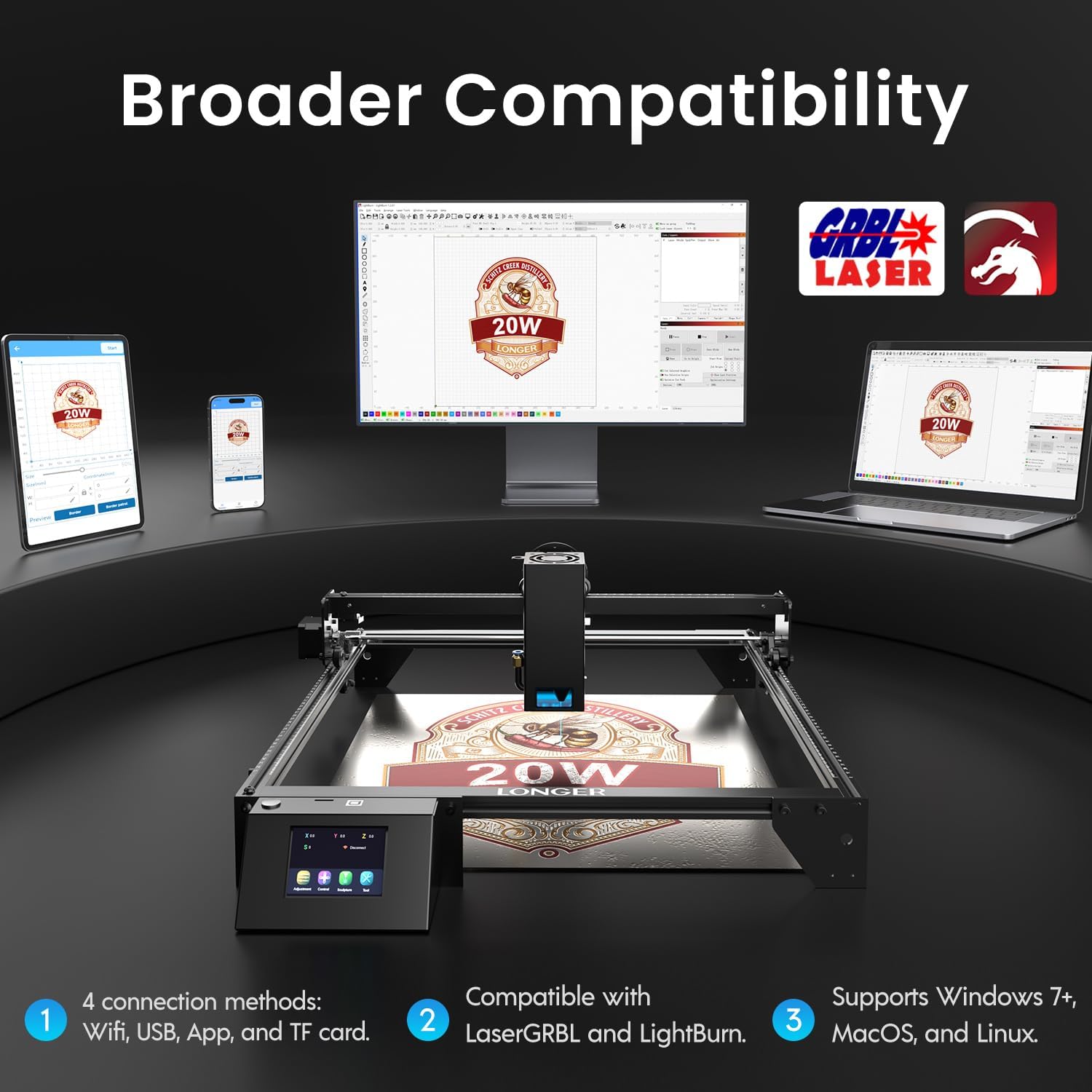
Image: Display showing the Longer Ray5's compatibility with LaserGRBL and LightBurn software, and various connection options including Wi-Fi, USB, App, and TF card across Windows, MacOS, and Linux operating systems.
2. Możliwości grawerowania i cięcia
The 20W diode laser offers high-efficiency performance for various materials.
- Cięcie: Capable of cutting up to 25mm of wood and 35mm of acrylic. It can also cut 0.05mm metal.
- Rytownictwo: Engrave hundreds of colors on metallic steel and a wide range of other materials.
- Przybory: Acrylic, metal, wood, stainless steel, and more.
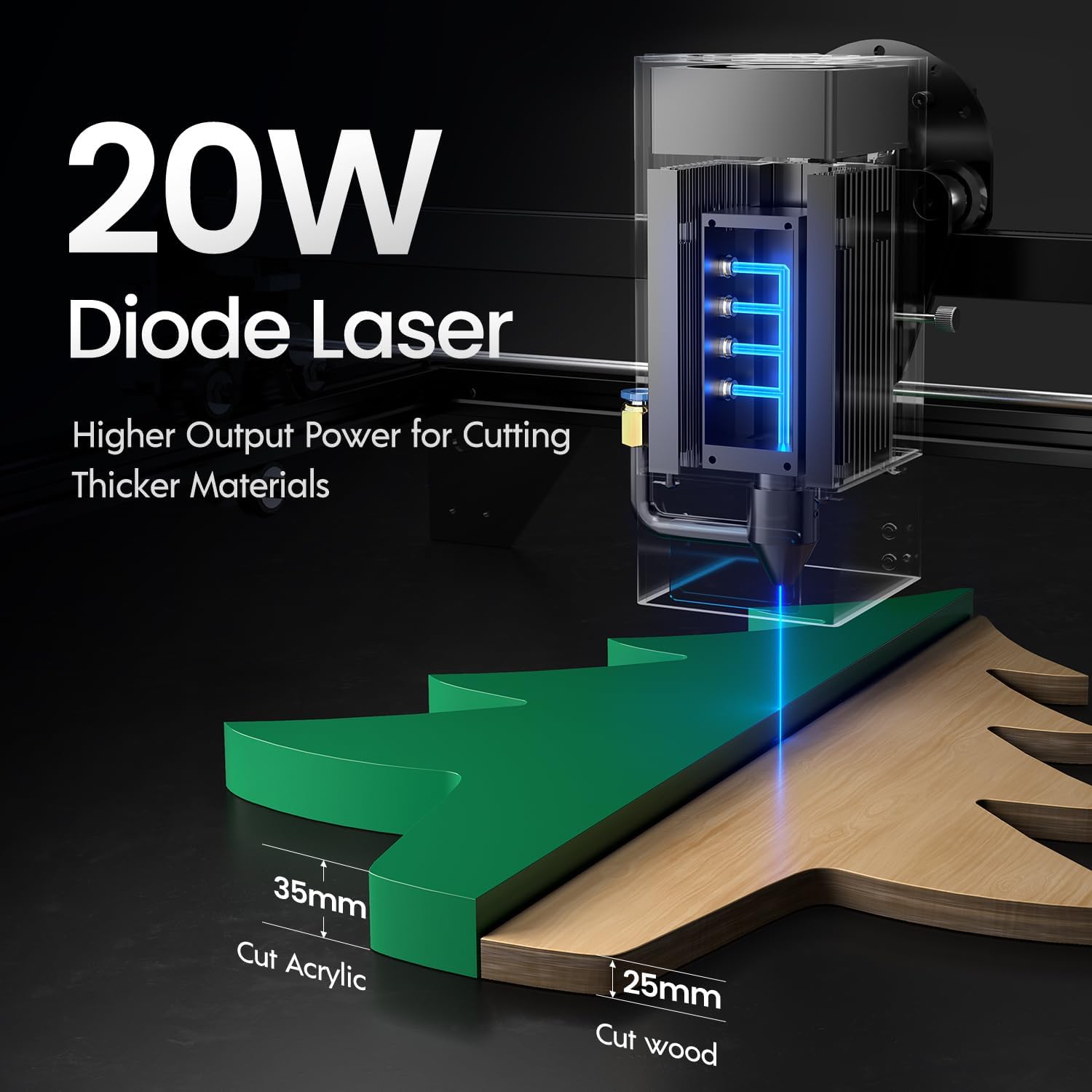
Image: Illustration demonstrating the 20W diode laser's capability to cut 25mm wood and 35mm acrylic.

Obraz: Byłyamples of engraving capabilities, showcasing over 380 colors on metallic surfaces and other DIY artworks.

Image: A collection of various items demonstrating the versatile material selection for engraving and cutting, including wood, metal, and acrylic.
3. Funkcja wspomagania powietrznego
The integrated air assist kit significantly improves cutting and engraving quality.
- Enhanced Cutting: The adjustable airflow (10-30L/min) suppresses smoke and dust, preventing laser energy attenuation and ensuring cleaner, smoother edges.
- Reduced Yellowing: Air assist helps prevent charring and yellowing on materials during laser processing, especially for wood and acrylic.

Image: A visual comparison showing the benefits of air assist, resulting in cleaner cuts and reduced processing time (e.g., 12 minutes with air assist vs. 20 minutes without).
4. Praca ciągła
The Longer Ray5 is designed for powerful continuous working capacity, supporting 24/7 continuous engraving. A single computer can control multiple machines.

Image: Depiction of multiple Longer Ray5 machines working simultaneously, illustrating continuous operation and the ability for one computer to control several units.
Konserwacja
Regularna konserwacja zapewnia optymalną wydajność i wydłuża żywotność grawerki laserowej.
- Wyczyść soczewkę lasera: Aby zachować jakość wiązki, okresowo czyść soczewkę lasera miękką, niepozostawiającą włókien ściereczką i płynem do czyszczenia soczewek.
- Usuń zanieczyszczenia: Remove any accumulated dust or debris from the work area and machine components.
- Sprawdź pasy i szyny: Inspect drive belts for tension and wear. Keep linear rails clean and lubricated as per manufacturer recommendations.
- Filtr wspomagający powietrze: If your air assist pump has a filter, clean or replace it regularly to ensure efficient airflow.
- Aktualizacje oprogramowania układowego: Sprawdź producenta webodwiedź tę witrynę, aby sprawdzić, czy są dostępne aktualizacje oprogramowania sprzętowego, które poprawiają wydajność lub dodają nowe funkcje.
Rozwiązywanie problemów
W tej sekcji omówiono typowe problemy, na które możesz natrafić.
| Problem | Możliwa przyczyna | Rozwiązanie |
|---|---|---|
| Laser nie działa | Power not connected, software error, laser module fault. | Check power connections. Verify software settings. Contact support if laser module is suspected faulty. |
| Słaba jakość grawerowania/cięcia | Incorrect focus, dirty lens, wrong power/speed settings, material issues, no air assist. | Adjust laser focus. Clean the laser lens. Optimize power/speed settings for the material. Ensure air assist is active. |
| Maszyna nie łączy się z komputerem | USB cable issue, driver not installed, Wi-Fi configuration error. | Try a different USB port/cable. Install necessary drivers. Reconfigure Wi-Fi connection. |
| Nadmierne dymy/opary | Insufficient ventilation, air assist not active or weak. | Ensure proper ventilation. Check air assist pump and tubing for blockages. Increase air assist flow. |
Specyfikacje
| Funkcja | Szczegół |
|---|---|
| Numer modelu | PROMIEŃ5 |
| Moc wyjściowa lasera | 20 000 mW (40 W) |
| Typ lasera | Laser diodowy |
| Głębokość cięcia (drewno) | Do 25 mm |
| Cutting Depth (Acrylic) | Do 35 mm |
| Metal Cutting Capability | 0.05mm |
| Air Assist Flow | 10-30 L/min (Adjustable) |
| Ekran dotykowy | 3.5 cali |
| Łączność | Wi-Fi, USB, App, TF Card |
| Zgodne oprogramowanie | LaserGRBL, LightBurn |
| Obsługiwany system operacyjny | Windows 7+, MacOS, Linux |
| Producent | Dłużej |
| Data pierwszej dostępności | 1 sierpnia 2024 r. |
Gwarancja i wsparcie
For warranty information and technical support, please refer to the official Longer webOdwiedź stronę internetową lub skontaktuj się bezpośrednio z działem obsługi klienta. Zachowaj paragon jako dowód zakupu na wypadek reklamacji.
Zasoby internetowe: Odwiedź Longer Store on Amazon Aby uzyskać dodatkowe informacje o produkcie i pomoc.