
1. Wprowadzenie
This manual provides instructions for the installation, operation, maintenance, and troubleshooting of your NETGEAR XS516TM 18-Port 10G/Multi-Gigabit Ethernet Smart Switch. This device is designed to provide high-speed network connectivity with advanced management features for business environments.
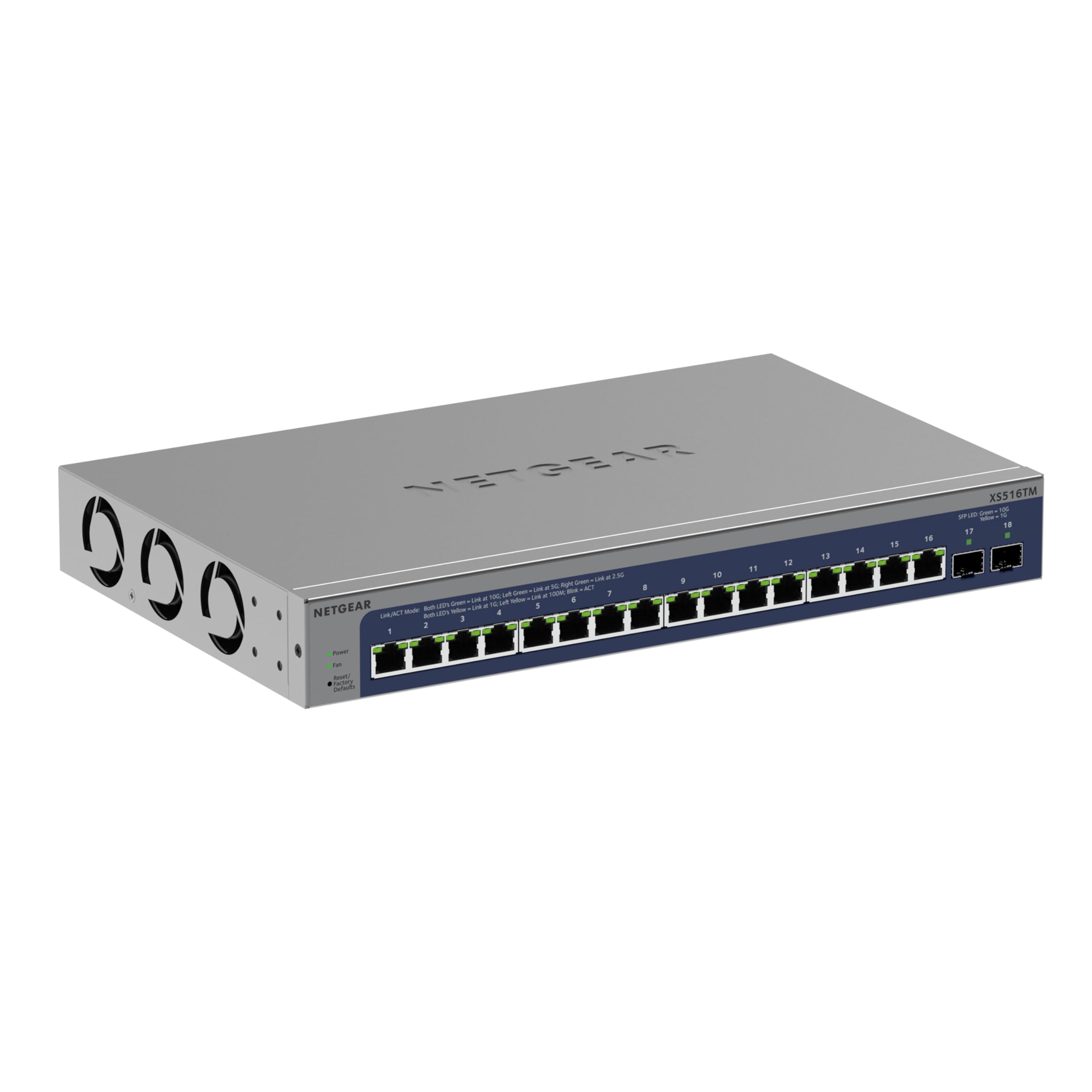
Rycina 1: Przód view of the NETGEAR XS516TM Smart Switch.
2. Zawartość opakowania
Verify the contents of your package. If any items are missing or damaged, contact your NETGEAR reseller.
- NETGEAR XS516TM Smart Switch
- Przewód zasilający
- Mounting kit (for wall or rack mount)
- Gumowe stopki do montażu na stole
- Instrukcja instalacji
3. Przekroczenie fizyczneview
The NETGEAR XS516TM switch features 16 multi-gigabit Ethernet ports and 2 SFP+ ports for high-speed connectivity.

Figure 2: Front and rear panel of the XS516TM switch, highlighting the 16 Ethernet ports, 2 SFP+ ports, power input, and status indicators.
Funkcje panelu przedniego:
- 16 x 1G/2.5G/5G/10G Ethernet Ports: These ports support various speeds for flexible network connections.
- 2 porty 10G SFP+: For high-speed fiber optic connections or direct attach copper cables.
- Wskaźniki LED: Provide status information for power, link/activity, and speed for each port.
- Przycisk resetowania: Służy do przywracania ustawień fabrycznych.
Cechy panelu tylnego:
- Pobór mocy: Podłączany do dołączonego przewodu zasilającego.
- Śruba uziemiająca: For optional grounding.
4. Konfiguracja i instalacja
4.1. Opcje montażu
The XS516TM switch can be installed on a desktop, wall-mounted, or rack-mounted.
- Instalacja na komputerze: Attach the included rubber footpads to the bottom of the switch.
- Mocowanie ścienne: Use the provided mounting kit to secure the switch to a wall. Ensure the wall can support the weight of the switch and connected cables.
- Montaż w stojaku: Use the provided rack-mount brackets to install the switch in a standard 19-inch equipment rack.
4.2. Podłączanie przełącznika
- Connect your network devices (servers, workstations, access points, etc.) to the 1G/2.5G/5G/10G Ethernet ports using appropriate Ethernet cables.
- For high-speed uplinks or connections to other network devices, use the 10G SFP+ ports with compatible SFP+ transceivers or DAC cables.
- Connect the power cord to the switch's power input and then to an AC power outlet.
- Verify the Power LED illuminates, indicating the switch is receiving power.
5. Obsługa przełącznika
The XS516TM is a Smart Switch, offering advanced management capabilities through its web-based interface and optional NETGEAR Insight cloud management.
5.1. Local Configuration and Control
Uzyskaj dostęp do przełącznika web-based management interface from a connected computer to configure settings such as VLANs, QoS, IGMP, security features, and more. Refer to the detailed software manual for comprehensive configuration instructions.

Rysunek 3: Example of the Smart Switch software interface for local configuration.
5.2. NETGEAR Insight Remote Management
The switch includes a 1-year subscription to NETGEAR Insight, allowing remote management of your network from anywhere. This feature provides centralized control and monitoring through a cloud-based platform without requiring additional hardware.

Figure 4: NETGEAR Insight interface for remote management on various devices.
Key features of NETGEAR Insight include:
- Multi-Location Support
- Network Scan Device Discovery
- Configuration Copy & Cloning
- Advanced PoE Configuration (if applicable to model)
- Firmware Scheduler
- SNMP Device Status
- Historia danych
- Pojedyncze logowanie
- Uwierzytelnianie dwuskładnikowe
- Email Alerts/Push Notifications
6. Konserwacja
To ensure optimal performance and longevity of your NETGEAR XS516TM switch, follow these maintenance guidelines:
- Czyszczenie: Utrzymuj przełącznik w czystości i zapobiegaj jego zakurzeniu. Do czyszczenia używaj miękkiej, suchej ściereczki. Nie używaj środków czyszczących w płynie ani aerozolu.
- Wentylacja: Ensure proper airflow around the switch. Do not block ventilation openings.
- Aktualizacje oprogramowania układowego: Regularnie sprawdzaj wsparcie NETGEAR website for the latest firmware updates. Applying updates can improve performance, add new features, and enhance security.
- Warunki środowiskowe: Operate the switch within the specified temperature and humidity ranges to prevent damage.
7. Rozwiązywanie Problemów
If you encounter issues with your NETGEAR XS516TM switch, refer to the following common troubleshooting steps:
- Brak zasilania:
- Upewnij się, że przewód zasilający jest solidnie podłączony do przełącznika i sprawnego gniazdka elektrycznego.
- Sprawdź, czy gniazdko elektryczne działa prawidłowo, podłączając do niego inne urządzenie.
- Brak światła łącza:
- Verify that the Ethernet cable is properly connected to both the switch port and the connected device.
- Wypróbuj inny kabel Ethernet.
- Sprawdź, czy podłączone urządzenie jest włączone i działa prawidłowo.
- Problemy z łącznością sieciową:
- Check the IP configuration of your devices.
- Log into the switch's management interface to check port status, VLAN settings, and other configurations.
- If using NETGEAR Insight, check the device status and logs remotely.
- Perform a factory reset if all other troubleshooting fails (refer to the "Reset Button" in Section 3).
- Niska wydajność:
- Ensure all connected devices are operating at their optimal speeds.
- Sprawdź, czy sieć nie jest przeciążona lub czy nie występuje nadmierny ruch rozgłoszeniowy.
- Verify cable quality and length meet specifications for 10G/Multi-Gigabit speeds.
For more detailed troubleshooting, consult the full user manual available on the NETGEAR support website or contact NETGEAR technical support.
8. Specyfikacje
| Funkcja | Specyfikacja |
|---|---|
| Marka | NETGEAR |
| Numer modelu | XS516TM-100NAS |
| Liczba portów | 18 (16 x 1G/2.5G/5G/10G Ethernet, 2 x 10G SFP+) |
| Szybkość przesyłu danych | 10 Gigabits Per Second (max) |
| Typ przełącznika | Managed (Smart Switch) |
| Interfejs | Ethernet, SFP+ |
| Waga przedmiotu | 3.49 kilograma |
| Wymiary (wys. x szer. x gł.) | 1.7 x 13.0 x 8.1 cala |
| Górna ocena temperatury | 50 stopni Celsjusza |
| UPC | 606449165456 |
9. Gwarancja i wsparcie
NETGEAR provides comprehensive support and warranty for the XS516TM Smart Switch:
- Ograniczona dożywotnia gwarancja na sprzęt: Your product is covered by a limited lifetime hardware warranty.
- Wymiana następnego dnia roboczego: In case of hardware failure, a replacement unit can be dispatched on the next business day.
- Wsparcie czatu 24/7: Dostęp do całodobowej pomocy technicznej za pośrednictwem czatu z ekspertem NETGEAR.
For warranty details, product registration, and technical support, please visit the official NETGEAR support webstrona: www.netgear.com/support