
1. Wprowadzenie
This manual provides essential information for setting up, operating, maintaining, and troubleshooting your SHARP 55FJ2E 4K UHD Smart TV. Please read these instructions carefully before using your television to ensure proper functionality and safety.
2. Co jest zawarte
Sprawdź, czy w opakowaniu znajdują się wszystkie elementy:
- SHARP 55FJ2E 4K UHD Smart TV
- Zdalne sterowanie
- 2 baterie AAA
- TV Stand Installation Kit
- Szybka porada
3. Konfiguracja
3.1 Montaż stojaka pod telewizor
Carefully place the TV screen-down on a soft, clean surface to prevent damage. Attach the included stand components to the bottom of the TV using the provided screws. Ensure the stand is securely fastened before placing the TV upright.
Alternatively, the TV supports VESA wall mounting (400 x 300 mm) for compatible wall brackets (sold separately).
3.2 Podłączanie urządzeń zewnętrznych
Connect your external devices such as cable boxes, gaming consoles, or media players to the appropriate ports on the TV.
- HDMI Ports (3x HDMI 4K @ 60 Hz (2.1)): For high-definition audio and video devices.
- USB Ports (2x): For connecting USB storage devices or other peripherals.
- Wejście antenowe: For connecting a terrestrial antenna.
- Wejście satelitarne: For connecting a satellite dish.
- Gniazdo słuchawkowe: For private listening.
- Cyfrowe optyczne wyjście audio: For connecting to external audio systems.
- Sieć lokalna (RJ45):Do przewodowego połączenia internetowego.
Obraz: Bok view of the TV displaying connectivity ports.
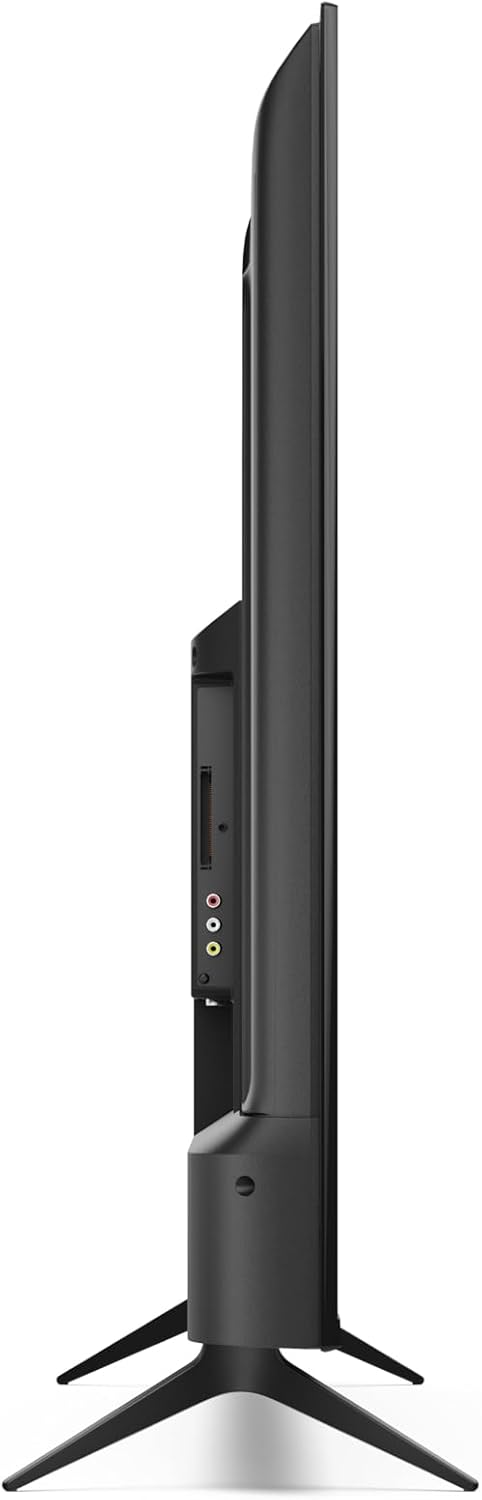
Obraz: Tył view of the TV with port layout.
3.3 Initial Power On and Roku TV Setup
After connecting all necessary cables, plug the TV into a power outlet. Press the power button on the remote control or the TV. Follow the on-screen instructions to complete the initial Roku TV setup, including network connection (Wi-Fi or LAN) and channel scanning.

Obraz: Przód view of the Sharp 55FJ2E TV.
4. Obsługa telewizora
4.1 Funkcje zdalnego sterowania
The included remote control allows you to navigate the Roku TV interface and control your television. Insert the 2 AAA batteries into the remote control before use.

Image: Sharp Roku TV Remote Control.
- Przycisk zasilania: Włącza lub wyłącza telewizor.
- Przewodnik: Accesses the program guide.
- Panel nawigacyjny (góra/dół/lewo/prawo): Moves through menus and options.
- Przycisk OK: Potwierdza wybór.
- Głośność w górę/w dół: Regulacja poziomu dźwięku.
- Niemy: Silences the TV sound.
- Sterowanie odtwarzaniem: Play, Pause, Fast Forward, Rewind.
- Przycisk Home: Returns to the Roku TV home screen.
- Przyciski numeryczne: For direct channel input.
- Wyjście/Wstecz: Returns to the previous screen or exits a menu.
4.2 Nawigacja w interfejsie Roku TV
The Roku TV home screen provides access to streaming channels, input sources, and settings. Use the navigation pad and OK button on your remote to browse.

Image: Roku TV Home Screen Interface.
- Kanały strumieniowe: Access pre-installed apps like YouTube, Netflix, Prime Video, Disney+, and Apple TV.
- Telewizja na żywo: Access broadcast channels via antenna or satellite.
- Wejścia: Select connected devices (e.g., HDMI 1, USB).
- Ustawienia: Adjust picture, sound, network, and system settings.
4.3 Aplikacja mobilna Roku
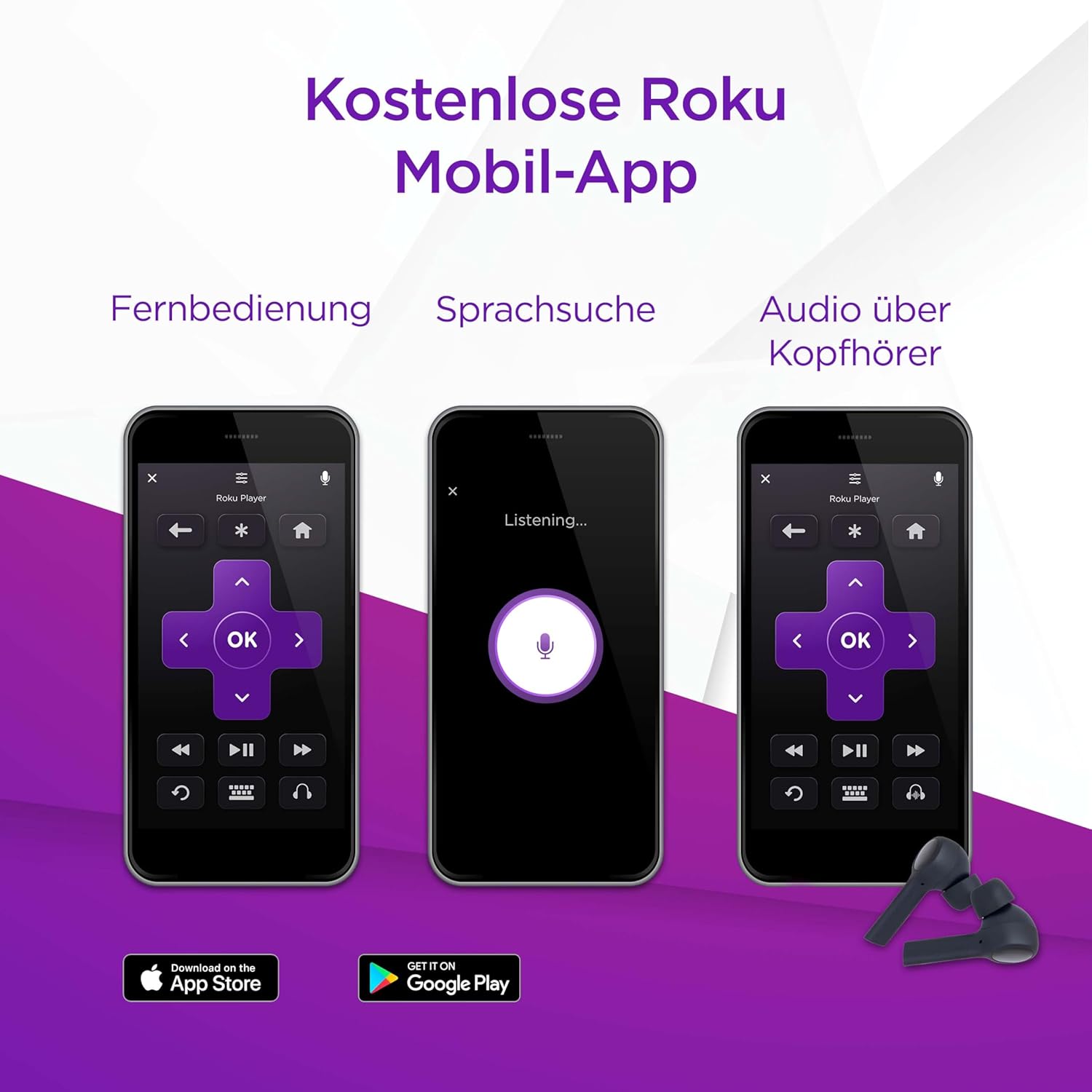
You can also control your SHARP Roku TV using the free Roku Mobile App on your smartphone or tablet. The app offers remote control functionality, voice search, and private listening via headphones.
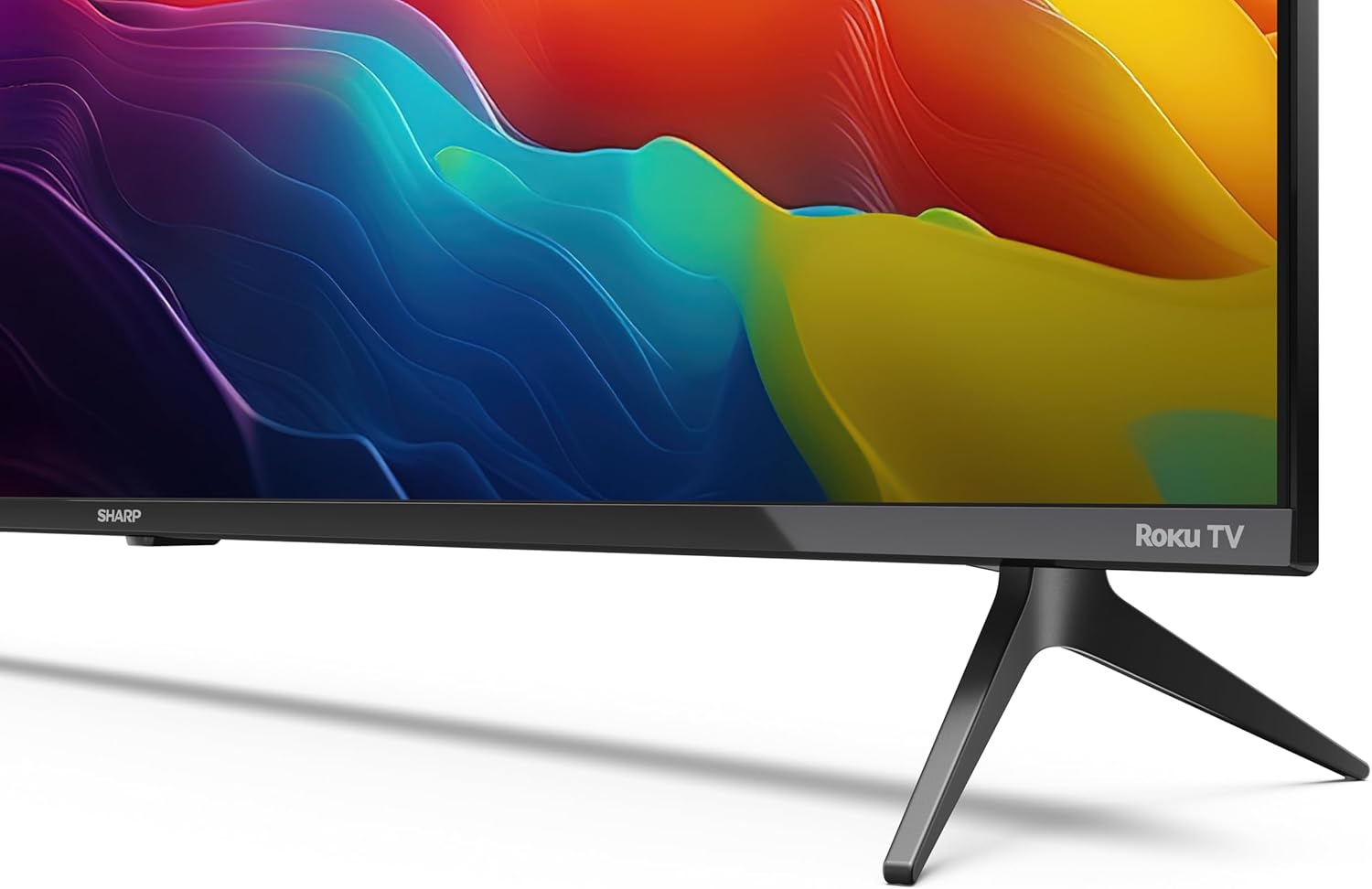
Image: Roku Mobile App features.
5. Konserwacja
5.1 Czyszczenie telewizora
- Ekran: Gently wipe the screen with a soft, lint-free cloth. For stubborn marks, use a screen cleaning solution specifically designed for TVs, applied to the cloth, not directly to the screen.
- Gabinet: Wipe the TV cabinet with a soft, dry cloth. Avoid using abrasive cleaners or solvents.
5.2 Aktualizacje oprogramowania
Your Roku TV automatically receives software updates to improve performance and add new features. Ensure your TV is connected to the internet for these updates to download and install.
6. Rozwiązywanie Problemów
Jeśli masz problemy z telewizorem, zapoznaj się z poniższymi typowymi rozwiązaniami:
- Brak zasilania: Check if the power cord is securely plugged into both the TV and the wall outlet. Try a different outlet.
- Brak obrazu, ale dźwięk: Ensure the correct input source is selected. Check cable connections to external devices.
- Brak dźwięku, ale obraz: Check the volume level and mute status. Verify audio cable connections to external sound systems.
- Pilot nie działa: Replace the AAA batteries. Ensure there are no obstructions between the remote and the TV's IR sensor.
- Problemy z połączeniem sieciowym: Restart your router and modem. Re-enter your Wi-Fi password in the TV's network settings. For wired connections, ensure the Ethernet cable is properly connected.
- Kontrola rodzicielska: If content is blocked, check parental control settings. These are typically protected by a PIN.
For further assistance, consult the online support resources for Roku TV or contact Sharp customer support.
7. Specyfikacje
| Funkcja | Specyfikacja |
|---|---|
| Numer modelu | 55FJ2E |
| Rozmiar ekranu | 55 cala (139 cm) |
| Technologia wyświetlania | PROWADZONY |
| Rezolucja | 4K UHD (3840 x 2160 px) |
| Częstotliwość odświeżania | 60 Hz |
| Obsługa HDR | HDR10 |
| Motion Enhancement Technology | Aktywny ruch 400 |
| System operacyjny | Roku OS |
| Tryb wyjścia audio | Dolby Digital, Dolby Digital Plus |
| System głośników | Front silk tweeter (10W), Down-firing woofer (10W) |
| Porty HDMI | 3 (4K @ 60 Hz, 2.1) |
| Porty USB | 2 |
| Łączność | Wi-Fi, LAN (RJ45), Antenna, Satellite, Headphone, Digital Optical Audio Out |
| Typ tunera | UHD DVB-T/T2/C/S/S2 (MPEG4 + 10 bits HEVC/H.265) |
| Standard mocowania VESA | 400x300mm |
| Wymiary produktu (Gł. x Szer. x Wys.) | 9.1 x 123.1 x 71.8 cm (bez podstawki) |
| Pobór mocy (SDR) | 67.0 W |
| Zużycie energii (HDR) | 114 W |
| Pobór mocy w trybie czuwania | 0.5 W |
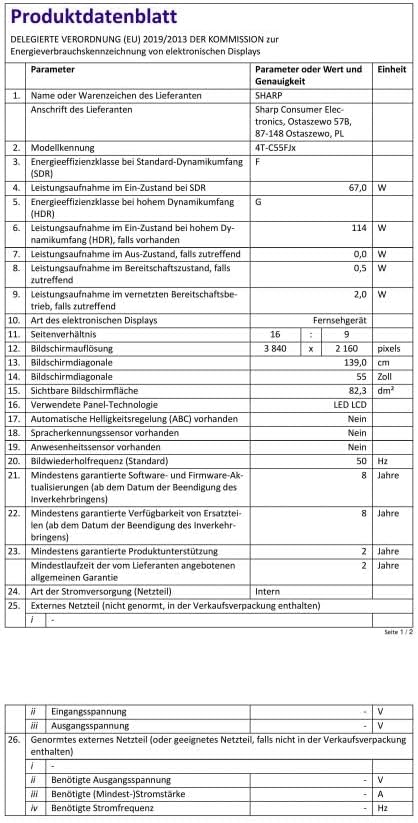
Image: Product Data Sheet (German).
8. Gwarancja i wsparcie
8.1 Informacje o gwarancji
Warranty details for your SHARP 55FJ2E TV are typically provided with the product packaging or available on the official Sharp webStrona. Zachowaj dowód zakupu na wypadek roszczeń gwarancyjnych.
8.2 Obsługa klienta
For technical support, service, or further inquiries, please visit the official Sharp website or contact their customer service department. Contact information can usually be found in the quick guide or on the manufacturer's webstrona.