
1. Koniec produktuview
The DUDAO U4A is an open-ear wireless earbud designed for the right ear, offering a blend of audio enjoyment and environmental awareness. Its ear-hook design ensures a secure and comfortable fit for various activities.
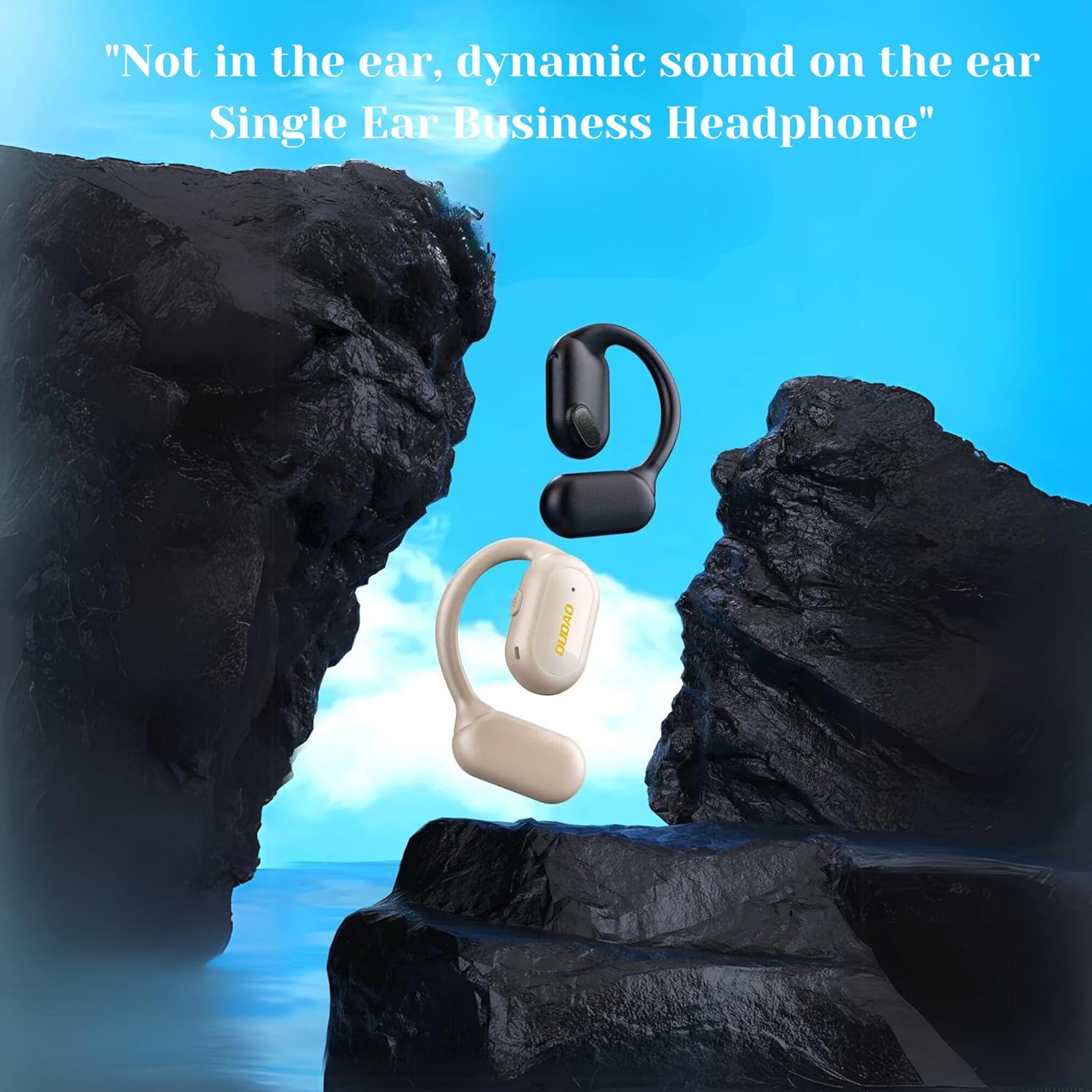
Image: The DUDAO U4A Open-Ear Wireless Earbud in black and almond colors, illustrating its design that rests on the ear rather than inside it.
This earbud features Bluetooth 5.3 technology for stable connectivity, a 13mm composite diaphragm driver for clear sound, and a long battery life suitable for extended use.
2. Zawartość opakowania
Sprawdź, czy w opakowaniu znajdują się wszystkie elementy:
- 1 x DUDAO U4A Single Earbud (Right Ear)
- 1 x kabel ładujący typu C
- 1 x Instrukcja obsługi (ten dokument)
3. Konfiguracja
3.1 Pierwsze ładowanie
Before first use, fully charge the earbud for approximately one hour. Subsequent charges typically take about 30 minutes for up to 30 hours of playtime.
- Connect the provided Type-C charging cable to the charging port on the earbud.
- Podłącz drugi koniec kabla do kompatybilnego źródła zasilania USB (np. portu USB komputera, zasilacza ściennego USB).
- The indicator light on the earbud will show charging status. Refer to the earbud's specific LED indicators for full charge notification.
3.2 Noszenie słuchawek dousznych
The DUDAO U4A is designed for the right ear only. Its ear-hook design provides a stable and comfortable fit.
- Gently place the earbud over your right ear, ensuring the ear-hook rests securely behind your ear.
- Adjust the earbud so the speaker portion is positioned near your ear canal, allowing sound to be heard clearly without blocking ambient noise.

Obraz: Zbliżenie view of the DUDAO U4A earbud correctly worn on the right ear, illustrating its open-ear and ear-hook design.
3.3 parowanie Bluetooth
To connect the earbud to your device:
- Włączanie: Press and hold the multi-function button on the earbud until the indicator light flashes, indicating it is in pairing mode.
- Aktywuj Bluetooth: Na smartfonie lub innym urządzeniu z włączoną funkcją Bluetooth przejdź do ustawień Bluetooth i upewnij się, że funkcja Bluetooth jest włączona.
- Wybierz urządzenie: In the list of available devices, locate and select "DUDAO U4A".
- Potwierdź połączenie: Once connected, the earbud's indicator light will change (e.g., solid blue or off), and you may hear an audible confirmation.
- Jeśli zostaniesz poproszony o podanie hasła, wpisz „0000”.
4. Instrukcja obsługi
4.1 Włączanie/wyłączanie zasilania
- Włączanie: Naciśnij i przytrzymaj przycisk wielofunkcyjny przez około 3 sekundy.
- Wyłączone: Naciśnij i przytrzymaj przycisk wielofunkcyjny przez około 5 sekundy.
4.2 Odtwarzanie muzyki
- Odtwórz/Pauza: Naciśnij raz przycisk wielofunkcyjny.
- Następny utwór: Kliknij dwukrotnie przycisk wielofunkcyjny.
- Poprzedni utwór: Naciśnij trzykrotnie przycisk wielofunkcyjny.
4.3 Zarządzanie połączeniami
- Odbieranie/kończenie połączeń: Naciśnij raz przycisk wielofunkcyjny.
- Odrzuć połączenie: Naciśnij i przytrzymaj przycisk wielofunkcyjny przez 2 sekundy.
- Ponowne wybieranie ostatniego numeru: Jeśli nie prowadzisz rozmowy, naciśnij dwukrotnie przycisk wielofunkcyjny.

Image: The DUDAO U4A earbud in use during an office call, highlighting its suitability for extended communication.

Image: The DUDAO U4A earbud being used by a driver, demonstrating its open-ear design for maintaining situational awareness during travel.
4.4 Asystent głosowy
The DUDAO U4A supports Google Assistant. To activate:
- Aktywuj asystenta głosowego: Naciśnij i przytrzymaj przycisk wielofunkcyjny przez 2 sekundy (jeśli nie prowadzisz rozmowy).
5. Konserwacja
5.1 Czyszczenie
- Wipe the earbud regularly with a soft, dry, lint-free cloth.
- Nie używaj ostrych środków chemicznych, rozpuszczalników czyszczących ani silnych detergentów.
5.2 Przechowywanie
- Przechowuj słuchawki w chłodnym, suchym miejscu, z dala od bezpośredniego światła słonecznego i ekstremalnych temperatur.
- Unikać przechowywania w miejscach zakurzonych.
5.3 Wodoodporność
The DUDAO U4A is water resistant. This means it can withstand splashes and sweat, making it suitable for sports and everyday use. However, it is not designed for submersion in water. Avoid exposing it to heavy rain or showering with it.
6. Rozwiązywanie Problemów
6.1 Earbud Does Not Power On
- Ensure the earbud is fully charged. Connect it to the charging cable and allow it to charge for at least 30 minutes.
- Try pressing and holding the multi-function button for a longer duration (5-7 seconds) to ensure it's not just in pairing mode.
6.2 Nie można sparować z urządzeniem
- Ensure the earbud is in pairing mode (indicator light flashing).
- Wyłącz i włącz ponownie Bluetooth w swoim urządzeniu.
- Move the earbud closer to your device (within 10 meters).
- Forget "DUDAO U4A" from your device's Bluetooth list and attempt to pair again.
- Upewnij się, że żadne inne urządzenie Bluetooth nie zakłóca połączenia.
6.3 Brak dźwięku lub niski poziom głośności
- Check the volume levels on both the earbud and your connected device.
- Ensure the earbud is properly connected to your device.
- Spróbuj odtworzyć dźwięk z innej aplikacji lub źródła.
6.4 Słaba jakość połączeń
- Ensure the earbud's microphone is not obstructed.
- Przenieś się w miejsce, gdzie jest mniej hałasu w tle.
- Sprawdź siłę sygnału sieciowego swojego urządzenia.
7. Specyfikacje

Obraz: Szczegółowy view of the 13mm speaker driver, responsible for the earbud's sound output.
| Funkcja | Szczegół |
|---|---|
| Nazwa modelu | U4A Open Ear Single Headset |
| Technologia łączności | Bezprzewodowy (Bluetooth) |
| Wersja Bluetooth | 5.3 |
| Zasięg Bluetooth | 10 metrów |
| Rozmiar sterownika audio | 13 milimetrów |
| Żywotność baterii | Do 30 godzin |
| Czas ładowania | 30 Minutes (for 30 hours playtime) |
| Port ładowania | Typ C |
| Typ sterowania | Touch, Button, Google Assistant |
| Umieszczenie ucha | On Ear (Right Ear Only) |
| Współczynnik kształtu | Otwarte ucho, zaczep na ucho |
| Tworzywo | Akrylonitryl-butadien-styren (ABS) |
| Waga przedmiotu | 20 gram |
| Wymiary produktu | Wymiary 5 x 3 x 0.79 cm |
| Poziom wodoodporności | Wodoodporny (odporny na pot) |
| Kontrola hałasu | Partial Noise Isolation |
8. Gwarancja i wsparcie
8.1 Informacje o gwarancji
This product comes with a standard manufacturer's warranty. For specific warranty terms and conditions, please refer to the warranty card included in your product packaging or contact DUDAO customer support.
Opcje rozszerzonej gwarancji mogą być dostępne u zewnętrznych dostawców. Aby uzyskać szczegółowe informacje, skontaktuj się ze sprzedawcą.
8.2 Obsługa klienta
For technical assistance, product inquiries, or warranty claims, please contact DUDAO customer support:
- E-mail: customercare@dudao.in
- Telefon: +91 9310681651
- Adres: DUDAO INDIA, 101 Mall Road, Kingsway Camp, Stacja metra GTB Nagar, bramka nr 1, NEW DELHI, DELHI 110009
Please have your product model number (U4A) and purchase details ready when contacting support.