
1. Wprowadzenie
This manual provides detailed instructions for the VIKYLIN 8MP Fixed Dome PoE IP Camera Outdoor, Model VK-YC2583I-28. This camera features 4K Ultra HD resolution, full-color night vision, human/vehicle detection, a built-in microphone, and Power over Ethernet (PoE) for simplified installation. Please read this manual thoroughly before installation and operation to ensure proper use and optimal performance.
2. Zawartość opakowania
Sprawdź, czy wszystkie wymienione poniżej elementy znajdują się w Twojej paczce. Jeśli brakuje któregokolwiek z nich lub jest on uszkodzony, skontaktuj się z obsługą klienta.
- 1x 4K PoE IP Dome Camera
- 1x Base Sticker
- 1x Instrukcja obsługi
- 1x Screw Bag (containing screws for mounting)
- 1x Waterproof Kit

Image: Package contents of the VIKYLIN 8MP Fixed Dome PoE IP Camera.
3. Funkcje produktu
- Rozdzielczość 4K Ultra HD: Provides clear image quality with 8MP (3840 × 2160) resolution at 20 frames per second, featuring a 1/2.8” 8 Megapixel Scan CMOS sensor and a 2.8mm fixed lens for a 112° ultra-wide viewkąt.
- Pełnokolorowa wizja nocna: Equipped with F1.6 aperture and soft supplemental lighting, this camera provides detailed full-color video even in extremely dark scenes.
- Inteligentne podwójne światło: The camera intelligently switches between IR (infrared) and warm light illumination based on detection, ensuring optimal night vision while deterring intruders with a warm light flash.
- Wykrywanie ludzi/pojazdów: Advanced detection functions reduce false alarms by accurately identifying human and vehicle movement. Detection areas and sensitivity can be adjusted.
- Wbudowany mikrofon: Capture clear audio from the camera's vicinity, allowing for one-way audio monitoring and recording.
- Zasilanie przez Ethernet (PoE): Simplifies installation by providing both power and data connection through a single Cat 5 or Cat 6 Ethernet cable.
- Trwała konstrukcja: IP67 weatherproof and IK10 vandal-proof rating ensures reliable outdoor performance in various conditions.
- Efektywna kompresja: Utilizes H.265+/H.264 encoding technology to save bandwidth and storage space without compromising video quality.
Feature Demonstrations
Video: Demonstration of the camera's UltraHD 4K picture display quality.

Image: Smart Dual Illuminators in action, providing full-color night vision when a target is detected.
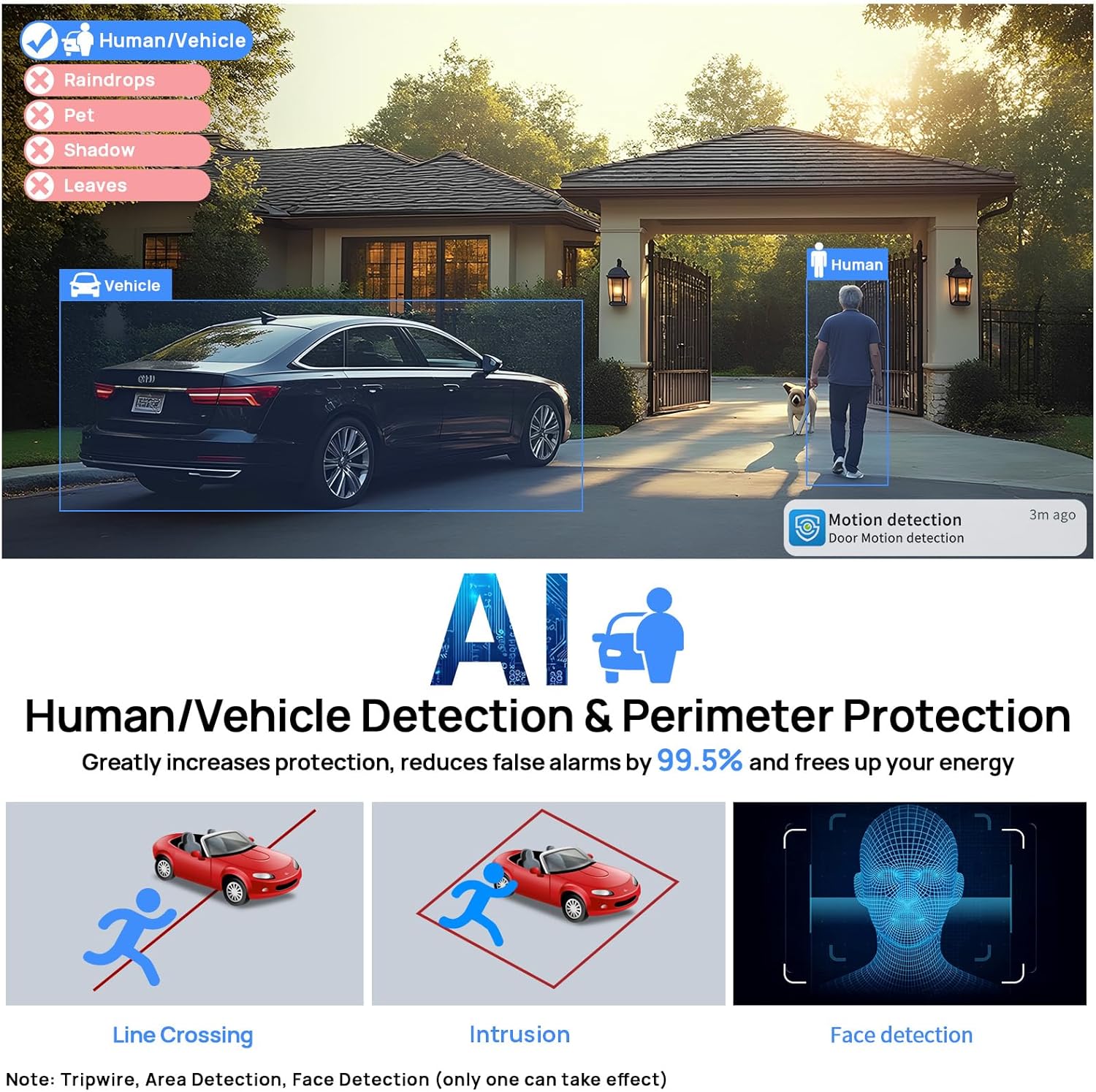
Image: Human and Vehicle Detection capabilities, highlighting reduced false alarms.
Video: Full Color Camera Night Vision demonstration, showcasing clear imaging in low-light conditions.

Image: Built-in microphone feature allowing for one-way audio communication.
4. Konfiguracja i instalacja
The VIKYLIN 8MP Fixed Dome PoE IP Camera is designed for easy installation using Power over Ethernet (PoE). A single Ethernet cable provides both power and data connectivity.
4.1 Fizyczna instalacja
- Wybierz lokacje: Select a suitable indoor or outdoor location for mounting. The camera is IP67 rated for weather resistance and IK10 for vandal resistance.
- Montowanie: Use the provided base sticker as a template to mark drill holes. Secure the camera using the included screws.
- Połączenie kablowe: Connect a Cat 5 or Cat 6 Ethernet cable from the camera to a PoE injector, PoE switch, or PoE NVR. Ensure the waterproof kit is properly installed for outdoor use.

Image: Camera's IP67 weatherproof and IK10 vandal-proof design.
4.2 Konfiguracja początkowa
After physical installation, configure the camera using the web interfejs lub aplikacja mobilna.
- Połącz z siecią: Ensure the camera is connected to your network via PoE.
- Odkryj aparat: Use a PC software like VMS or SADP Tool to search for the camera device on your network.
- Dostęp Web Interfejs: Otwórz web browser and enter the camera's IP address. Log in using the default credentials (usually admin/admin or admin/12345).
- Enable P2P: Navigate to Configuration > Network > P2P and enable the P2P function. Scan the QR code to add the device to your mobile app.
Video: Detailed guide on configuring the 4K Full Color PoE IP Dome Camera, including human/vehicle detection settings and night vision options.
5. Instrukcja obsługi
Operate your VIKYLIN IP camera using the 'Remoteeyes' mobile app or compatible PC software.
5.1 Mobile App (Remoteeyes)
- Pobierz aplikację: Download the 'Remoteeyes' app from the Apple App Store or Google Play Store.
- Dodaj urządzenie: Use the P2P function (QR code scan) to add your camera to the app.
- Na żywo View: Access live video feeds from your camera anytime, anywhere.
- Odtwarzanie nagranego dźwięku: Review nagrano footage with smart playback features.
- Jednokierunkowe audio: Utilize the built-in microphone for one-way audio communication.
- Alerty: Receive real-time video/snapshot alerts on your mobile phone when human or vehicle detection is triggered.
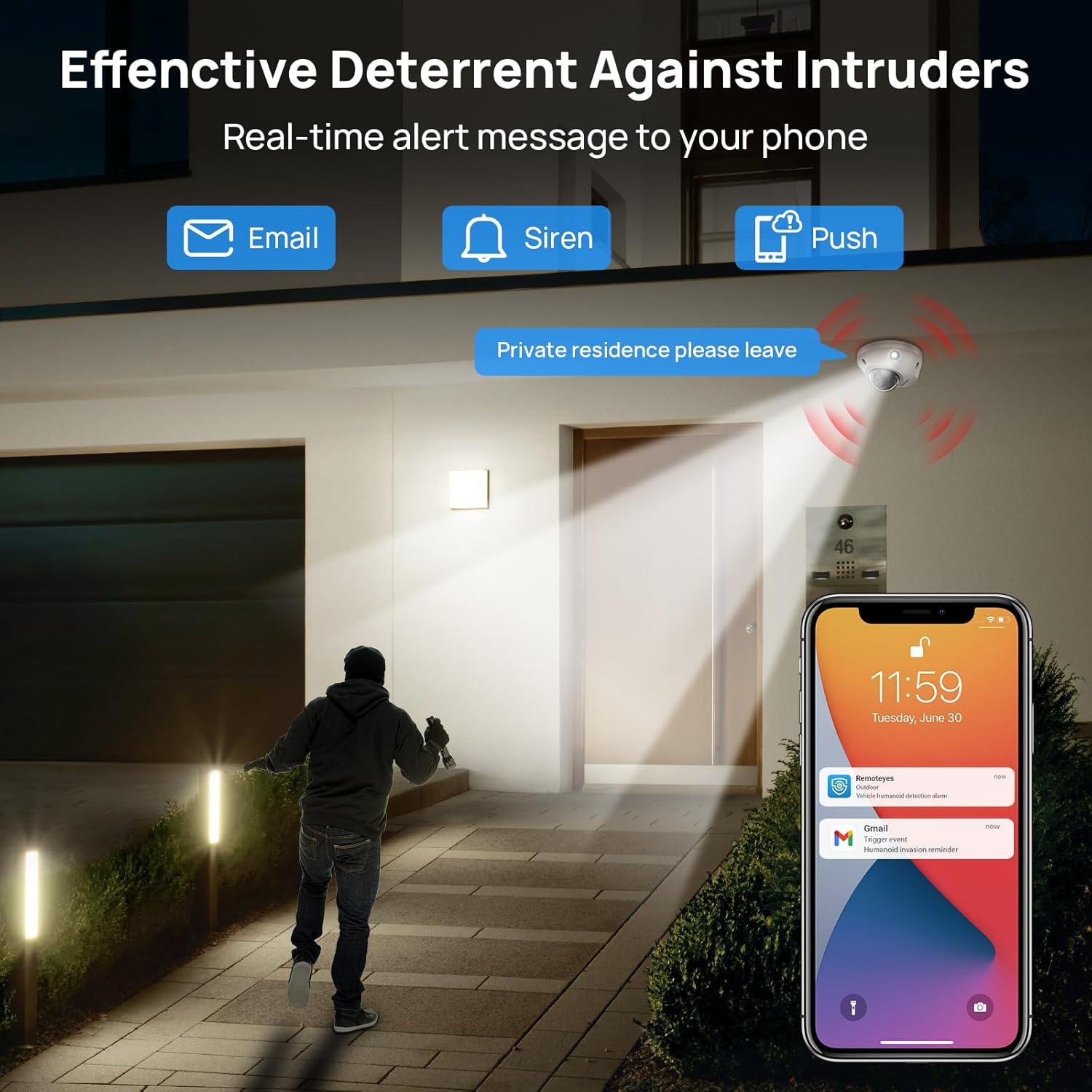
Image: Real-time alerts and deterrent features in action.
5.2 PC Software and Third-Party Compatibility
The camera is compatible with free PC software (VMS) and third-party monitoring software such as Blue Iris, iSpy, and VLC. It supports the Open Network Video Interface protocol (ONVIF) and RTSP for integration with various systems.
Local PC/NVR/NAS video storage is supported, with options for 24/7 recording or motion-triggered video to NVR or FTP.
6. Konserwacja
To ensure optimal performance and longevity of your VIKYLIN IP Camera, consider the following maintenance tips:
- Regularne czyszczenie: Okresowo czyść obiektyw i obudowę aparatu miękką,amp Ściereczką usuń kurz i zanieczyszczenia. Unikaj środków czyszczących o działaniu ściernym.
- Aktualizacje oprogramowania układowego: Sprawdź producenta website or app for available firmware updates to ensure your camera has the latest features and security enhancements.
- Kontrola kabla: Regularly inspect the Ethernet cable and connections for any signs of wear or damage, especially for outdoor installations.
- Zarządzanie pamięcią masową: If using local storage (Micro SD card, NVR, NAS), ensure sufficient storage space is available and manage recordings as needed.
7. Rozwiązywanie Problemów
If you encounter issues with your VIKYLIN 8MP Fixed Dome PoE IP Camera, refer to the following common troubleshooting steps:
- Brak zasilania/połączenia:
- Verify the Ethernet cable is securely connected to both the camera and the PoE source (NVR, switch, or injector).
- Ensure the PoE source is powered on and functioning correctly.
- Sprawdź, czy kabel nie jest uszkodzony.
- Brak dostępu do kamery:
- Confirm the camera's IP address using the SADP Tool or VMS software.
- Ensure your computer or mobile device is on the same network as the camera.
- Check firewall settings on your computer or router that might be blocking access.
- Reset the camera to factory defaults if you have forgotten the password (a reset button is available on the camera).
- Słaba jakość obrazu:
- Wyczyść obiektyw aparatu.
- Check network bandwidth; insufficient bandwidth can affect streaming quality.
- Adjust image settings (brightness, contrast, WDR) in the camera's web interfejs lub aplikacja.
- Fałszywe alarmy:
- Adjust the sensitivity of human/vehicle detection.
- Define specific detection zones to exclude areas with irrelevant motion (e.g., trees swaying).
For further assistance, please contact VIKYLIN customer support.
8. Specyfikacje
| Funkcja | Szczegół |
|---|---|
| Nazwa modelu | 4K Dual-light Built-in Microphone PoE IP Dome Camera (VK-YC2583I-28-N) |
| Numer modelu przedmiotu | VK-YC2583I-28 |
| Efektywna rozdzielczość obrazu nieruchomego | 8 MP (3840x2160) |
| Szybkość klatek | 20 klatek na sekundę |
| Obiektyw | 2.8mm fixed lens, F1.6 Super Aperture |
| Viewing kąt | 112° Ultraszeroki |
| Zakres noktowizora | 98 Feet (Full Color / IR View) |
| Technologia słabego oświetlenia | Night Color / IR, Smart Dual Light |
| Audio | Built-in Mic (One-way Audio) |
| Wykrywanie | Wykrywanie ludzi/pojazdów |
| Technologia łączności | Ethernet (PoE) |
| Źródło zasilania | Przewodowe zasilanie elektryczne (PoE) |
| Składowanie | Local PC/NVR/NAS Video Storage, supports up to 256GB Micro SD card (not included) |
| Zgodność | PoE NVR, ONVIF, Blue Iris, iSpy, VLC, Remoteeyes App (iOS/Android), VMS PC software |
| Międzynarodowa Ocena Ochrony | IP67 (wodoodporne) |
| Ochrona przed uderzeniami | IK10 (wandaloodporny) |
| Temperatura pracy | -30°C do 60°C (-22°F do 140°F) |
| Wilgotność | < 90% |
| Tworzywo | Metal |
| Wymiary produktu | 5.51 x 5.51 x 3.94 cala |
| Waga przedmiotu | 1.17 funta |

Obraz: Dane techniczne powyżejview kamery.
9. Gwarancja i wsparcie
VIKYLIN provides comprehensive support for its products.
- Gwarancja: Produkt objęty jest 2-letnią gwarancją.
- Wsparcie techniczne: Dostępne jest dożywotnie wsparcie techniczne.
- Informacje kontaktowe: For any questions or issues, please contact our support team via email at cairo@vikylin.com.
- Plany ochrony: Extended protection plans are available for purchase separately (e.g., 2-Year Protection Plan, 3-Year Protection Plan, Complete Protect).