
Generico 3204432
Generico LSC Smart Connect Mood Lamp Instrukcja obsługi
Model: 3204432
Wstęp
The Generico LSC Smart Connect 4.5-watt Mood Lamp is an intelligent lighting solution that creates a cozy and relaxing atmosphere in any environment. This high-quality LED lamp offers soft, adjustable light, perfect for setting the desired mood. Thanks to smart connectivity, you can easily control the light intensity and color via an app on your smartphone or smart device. This lamp is ideal for the bedroom, living room, or any other room where you desire soft, relaxing accent lighting. With a power consumption of only 4.5 watts, it is also an ecological and economical option for lighting your home. Enjoy a personalized, high-quality lighting experience with the Generico LSC Smart Connect Mood Lamp.
Cechy produktu
- Easy to connect to a 2.4 GHz WiFi network, no hub required.
- Control via the free app and compatible with Amazon Alexa or Google Assistant.
- Compact and intelligent design, perfect for illuminating dark corners.
- Allows setting various colors and adjusting light intensity.
- Easily set schedules or scenarios for personalized lighting at any time of day.
Zawartość opakowania
Upon opening the package, please ensure all components are present and in good condition. The package should contain:
- Generico LSC Smart Connect Mood Lamp
- Kabel zasilający USB
- Opornik
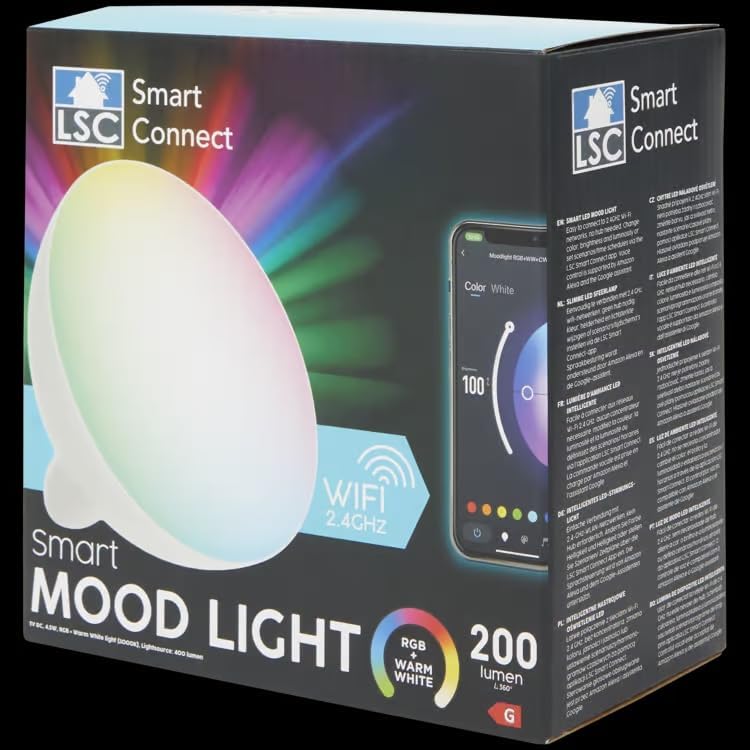
Image: The Generico LSC Smart Connect Mood Lamp in its retail packaging, highlighting its smart features and WiFi connectivity.

Image: The Generico LSC Smart Connect Mood Lamp shown with its included USB power cable, ready for connection.
Instrukcje konfiguracji
- Podłączenie zasilania: Connect the provided USB power cable to the lamp and plug the other end into a compatible USB power adapter (not included) or a USB port.
- Pobieranie aplikacji: Download the free LSC Smart Connect app from your smartphone's app store (available for iOS and Android).
- Tworzenie konta/Logowanie: Otwórz aplikację i utwórz nowe konto lub zaloguj się, jeśli już je posiadasz.
- Dodaj urządzenie: In the app, select "Add Device" or the "+" icon. Follow the on-screen instructions to put the lamp into pairing mode. The lamp may flash to indicate it's ready for pairing.
- Połączenie Wi-Fi: Ensure your smartphone is connected to a 2.4 GHz Wi-Fi network. The lamp requires a 2.4 GHz network for connection. Enter your Wi-Fi network password when prompted by the app.
- Zakończenie parowania: The app will search for and connect to the lamp. Once connected, you can rename the device and begin controlling it.
Note: No hub is required for the operation of this smart lamp.
Instrukcja obsługi
Kiedy lamp is successfully connected to the LSC Smart Connect app, you can control its functions:
- Włączanie/wyłączanie: Tap the power icon in the app to turn the lamp włączony lub wyłączony.
- Wybór kolorów: Use the color wheel or preset color options within the app to change the lamp's color. You can choose from a wide spectrum of colors, including warm white.
- Regulacja jasności: Adjust the brightness slider to increase or decrease the light intensity.
- Tryby scen: Explore various pre-programmed scene modes for different moods or activities (e.g., reading, relaxation, party).
- Harmonogram: Set timers or schedules for the lamp to turn on/off or change settings automatically at specific times.
- Sterowanie głosowe: If connected to Amazon Alexa or Google Assistant, use voice commands to control the lamp (e.g., "Alexa, turn on the mood lamp," "Hey Google, set mood lamp to blue").
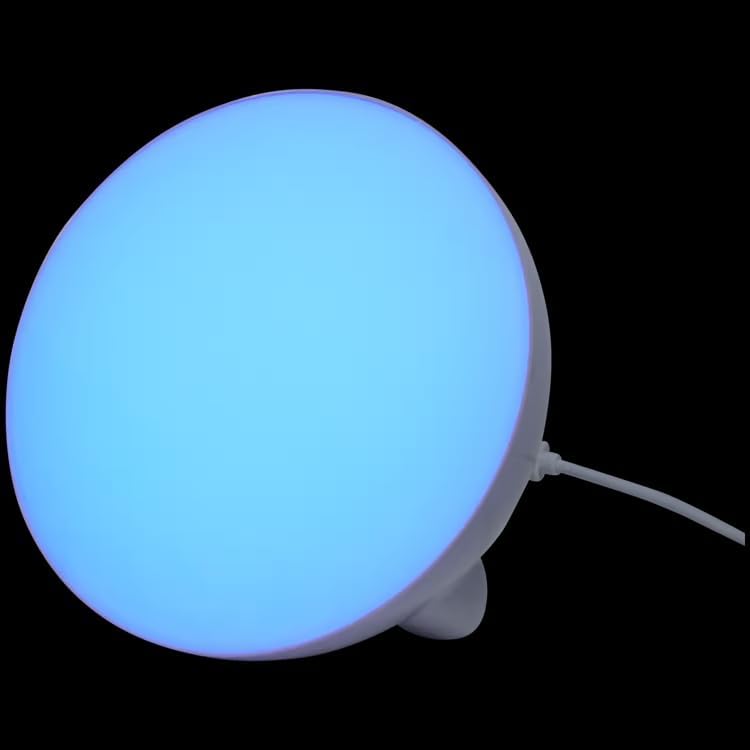
Image: The Generico LSC Smart Connect Mood Lamp illuminated with a blue light, demonstrating its color-changing capabilities.
Konserwacja
To ensure the longevity and proper functioning of your Generico LSC Smart Connect Mood Lamp, postępuj zgodnie z poniższymi wytycznymi dotyczącymi konserwacji:
- Czyszczenie: Delikatnie wytrzyj lamp miękką, suchą ściereczką. Nie używaj środków czyszczących ani rozpuszczalników o działaniu ściernym, ponieważ mogą one uszkodzić powierzchnię.
- Umieszczenie: Umieść lamp in a dry environment, away from direct sunlight, high temperatures, and excessive humidity.
- Wyłączanie, gdy nie jest używane: For extended periods of non-use, unplug the lamp ze źródła zasilania.
Important Information Regarding Bulbs:
- Recykling żarówek: Aby uzyskać informacje na temat recyklingu tego i innych rodzajów lamps, please consult local recycling guidelines or official recycling resources.
- Information on Broken Bulbs and Cleaning: In the event of a broken or damaged lamp, learn more about how to safely clean and dispose of it by consulting relevant safety guidelines for LED products. Avoid direct contact with broken components.
Rozwiązywanie problemów
If you encounter issues with your Generico LSC Smart Connect Mood Lamp, zapoznaj się z poniższymi typowymi krokami rozwiązywania problemów:
- Lamp Nie włącza się:
- Upewnij się, że kabel USB jest prawidłowo podłączony do obu złączy lamp and the power adapter/USB port.
- Verify that the power outlet or USB port is functional.
- Nie można połączyć się z Wi-Fi:
- Ensure your Wi-Fi network is 2.4 GHz. This lamp does not support 5 GHz networks.
- Sprawdź poprawność swojego hasła Wi-Fi.
- Przesuń lamp bliżej routera Wi-Fi.
- Uruchom ponownie router Wi-Fi i spróbuj ponownie przeprowadzić proces parowania.
- Ensure your smartphone is connected to the same 2.4 GHz Wi-Fi network during setup.
- App Not Responding/Lamp Brak odpowiedzi:
- Close and reopen the LSC Smart Connect app.
- Uruchom ponownie smartfon.
- Odłącz lamp from power for 10 seconds, then plug it back in.
- Sprawdź dostępność aktualizacji aplikacji w sklepie z aplikacjami na swoim smartfonie.
- Problemy ze sterowaniem głosowym:
- Upewnij się, że lamp is properly linked to your Amazon Alexa or Google Assistant account within their respective apps.
- Verify your voice commands are clear and match the device name set in the LSC Smart Connect app.
- Sprawdź swoje połączenie internetowe.
Jeśli po wypróbowaniu tych kroków problem nadal występuje, skontaktuj się z obsługą klienta.
Specyfikacja produktu
| Specyfikacja | Szczegół |
|---|---|
| Marka | Generico |
| Producent | edemme |
| Numer modelu przedmiotu | 3204432 |
| Kod przedmiotu | 345 |
| Liczba elementów | 10 (referring to package quantity, not individual lamp liczyć) |
| Kolor | Różne kolory |
| Kształt | Globus (G) |
| Zawarte komponenty | Opornik |
| Tomtage | 240 V (AC) |
| Dodatkowe funkcje | Natychmiastowe włączenie |
| Plug and Power Source Type | Elektryczny przewodowy |
| Typ żarówki | Dioda elektroluminescencyjna (LED) |
| Cotage | 4.5 watów |
| Included Bulb Wattage | 4.5 waty |
| Odpowiednik żarowy | 25 waty |
| Gwarantowane aktualizacje oprogramowania do | Nieznany |
| Dostępne na Amazon.it od | 29 lipca 2024 r. |
| Kraj pochodzenia | Niemcy |
| Typ światła | PROWADZONY |
| Funkcja specjalna | Natychmiastowe włączenie |
| Bulb Type Dimensions | G30 |
Gwarancja i wsparcie
For warranty information and customer support, please refer to the documentation provided with your purchase or contact the seller directly. The manufacturer of this product is edemme.
For further assistance, you may also consult the LSC Smart Connect app's help section or visit their official webStrona z odpowiedziami na często zadawane pytania i zasobami pomocy.