
1. Wprowadzenie
The Hotmoon Mona Pro Smart White Noise Sound Machine is designed to create a peaceful and conducive environment for sleep, relaxation, and focus. It features a wide array of sounds, customizable light settings, and smart functionalities to enhance your daily routine. This manual provides detailed instructions for setup, operation, and maintenance of your device.

Image 1: Hotmoon Mona Pro Smart White Noise Sound Machine. This image shows the primary grey fabric model of the sound machine with its top control panel illuminated.
2. Informacje dotyczące bezpieczeństwa
Always use the Hotmoon Mona Pro with a USB power supply. This device is not a toy and should be kept out of reach of children. It is not intended for prolonged, high-volume use, which may cause hearing damage. Ensure the device is placed on a stable, flat surface away from water or excessive heat sources.
3. Funkcje produktu
- Rozbudowana biblioteka dźwięków: Features 40 unique sounds, including 10 nature sounds, 10 baby melodies, 10 noise sounds (e.g., white noise), and 10 fan sounds.
- Funkcja pamięci: The device remembers your last used light, sound, and volume settings for convenience.
- Regulowane ustawienia światła: Offers 8 light modes, including 2 warm light modes, 5 static color light modes, and 1 color gradient light mode. Button backlights automatically turn off after 30 seconds of inactivity.
- Precyzyjna kontrola głośności: Provides 32 levels of volume adjustment.
- Sleep Timer Options: Set the device to turn off automatically after 45 minutes, 90 minutes, 8 hours, or enable continuous playback.
- Zasilane przez USB: Operates via USB power supply (batteries not included).
- Gniazdo słuchawkowe 3.5 mm: Built-in jack for private listening (headphones not included).
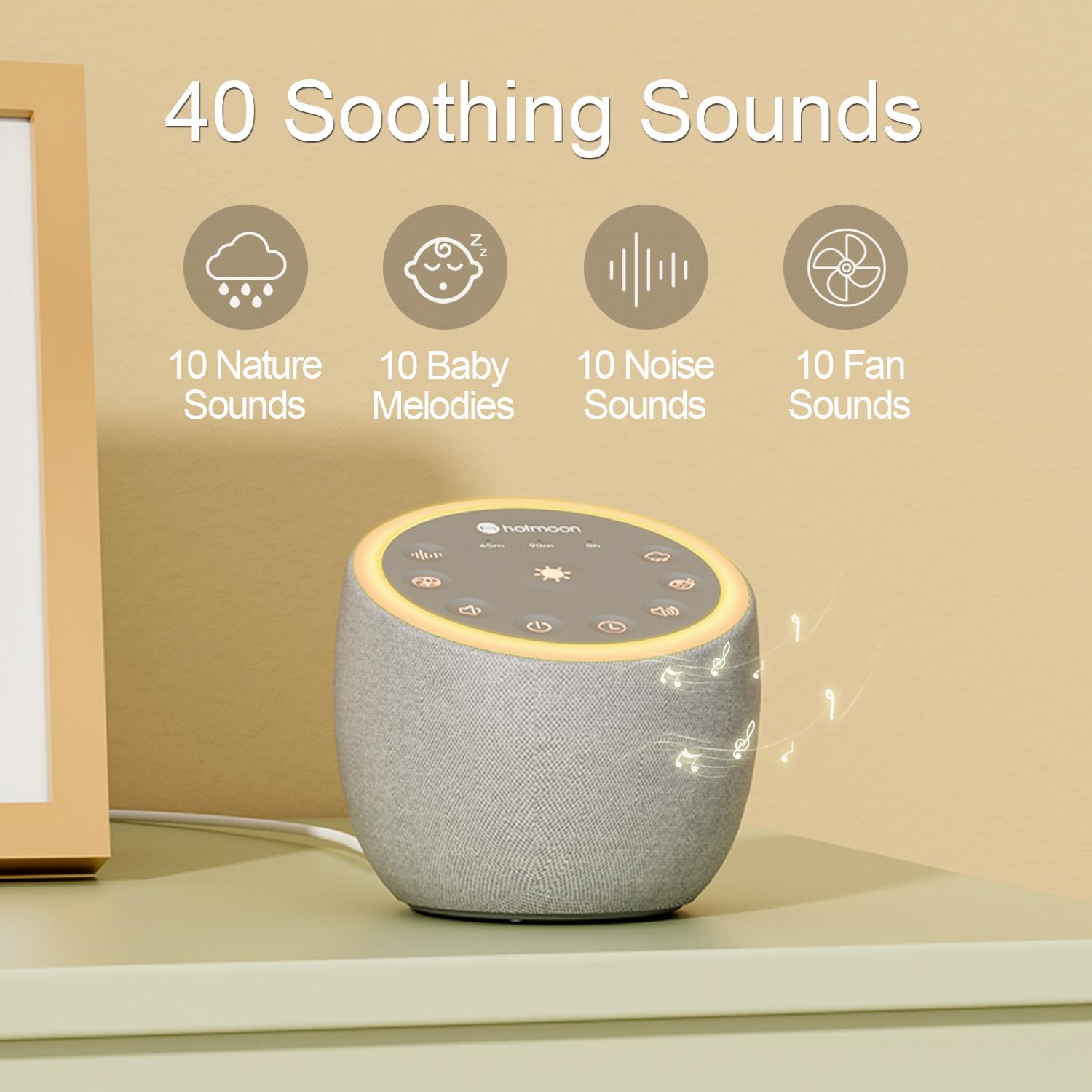
Image 2: Illustration of the 40 soothing sounds available on the Hotmoon Mona Pro, categorized into nature, baby melodies, noise, and fan sounds.
4. Konfiguracja
- Podłączenie zasilania: Connect the device to a standard USB power supply using the provided cable. The device does not operate on batteries.
- Umieszczenie: Place the sound machine on a stable, flat surface in your desired location, such as a bedside table or desk.

Obraz 3: Zbliżenie view of the Hotmoon Mona Pro's top control panel, showing buttons for power, volume, sound selection, light, and timer.
5. Instrukcja obsługi
5.1 Włączanie/wyłączanie zasilania
- Wciśnij przycisk zasilania (⏻) znajdujący się na górnym panelu, służący do włączania i wyłączania urządzenia.
5.2 Sound Selection and Volume Adjustment
- Wybór dźwięku: Use the sound button (often depicted with musical notes or sound waves) to cycle through the 40 available sounds. These include nature sounds, baby melodies, various noises, and fan sounds.
- Regulacja głośności: Użyj przycisku zwiększania głośności (+) i zmniejszenie głośności (-) buttons to adjust the sound level. There are 32 levels of volume control.
5.3 ustawień światła
- Press the light button (often depicted as a sun or lightbulb) to cycle through the 8 available light modes. These include 2 warm light modes, 5 static color light modes, and 1 color gradient light mode.
- The backlight of all buttons will automatically turn off after 30 seconds of no interaction.

Image 4: Visual representation of the customizable night light feature, showing options for light library, brightness adjustment, DIY color, and static/breath modes.
5.4 Wyłącznik czasowy
- Press the timer button (often depicted as a clock or timer icon) to set the automatic shut-off time. Options include 45 minutes, 90 minutes, 8 hours, or continuous playback.
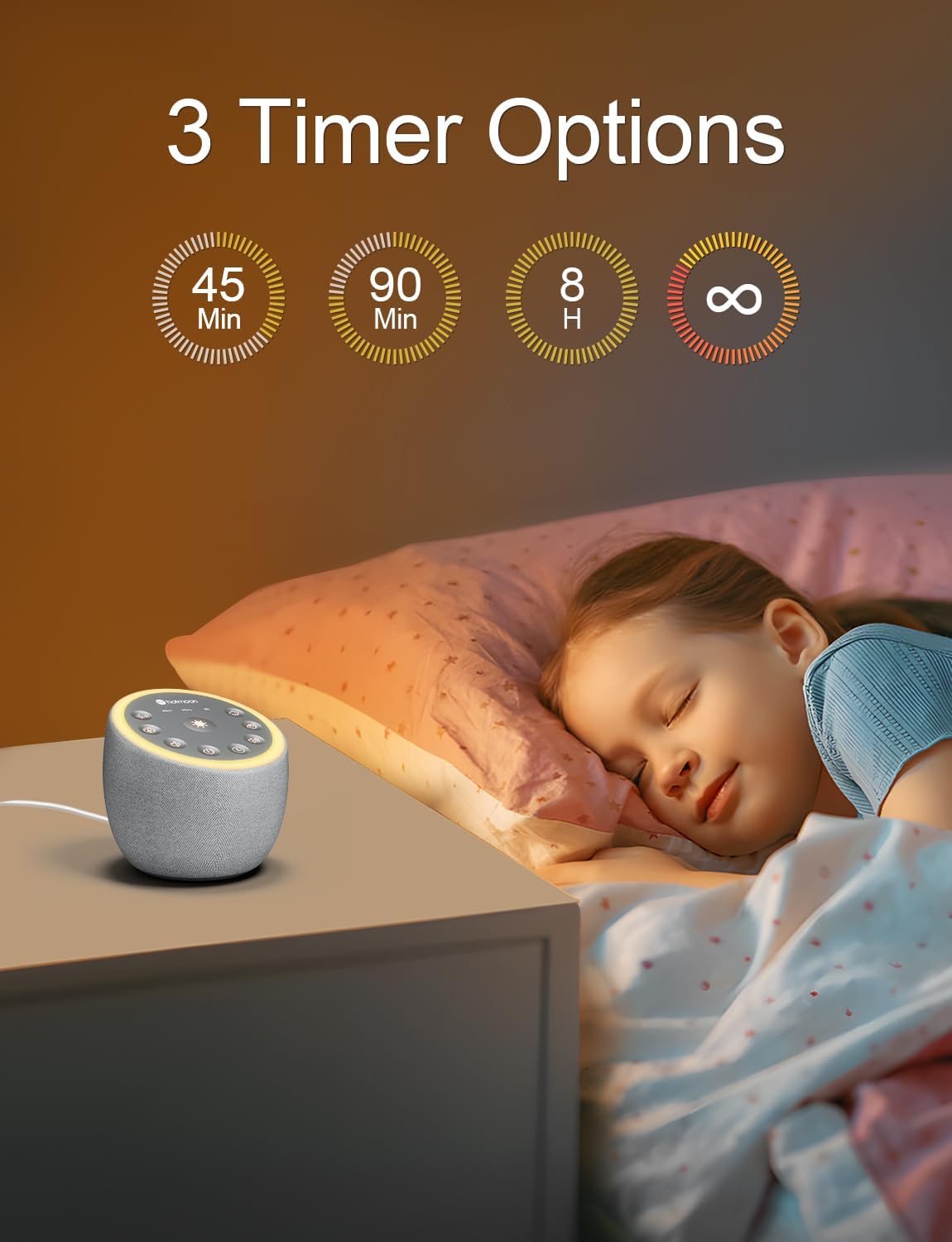
Image 5: Graphic illustrating the three primary timer options: 45 minutes, 90 minutes, and 8 hours, in addition to continuous play.
5.5 Korzystanie z gniazda słuchawkowego
- A 3.5mm headphone jack is located on the device for private listening. Simply plug in your headphones (not included) to enjoy the sounds without disturbing others.
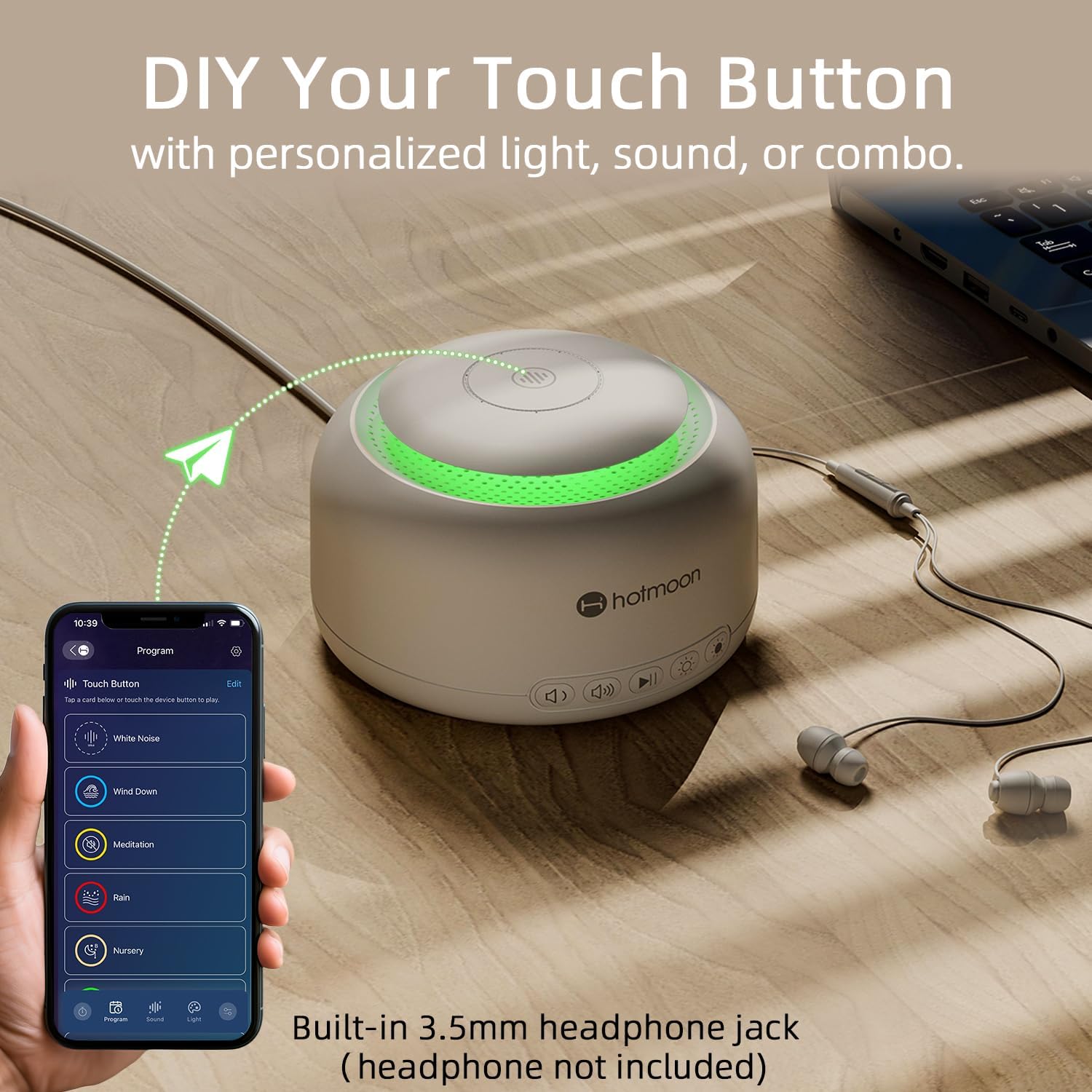
Image 6: The Hotmoon Mona Pro (white model) shown with a connected headphone and a smartphone displaying the companion app interface for customizing touch buttons.
6. Konserwacja
To ensure the longevity and proper functioning of your Hotmoon Mona Pro Smart White Noise Sound Machine, follow these maintenance guidelines:
- Czyszczenie: Przetrzyj urządzenie miękką, suchą ściereczką. Nie używaj płynnych środków czyszczących ani materiałów ściernych, ponieważ mogą one uszkodzić powierzchnię lub elementy wewnętrzne.
- Składowanie: Jeśli urządzenie nie będzie używane przez dłuższy czas, należy je przechowywać w chłodnym i suchym miejscu, z dala od bezpośredniego światła słonecznego i ekstremalnych temperatur.
- Unikaj przeszkód: Ensure that the speaker grille and any ventilation openings are not blocked to prevent overheating.
7. Rozwiązywanie Problemów
If you encounter any issues with your Hotmoon Mona Pro, please refer to the following common troubleshooting steps:
- Urządzenie się nie włącza:
- Ensure the USB cable is securely connected to both the device and a working USB power supply.
- Wypróbuj inny port USB lub zasilacz.
- Brak dźwięku:
- Sprawdź poziom głośności i zwiększ go, jeśli to konieczne.
- If headphones are plugged in, sound will only come through the headphones. Unplug them to enable the built-in speaker.
- Światła nie działają:
- Upewnij się, że urządzenie jest włączone.
- Cycle through the light modes using the light button.
- Przyciski nie reagują:
- Disconnect and reconnect the power supply to reset the device.
If the problem persists after trying these steps, please contact Hotmoon customer service for further assistance.
8. Specyfikacje
| Funkcja | Szczegół |
|---|---|
| Marka | Hotmoon |
| Model | Mona Pro Smart White Noise Sound Machine |
| Kolor | White (also available in Grey) |
| Tworzywo | Plastikowy |
| Źródło zasilania | USB Powered (no batteries included) |
| Rodzaje dźwięków | 40 (10 Nature, 10 Baby Melodies, 10 Noise, 10 Fan) |
| Poziomy głośności | 32 |
| Tryby oświetlenia | 8 (2 Warm, 5 Static Color, 1 Gradient) |
| Opcje timera | 45min, 90min, 8h, Continuous |
| Łączność | Gniazdo słuchawkowe 3.5 mm |
| Producent | Hotmoon |
| Pierwsza dostępna data | 29 lipca 2024 r. |
9. Gwarancja i obsługa klienta
Hotmoon is committed to providing high-quality customer service. If you have any questions or encounter any inconveniences while using your Hotmoon Mona Pro Smart White Noise Sound Machine, please do not hesitate to contact us. We have professional engineers available to assist you with any product-related issues.
For support, please visit the official Hotmoon store on Amazon or contact us through the platform where you purchased the product. Hotmoon is dedicated to ensuring your satisfaction.