
1. Wprowadzenie
This manual provides essential information for the safe and efficient operation of your WZATCO Eve Projector. Please read this manual thoroughly before using the projector and retain it for future reference.
2. Informacje dotyczące bezpieczeństwa
Aby zapobiec uszkodzeniu projektora i zapewnić bezpieczeństwo użytkownika, należy przestrzegać następujących środków ostrożności:
- Nie blokuj otworów wentylacyjnych. Zapewnij odpowiedni przepływ powietrza wokół projektora, aby zapobiec przegrzaniu.
- Nie patrz bezpośrednio w obiektyw projektora, gdyamp jest włączony. Jasne światło może uszkodzić wzrok.
- Trzymaj projektor z dala od wody i innych płynów. Nie używaj go wamp lub w wilgotnych warunkach.
- Używaj wyłącznie zasilacza dołączonego do projektora.
- Ustaw projektor na stabilnej i równej powierzchni, aby zapobiec jego upadkowi.
- Odłączaj projektor od zasilania podczas burzy z piorunami lub jeśli nie używasz go przez dłuższy czas.
3. Zawartość opakowania
Sprawdź, czy w opakowaniu znajdują się wszystkie elementy:
- 1x WZATCO Eve Projector
- Pilot zdalnego sterowania 1x IR
- Kabel 1x3.5mm do RCA
- 1x Instrukcja obsługi
- 1x Karta gwarancyjna
- Przewód zasilający 1x
4. Koniec produktuview
Familiarize yourself with the components of your WZATCO Eve Projector.
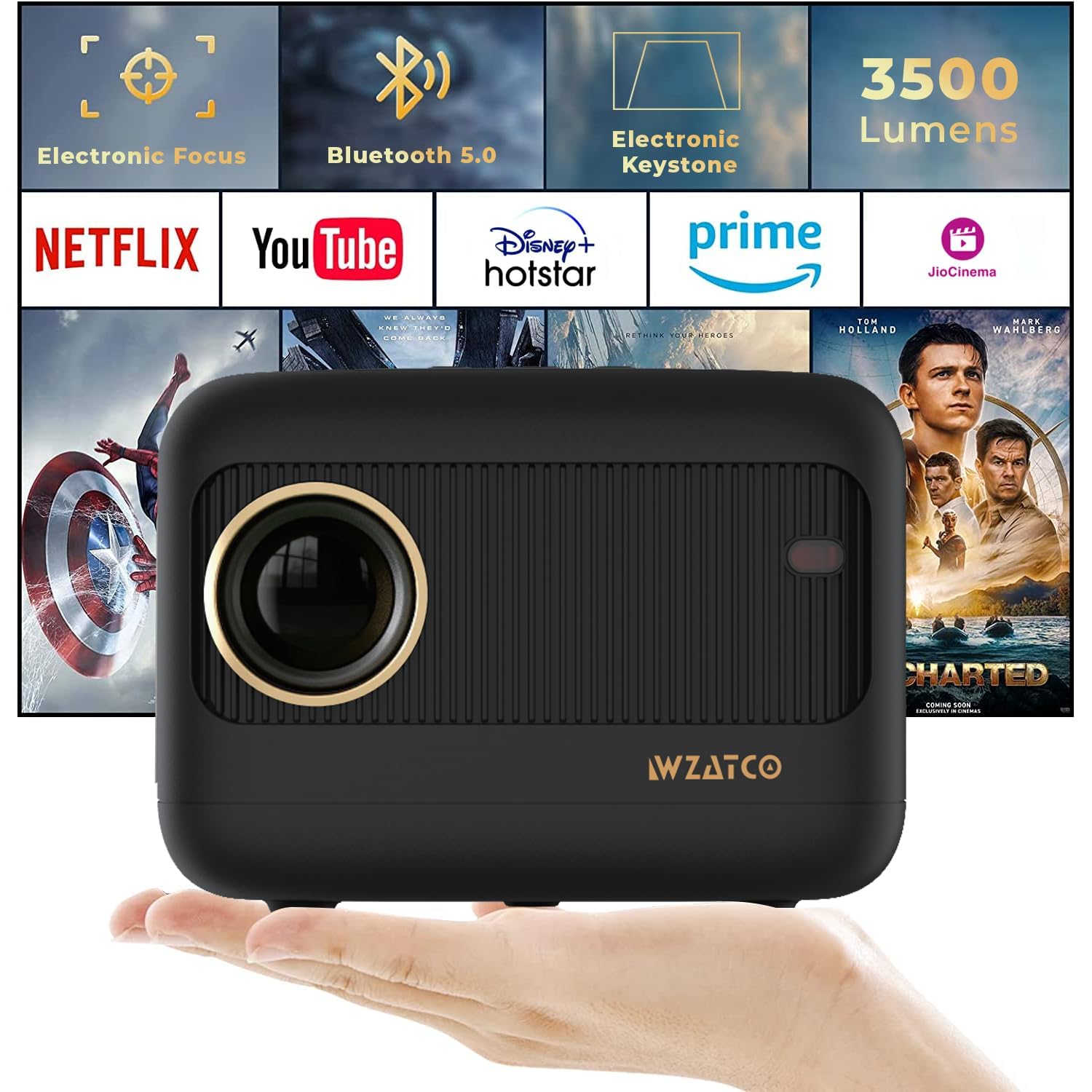
Rycina 4.1: Przód view of the WZATCO Eve Projector.

Figure 4.2: WZATCO Eve Projector showcasindzięki kompaktowej i eleganckiej konstrukcji.

Rysunek 4.3: Tył view of the WZATCO Eve Projector, highlighting the input/output ports.
5. Konfiguracja
5.1 Umieszczenie
Position the projector on a stable surface. The optimal projection distance ranges from 1 meter to 5 meters, allowing for an image size up to 176 inches. Adjust the distance to achieve your desired screen size.
5.2 Połączenie zasilania
- Podłącz przewód zasilający do gniazda zasilania projektora.
- Podłącz drugi koniec przewodu zasilającego do odpowiedniego gniazdka elektrycznego.
5.3 Electronic Focus Adjustment
The WZATCO Eve Projector features electronic focus for clear image projection.
- Włącz projektor.
- Use the 'F+' or 'F-' buttons on the remote control to adjust the focus until the image is sharp and clear.
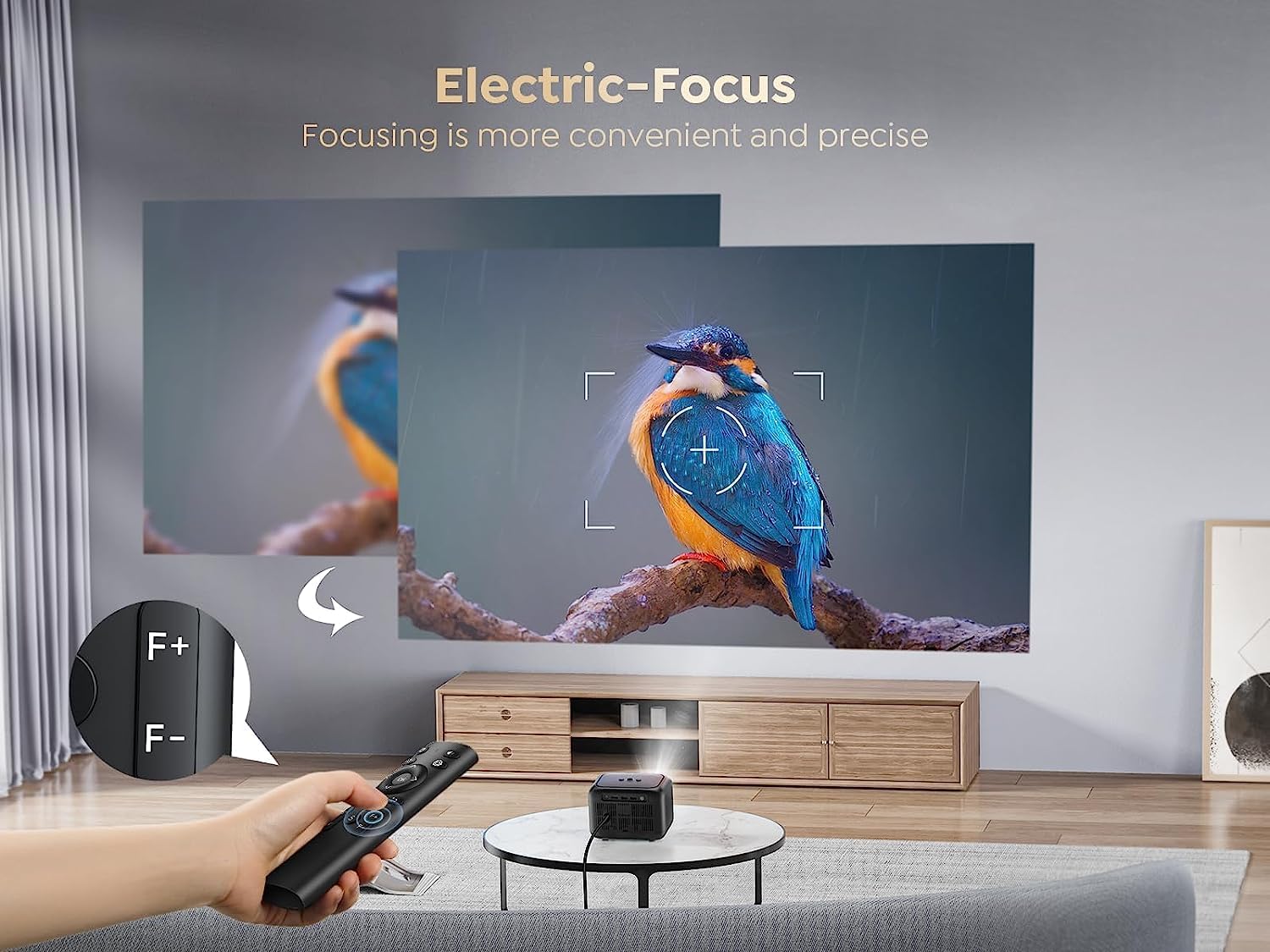
Figure 5.1: Adjusting electronic focus with the remote control.
5.4 Korekcja trapezowa
If the projected image appears trapezoidal, use the electronic keystone correction feature to achieve a rectangular image.
- Access the keystone correction settings via the remote control.
- Adjust the vertical keystone by up to ±15 degrees to square the image.

Figure 5.2: Demonstration of vertical keystone correction.
6. Instrukcja obsługi
6.1 Włączanie/wyłączanie zasilania
- To power on: Press the power button on the projector or the remote control.
- To power off: Press the power button again. Confirm shutdown if prompted.
6.2 Podłączanie urządzeń zewnętrznych
Projektor obsługuje różne opcje łączności:
- HDMI: Connect laptops, gaming consoles, Blu-ray players, or TV sticks using an HDMI cable.
- USB: Connect USB drives for media playback or power compatible devices like 4K TV sticks.
- VGA: Connect older computers or devices using a VGA cable.
- Wyjście audio 3.5 mm: Podłącz zewnętrzne głośniki lub słuchawki.

Rysunek 6.1: Koniecview of compatible devices and connectivity ports.
6.3 Połączenie Bluetooth 5.0
Connect Bluetooth-enabled audio devices for an enhanced sound experience.
- Upewnij się, że głośnik lub słuchawki Bluetooth są w trybie parowania.
- Przejdź do ustawień Bluetooth w projektorze.
- Wybierz urządzenie z listy, aby je sparować.

Figure 6.2: Connecting Bluetooth headphones and speakers to the projector.
6.4 Funkcja zoomu
Adjust the projection size without moving the projector using the zoom function.
- Za pomocą pilota uzyskaj dostęp do ustawień powiększenia.
- Adjust the image size from 100% down to 75% as needed.

Figure 6.3: Adjusting the projection size using the zoom function.
6.5 Wbudowany głośnik
The projector includes a 5W HiFi speaker for integrated audio. For a more immersive experience, external audio devices can be connected via Bluetooth or the 3.5mm audio out port.

Figure 6.4: The WZATCO Eve Projector's integrated 5W speaker provides clear audio.
7. Konserwacja
7.1 Czyszczenie
- Obiektyw: Używaj miękkiej, niepozostawiającej włókien ściereczki przeznaczonej specjalnie do soczewek optycznych. Nie używaj szorstkich środków czyszczących ani ściereczek.
- Casing: Wytrzyj projektor casing miękką, suchą ściereczką. W przypadku uporczywych zabrudzeń, delikatnie przetrzyjamp Można użyć ściereczki, a następnie wytrzeć do sucha.
- Wentylacja: Regularly check and clean the ventilation openings to ensure proper airflow and prevent dust buildup.
7.2 Łamp Życie
The WZATCO Eve Projector utilizes an advanced LED light source with an estimated lamp life of over 50,000 hours. This significantly reduces the need for lamp replacement and ensures long-term performance.

Figure 7.1: The projector's LED light source offers an extended lamp life of 50,000+ hours.
8. Rozwiązywanie Problemów
Jeśli masz problemy z projektorem, zapoznaj się z poniższymi typowymi problemami i ich rozwiązaniami:
- Brak zasilania: Upewnij się, że przewód zasilający jest prawidłowo podłączony zarówno do projektora, jak i do gniazdka elektrycznego. Spróbuj użyć innego gniazdka.
- Brak obrazka: Check that the correct input source (HDMI, USB, VGA) is selected. Verify that the connected device is powered on and outputting a signal.
- Rozmazany obraz: Adjust the electronic focus using the remote control. Ensure the projection surface is flat and the projector is stable.
- Obraz trapezowy: Use the electronic keystone correction feature to adjust the image shape.
- Brak dźwięku: Check the volume settings on both the projector and the connected device. If using external speakers, ensure they are properly connected and powered on. Verify Bluetooth connection if applicable.
- Pilot nie działa: Sprawdź baterie w pilocie. Upewnij się, że między pilotem a odbiornikiem podczerwieni projektora nie ma żadnych przeszkód.
9. Specyfikacje
| Funkcja | Specyfikacja |
|---|---|
| Marka | WZACO |
| Nazwa modelu | PRZEDDZIEŃ |
| Rozdzielczość natywna | 1280x720 (720P) |
| Maksymalna rozdzielczość wyświetlacza | 1920 x 1080 Pixels (1080P Support) |
| Jasność | 3500 lumenów (350 lumenów ANSI) |
| Typ wyświetlacza | LCD |
| Technologia łączności | Bluetooth, HDMI, USB, VGA |
| Wersja Bluetooth | 5.0 |
| Cechy specjalne | Electronic Focus, Electronic Keystone, 5W Speaker |
| Wbudowany głośnik | 5 watów |
| Maksymalny rozmiar obrazu | 176 cali |
| Throw Distance (Min/Max) | 1 Metre / 5 Metres |
| Lamp Życie | Ponad 50,000 XNUMX godzin |
| Współczynnik kształtu | Przenośny |
| Wymiary (dł. x szer. x wys.) | 16L x 12.5W x 11.8H centymetrów |
| Waga | Approximately 960 grams (from image) |
| Kompatybilne urządzenia | Laptop, Smartphone, Gaming Console, 4K TV Stick, PC, Blu-ray Player, Media Player |
10. Gwarancja i wsparcie
10.1 Informacje o gwarancji
The WZATCO Eve Projector comes with a 12-month warranty from WZATCO India, covering manufacturing and technical defects.
10.2 Obsługa klienta
For technical assistance or warranty claims, please contact WZATCO India customer support.
Dane kontaktowe producenta: WZATCO India
Dane kontaktowe importera: Zeblaze Solutions LLP #731, 3rd Floor, 4th phase, Yelahanka, New Town Bangalore - 560064