
Produkt ponadview
The PayLessHere Computer Desk is designed to elevate your workspace with its sleek and contemporary style, blending seamlessly into any setting. Crafted with a robust metal frame, this desk offers a perfect balance of durability and modern aesthetics. It provides a compact solution that combines form and function, ideal for any home, office, study, or writing space.
Główne cechy:
- Nowoczesny, prosty styl: Adds sophistication to any space.
- Trwałe i wytrzymałe: Robust metal frame ensures stability and longevity.
- Premium & Sturdy Small Desk: Ideal for small spaces with a secure platform.
- Smooth Table Top: Waterproof, smooth surface, and scratch-proof for easy maintenance.
- Adjustable Screw Feet: Anti-slip and noise reduction, ensuring stability on uneven floors.
- Triangular Connection Design: Metal frame and corner reinforcement provide reliable support.
- Szybka instalacja: Easy-to-follow instructions for quick assembly.
Zawartość opakowania
Przed rozpoczęciem montażu upewnij się, że wszystkie części są obecne i ponumerowane. Aby je zidentyfikować, skorzystaj z poniższego schematu.
| Część | Opis | Ilość |
|---|---|---|
| A | Pulpit | 1 szt. |
| B | Side Frame (with holes for H bolts) | 2 szt. |
| C | Side Frame (with holes for G bolts) | 2 szt. |
| D | Poprzeczka | 2 szt. |
| E | Klucz sześciokątny | 1 szt. |
| F | Regulowane nóżki | 4 szt. |
| G | Śruba M6*12mm | 8 szt. |
| H | Śruba M6*30mm | 14 szt. |
Note: Some small plastic corner protectors and broken wire ties may be included in the packaging. These are for shipping protection and are not part of the assembly.

Image: Product dimensions of the PayLessHere Computer Desk.
Instrukcja montażu
Please ensure you have adequate space and all components before starting. It is recommended to have two people for assembly. Wear appropriate safety equipment, such as safety glasses, during assembly.
Krok 1: Złóż ramy boczne
Connect the side frame parts (B and C) using the provided bolts. Ensure the correct sides are facing the correct way as shown in the diagram. Do not fully tighten the screws at this stage (tighten to approximately 50%).

Image: Close-up of the triangular connection design on the desk frame.
Step 2: Attach Bolts to Side Frames
Insert Bolt G (M6*12mm) through Part C into Part B from one side. Insert Bolt H (M6*30mm) through Part B into Part C from the other side. Do not fully tighten these bolts yet (tighten to approximately 50%).
Krok 3: Zamontuj poprzeczki
Attach the crossbars (Part D) to the top of the assembled side frames. Secure them with the appropriate bolts (H bolts). Again, do not fully tighten the screws at this stage (tighten to approximately 50%).
Krok 4: Zamontuj regulowane nóżki
Screw the adjustable feet (Part F) into the bottom of each leg of the desk frame. These feet help stabilize the desk on uneven surfaces.

Image: Adjustable screw feet for the PayLessHere Computer Desk.
Krok 5: Przymocuj biurko do ramy
Carefully place the assembled metal frame onto the underside of the desktop (Part A), aligning the pre-drilled holes. Ensure the desktop surface is protected from scratches by placing it on a soft surface like the foam board from the packaging.
Krok 6: Ostateczne dokręcenie
Once all components are in place and loosely assembled, go back and fully tighten all bolts (from 50% to 100%) to secure the desk. This ensures maximum stability and durability.
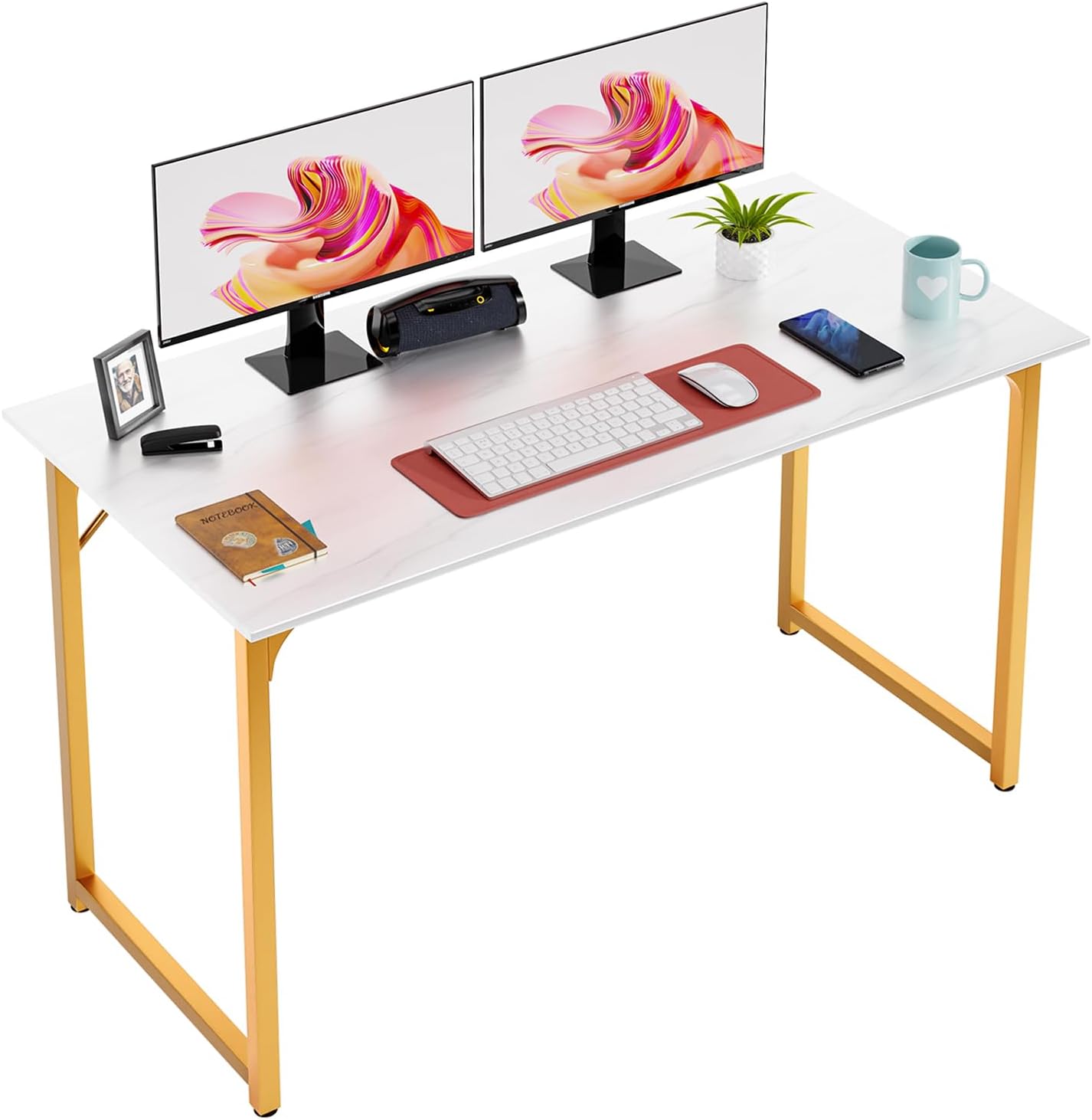
Image: The PayLessHere Computer Desk fully assembled.
Instrukcja obsługi
Adjusting for Stability
The desk is equipped with adjustable screw feet. To stabilize the desk on uneven floors, gently lift one corner of the desk and rotate the corresponding adjustable foot clockwise or counter-clockwise until the desk is level and stable. Repeat for other feet as necessary.
Konserwacja
Czyszczenie i pielęgnacja
The desk features a smooth, waterproof, and scratch-proof tabletop for easy cleaning. Wipe the surface with a soft, damp cloth. Avoid using harsh chemicals or abrasive cleaners, as these may damage the finish. Regularly check and tighten all bolts to ensure the desk remains sturdy and safe for long-term use.
Rozwiązywanie problemów
- Chwiejące się biurko: Ensure all adjustable feet are properly leveled. Re-tighten all assembly bolts if wobbling persists.
- Brakujące części: Double-check the package contents against the provided list. If parts are genuinely missing, contact PayLessHere customer support.
- Zarysowania powierzchni: While the surface is scratch-proof, extreme force or sharp objects can still cause damage. Use a desk mat for added protection if needed.
- Stopień trudności montażu: Review the assembly instructions carefully. Ensure all parts are oriented correctly before tightening bolts. Do not fully tighten bolts until all components are in place.
Specyfikacje
| Atrybut | Szczegół |
|---|---|
| Marka | PayLessHere |
| Wymiary produktu | 19" gł. x 47" szer. x 29" wys. |
| Kolor | Białe złoto |
| Styl | Nowoczesny |
| Materiał bazowy | Metal |
| Najlepszy rodzaj materiału | Drewno |
| Rodzaj wykończenia | Malowane proszkowo |
| Funkcja specjalna | Regulowana wysokość |
| Typ pokoju | Biuro, Pokój do nauki |
| Zalecane zastosowania produktu | Office, Working, Writing |
| Numer modelu | 32/39/47 inch Computer Desk |
| Waga przedmiotu | 20 funtów |
| Wymagany montaż | Tak |
| Zalecana liczba osób do montażu | 2 |
| Zawiera wszystkie narzędzia montażowe | Tak |