
WONNIE W-612D
Instrukcja obsługi przenośnego odtwarzacza DVD WONNIE W-612D 7.5 cala
Model: W-612D
Wstęp
This manual provides essential instructions for the proper setup, operation, and maintenance of your WONNIE W-612D 7.5-inch Portable DVD Player. Please read this guide thoroughly before using the device to ensure optimal performance and longevity.
Produkt ponadview
The WONNIE W-612D is a compact and versatile portable DVD player designed for personal entertainment. It features a 7.5-inch LCD screen and supports various disc formats.
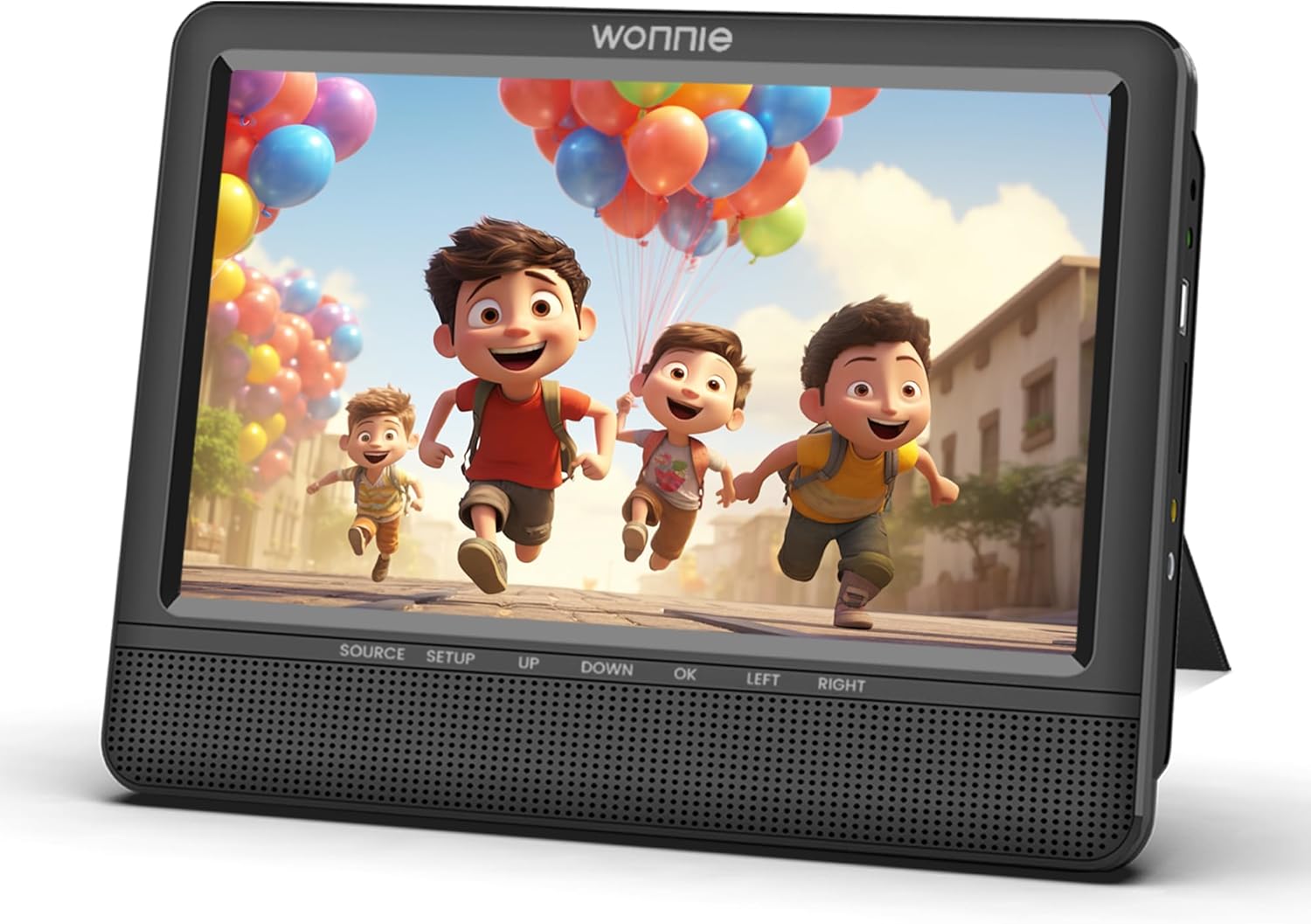
Obraz: Przód view of the WONNIE W-612D portable DVD player. The screen displays a colorful cartoon scene. Below the screen are control buttons labeled SOURCE, SETUP, UP, DOWN, OK, LEFT, and RIGHT, along with speaker grilles.
Kluczowe komponenty:
- 7.5-calowy ekran LCD: For video playback.
- Przyciski sterujące: For navigation and function selection (SOURCE, SETUP, UP, DOWN, OK, LEFT, RIGHT).
- Taca na płytę: Do wkładania płyt DVD i CD.
- Maskownice głośników: Zintegrowane głośniki do wyjścia audio.
- Pobór mocy: Do podłączenia zasilacza.
- Gniazdo słuchawkowe: Do prywatnego słuchania.
Organizować coś
- Rozpakowywanie: Carefully remove the DVD player from its packaging.
- Podłączenie zasilania: Connect the power adapter (not included with this specific model) to the player's power input and then to a power outlet.
- Włączanie: Naciśnij przycisk zasilania, aby włączyć urządzenie.
Instrukcja obsługi
Odtwarzanie płyty:
- Otwórz tacę dysku.
- Place a compatible DVD or CD onto the spindle with the label side facing up.
- Zamknij ostrożnie tackę na płytę.
- The player will automatically begin reading the disc. If not, select the "Disc" source using the SOURCE button.
- Use the navigation buttons (UP, DOWN, LEFT, RIGHT) and the OK button to navigate menus and make selections.
Ustawienia systemowe:
Press the SETUP button to access the system menu. Here you can adjust settings such as:
- Język: Select preferred language for menus and subtitles.
- Wyświetlacz: Adjust brightness, contrast, and aspect ratio.
- Audio: Configure audio output settings.
- Kontrola rodzicielska: Ustaw ograniczenia klasyfikacji dla odtwarzania płyt.
Zgodność z mediami
The WONNIE W-612D supports the following media types:
- DVD, DVD±R, DVD±RW
- CD, CD±R, CD±RW
- VCD, SVCD
Note: This player does NOT support MP4 or Blu-ray discs.
Konserwacja
- Czyszczenie ekranu: Delikatnie przetrzyj ekran miękką, niepozostawiającą włókien ściereczką. Nie używaj środków czyszczących ani rozpuszczalników o działaniu ściernym.
- Czyszczenie odtwarzacza: Przetrzyj zewnętrzną część odtwarzacza miękką, suchą ściereczką.
- Pielęgnacja dysków: Handle discs by their edges. Store them in their cases to prevent scratches and dust accumulation.
- Składowanie: Gdy odtwarzacz nie jest używany, należy przechowywać go w chłodnym, suchym miejscu, z dala od bezpośredniego światła słonecznego i ekstremalnych temperatur.
Rozwiązywanie problemów
| Problem | Możliwe rozwiązanie |
|---|---|
| Odtwarzacz się nie włącza. | Ensure the power adapter is securely connected to both the player and a working power outlet. Check if the power outlet is functional. |
| Dysk nie odtwarza się. | Check if the disc is inserted correctly (label side up). Ensure the disc is clean and free of scratches. Verify that the disc format is supported (not MP4 or Blu-ray). |
| Brak dźwięku. | Adjust the volume level. Check if headphones are connected. Ensure audio settings in the SETUP menu are correct. |
| Picture is distorted or unclear. | Clean the disc. Adjust display settings (brightness, contrast) in the SETUP menu. Ensure the disc is not damaged. |
Specyfikacje
| Funkcja | Szczegół |
|---|---|
| Marka | WONNIE |
| Numer modelu | W-612D |
| Rozmiar ekranu | 7.5 cali |
| Typ wyświetlacza | LCD |
| Kolor | Czarny |
| Obsługiwany typ nośnika | DVD, DVD±R, DVD±RW, CD, CD±R, CD±RW, VCD, SVCD |
| Nieobsługiwane typy mediów | MP4, Blu-ray discs |
| Waga przedmiotu | 9.6 uncji |
| Wymiary opakowania | 9 x 8.3 x 3 cala |
Co jest w pudełku
- One WONNIE W-612D Portable DVD Player
Note: No additional accessories (such as power adapter, remote control, car charger, etc.) are included with this specific product offering.
Gwarancja i wsparcie
For warranty information and customer support, please refer to the official WONNIE webOdwiedź witrynę lub skontaktuj się ze sprzedawcą. Zachowaj paragon zakupu na wypadek reklamacji.
Aby uzyskać dalszą pomoc, możesz odwiedzić stronę WONNIE Store on Amazon.
Ask a question about this manual
Ask about setup, troubleshooting, compatibility, parts, safety, or missing instructions. Manuals+ will review the question and use this page’s manual context to help answer it.