
ELASTYCZNY SPOT MAH0002206
FLEXISPOT Standing Desk User Manual
Model: MAH0002206
1. Wprowadzenie
Thank you for choosing the FLEXISPOT Standing Desk. This manual provides essential information for the safe and efficient assembly, operation, and maintenance of your new adjustable height desk. Please read this manual thoroughly before use and retain it for future reference.
2. Informacje dotyczące bezpieczeństwa
Aby zapewnić bezpieczną obsługę i zapobiec uszkodzeniom, należy przestrzegać następujących środków ostrożności:
- Nie przekraczać maksymalnego udźwigu 154 funtów (70 kg). Overloading may cause instability or damage.
- Podczas pracy urządzenia należy trzymać dzieci i zwierzęta z dala od biurka.
- Upewnij się, że podczas regulacji wysokości biurka nie ma żadnych przeszkód na jego drodze.
- Nie siadaj i nie stawaj na biurku.
- Only use the desk indoors in a dry environment.
- Przed czyszczeniem lub konserwacją należy odłączyć zasilanie.
- If any parts are damaged or missing, contact customer support immediately. Do not attempt to repair the desk yourself.
Ważny: This desk is designed for office and home use. Any other use is considered improper and may lead to injury or damage.
3. Zawartość opakowania
Verify that all components are present and undamaged before beginning assembly. Refer to the image below for a visual representation of the package contents.
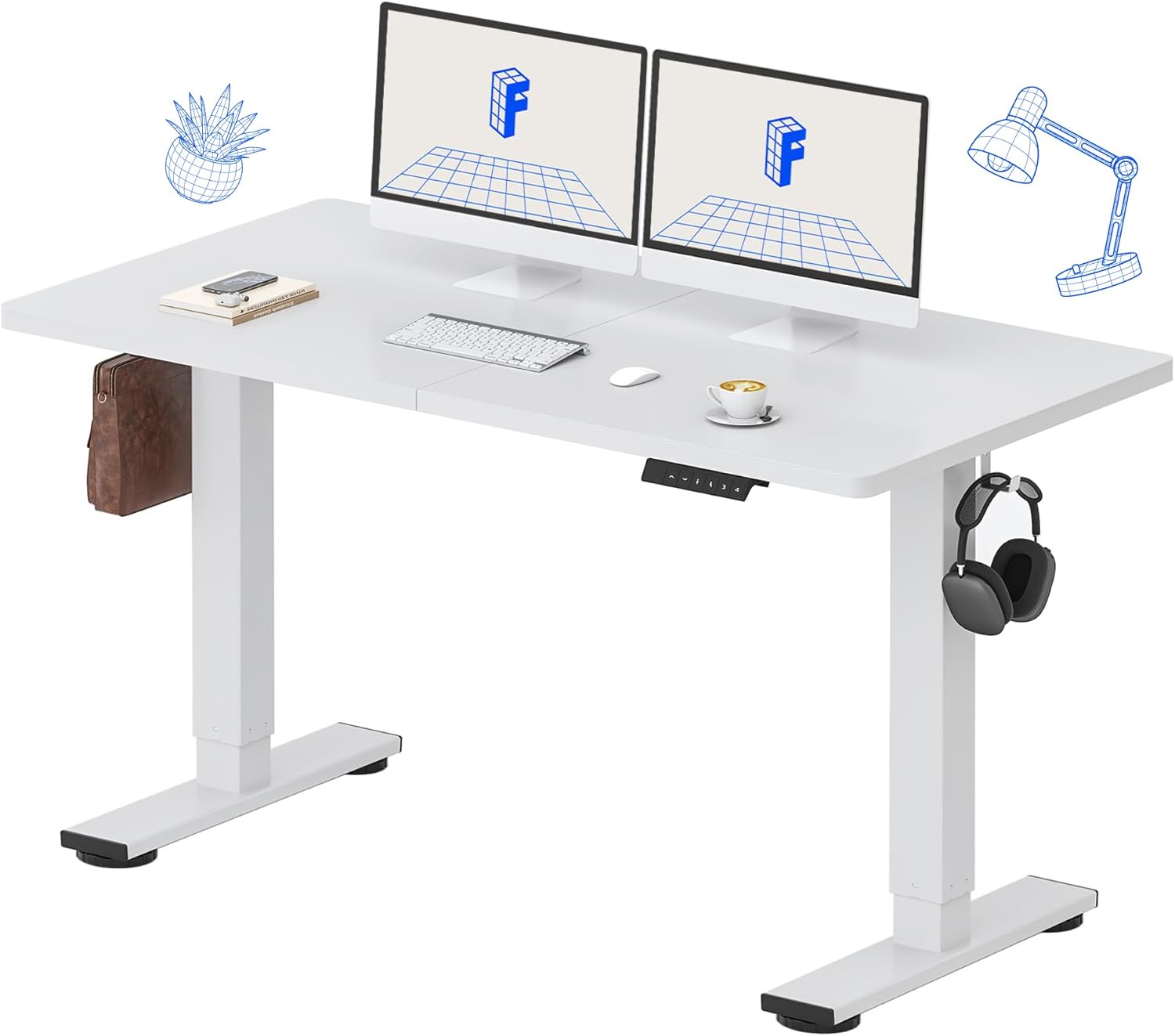
Image: All components of the FLEXISPOT Standing Desk, including the white desktop, white frame, and control panel.
- Desktop (55" x 24" White)
- Stelaż biurka (biały)
- Panel sterowania z wyświetlaczem LED
- Zasilacz
- Narzędzia montażowe
- Organizer na biurko
- Side Storage Hooks (Set of 2)
4. Instalacja i montaż
Assembly is straightforward and all necessary tools are included. For detailed visual instructions, please refer to the included instruction booklet.
Kroki montażu:
- Rozpakuj wszystkie elementy i rozłóż je na czystej, płaskiej powierzchni.
- Attach the lifting columns to the desktop using the provided screws and tools.
- Secure the foot supports to the bottom of the lifting columns.
- Mount the control panel to the underside of the desktop in a convenient location.
- Connect all cables (motor, control panel, power adapter) according to the diagram in the included instruction booklet.
- Podłącz zasilacz do gniazdka ściennego.
- Perform the initial reset (refer to Operating Instructions).

Image: The FLEXISPOT Standing Desk is shipped in a single package for convenience.
5. Instrukcja obsługi
Funkcje panelu sterowania:

Obraz: Szczegółowy view of the multi-function keypad, showing the LED display, Up/Down keys, and memory function buttons.
- Wyświetlacz LED: Pokazuje aktualną wysokość biurka w calach.
- Up/Down Keys (∧ / ∨): Press and hold to adjust the desk height upwards or downwards. Release to stop.
- Ustawienia pamięci (1, 2, 3, 4):
- To save a height: Adjust the desk to your desired height, then press the 'M' button (or similar memory set button, if present) followed by the desired number (1, 2, 3, or 4). The display will show 'S-' followed by the number to confirm.
- To recall a height: Press the corresponding number button (1, 2, 3, or 4). The desk will automatically move to the saved position.
Zakres regulacji wysokości:
Biurko można regulować od minimalnej wysokości 28.9 cali do maksymalnej wysokości 46.5 cali.

Image: Illustration showing the adjustable height range of the desk from 28.9 inches to 46.5 inches.
Initial Reset Procedure:
After initial setup or if the desk encounters an error, a reset may be required:
- Press and hold the 'Down' (∨) button until the desk reaches its lowest position and slightly retracts.
- Release the button. The desk is now reset and ready for use.
6. Konserwacja
Regular maintenance ensures the longevity and optimal performance of your FLEXISPOT Standing Desk.
- Czyszczenie: Przetrzyj blat i ramę miękką szmatką.amp cloth. Avoid abrasive cleaners or harsh chemicals. Ensure the desk is unplugged before cleaning. The desktop is waterproof and scratch-resistant.
- Zarządzanie kablami: Okresowo sprawdzaj wszystkie kable, aby mieć pewność, że są solidnie podłączone i nie są ściśnięte lub uszkodzone.
- Nośność: Do not exceed the 154 lb weight limit. Distribute weight evenly across the desktop.
- Hałas silnika: The desk features a whisper-quiet motor (<50dB). If you notice unusual noises, discontinue use and contact support.

Image: The desk's high-quality desktop is waterproof, scratch-resistant, and smooth.

Image: A comparison chart illustrating the low noise level of the desk's motor (under 50dB) compared to other common sounds.
7. Rozwiązywanie Problemów
If you encounter issues with your FLEXISPOT Standing Desk, refer to the table below for common problems and solutions.
| Problem | Możliwa przyczyna | Rozwiązanie |
|---|---|---|
| Biurko się nie porusza. | Odłączony kabel zasilający; Przeciążenie; Błąd silnika. | Check power connection. Reduce weight on desk. Perform reset procedure. |
| Biurko porusza się nierównomiernie. | Uneven weight distribution; Obstruction. | Redistribute weight. Check for obstructions under or around the desk. Perform reset procedure. |
| Kod błędu na wyświetlaczu. | Awaria systemu. | Unplug the desk for 10 minutes, then plug back in. If error persists, contact customer support. |
| Ustawienia pamięci nie działają. | Ustawienia predefiniowane nie zostały zapisane prawidłowo. | Re-save your desired height settings following the instructions in Section 5. |
If the problem persists after attempting these solutions, please contact FLEXISPOT customer support.
8. Specyfikacje
| Funkcja | Szczegół |
|---|---|
| Numer modelu | MAH0002206 |
| Wymiary pulpitu | 55" (szer.) x 24" (gł.) |
| Zakres regulacji wysokości | 28.9" - 46.5" |
| Maksymalna nośność | 154 funta (70 kg) |
| Material (Desktop) | Drewno inżynieryjne |
| Materiał (rama) | Stal stopowa |
| Poziom hałasu silnika | <50dB |
| Kolor | White Top + White Frame |
| Zawarte komponenty | Desk Organizer, Side Storage Hooks |

Image: The FLEXISPOT Standing Desk in use, demonstrating its versatility for both sitting and standing work, even accommodating a walking pad.

Obraz: Zbliżenie view of the side storage hooks, useful for hanging headphones or bags.

Image: Technical diagram illustrating the desktop and frame dimensions, including the adjustable height range.
9. Gwarancja i wsparcie
FLEXISPOT products come with a warranty to ensure your satisfaction. The specific warranty type is either 'Limited' or 'Lifetime' as per product registration and terms.
- Gwarancja: Refer to your product registration or the official FLEXISPOT webSzczegółowe warunki gwarancji można znaleźć na naszej stronie.
- Zwroty: Skorzystaj z 30-dniowej możliwości łatwego zwrotu.
- Obsługa klienta: If you have any questions, require assistance with assembly, or encounter any issues not covered in this manual, please contact FLEXISPOT customer support.
For further assistance, visit the official FLEXISPOT Store: Sklep FLEXISPOT na Amazon