
1. Wprowadzenie
Thank you for choosing the SHIDU S95 40W Voice Amplifier. This portable and versatile device is designed to provide clear and powerful sound amplification for various settings, including classrooms, meetings, outdoor events, and karaoke. Featuring a wireless microphone, Bluetooth connectivity, and multiple playback options, the S95 ensures your voice is heard with clarity and impact.
2. Co znajduje się w pudełku
- Głos SHIDU S95 Ampżywsze
- Mikrofon bezprzewodowy
- Kabel ładujący USB-C
- Kabel AUX 3.5 mm
- Pasek na ramię
- Instrukcja obsługi
3. Koniec produktuview
Główne cechy:
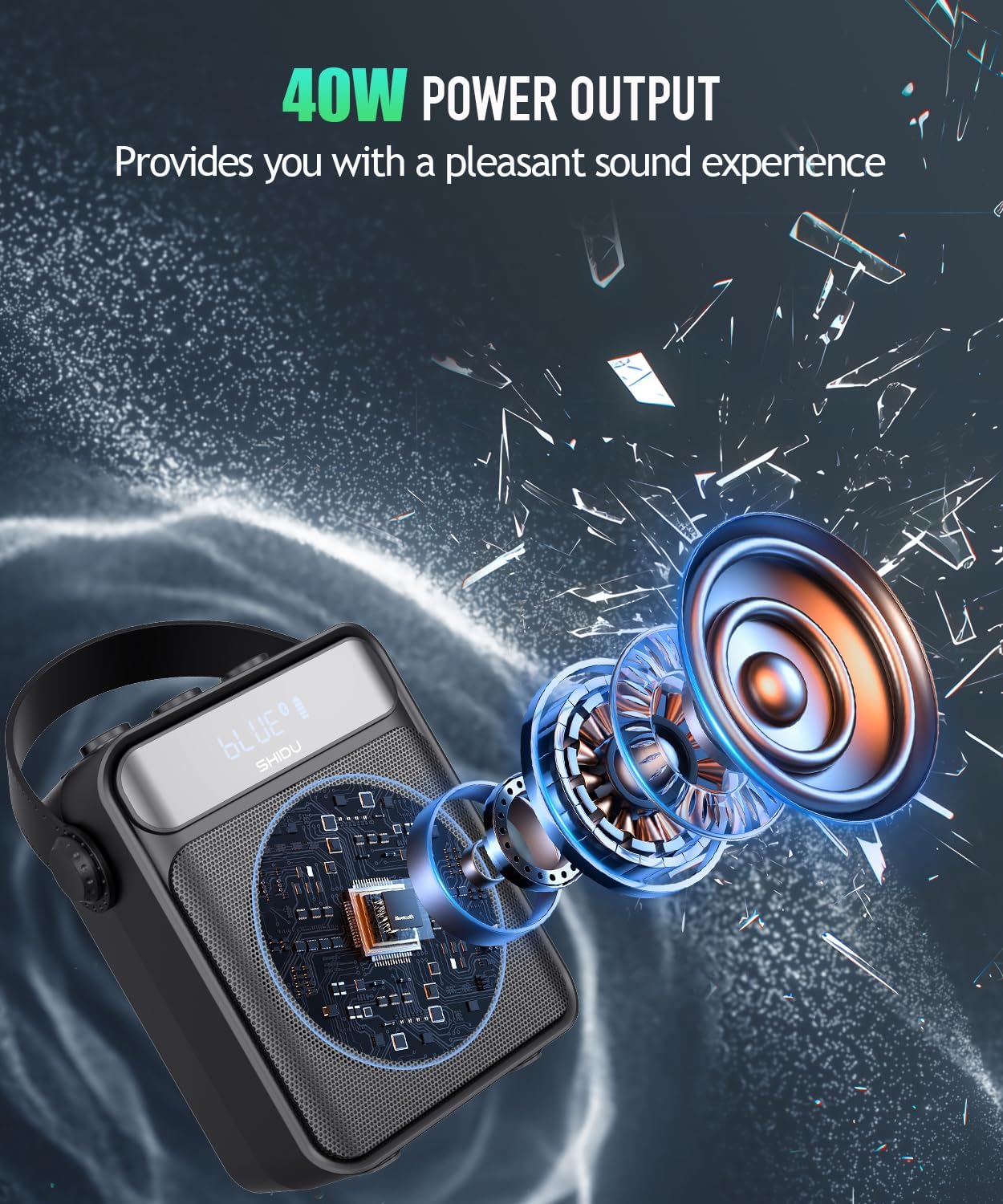
- Moc wyjściowa 40 W: Delivers clear and powerful sound, covering up to 22,600 sq.ft (2100 ㎡) for audiences of 300+ people.
- Wireless UHF Microphone: Provides stable signal reception and freedom of movement.
- Łączność Bluetooth 5.0: Seamlessly connect to your devices for audio playback.
- Wiele trybów odtwarzania: Supports TF card, USB disk, AUX audio input, and FM radio.
- Akumulator 4000mAh: Offers up to 15 hours of continuous use and can emergency charge mobile devices.
- Regulacja echa: Enhances vocal effects for singing or presentations.
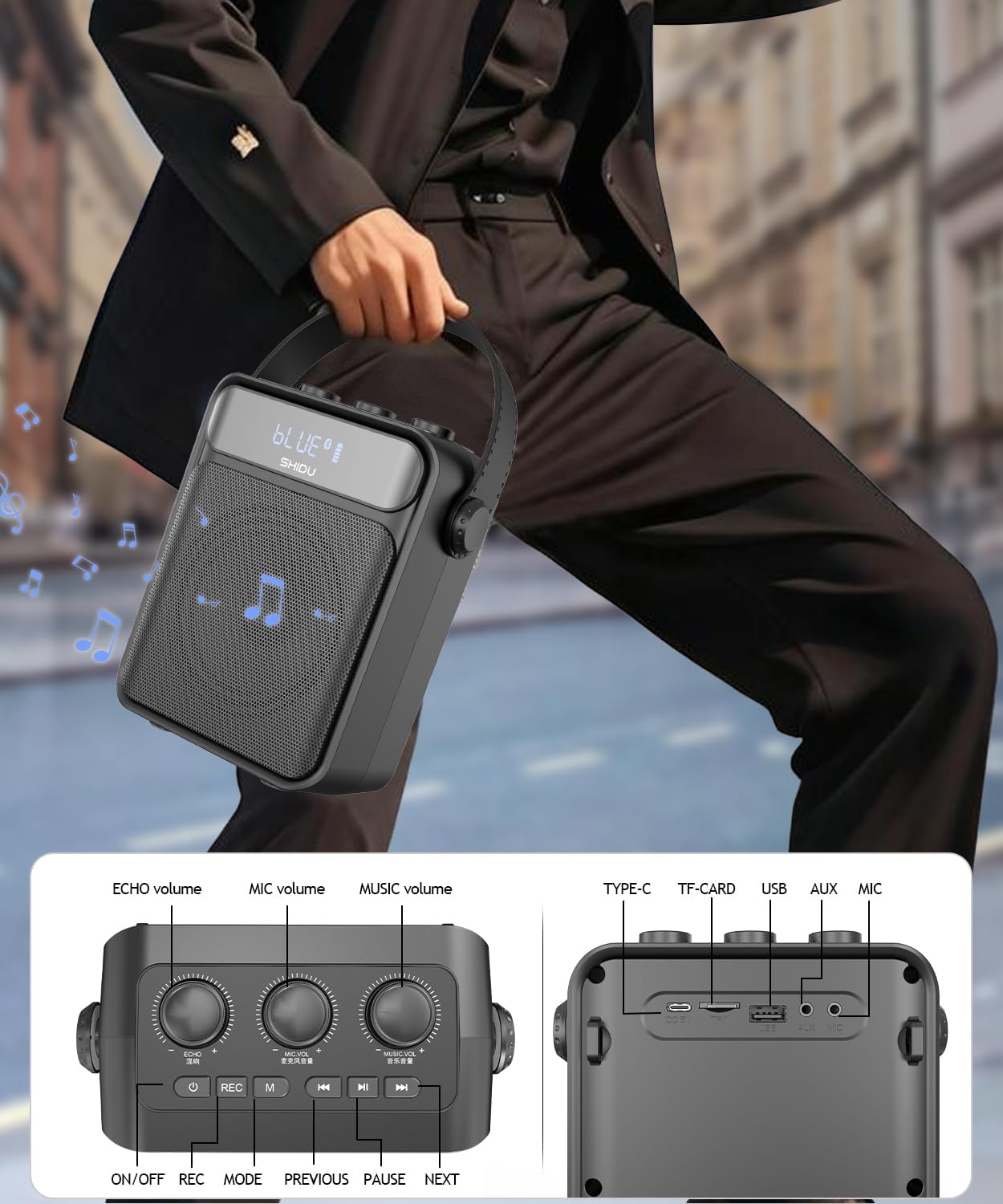
- Przenośna konstrukcja: Compact and lightweight with a carrying strap for easy transport.
4. Instrukcje konfiguracji
4.1 Ładowanie urządzenia
Przed pierwszym użyciem należy w pełni naładować telefon. ampwzmacniacz i mikrofon bezprzewodowy.
- AmpLiyfikator: Connect the provided USB-C charging cable to the DC 5V port on the amplifier and a compatible USB power adapter (not included). The battery indicator on the screen will show charging status.
- Mikrofon bezprzewodowy: Connect the USB-C charging cable to the microphone's charging port. The blue light will flash during charging and turn solid when fully charged.
4.2 Włączanie/wyłączanie
- AmpLiyfikator: Naciśnij i przytrzymaj przycisk zasilania na amplifier for 3 seconds to turn it on or off.
- Mikrofon bezprzewodowy: Long press the power button on the microphone for 3 seconds. The blue light will turn on.
4.3 Parowanie mikrofonu bezprzewodowego
- Włącz głos amplifier. It will announce "Bluetooth is waiting for connection."
- Turn on the wireless microphone. The blue light will flash.
- Press the 'M' button on the amplifier three times quickly to switch to UHF mode. The screen will display 'UHF'.
- Mikrofon i amplifier will automatically pair. A voice prompt will confirm successful connection.
4.4 Video Guide: Unboxing and Setup
This video demonstrates the unboxing process and initial setup of the SHIDU S95 Voice Amplifier, including powering on and pairing the wireless microphone.
5. Instrukcja obsługi
5.1 Volume Controls
- Głośność MIC: Rotate the 'MIC.VOL' knob to adjust the microphone volume.
- Głośność muzyki: Rotate the 'MUSIC.VOL' knob to adjust the music playback volume.
- Echo: Rotate the 'ECHO' knob to add or reduce echo effect to the microphone sound.
5.2 Wybór trybu
Press the 'M' button on the amplifier to cycle through different modes: Bluetooth, TF Card, USB, AUX, and FM Radio.
5.3 Tryb Bluetooth
- Przełącz amplifier to Bluetooth mode (indicated by 'BLUE' on the screen).
- Enable Bluetooth on your mobile device and search for 'S95'.
- Select 'S95' to connect. A voice prompt will confirm successful connection.
5.4 TF Card/USB Disk Playback
- Insert a TF card or USB flash drive into the corresponding slot.
- Ten amplifier will automatically switch to TF/USB mode and begin playing audio files.
- Use the previous/next track buttons to navigate.
5.5 Wejście AUX
Connect an external audio device (e.g., smartphone, tablet) to the AUX port using the 3.5mm AUX cable. The amplifier will automatically switch to AUX mode for playback.
5.6 Radio FM
- Przełącz na tryb FM za pomocą przycisku „M”.
- Long press the play/pause button to initiate automatic channel searching.
- Use the previous/next track buttons to switch between saved FM channels.
5.7 Funkcja nagrywania
Insert a TF card or USB flash drive. Press the 'REC' button to start recording. Press 'REC' again to stop and save the recording. Recordings are saved in MP3 format.
5.8 Prawdziwa funkcja bezprzewodowego stereo (TWS)
If you have two SHIDU S95 amplifiers, you can pair them for True Wireless Stereo sound.
- Włącz oba głośniki i upewnij się, że są w trybie Bluetooth.
- On one speaker, long press the 'M' button until you hear a prompt indicating TWS pairing mode.
- The two speakers will automatically connect, providing a stereo audio experience.
5.9 Video Guide: Product Features
This video provides a demonstration of the SHIDU S95 Voice Amplifier's various features, including volume controls, mode selection, and connectivity options.
6. Konserwacja
- Czyść urządzenie miękką, suchą ściereczką. Nie używaj środków czyszczących o właściwościach ściernych ani rozpuszczalników.
- Unikaj wystawiania urządzenia na działanie ekstremalnych temperatur, bezpośredniego światła słonecznego i wilgoci.
- Przechowuj ampPrzechowuj filtr i mikrofon w chłodnym i suchym miejscu, gdy nie są używane.
7. Rozwiązywanie Problemów
| Problem | Możliwe rozwiązanie |
|---|---|
| Brak dźwięku z ampżywsze | Zapewnij amplifier is powered on and charged. Check volume levels for both microphone and music. Verify correct mode selection (Bluetooth, AUX, etc.). |
| Wireless microphone not pairing | Upewnij się, że oba amplifier and microphone are powered on. Switch the amplifier to UHF mode by pressing the 'M' button three times quickly. Make sure the microphone is charged. |
| Problemy z połączeniem Bluetooth | Zapewnij amplifier is in Bluetooth mode. Forget 'S95' from your device's Bluetooth settings and try pairing again. Keep devices within range. |
| Słaba jakość dźwięku/zniekształcenia | Adjust microphone and music volume levels. Reduce echo if it's causing feedback. Ensure microphone is not too close to the speaker. |
8. Specyfikacje
| Funkcja | Szczegół |
|---|---|
| Moc wyjściowatage | 25 Watts (Note: Product title states 40W, specifications list 25W. Please refer to product packaging for definitive wattagmi.) |
| Źródło zasilania | Zasilany bateryjnie |
| Typ baterii | Litowo-jonowy (4000mAh) |
| Technologia łączności | AUX, Bluetooth, USB |
| Typ złącza | Aux, USB |
| Tworzywo | Akrylonitryl-butadien-styren (ABS) |
| Waga przedmiotu | 2.58 funtów |
| Liczba kanałów | 1 |
| Wejście audio | TF card/USB/TYPE-C charging port/Microphone port |
| Odpowiedź częstotliwościowa | 18 kHz |
| Poziom hałasu | 70 decybeli |
| Impedancja | 4 omy |
| Rozmiar | 7.55*6.45*3.3 cala |
9. Gwarancja i wsparcie
SHIDU offers a 36-month warranty for this product. For any questions or support needs, please contact SHIDU customer service. Refer to the product packaging or the official SHIDU webstrona dla danych kontaktowych.