
Wstęp
Dziękujemy za zakupasing the Greadio GB-W18 Portable CD Player Boombox. This device offers multiple audio playback options including CD, cassette, FM radio, Bluetooth, USB, AUX, and TF/SD card. Please read this manual carefully before using the product to ensure proper operation and to maximize your listening experience. Keep this manual for future reference.
Informacje dotyczące bezpieczeństwa
- Aby uniknąć pożaru lub porażenia prądem, nie wystawiaj urządzenia na działanie deszczu i wilgoci.
- Nie otwierać casing. Wszelkie prace serwisowe powierzaj wykwalifikowanemu personelowi.
- Unikać umieszczania urządzenia w pobliżu źródeł ciepła lub w bezpośrednim świetle słonecznym.
- Zapewnij odpowiednią wentylację wokół urządzenia.
- Use only the specified power adapter (if applicable) or charge with a compatible 5V/2A Type-C charger.
- Przechowywać w miejscu niedostępnym dla dzieci.
Zawartość opakowania
Sprawdź, czy wszystkie elementy są obecne:
- Greadio GB-W18 Portable CD Player Boombox
- Zdalne sterowanie (1)
- Instrukcja obsługi (ten dokument)
- Kabel ładujący USB (typ C)
Produkt ponadview
Familiarize yourself with the various parts and controls of your Greadio GB-W18 boombox.
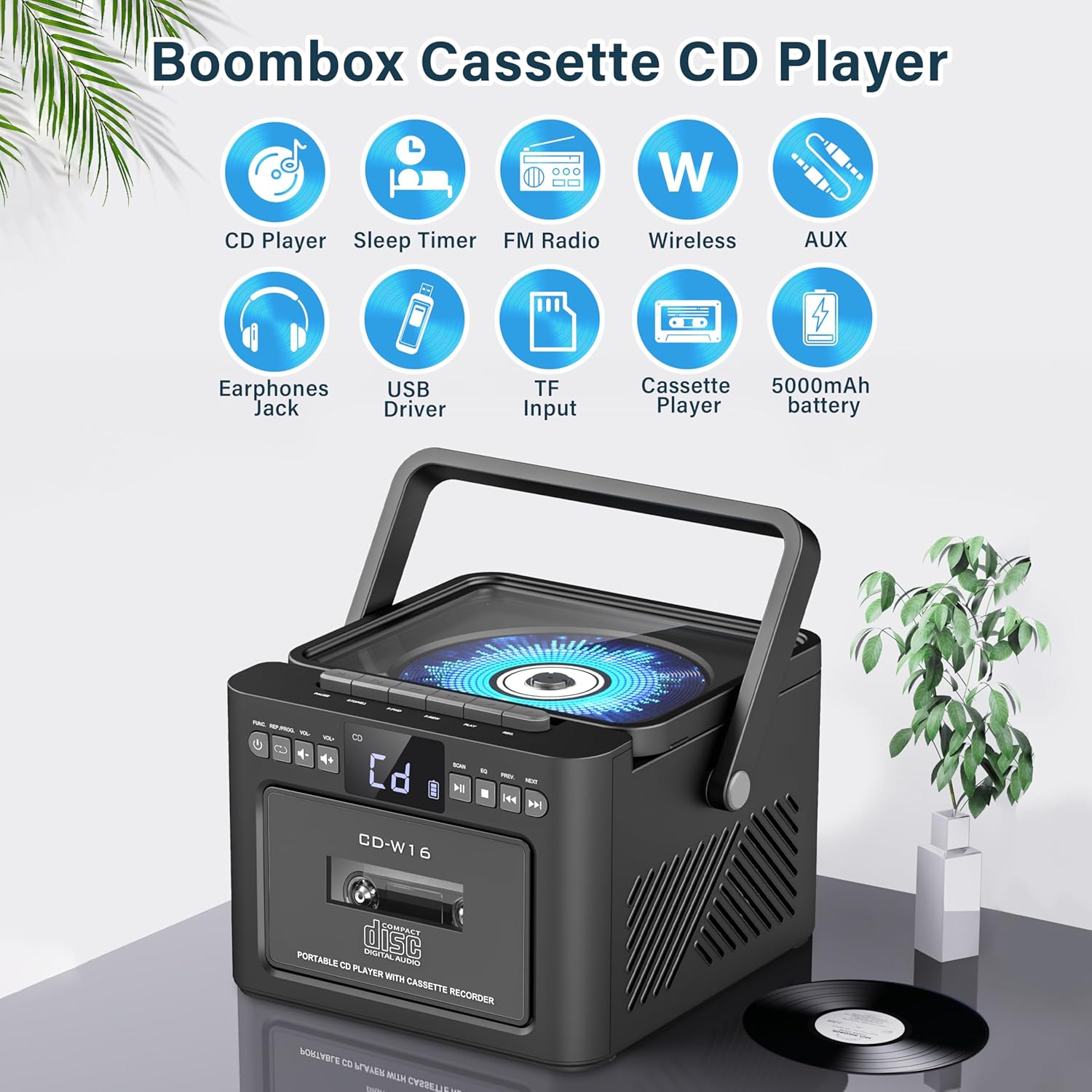
Obraz: Nadview of the Greadio GB-W18 Portable CD Player Boombox, highlighting its multi-functional capabilities including CD, cassette, FM radio, Bluetooth, USB, TF/SD card, AUX, and a built-in 5000mAh rechargeable battery.
Elementy sterujące na panelu przednim
- Wyświetlacz LED: Shows current mode, track number, frequency, etc.
- Przycisk zasilania: Włącza/wyłącza urządzenie.
- Przycisk trybu: Switches between CD, Cassette, FM, Bluetooth, USB, AUX, TF/SD modes.
- Regulacja głośności: Dostosowuje poziom wyjściowy dźwięku.
- Przycisk Odtwórz/Pauza: Controls playback for CD, USB, TF/SD, Bluetooth.
- Przycisk stopu: Zatrzymuje odtwarzanie.
- Przyciski Pomiń/Szukaj: Skips tracks or searches radio frequencies.
- Przycisk nagrywania: Initiates cassette recording.
Side/Rear Panel Ports
- Komora na płyty CD: Odtwarzacz CD ładowany od góry.
- Magnetofon kasetowy: Magnetofon/magnetofon z przednim ładowaniem.
- Port USB: Do odtwarzania z dysku USB.
- Gniazdo karty TF/SD: Do odtwarzania z karty TF/SD.
- Wejście AUX: Gniazdo 3.5 mm do podłączania zewnętrznych urządzeń audio.
- Gniazdo słuchawkowe: Gniazdo 3.5 mm do słuchania w prywatności.
- DC 5V Input (Type-C): Do ładowania wewnętrznego akumulatora.
- Antena FM: Antena teleskopowa do odbioru radiowego.
Organizować coś
Zasilanie jednostki
The Greadio GB-W18 can be powered by its built-in rechargeable battery or via a Type-C USB power source.
- Ładowanie akumulatora: Connect the provided USB Type-C cable to the DC 5V input port on the unit and the other end to a compatible USB power adapter (e.g., car charger, power bank, computer USB port). The LED display will indicate charging status. A full charge provides extended portable use.

Obraz: The Greadio GB-W18 boombox with its USB and TF/SD card slots highlighted, along with illustrations of various 5V Type-C charging methods: car charger, power bank, and computer.
Początkowe włączenie
Naciśnij Moc button to turn on the unit. The LED display will light up, and the unit will typically default to the last used mode or CD mode.
Instrukcja obsługi
Użyj Tryb button to switch between different playback sources.
Odtwarzanie CD
- Naciśnij Tryb button until 'CD' appears on the display.
- Otwórz pokrywę komory na płyty CD.
- Place a CD (CD, CD-R, CD-RW) with the label side facing up onto the spindle.
- Close the CD compartment lid. The CD will begin to play automatically.
- Użyj Odtwórz/Pauza, Zatrzymywać się, I Pomiń/Wyszukaj przyciski do sterowania odtwarzaniem.

Obraz: A user operating the Greadio GB-W18 boombox, demonstrating CD playback and the use of the remote control for convenient operation.
Odtwarzanie i nagrywanie kaset
- Naciśnij Tryb button until 'TAPE' appears on the display.
- Otwórz drzwiczki magnetofonu kasetowego.
- Włóż kasetę magnetofonową otwartym brzegiem do góry.
- Zamknij drzwiczki magnetofonu kasetowego.
- Naciśnij Grać button on the cassette deck controls to start playback.
- Do Nagrywać: Ensure a blank or recordable cassette is inserted. Select your desired input source (e.g., FM radio, AUX, Bluetooth). Press the Nagrywać button on the unit. Press Zatrzymywać się aby zakończyć nagrywanie.

Obraz: The Greadio GB-W18 boombox in a social setting, illustrating the cassette player function with a hand inserting a tape.
Obsługa radia FM
- Extend the telescopic FM antenna for optimal reception.
- Naciśnij Tryb Naciskaj przycisk, aż na wyświetlaczu pojawi się napis „FM”.
- Naciśnij i przytrzymaj Pomiń/Wyszukaj buttons to automatically scan for available stations. The unit can preset up to 30 stations.
- Naciśnij Pomiń/Wyszukaj buttons briefly to manually tune or cycle through preset stations.
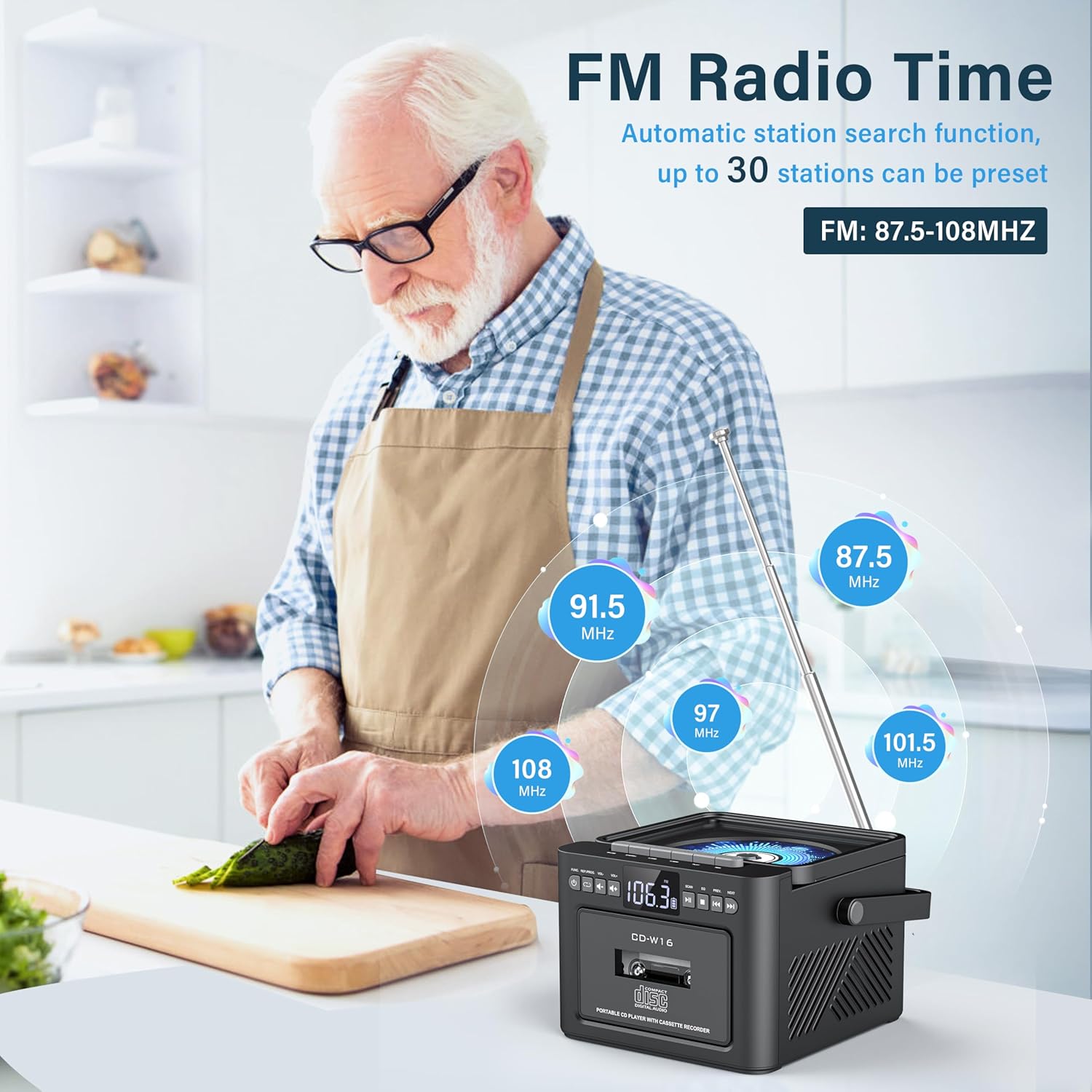
Obraz: A user in a kitchen setting with the Greadio GB-W18 boombox, demonstrating its FM radio capabilities and the range of frequencies it can receive.
Bluetooth (Wireless Receiver)
- Naciśnij Tryb button until 'BLUE' or 'BT' appears on the display. The unit will enter pairing mode, indicated by a flashing Bluetooth icon.
- Na swoim urządzeniu mobilnym (smartfonie, tablecie itp.) włącz Bluetooth i wyszukaj dostępne urządzenia.
- Select 'Greadio GB-W18' (or similar name) from the list to pair.
- Once paired, you can play audio from your device through the boombox.
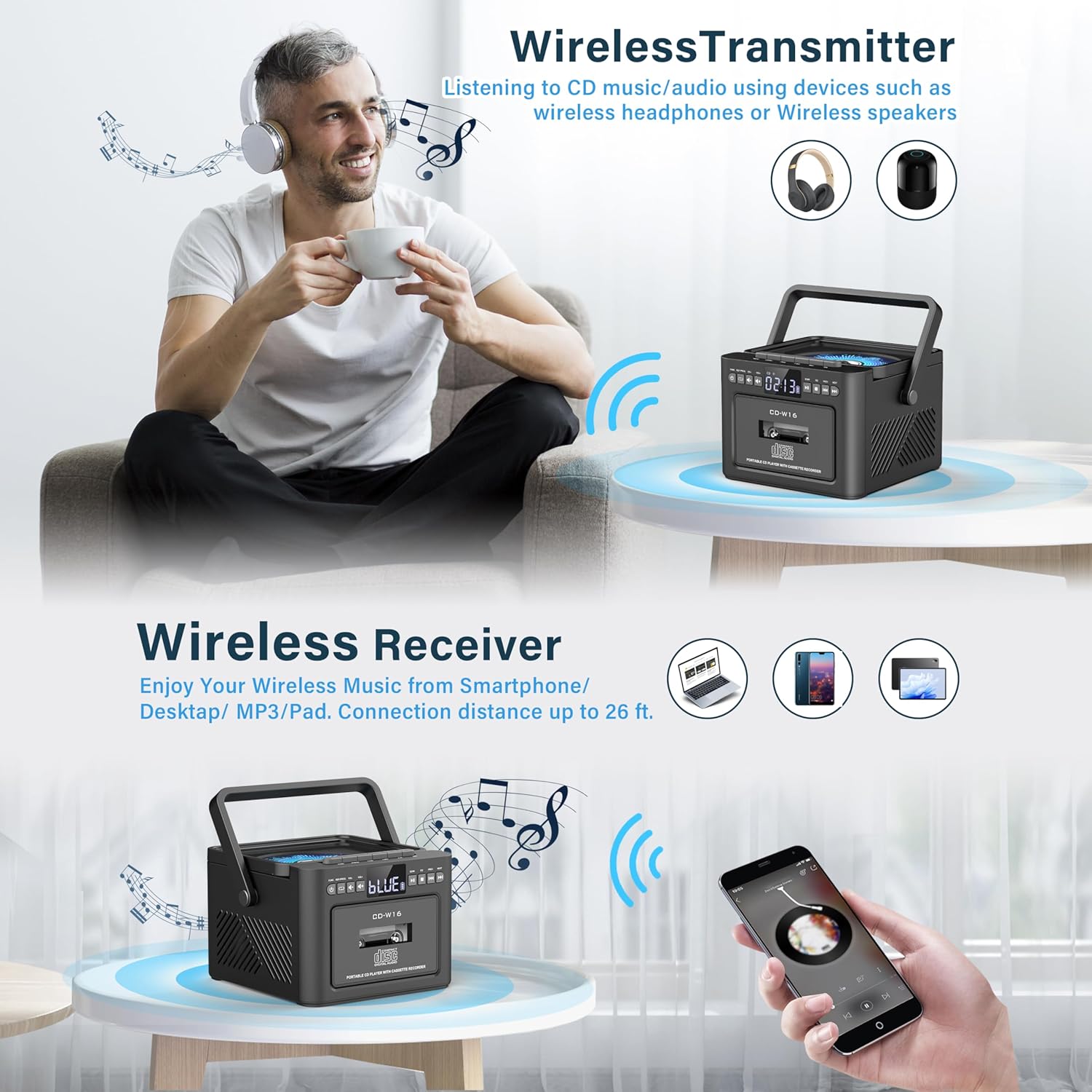
Obraz: The Greadio GB-W18 boombox demonstrating its wireless capabilities, functioning as both a wireless transmitter (for headphones/speakers) and a wireless receiver (for streaming from smartphones/tablets).
USB Drive & TF/SD Card Playback
- Włóż dysk USB do portu USB lub kartę TF/SD do gniazda karty TF/SD.
- Naciśnij Tryb Naciskaj przycisk, aż na wyświetlaczu pojawi się napis „USB” lub „TF”.
- The unit will automatically detect and play MP3 files z urządzenia pamięci masowej.
- Użyj Odtwórz/Pauza, Zatrzymywać się, I Pomiń/Wyszukaj przyciski do sterowania odtwarzaniem.
Wejście AUX
- Connect an external audio device (e.g., MP3 player, smartphone) to the AUX input jack using a 3.5mm audio cable (not included).
- Naciśnij Tryb Naciskaj przycisk, aż na wyświetlaczu pojawi się napis „AUX”.
- Odtwórz dźwięk z urządzenia zewnętrznego. Dźwięk będzie odtwarzany przez głośniki typu boombox.
Zdalne sterowanie
The included remote control allows for convenient operation of most functions from a distance. Point the remote control directly at the front panel of the boombox. Functions include power on/off, mode selection, volume adjustment, playback controls (play, pause, stop, skip), and radio tuning.
Timer snu
The unit features a sleep timer function. Refer to the remote control or specific button on the unit (if available) to set a timer for automatic power-off. This feature is useful for falling asleep to music.
Konserwacja
- Czyszczenie: Do czyszczenia zewnętrznej części urządzenia należy używać miękkiej, suchej ściereczki. Nie należy używać środków czyszczących o właściwościach ściernych ani rozpuszczalników.
- Pielęgnacja soczewek CD: Jeśli występują problemy z odtwarzaniem płyt CD, należy zastosować specjalną płytę czyszczącą do soczewek CD.
- Czyszczenie głowicy kasety: Regularly clean the cassette heads with a cotton swab lightly dampnasycone alkoholem izopropylowym, aby zapewnić optymalną jakość dźwięku i zapobiec uszkodzeniu taśmy.
- Pielęgnacja baterii: For optimal battery life, avoid fully discharging the battery frequently. Charge the unit regularly, even if not in use for extended periods.
- Składowanie: When not in use for a long time, store the unit in a cool, dry place away from direct sunlight and extreme temperatures.
Rozwiązywanie problemów
| Problem | Możliwa przyczyna | Rozwiązanie |
|---|---|---|
| Urządzenie nie włącza się. | Bateria jest rozładowana. | Podłącz urządzenie do źródła zasilania za pomocą kabla USB typu C i pozwól mu się naładować. |
| Brak dźwięku z głośników. | Volume is too low or muted. Incorrect mode selected. Headphones connected. | Increase volume. Press the Tryb button to select the correct source. Disconnect headphones. |
| Płyta CD przeskakuje lub nie odtwarza się. | Płyta CD jest brudna, porysowana lub nieprawidłowo włożona. Soczewka CD jest brudna. | Clean the CD. Reinsert the CD correctly. Use a CD lens cleaner. |
| Słaby odbiór radia FM. | Antena nie jest wysunięta. Słaby sygnał. | Całkowicie rozłóż antenę FM. Zmień położenie urządzenia, aby uzyskać lepszy odbiór. |
| Nie można sparować urządzenia Bluetooth. | Boombox not in pairing mode. Device too far. | Ensure boombox is in Bluetooth mode and flashing. Move device closer (within 26 ft). |
| Cassette playback distorted. | Cassette heads are dirty. Tape is old or damaged. | Clean cassette heads. Try a different tape. |
Specyfikacje
- Numer modelu: GB-W18
- Wymiary produktu: 7.56 x 7.56 x 5.16 cala
- Waga przedmiotu: 2.99 funta
- Technologia łączności: Bluetooth 5.0
- Typ głośnika: Podwójny głośnik stereo
- Bateria: Built-in 5000mAh Rechargeable Lithium Ion Battery
- Pobór mocy: DC 5 V (typ C)
- Obsługiwane nośniki: CD, CD-R, CD-RW, Cassette Tape, USB Drive (MP3 format, up to 32GB), TF/SD Card (MP3 format, up to 32GB), AUX Input
- Częstotliwość radiowa FM: 87.5-108MHz
Gwarancja i wsparcie
Greadio products are designed for reliability and performance. For any questions, technical support, or warranty inquiries, please refer to the contact information provided with your purchase or visit the official Greadio webStrona. Zachowaj dowód zakupu na wypadek roszczeń gwarancyjnych.