
Wstęp
Dziękujemy za zakupasing the MECHEN H16 Portable CD Player. This device offers versatile audio playback options including CD, Bluetooth, TF card, and AUX input, all controlled with ease via the device or its remote. Please read this manual carefully to ensure proper use and optimal performance of your new CD player.
Zawartość opakowania
Sprawdź, czy w przesyłce znajdują się wszystkie elementy:
- 1 x MECHEN H16 Portable CD Player
- 1 x Pilot zdalnego sterowania
- 1 x kabel ładujący USB
- Kabel 1 x AUX
- 1 x Instrukcja obsługi
Produkt ponadview
Familiarize yourself with the components and controls of your MECHEN H16 CD Player.

Rycina 1: Przód View i kluczowe cechy
This image displays the front of the MECHEN H16 Portable CD Player, highlighting its various modes and features including CD playback, Bluetooth 5.3 connectivity, TF card support, AUX input, HiFi audio, LED display, Type-C charging port, and remote control capability.

Figure 2: Ports and Controls
This image shows the top and side views of the MECHEN H16 Portable CD Player, indicating the locations of the AUX port, USB port, TF card slot, power indicator, Play/Pause button, Mode button, Previous/Rewind button, Next/Fast forward button, LED display, and Volume wheel. The speaker is also visible at the bottom front.
Organizować coś
1. Ładowanie urządzenia
The MECHEN H16 is equipped with a 2500mAh rechargeable battery, providing up to 10 hours of continuous playback. Before first use, fully charge the device.
- Connect the provided USB charging cable to the Type-C port on the player.
- Connect the other end of the USB cable to a power source such as a wall charger, power bank, car charger, or computer USB port.
- The LED display will indicate charging status. A full charge typically takes a few hours.

Rysunek 3: Opcje ładowania
This image illustrates the four different ways to charge the MECHEN H16 Portable CD Player: using a wall charger, a power bank, a car charger, or a computer's USB port. The image also highlights the 2500mAh battery capacity.
2. Wkładanie płyty CD
- Delikatnie otwórz pokrywę komory płyty CD.
- Place the CD with the label side facing up onto the spindle.
- Press the CD gently until it clicks into place.
- Zamknij dokładnie pokrywę komory na płytę CD.
Instrukcja obsługi
1. Włączanie/wyłączanie zasilania
Naciśnij i przytrzymaj przycisk zasilania, aby włączyć lub wyłączyć urządzenie.
2. Odtwarzanie płyt CD
- Włóż płytę CD zgodnie z opisem w sekcji Konfiguracja.
- The player will automatically detect the CD and begin playback. If not, press the Play/Pause button.
- Use the Previous/Rewind and Next/Fast forward buttons to navigate tracks.
- Adjust volume using the Volume wheel or remote control.
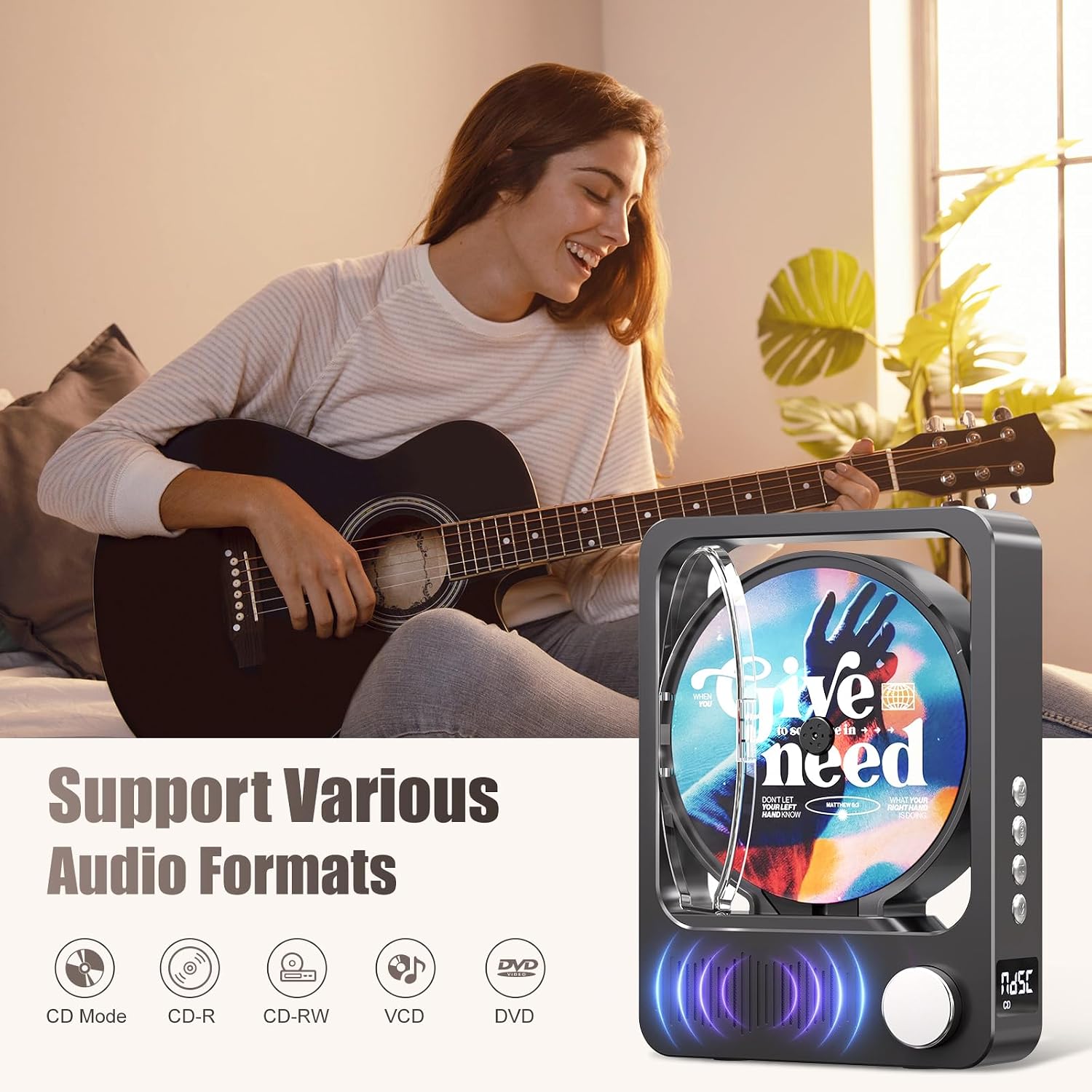
Rysunek 4: Obsługiwane formaty audio
This image highlights the MECHEN H16's compatibility with various audio formats. The MECHEN H16 supports playback of standard audio CDs, CD-R, CD-RW, MP3, and WMA formats. (Note: Discs are not included).
3. Bluetooth Connectivity (Speaker Mode)
The MECHEN H16 can act as a Bluetooth speaker to play audio from your smartphone, tablet, or computer. Note: This device cannot connect to Bluetooth headphones.
- Press the Mode button until "BLUE" appears on the LED display, indicating Bluetooth mode.
- On your external device (smartphone, tablet, etc.), enable Bluetooth and search for "MECHEN H16".
- Select "MECHEN H16" to pair. Once connected, you can stream audio from your device to the CD player.

Figure 5: Bluetooth Speaker Functionality
This image demonstrates the MECHEN H16 Portable CD Player functioning as a Bluetooth speaker, wirelessly playing music from a connected mobile phone. It also shows compatibility with MP3/MP4 players, tablets, and computers.
4. Odtwarzanie z karty TF
- Insert a TF card (containing MP3/WMA files) do gniazda karty TF.
- Press the Mode button until "TF" appears on the LED display.
- The player will automatically begin playing audio files z karty TF.
5. Wejście AUX
- Connect an external audio device (e.g., MP3 player, smartphone) to the AUX port using the provided 3.5mm AUX cable.
- Press the Mode button until "LINE" appears on the LED display.
- Audio from the connected device will now play through the CD player's speakers.
6. Korzystanie z pilota zdalnego sterowania
Dołączony pilot pozwala na wygodną obsługę na odległość.

Rysunek 6: Funkcje pilota zdalnego sterowania
This image displays the remote control for the MECHEN H16 Portable CD Player, showing buttons for track navigation (Previous, Next), volume adjustment (Volume+, Volume-), Mode selection, and Play/Pause. It allows effortless control of playback functions.
- Przycisk zasilania: Włącza/wyłącza urządzenie.
- Odtwórz/Pauza: Rozpoczyna lub wstrzymuje odtwarzanie.
- Poprzedni/Przewiń do tyłu: Skips to the previous track or rewinds the current track.
- Dalej/szybko do przodu: Skips to the next track or fast forwards the current track.
- GŁOŚNOŚĆ+/GŁOŚNOŚĆ-: Dostosowuje poziom głośności.
- Tryb: Switches between CD, Bluetooth, TF, and AUX modes.
Konserwacja
- Czyszczenie: Use a soft, dry cloth to clean the exterior of the player. Do not use liquid cleaners or aerosols. For the CD lens, use a specialized CD lens cleaner.
- Składowanie: Przechowuj odtwarzacz w chłodnym, suchym miejscu, z dala od bezpośredniego światła słonecznego i ekstremalnych temperatur.
- Pielęgnacja baterii: Aby przedłużyć żywotność baterii, unikaj częstego całkowitego rozładowywania baterii. Regularnie ładuj urządzenie, nawet jeśli nie jest używane przez dłuższy czas.
Rozwiązywanie problemów
| Problem | Rozwiązanie |
|---|---|
| Odtwarzacz się nie włącza. | Ensure the battery is charged. Connect the player to a power source using the USB cable. |
| Płyta CD nie odtwarza się lub przeskakuje. | Check if the CD is clean and free of scratches. Ensure the CD is inserted correctly. The player supports CD, CD-R, CD-RW, MP3, and WMA formats. |
| Brak dźwięku z głośników. | Increase the volume. Ensure the correct mode (CD, Bluetooth, TF, AUX) is selected. If using AUX, check the cable connection. |
| Nie można nawiązać połączenia z urządzeniem Bluetooth. | Ensure the player is in Bluetooth mode ("BLUE" on display). Make sure your external device's Bluetooth is enabled and within range. Remember, the player acts as a speaker and cannot connect to Bluetooth headphones. |
| Pilot zdalnego sterowania nie działa. | Check the remote control battery. Ensure there are no obstructions between the remote and the player. |
Specyfikacje
| Nazwa modelu | H16 |
| Marka | MECHEN |
| Technologia łączności | Bluetooth 5.3, Auxiliary (3.5mm Jack), USB (for charging) |
| Cechy specjalne | Bluetooth, CD-R/RW Compatible, Portable, Rechargeable |
| Obsługiwane formaty audio | CD, CD-R, CD-RW, MP3, WMA |
| Bateria | 2500mAh litowo-jonowy (w zestawie) |
| Średnia żywotność baterii | Do 10 godzin (odtwarzanie) |
| Wymiary (dł. x szer. x wys.) | Wymiary 21.5 x 16 x 4.3 cm |
| Liczba dysków | 1 |
| Kompatybilne urządzenia | Headphones (wired), Speakers (wired/Bluetooth) |
Gwarancja i wsparcie
Informacje o gwarancji
The MECHEN H16 Portable CD Player comes with a 1-letnia gwarancja od daty zakupu. Niniejsza gwarancja obejmuje wady produkcyjne i wykonawcze wynikające z normalnego użytkowania. Nie obejmuje uszkodzeń spowodowanych niewłaściwym użytkowaniem, wypadkami, nieautoryzowanymi modyfikacjami ani normalnym zużyciem.
Obsługa klienta
For technical assistance, troubleshooting, or warranty claims, please contact MECHEN customer support. Refer to the contact information provided on the product packaging or the official MECHEN webstrona.
Zachowaj dowód zakupu, aby skorzystać z serwisu gwarancyjnego.